

Is the Front or Back Camera More Accurate? The Real Science of Face Accuracy
July 7, 2026
Which Image Format Should You Use? JPEG, PNG, WebP, AVIF, and HEIC Explained (2026 Edition)
July 10, 2026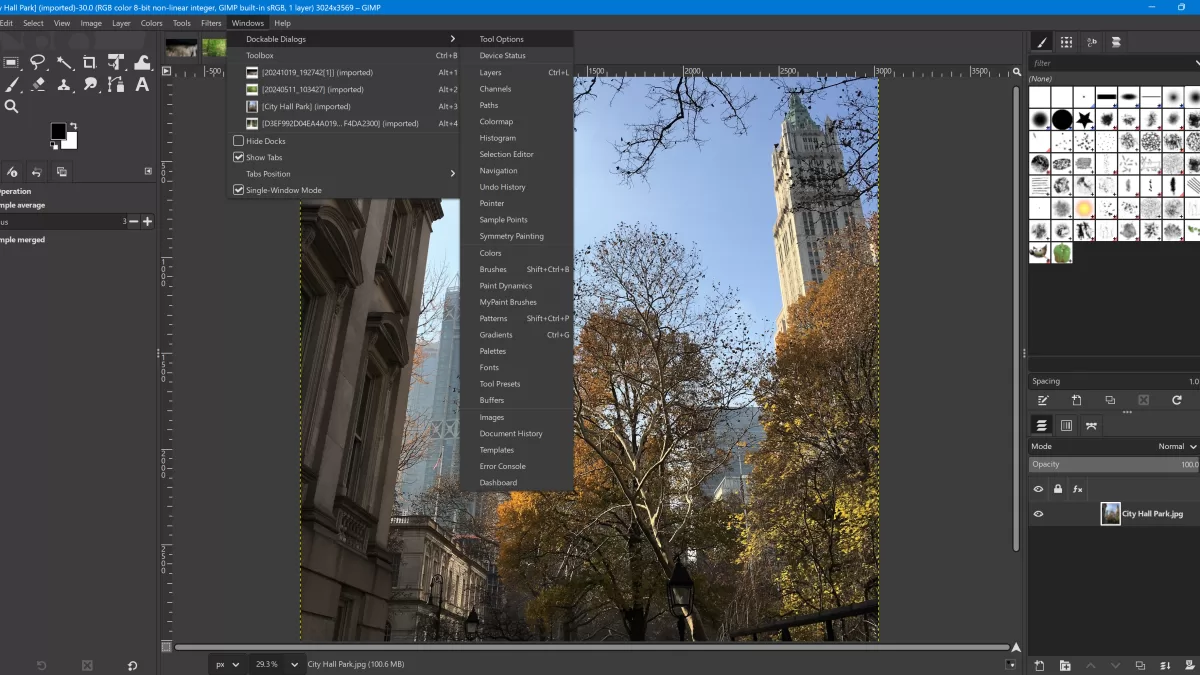
Adobe Photoshop still wears the crown of raster editing — yet its throne has never looked shakier. Creative Cloud prices keep climbing, AI-first competitors keep gaining ground, and one seismic move flipped the entire market on its head: Canva bought Serif and made the whole Affinity suite completely free in 2026 Canva Newsroom. Suddenly, professional-grade Photoshop alternatives no longer feel like compromises — many feel like upgrades.
In this guide, I compare the ten best Adobe Photoshop alternatives you can use right now, from truly free open-source editors to premium studios built for RAW workflows and generative AI. You’ll get honest pros and cons, real 2026 pricing, and clear recommendations by user type — whether you shoot products, retouch portraits, design social graphics, or paint digital art.
Quick answer (TL;DR): In 2026, the best free Photoshop alternative is Affinity by Canva, the best browser-based tool is Photopea, the best Mac-native option is Pixelmator Pro, and the best AI-driven editor is Luminar Neo. Full comparison below.
Need pixel-perfect cutouts before your next campaign launch? Try our hand-drawn clipping path service and see the precision difference.
- How I Chose These Photoshop Alternatives
- 1. Affinity by Canva — Overall Best Photoshop Alternative (Now 100% Free)
- 2. GIMP — Best Free Open-Source Photoshop Alternative
- 3. Photopea — Best Browser-Based Photoshop Clone
- 4. Pixelmator Pro — Best Photoshop Alternative for Mac
- 5. Luminar Neo — Best Photoshop Alternative for AI Photo Editing
- 6. Capture One Pro — Best Photoshop Alternative for Studio Photographers
- 7. Krita — Best Photoshop Alternative for Digital Artists
- 8. Canva — Best for Social Media Graphics and Fast Design
- 9. Photoshop Elements 2026 — Adobe’s Own Affordable Alternative
- 10. Darktable & RawTherapee — Best Free Lightroom + Photoshop Combo
- Quick Comparison: Best Photoshop Alternatives at a Glance (2026)
- How to Pick the Right Photoshop Alternative for You
- AI vs Traditional Editing: Which Wins in 2026?
- Which Photoshop Alternative Handles Which Task Best?
- Are Photoshop Alternatives Really Enough for Professionals?
- Free vs Paid Photoshop Alternatives: What You Really Give Up
- How to Migrate from Photoshop Without Losing Files or Sleep
- FAQ — Best Adobe Photoshop Alternatives
- Final Verdict: The Best Adobe Photoshop Alternative Depends on You
How I Chose These Photoshop Alternatives
I evaluated every tool on eight benchmarks that matter to real creators:
- Layer-based editing with masks, blend modes, and smart objects
- RAW file support for color-accurate photography
- Non-destructive editing so originals stay safe
- PSD compatibility for opening Adobe files
- Cross-platform availability on Windows, macOS, Linux, iPad, or browser
- Sensible pricing — free, one-time, or clearly justified subscriptions
- Active development with regular 2025–2026 updates
- AI features like background removal, sky replacement, and generative fill
No tool below scores 10/10 on every criterion. Each one solves a real problem better than Photoshop for a specific audience. Let’s meet them.
1. Affinity by Canva — Overall Best Photoshop Alternative (Now 100% Free)
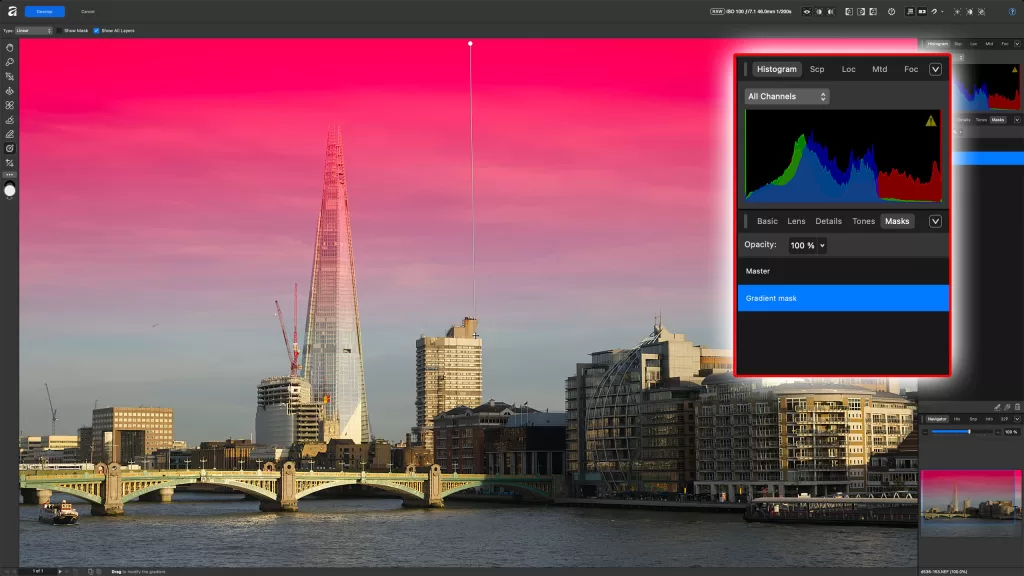
Best for: Photographers, designers, and illustrators who want a genuine Photoshop replacement with zero subscription.
Affinity Photo has always been the fan-favorite Photoshop challenger. In 2026 it became something bigger — Canva merged Serif’s three legendary apps (Photo, Designer, Publisher) into one unified suite called Affinity by Canva and released it completely free for individuals Affinity Studio.
Key features
- Unlimited layers, masks, and blend modes in a Photoshop-like workspace
- Live filters plus non-destructive adjustments on massive files
- Full RAW editing with HDR merging and focus stacking
- Frequency separation, inpainting, and pro-grade portrait retouching
- Native PSD, AI, and IDML import; 16-bit and 32-bit color depth
- Optional AI tools unlocked with a Canva Premium plan
Why it wins
The interface feels instantly familiar to any Photoshop user, so migration takes hours instead of weeks. Performance on huge files stays smooth, and the tone-mapping engine remains “extremely powerful” according to long-time reviewer Life After Photoshop. With the free relaunch, there is literally zero financial reason not to try it.
Pros and cons
- ✓ Completely free forever on Windows and macOS
- ✓ Pro-grade RAW, HDR, and focus stacking built in
- ✓ Handles giant PSD files with ease
- ✕ AI features require a paid Canva Premium plan
- ✕ iPad version still in development
- ✕ Occasional filter quirks users hope get patched
Photographers shooting products with a favorite mirrorless camera will find Affinity’s RAW engine tracks Adobe Camera Raw closely enough that most workflows carry over intact.
2. GIMP — Best Free Open-Source Photoshop Alternative
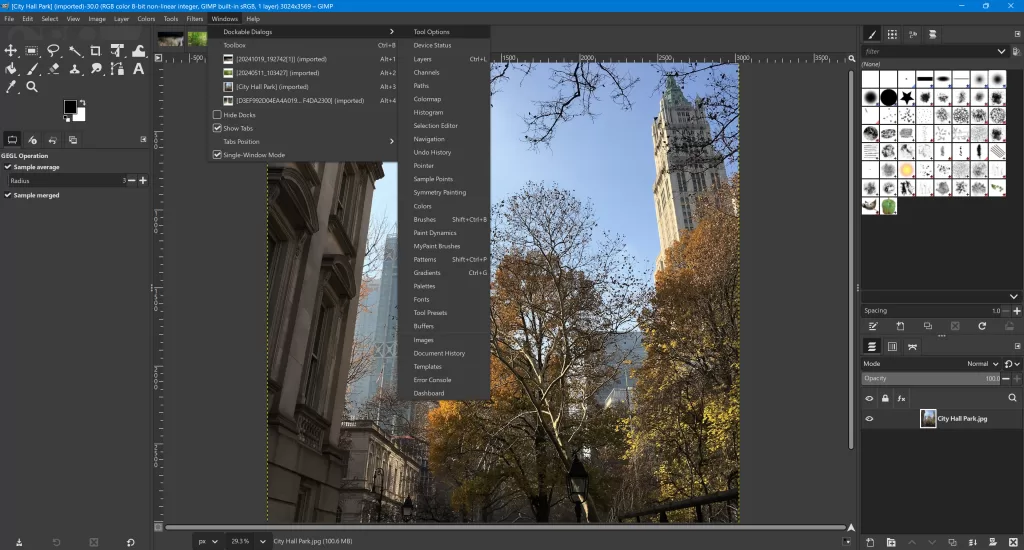
Best for: Budget-conscious users, Linux photographers, and open-source purists.
The GNU Image Manipulation Program (GIMP) has powered indie designers, bloggers, and Linux photographers for over two decades. In 2026 it hit its most polished era yet — GIMP 3.2 launched in March 2026 with non-destructive filters, better Wayland support, and modern color-space handling.
Key features
- Layer-based editing with masks, channels, and paths
- Support for PSD, TIFF, PNG, EXR, WebP, and more
- Huge plugin ecosystem including G’MIC and Resynthesizer
- Python and Script-Fu scripting for automation
- Fully customizable UI — you can even mimic the Photoshop layout
Where GIMP wins
Cost is the obvious victory. GIMP also runs beautifully on modest hardware — its install footprint stays a fraction of Photoshop’s, which matters on older laptops or tight storage. Reddit’s r/photography community calls GIMP “legit solid” for core editing in 2026, with the gap to Photoshop narrower than ever.
Where GIMP falls short
- ✕ Limited native GPU acceleration on some operations
- ✕ RAW support needs an external tool like darktable
- ✕ Interface still feels rough for absolute beginners
Curious how open-source raster editors stack up? Our dive into the best raster editor software walks through the trade-offs.
Struggling to isolate hair, fur, or fine edges in GIMP? Let our professional image masking service handle the tricky pixels for you.
3. Photopea — Best Browser-Based Photoshop Clone
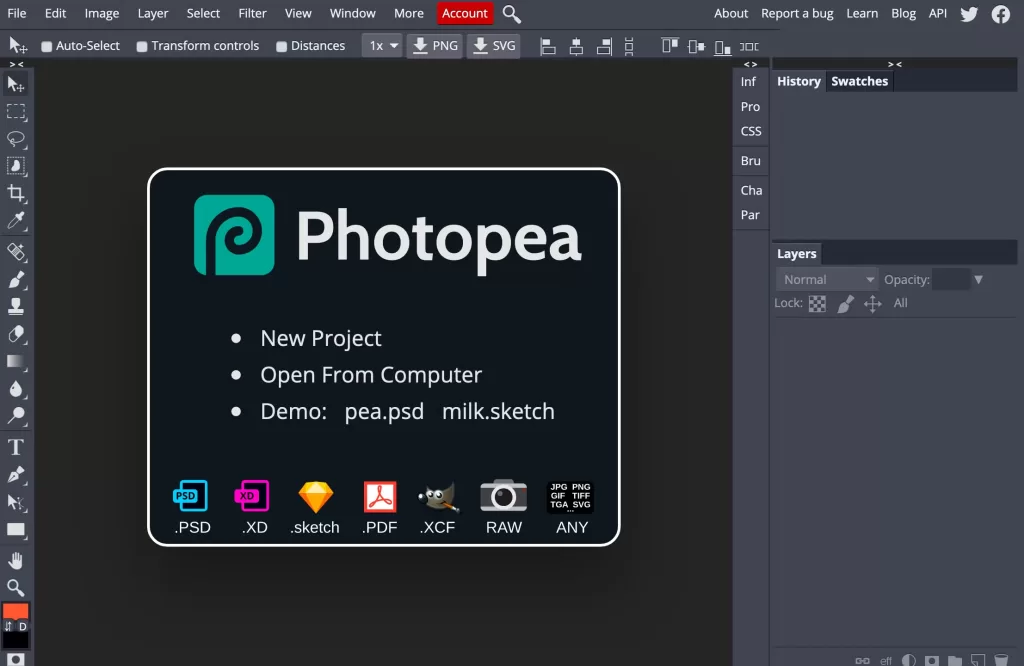
Best for: Chromebook users, students, and anyone who needs Photoshop-level editing without installing software.
Photopea is the closest thing to Photoshop that runs entirely in your web browser. No download. No account. No install. Just open the URL, drop a PSD, and start editing.
Key features
- Opens and saves PSD, XCF, Sketch, XD, AI, and RAW formats natively
- Layers, masks, blend modes, smart objects, adjustment layers, and paths
- Type tool with vertical text and vector shape editing
- Runs on any modern browser — desktop, tablet, or Chromebook
Ideal use cases
Photopea shines when you need to open a PSD on a friend’s laptop, edit a graphic on a locked-down work machine, or handle occasional design tasks without buying software. Its Premium tier removes ads for just $5/month or $50/year Photopea Blog — roughly a quarter of Photoshop’s monthly cost.
Trade-offs
- ✕ Ad-supported unless you upgrade to Premium
- ✕ Performance depends on your browser and RAM
- ✕ Not ideal for enormous RAW workflows
For folks who juggle files between devices, pair Photopea with the best cloud storage for photos so your PSDs sync automatically.
4. Pixelmator Pro — Best Photoshop Alternative for Mac
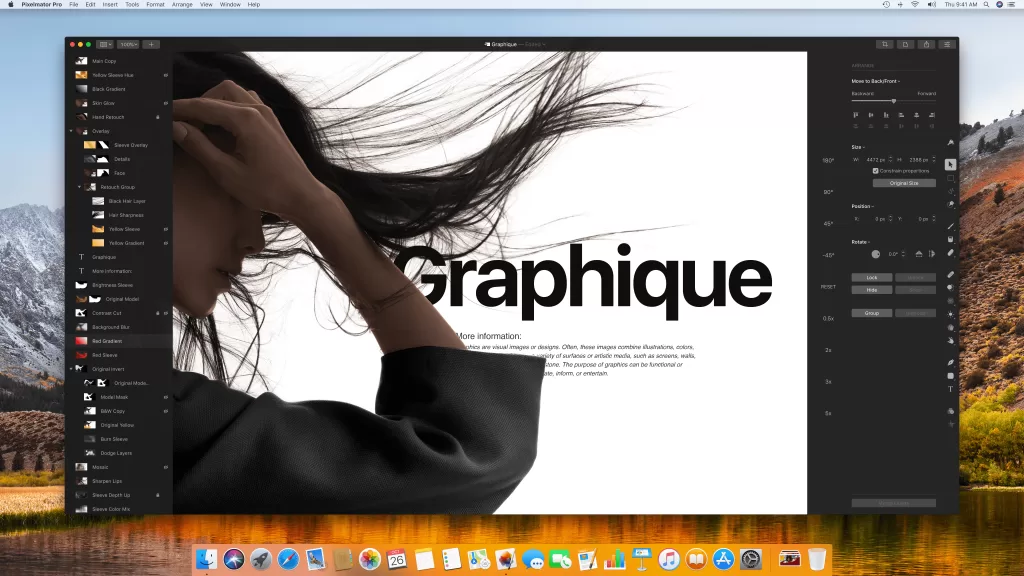
Best for: Mac and iPad users who want a beautiful native app with AI features baked in.
Pixelmator Pro looks like Apple designed it — and technically now, Apple did. Apple’s acquisition of Pixelmator completed on February 11, 2025 MacRumors. The team now sits inside Apple, and the app has gained even tighter integration with Apple Intelligence and Image Playground on Apple Silicon.
Key features
- One-time purchase (currently ~$49.99) for lifetime desktop use
- Full layer-based editing with smart objects, masks, and vector shapes
- AI-powered tools: background removal, ML super resolution, ML denoise, colorize
- Multi-channel curves, RAW photo support, and non-destructive adjustments
- Deep macOS integration — Shortcuts, Quick Look, Continuity, iCloud
Why Mac users love it
The interface feels intuitive from the very first launch. Even beginners produce polished results in minutes thanks to smart presets and one-click AI. Longtime reviewer MacStories praised its “beautiful modern interface” that pairs with genuinely advanced editing power.
Considerations
- ✕ Mac-only (no Windows or Linux version)
- ✕ PSD support is good but imperfect for complex files
- ▲ Some users worry Apple may eventually fold it into Photos — for now, updates continue
- ✓ Excellent value for anyone already in the Apple ecosystem
5. Luminar Neo — Best Photoshop Alternative for AI Photo Editing
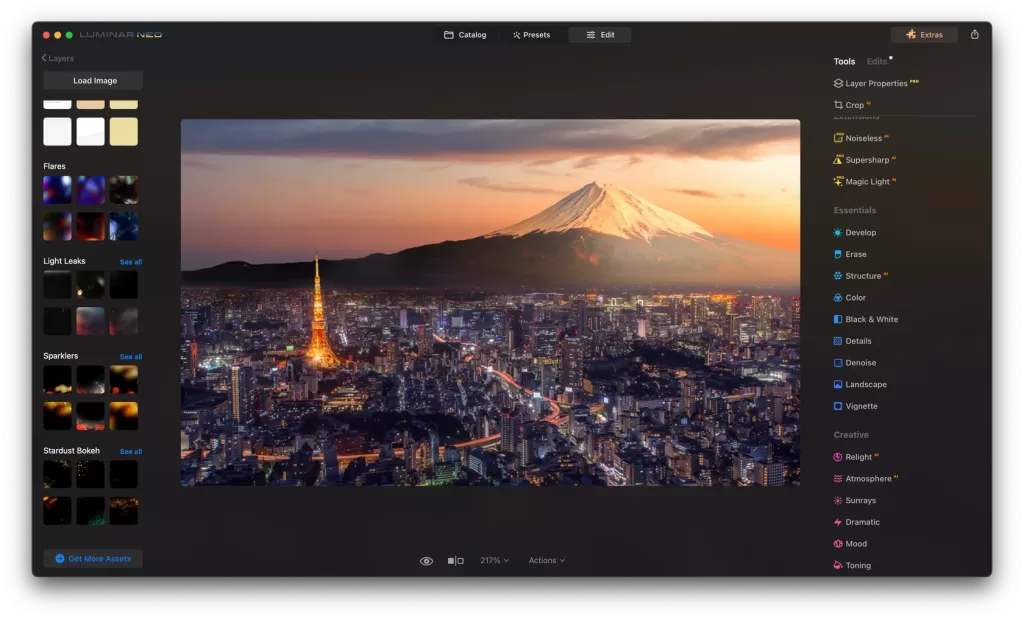
Best for: Photographers who want dramatic results with minimal effort.
Skylum’s Luminar Neo leans hard into artificial intelligence. Instead of layering ten adjustment steps, you drag one slider and let the AI do the rest. The Spring 2026 update strengthened portrait retouching and added cross-device syncing between desktop and mobile.
Key features
- Sky AI for realistic sky replacement with reflections
- Portrait Bokeh AI, Body AI, Face AI, and Skin AI
- Relight AI for lighting-based recomposition
- Structure AI to boost detail without noise
- RAW workflow that rivals Lightroom for enthusiasts
Pricing in 2026
Skylum offers both subscription plans and a lifetime license. The lifetime option currently runs around $119 during frequent promotions, according to SLR Lounge. Photographers who hate subscriptions love this option.
Best use cases
Landscape shooters replace dull skies in seconds. Portrait photographers clean skin, whiten teeth, and enhance eyes without opening a retouching brush. Content creators race through Instagram batches. Photographers who juggle memory cards will also enjoy our guide to how many photos a 64GB card holds.
Not so ideal for
- ✕ Layer-heavy composite work — Neo is not a layer-based editor
- ✕ Users who dislike heavy AI-driven “looks”
- ✕ Studios needing tight tethered-shooting workflows
Uploading products to Shopify or Amazon this week? Our background removal service delivers clean, pure-white cutouts in 24 hours or less.
6. Capture One Pro — Best Photoshop Alternative for Studio Photographers
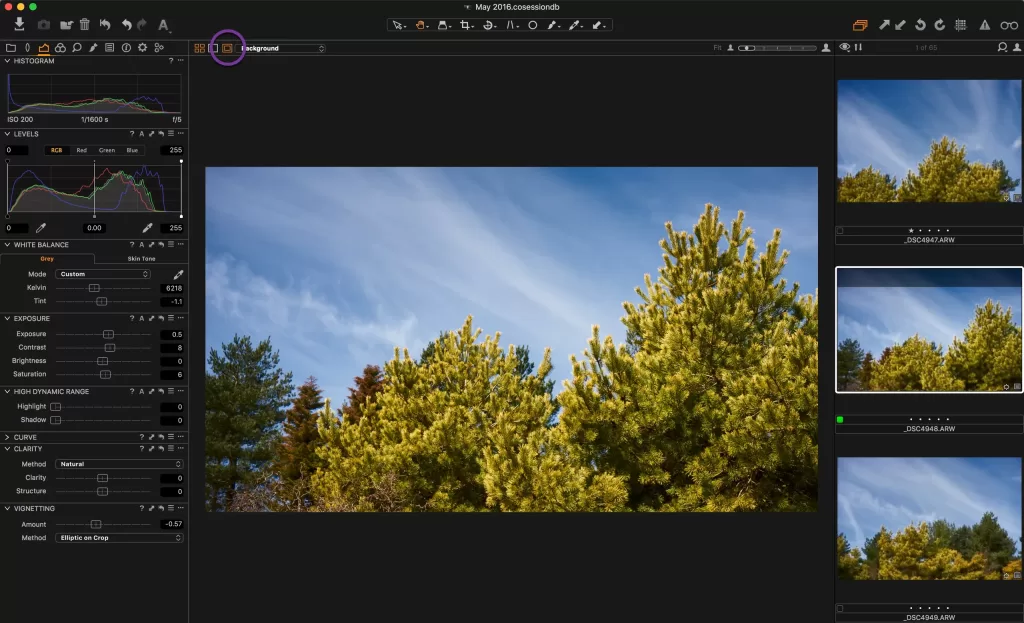
Best for: Commercial photographers, tethered shooters, and high-end studios.
Capture One Pro has long been the darling of fashion, beauty, and product studios. Its color rendering stays world-class, its tethered shooting is legendary, and its selective color tools remain unmatched. In 2026, the Pro subscription runs about $18/month annually, or you can grab a $349 one-time perpetual license — though after a controversial June 2026 price hike, some studios have started shopping around.
Key features
- Best-in-class color grading with Advanced Color Editor
- Tethered capture support for major camera brands
- Layer-based local adjustments with luma range masking
- Sessions and catalogs for studio-scale workflows
- Custom camera profiles for cinematic color
Pros and cons
- ✓ Unmatched RAW processing quality
- ✓ Superior tethering for studio work
- ✕ Steep learning curve for casual users
- ✕ Not ideal for compositing — pair with Affinity or Photoshop
Capture One shines brightest for photographers using Nikon lenses for product photography or medium-format systems, where color fidelity is everything.
7. Krita — Best Photoshop Alternative for Digital Artists
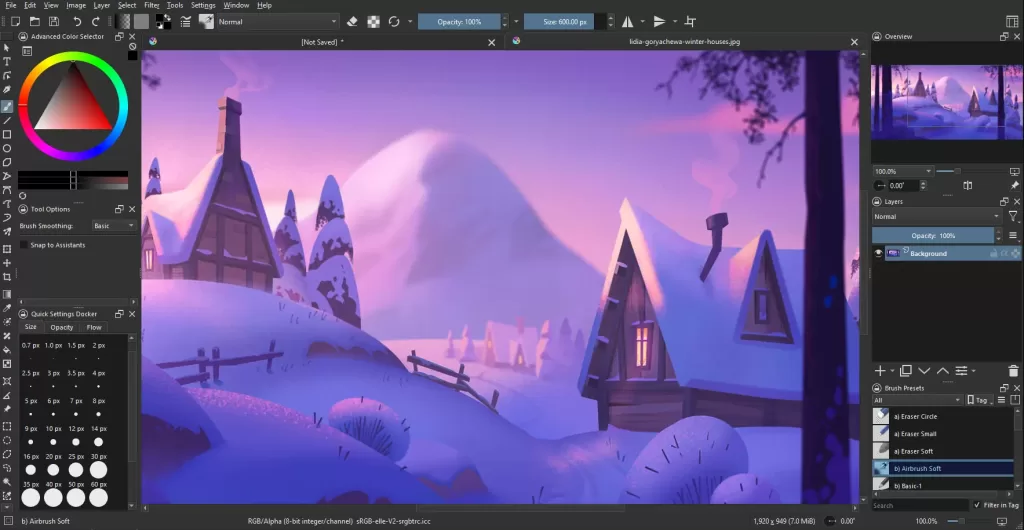
Best for: Illustrators, concept artists, comic creators, and animators.
Krita is a free, open-source powerhouse purpose-built for digital art. While GIMP tries to be a general raster editor, Krita concentrates on painting, illustration, and 2D animation. Krita 6.0 launched in 2026 with major upgrades to the text tool, on-canvas editing, and OpenType support.
Key features
- 100+ professional brush presets with deep customization
- Wrap-around mode for seamless texture creation
- Pop-up palette at the cursor for lightning-fast switching
- Layer masks, group layers, and vector layers
- 2D animation timeline for frame-by-frame or cutout work
Best fits
Comic artists, concept illustrators, tattoo designers, and anyone painting with a pen tablet will feel at home immediately. Krita also dominates art-school classrooms because it removes every financial barrier.
Limitations
- ✕ Not built for photo retouching or RAW processing
- ✕ Occasional stability issues on very large canvases
- ✕ Text tools stayed weaker than Photoshop’s for years — 2026 update finally improved them
8. Canva — Best for Social Media Graphics and Fast Design
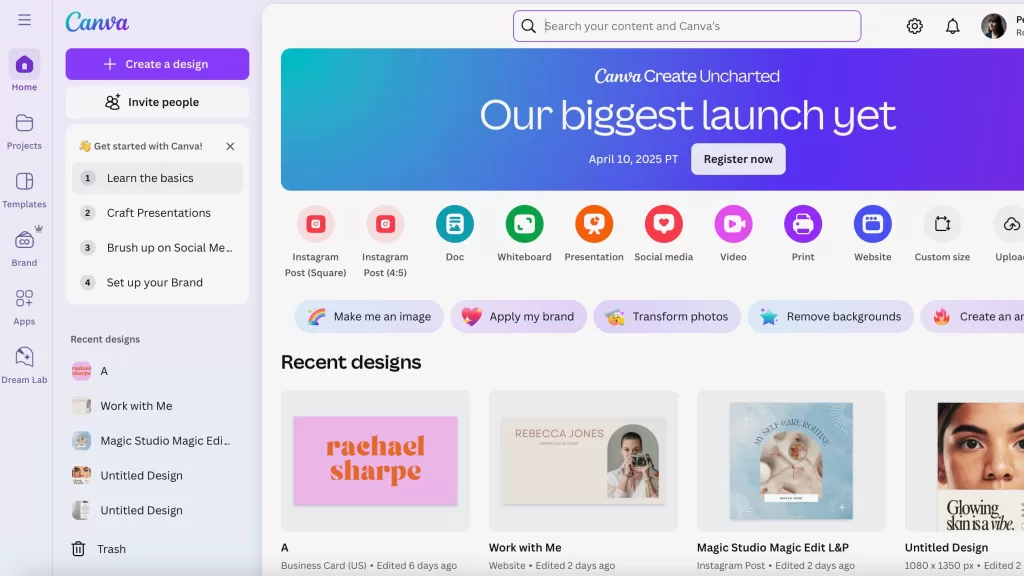
Best for: Marketers, small business owners, and social media creators.
Canva is not a Photoshop clone — it’s a template-first design platform. Yet for the majority of everyday tasks (Instagram carousels, YouTube thumbnails, presentations, printable flyers, quick photo edits), Canva runs circles around Photoshop in speed. Since acquiring Serif, Canva Premium subscribers also unlock Affinity Studio’s professional tools inside the ecosystem.
Key features
- Massive template library across every social and print size
- Drag-and-drop AI Magic tools: Magic Eraser, Magic Edit, Magic Expand
- Real-time team collaboration for brand kits
- Free plan with generous features; paid plan roughly $144/year
- Direct publishing to social platforms
Why creators love it
Speed. A polished Instagram carousel takes 10 minutes in Canva versus 40 minutes in Photoshop. If your workflow leans more marketing than pixel-pushing, Canva pays for itself in reclaimed hours. Our roundup of the best photo editing apps in 2026 gives Canva a top spot for exactly this reason.
9. Photoshop Elements 2026 — Adobe’s Own Affordable Alternative
Best for: Beginners who like the Adobe ecosystem but hate monthly subscriptions.
Yes, this list includes an Adobe product — and for good reason. Photoshop Elements delivers Adobe’s rendering engine, cloud sync, and Sensei AI without Creative Cloud pricing. Note the important change: since 2026, Adobe switched Elements from a perpetual license to a 3-year term license at $99.99 (frequently on sale for $59.99) Digital Camera World.
Key features
- Guided Edits that teach standard and creative effects
- Face-aware editing with one-click subject selection
- Slideshow, photo book, and calendar creation
- Organizer for cataloguing large photo libraries
- 25 generative AI credits per month included
Trade-offs
- ✕ License expires after 3 years — not truly “own forever”
- ✕ Missing pro Photoshop features (advanced automation, 3D, actions)
- ✓ Familiar Adobe interface for anyone returning to editing
10. Darktable & RawTherapee — Best Free Lightroom + Photoshop Combo
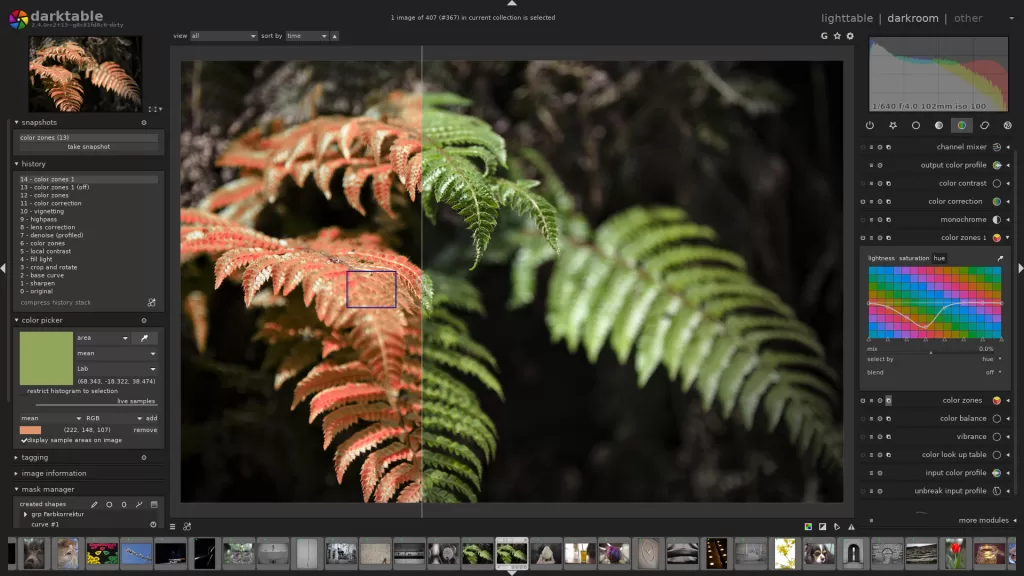
Best for: Photographers who want Lightroom-style RAW workflows for zero cost.
Darktable is a free, open-source photography workflow app — think Lightroom for open-source lovers. RawTherapee is a close sibling focused on maximum detail extraction. Photographers often pair one of these with GIMP or Affinity to build a completely free Lightroom + Photoshop replacement.
Highlights
- Non-destructive RAW editing with hundreds of processing modules
- Support for 400+ cameras, including latest mirrorless bodies
- Advanced color management and scene-referred workflow
- Free forever, cross-platform, and 100% open-source
Reality check
The learning curve stays steep. But if you enjoy tweaking sliders and understanding how images are constructed, darktable rewards you with results that rival Lightroom.
Handling hundreds of product images? Our multi clipping path service delivers path-based selections for every color variant — perfect for large e-commerce catalogs.
Quick Comparison: Best Photoshop Alternatives at a Glance (2026)
| Software | 2026 Price | Best For | Platform | RAW | Learning Curve |
|---|---|---|---|---|---|
| Affinity by Canva | Free | Overall best | Win/Mac | ✓ | Easy |
| GIMP | Free | Open-source fans | Win/Mac/Linux | Via plugin | Moderate |
| Photopea | Free / $5/mo | Browser use | Any browser | ✓ | Easy |
| Pixelmator Pro | ~$49.99 once | Mac users | macOS | ✓ | Very easy |
| Luminar Neo | ~$119 lifetime | AI editing | Win/Mac | ✓ | Very easy |
| Capture One Pro | $349 once / $18/mo | Studio pros | Win/Mac | Excellent | Steep |
| Krita | Free | Digital artists | Win/Mac/Linux | Limited | Moderate |
| Canva | Free / $144/yr | Social graphics | Any browser | Basic | Very easy |
| Photoshop Elements | $99.99 / 3-yr term | Beginners | Win/Mac | ✓ | Easy |
| Darktable | Free | RAW workflow | Win/Mac/Linux | Excellent | Steep |
How to Pick the Right Photoshop Alternative for You
Choosing the right tool depends less on features and more on your creative habits. Ask yourself these questions:
- What do you edit most? Products, portraits, illustrations, or social graphics?
- Which OS do you use? Mac users get Pixelmator Pro; Windows/Linux users lean Affinity or GIMP.
- Do you shoot RAW? Prioritize Capture One, darktable, or Luminar Neo.
- Do you love AI shortcuts? Luminar Neo, Canva, or Pixelmator Pro suit you best.
- How comfortable are you with new interfaces? Affinity’s Photoshop-style UI eases migration.
- What’s your budget? Free options (Affinity, GIMP, Photopea, Krita, Canva, darktable) now match paid tools on most tasks.
Teams that edit large product catalogs often combine a great editor with an experienced photo retouching service — the fastest path from raw shot to sales-ready image.
AI vs Traditional Editing: Which Wins in 2026?
Artificial intelligence has redrawn the editing map. Adobe launched Adobe Firefly inside Photoshop 2026. Skylum baked AI into every corner of Luminar. Canva unleashed Magic tools across its platform. Yet not everyone loves the AI-first direction.
Traditional editors still win when:
- You need pixel-perfect control over hair strands, glass edges, or reflections
- Color accuracy matters for print or brand consistency
- Your workflow includes dozens of layered composite elements
- Regulatory or ethical rules restrict AI-generated content
AI-first tools win when:
- Speed matters more than surgical precision
- You produce high volumes of similar content (product listings, thumbnails)
- You’re a beginner learning by results, not by manual technique
- The subject is common enough that AI models know it well
The smart move in 2026 is a hybrid workflow: AI for bulk work, manual editors for finishing touches. The same logic applies to premium product visuals — check our tips on shadow creation for product photography for the depth every product needs.
Which Photoshop Alternative Handles Which Task Best?
Different alternatives excel at different jobs. Here’s the cheat sheet:
- Background removal — Canva, Pixelmator Pro, or Luminar Neo (one-click AI)
- Portrait retouching — Affinity Photo (frequency separation) or Luminar Neo (AI Skin)
- Sky replacement — Luminar Neo dominates
- Compositing — Affinity Photo or Photopea
- Digital painting — Krita, hands down
- RAW batch processing — Capture One or darktable
- Text and typography — Affinity Photo or Canva
- Web graphics & mockups — Photopea in the browser
- Print-ready design — Affinity (with Publisher module baked in)
For e-commerce sellers with strict image guidelines, learning how to remove a background in GIMP is a useful free skill.
Are Photoshop Alternatives Really Enough for Professionals?
Yes — with one caveat. Most working photographers, designers, and small studios finish 95% of their commercial work without opening Photoshop. Affinity Photo alone handles fashion retouching, product cutouts, book covers, and social campaigns. Capture One powers high-end tethered studios. Krita drives concept art at indie animation shops.
The remaining 5% usually involves specific plugins (Nik Collection, industry automation) or team compatibility (studios locked into Adobe file exchange). For those situations, keep a single Photoshop seat on the team and let everyone else use alternatives.
When production volume outpaces your team’s capacity, outsourcing image editing to a specialized studio stays the most cost-effective solution. Complex tasks like ghost mannequin photography benefit enormously from expert hands.
Selling clothing online? Get flawless ghost mannequin edits that make apparel look premium — every angle, every SKU.
Free vs Paid Photoshop Alternatives: What You Really Give Up
Free tools have closed the gap dramatically. Yet paid tools still offer four things free ones sometimes lack:
- Faster customer support and richer documentation
- Steady release cadences with long-term development commitments
- Tighter ecosystem integration — color-managed workflows, tethering, plugins
- Advanced AI features trained on huge proprietary datasets
If you edit for a living, saving $10–$20 per month on software but losing an hour of productivity per week is a bad trade. Pick the tool that fits your workflow, not the one with the smallest sticker price.
How to Migrate from Photoshop Without Losing Files or Sleep
Switching editors feels scary. Follow these steps to make the transition painless:
- Export PSDs to the flattest editable version you can — some alternatives lose smart objects
- Rebuild keyboard shortcuts in the new app — Affinity, Photopea, and Pixelmator Pro all support custom shortcuts
- Run both apps side-by-side for two weeks so you can revisit old projects safely
- Back up brushes, gradients, and actions — many transfer only via export/import
- Learn one workflow first (e.g., portrait retouching) before you tackle new areas
Worried about safely archiving originals during a migration? Our guide on how to find recently deleted photos is a lifesaver.
FAQ — Best Adobe Photoshop Alternatives
1. What is the best free Photoshop alternative in 2026?
Affinity by Canva is the best free Photoshop alternative in 2026. Canva made the entire Affinity suite (Photo, Designer, Publisher) completely free for individuals — with no watermarks, trials, or feature limits. GIMP remains the top open-source pick, and Photopea leads for browser-based editing.
2. Which Photoshop alternative is closest to Photoshop itself?
Affinity by Canva mirrors Photoshop most closely in interface, tools, and keyboard shortcuts. Photopea comes second and opens PSD files natively in your browser. Both handle the majority of Photoshop’s core editing operations.
3. Are Photoshop alternatives good enough for professional work?
Yes. Photographers, illustrators, and designers now run full commercial studios on Affinity Photo, Capture One, or Pixelmator Pro. The rare exception is teams locked into Adobe-only shared workflows or plugins.
4. What’s the best Photoshop alternative for Mac?
Pixelmator Pro leads for macOS users because Apple owns it and optimizes it for Apple Silicon, Apple Intelligence, and Continuity. Affinity by Canva stays a close second with cross-platform flexibility.
5. Can I open PSD files without Photoshop?
Yes. Affinity by Canva, Photopea, GIMP, and Pixelmator Pro all open PSD files. Layer structures and most edits carry over, though complex smart objects and Photoshop-only features may not translate perfectly.
6. Which alternative is best for editing product photos?
Capture One Pro leads for RAW color accuracy and tethered shooting, while Affinity Photo handles final compositing beautifully. For batch cutouts across e-commerce marketplaces, an outsourced clipping path service delivers the fastest turnaround.
7. Do free Photoshop alternatives include AI features?
Yes, many do. Photopea offers AI select tools. Canva’s free plan includes Magic Eraser and Background Remover. Affinity unlocks AI when paired with a Canva Premium plan. GIMP supports plugin-based AI options through the community.
8. Which Photoshop alternative works best for beginners?
Photoshop Elements and Canva remain the friendliest for beginners. Pixelmator Pro is very approachable on Mac. Luminar Neo suits beginners who prefer AI-driven results over manual technique.
Final Verdict: The Best Adobe Photoshop Alternative Depends on You
There is no single winner in 2026 — and that’s the best news creators have had in a decade. Affinity by Canva takes the overall crown thanks to its free relaunch and pro-grade toolkit. GIMP owns open-source. Photopea rules the browser. Pixelmator Pro stays unmatched on Mac. Luminar Neo dominates AI photo work. Capture One wins pro studios. Krita commands digital painting. Canva rules social media design. Photoshop Elements and Darktable cover the remaining specialized cases.
The days when Adobe Photoshop was the only serious option are gone. Whether you’re a solo photographer, a boutique agency, or a scaling e-commerce brand, one of the tools above will match your workflow more closely than a $22.99/month subscription ever could. Try two or three, keep the one that feels natural, and put the savings back into your creative practice.
Ready to publish faster and sell more this quarter? Explore our full range of professional image editing services and let our team polish every image your alternative editor produces.