


How to Change the Color of Something in Photoshop
February 16, 2026
How to Create a Realistic Water Reflection Effect in Adobe Photoshop CS6
February 17, 2026
You snap a photo on your smartphone or camera, and it lands right in your storage. But when you’re dealing with a 64GB device, how many of those moments can you actually capture before running out of room? People often ask this when buying memory cards, upgrading phones, or planning a trip full of shots. The answer isn’t one-size-fits-all, it hinges on photo formats, resolutions, and even the device itself. On average, a 64GB card or drive can hold around 9,000 to 42,000 photos, depending on whether you’re shooting in JPEG, RAW, or HEIC. For casual snaps from your phone at about 3MB each, expect roughly 20,000 images. But if you’re a pro with high-res RAW files averaging 25MB, that drops to about 2,500. We’ll dive deeper into these numbers, factors, and ways to stretch your storage further in this guide.
Let’s break this down step by step so you can figure out exactly what 64GB means for your photography needs. Whether you’re a hobbyist filling up your trail camera or a professional editor handling bulk images that require professional photo retouching services, understanding these basics helps you avoid that dreaded “storage full” message.
- Factors That Influence Photo Storage Capacity on 64GB
- Breaking Down Photo Counts by File Format
- Device-Specific Insights for 64GB Storage
- Tips to Maximize Your 64GB Photo Storage
- Comparing 64GB to Other Storage Options
- Why 64GB Remains Relevant for Photographers
- Wrapping Up: Making the Most of 64GB
- FAQs
Factors That Influence Photo Storage Capacity on 64GB
Several elements play into how many photos fit on 64GB. First off, file size reigns supreme. A basic smartphone shot might clock in at 2-4MB, while a detailed RAW from a DSLR could hit 20-50MB. Higher resolutions pump up those sizes, think 12MP versus 48MP cameras. Compression matters too; formats like JPEG squeeze files down, but RAW keeps every detail intact for editing, eating more space.
Struggling with inconsistent cutouts from automated software?
Switch to 100% manual, expert Clipping Path for guaranteed perfection.
Your device adds another layer. Smartphones often use efficient HEIC, which halves sizes compared to JPEG. But on SD cards for drones or action cams, you might mix photos with videos, slashing pure photo capacity. Don’t forget usable space, 64GB isn’t fully available due to formatting and system files, leaving about 58-60GB for your stuff.
Environmental factors sneak in as well. Burst mode shooting creates multiple similar files quickly, and if you’re editing on the go, temporary caches nibble at storage. Even the card’s speed rating affects efficiency, though not directly the count. To get a grip, always check your camera’s average file size in settings; it gives a personalized estimate.
Consider real-world scenarios. A family vacation with casual clicks might let you store thousands without worry. But for wildlife photographers using high-megapixel gear, 64GB fills up in a single outing. Pros often carry multiples to swap mid-shoot. If you’re backing up from a computer, factor in folders and metadata that add overhead.
One handy resource for visualizing this is Kingston’s storage chart, which breaks down capacities for various file types. Check out Kingston’s flash memory guide for more tailored insights.
Breaking Down Photo Counts by File Format
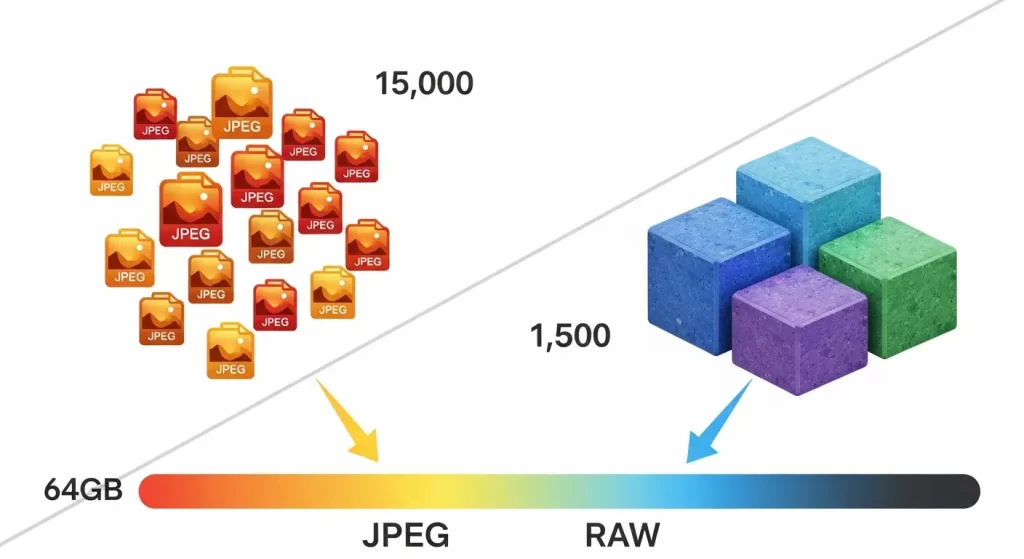
Let’s crunch the numbers for popular formats. Start with JPEG, the go-to for most folks. These files balance quality and size nicely. If your photos average 3MB, like from a 12MP camera, you can fit about 21,000 on 64GB. Bump to 6MB for 24MP shots, and that halves to around 10,500. High-compression settings might squeeze in more, up to 30,000 for low-res images.
RAW files tell a different story. They capture unprocessed data for top-notch edits, which is why many photographers later use clipping path to isolate objects and prepare images for design or E-Commerce, but at a cost. Averaging 25MB each, expect roughly 2,600 photos on 64GB. Some cameras produce 30MB RAWs, dropping it to 2,100. This format suits creators who prioritize flexibility over quantity, like those in portrait or landscape work.
Need your images to be marketplace-ready (Amazon, Shopify, etc.)?
Ensure compliance and quality with our professional Photo Retouching
Then there’s HEIC, Apple’s efficient format. It compresses better than JPEG without losing much quality, often at 1.5-2MB per photo. That means you could store up to 42,000 images on 64GB, perfect for iPhone users snapping daily life. Android folks might use similar like AVIF for comparable savings.
What about TIFF or PNG? These are less common for photos but huge, 10-50MB each, limiting you to 1,200-6,000 files. They’re better for graphics or scans, not bulk photography.
To illustrate, here’s a quick table based on average sizes:
| Format | Average Size | Estimated Photos on 64GB |
|---|---|---|
| JPEG (Standard) | 3-4MB | 16,000-21,000 |
| JPEG (High-Res) | 6-7MB | 9,000-10,500 |
| RAW | 20-30MB | 2,100-3,200 |
| HEIC | 1.5-2MB | 32,000-42,000 |
These figures assume usable 58GB and no other files. Mix formats, and adjust accordingly. For precise calcs, divide 58,000MB by your average file size.
Device-Specific Insights for 64GB Storage
Devices handle 64GB differently. On smartphones, built-in storage or microSD slots make it versatile. An iPhone with HEIC might hold 35,000-40,000 photos, but apps and OS take a chunk, leaving maybe 50GB free. Android phones vary; some optimize for efficiency, fitting 15,000-25,000 JPEGs.
For digital cameras like DSLRs or mirrorless, SD cards shine. A Canon or Nikon shooting 12MP JPEGs could store 20,000 shots, but switch to RAW, and it’s 2,500. Action cams like GoPro use 64GB for bursts, expect 10,000-15,000 photos at 4K stills mode.
Drones and trail cameras lean practical. A DJI drone might capture 8,000 high-res aerials, while a wildlife cam on motion trigger could log 19,000 JPEGs over days. USB flash drives for backups? They treat photos like any file, 21,000 standard JPEGs, great for transferring from computer to print shop.
Tablets bridge the gap. An iPad with 64GB holds 25,000 photos in its library, ideal for editing apps. But if you’re syncing from cloud, that space fills fast with thumbnails.
In 2026, with cameras pushing 100MP sensors, file sizes grow. A 48MP phone shot might be 5MB, cutting capacity to 12,000. Always test your gear, shoot a few and check remaining space for accurate predictions.
For more on camera storage, explore this detailed breakdown from photography experts. Visit Expert Photography’s memory card guide.
Tips to Maximize Your 64GB Photo Storage
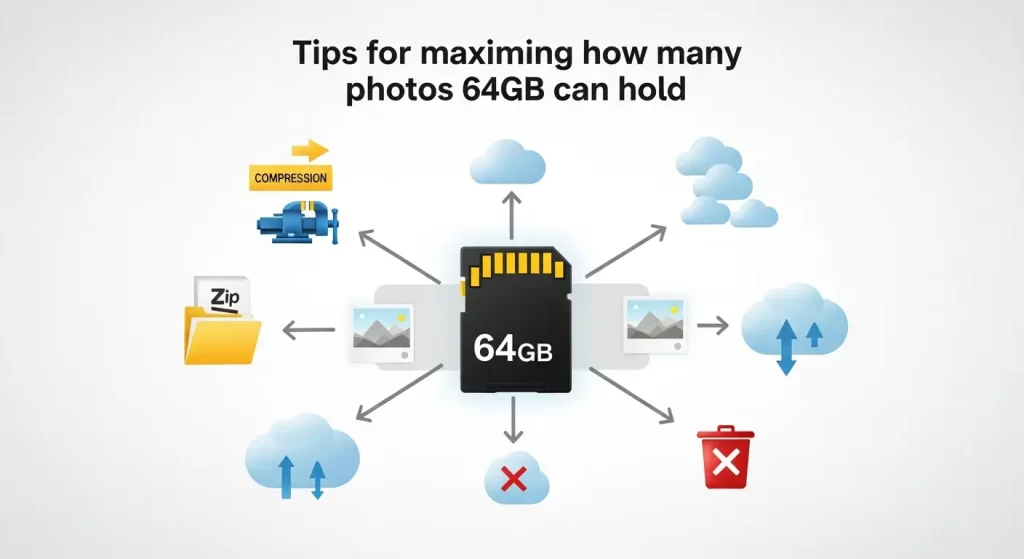
You don’t have to settle for base capacity, , smart habits stretch it. Start by optimizing settings: Drop to medium quality for non-critical shots, saving 20-30% space. Use burst mode sparingly, and review deletes immediately to cull blurry ones.
Organize regularly. Sort into folders by date or event, then offload to computer or cloud. Services like Google Photos compress uploads, freeing device space while keeping access. Aim to keep 10-20% free for smooth performance.
Need to process hundreds of images with a fast turnaround?
Our scalable Background Removal Service handles bulk orders with ease.
Compression tools help. Apps convert RAW to JPEG post-edit, reclaiming gigs. For phones, enable auto-backup and delete locals after.
Expand wisely. Pair 64GB with external drives for bulk storage, or use wireless cards that stream to apps. Photographers swear by multiple cards, label them for quick swaps.
Monitor usage with built-in tools. Most devices show storage breakdowns; if photos hog space, archive old albums. Regular formats keep cards healthy, but back up first.
Finally, invest in quality cards to avoid corruption, cheap ones fail faster, losing precious shots. These steps turn 64GB into a reliable workhorse for your image file sizes and digital photography needs.
Comparing 64GB to Other Storage Options
64GB strikes a balance, but how does it stack against others? A 32GB halves everything, 10,000 JPEGs versus 20,000 on 64GB, fine for light use but quick to fill. Jump to 128GB, and you double to 40,000+ photos, ideal for pros.
For heavy hitters, 256GB offers 80,000 JPEGs, suiting video mixes. But cost rises; 64GB gives value for casuals.
Consider needs: Casual smartphone photography? 64GB lasts years. Event shooters? Go bigger to avoid interruptions.
Here’s a comparison table:
| Capacity | JPEG (3MB) | RAW (25MB) | Best For |
|---|---|---|---|
| 32GB | 10,000 | 1,300 | Beginners, light trips |
| 64GB | 20,000 | 2,600 | Everyday use, hobbies |
| 128GB | 40,000 | 5,200 | Professionals, events |
| 256GB | 80,000 | 10,400 | Heavy creators, archives |
Upgrading? External SSDs hold terabytes, but for portability, stick to cards. Cloud hybrids blend both worlds.
Why 64GB Remains Relevant for Photographers
In a world of ballooning file sizes, 64GB holds its ground. It powers entry-level devices affordably, letting beginners experiment without overwhelm. For editors at places like Clipping Expert Asia, it’s a quick transfer tool for client proofs.
Sustainability plays in, fewer cards mean less waste. Plus, with smart management, it supports sustainable habits like mindful shooting.
As tech evolves, 64GB adapts. New compressions like AVIF could boost counts by 50%. It’s not just about quantity; it’s quality storage for cherished memories.
Ready to elevate your brand’s visual presence?
Partner with Clipping Expert Asia for fast, secure, and premium image editing starting at just 25¢. Explore all our services
Wrapping Up: Making the Most of 64GB
So, how many photos can 64GB hold? As we’ve seen, it ranges from 2,000 RAW files to over 40,000 HEICs, tailored to your setup. By understanding factors like image file sizes and device types, you empower your photography flow. Whether capturing family moments or professional gigs, optimize with our tips for lasting use. Remember, storage is a tool, wield it wisely to keep creating without limits.
FAQs
- What affects how many photos 64GB can hold?
File size, format, resolution, and device formatting all impact it. Larger RAW files mean fewer photos, while compressed JPEGs allow more. - How many JPEG photos fit on 64GB?
Typically 9,000-21,000, depending on size. For 3MB averages, aim for 20,000. - Is 64GB enough for RAW photography?
It holds about 2,500 RAWs at 25MB each, suitable for short sessions but swap cards for longer ones. - Can I store more photos with HEIC on 64GB?
Yes, up to 42,000 at 1.5MB each, making it great for smartphones. - How does video affect photo storage on 64GB?
Videos consume space fast; a few hours of HD could halve your photo capacity. - Should I upgrade from 64GB?
If you shoot high-res or mix media often, yes, 128GB offers double the room. - How do I check the remaining space on my 64GB card?
Use your device’s storage settings or insert into a computer to view available MB. - What’s the best way to back up photos from 64GB?
Transfer to cloud services or external drives regularly to free space and secure files.