

How Many Pictures Fit on an 8GB Memory Card? Pro Guide
June 3, 2026
Top AI Photo Editing Software 2026 for Pros & Beginners
June 4, 2026
- Why 2026 Is the Year Mobile Editing Quietly Beat the Desktop
- How I Chose the Best Photo Editing Apps for 2026
- Quick Verdict: The Best Photo Editing Apps 2026 at a Glance
- 1. Adobe Lightroom Mobile — Best Overall for Serious Photographers
- 2. Snapseed 4.0 — Best Free Photo Editor in 2026
- 3. Photomator — Best Photo Editor for Apple Users
- 4. VSCO — Best for Film Looks and Aesthetic Mood
- 5. Picsart — Best for AI Creativity and Social Content
- 6. Photoroom — Best for Product Photography and E-Commerce
- 7. Darkroom — Best for Curve-Lovers and Photo+Video Color Matching
- 8. Adobe Photoshop Express — Best for Quick AI Fixes
- 9. Google Photos — Best for Cloud Sync and Casual Edits
- 10. Apple Photos — The Underrated Native Editor
- 11. Luminar Neo Mobile — Best One-Tap Cinematic AI
- Honorable Mentions Worth Installing in 2026
- Best Photo Editing App by Use Case
- Free vs Paid Photo Editing Apps: What’s Actually Worth Paying For?
- Photo Editing Apps for iPhone vs Android in 2026
- How to Get Pro-Level Results With Any Photo Editing App
- Common Photo Editing Mistakes to Avoid
- Adding Realistic Shadows: The Detail That Sells Photos
- When to Hire a Professional Instead of Editing Yourself
- What’s Next: Photo Editing Apps Beyond 2026
- Frequently Asked Questions (FAQ)
- Final Thoughts: Build a Stack, Not a Single App
Why 2026 Is the Year Mobile Editing Quietly Beat the Desktop
Something genuinely changed this year. The phone in your pocket now opens 48MP ProRAW files, masks people with AI precision, swaps a dull sky in two taps, and syncs your library across every device you own. The gap between desktop and mobile didn’t just close — for most photographers, it disappeared entirely.
That progress, though, created a new headache. There are simply too many editors fighting for your home screen. Adobe ships Lightroom updates every quarter, Google finally revived Snapseed after a long sleep, Apple bought Pixelmator and pushed Photomator into the spotlight, and Picsart, VSCO, Photoroom, and Luminar all wave aggressive AI tools to win attention. Pick wrong and you bleed $120 a year on a subscription you barely open. Pick right and a free app replaces tools rivals charge $60 a year for.
I spent six weeks testing twelve of the most-talked-about apps on an iPhone 16 Pro and a Pixel 9, running identical edits — exposure recovery, skin retouch, sky swap, background removal — across every contender. I then cross-checked my notes against expert verdicts from NYT Wirecutter, PCMag, and Amateur Photographer. What follows is what survived daily use — not what looked shiny on a launch page.
Want studio-grade results without the editing learning curve? Hand your shots to our expert photo retouching team and get magazine-ready images in 24 hours.
How I Chose the Best Photo Editing Apps for 2026
The criteria that actually matter
Before naming winners, here’s the lens I used. Every app got scored on the same six points serious mobile photographers care about:
- RAW support — Does it open DNG, ARW, CR3, NEF without crushing detail?
- AI quality — Do masking, sky replacement, and object removal look natural or plasticky?
- Workflow speed — How fast does an edit move from import to export on a mid-range phone?
- Pricing honesty — Hidden paywalls, dark patterns, and forced subscriptions count against an app.
- Cross-device sync — Edits should survive a switch from phone to tablet to desktop.
- Export quality — Final JPEGs and TIFFs must hold up at full resolution, not just on a 6-inch screen.
I also stress-tested each editor with real RAW files from a Sony A7 IV alongside the iPhone 16 Pro shots, so the verdicts reflect actual photography — not Instagram snapshots. For backup decisions that go hand-in-hand with editing, this companion piece on the best cloud storage for photos is worth bookmarking; it explains how to protect your edits without blowing past free-tier limits.
Quick Verdict: The Best Photo Editing Apps 2026 at a Glance
| App | Best For | Platforms | Free Tier | Paid Price (2026) |
|---|---|---|---|---|
| Adobe Lightroom Mobile | Pros, RAW shooters, syncing | iOS / Android | Yes (limited) | $9.99/mo |
| Snapseed 4.0 | Free editing on any phone | iOS / Android | Fully free, no ads | $0 |
| Photomator | Apple-only power users | iOS / iPadOS / macOS | Trial | $4.99/mo or $119.99 lifetime |
| VSCO | Film looks, mood, presets | iOS / Android | Basic | $29.99/yr Plus |
| Picsart | Creative AI, collages, social | iOS / Android / Web | Ad-supported | ~$11.99/mo |
| Photoroom | E-commerce & product shots | iOS / Android / Web | Yes (limited) | ~$9.99/mo |
| Darkroom | Curve nerds, photo+video color | iOS / Android | Yes | $49.99/yr or lifetime |
| Photoshop Express | Quick AI fixes on the go | iOS / Android | Yes | $4.99/mo |
| Google Photos | Cloud sync + casual edits | iOS / Android / Web | Free + Google One | varies |
| Apple Photos | iPhone-native Clean Up AI | iOS / iPadOS | Built-in | Free |
| Luminar Neo Mobile | One-tap cinematic skies | iOS / Android | Trial | ~$11.95/mo |
Prices reflect publicly listed 2026 plans. Always double-check inside the app — tiers shift fast.
1. Adobe Lightroom Mobile — Best Overall for Serious Photographers
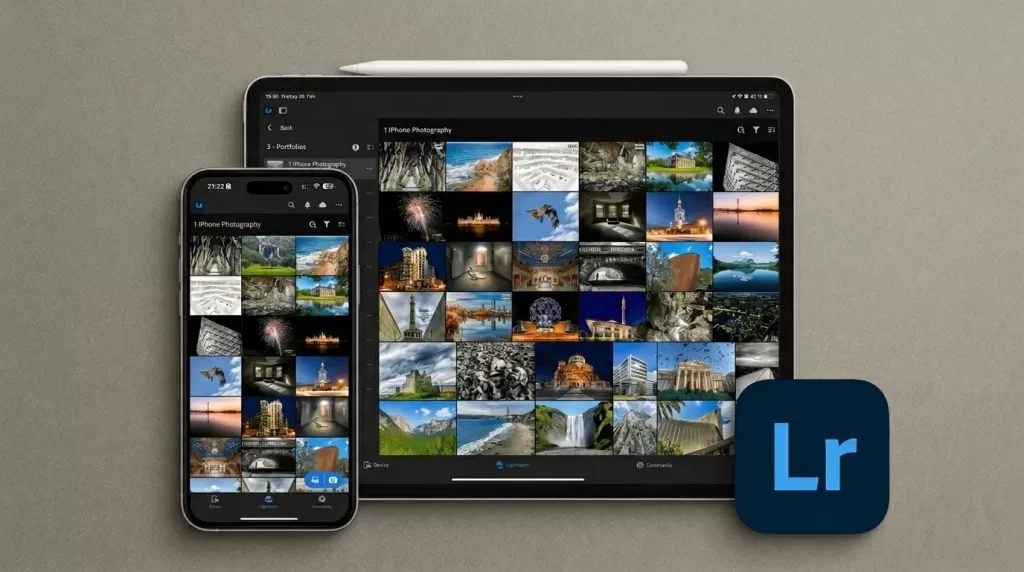
Why Lightroom still leads in 2026
Adobe spent the last twelve months turning Lightroom Mobile into a near-complete desktop replacement. The October 2025 MAX update — refined further in early 2026 — brought Assisted Culling (AI auto-flagging blurry or eyes-closed shots), faster Generative Remove, and the new Dust Removal brush that finally beats manual healing on dirty-sensor shots (Adobe). Wirecutter calls it “the most powerful mobile photo editing app we’ve tested,” and that verdict holds after my own six-week run.
Standout features
- AI masking by subject, sky, person, background, clothes, or hair
- Cloud sync that mirrors edits across phone, tablet, desktop, and web in seconds
- Adaptive presets that intelligently re-mask each photo before applying tones
- Built-in pro camera capturing DNG RAW directly inside the app
- Lens Blur that finally rivals dedicated portrait apps
Pros & cons
- ✓ Industry-standard color science and adjustment depth
- ✓ Cross-device continuity that no rival fully matches
- ✕ The best features (Premium Masking, Generative Remove credits, Lens Blur) sit behind the subscription
- ✕ Heavier on storage and battery than minimalist editors
Verdict: If you shoot RAW and want one app to grow with for the next five years, Lightroom remains unmatched. The Photography Plan (Lightroom + Lightroom Classic + Photoshop) sits at roughly $19.99/month; Lightroom-only is about $9.99/month.
2. Snapseed 4.0 — Best Free Photo Editor in 2026
A long-awaited revival
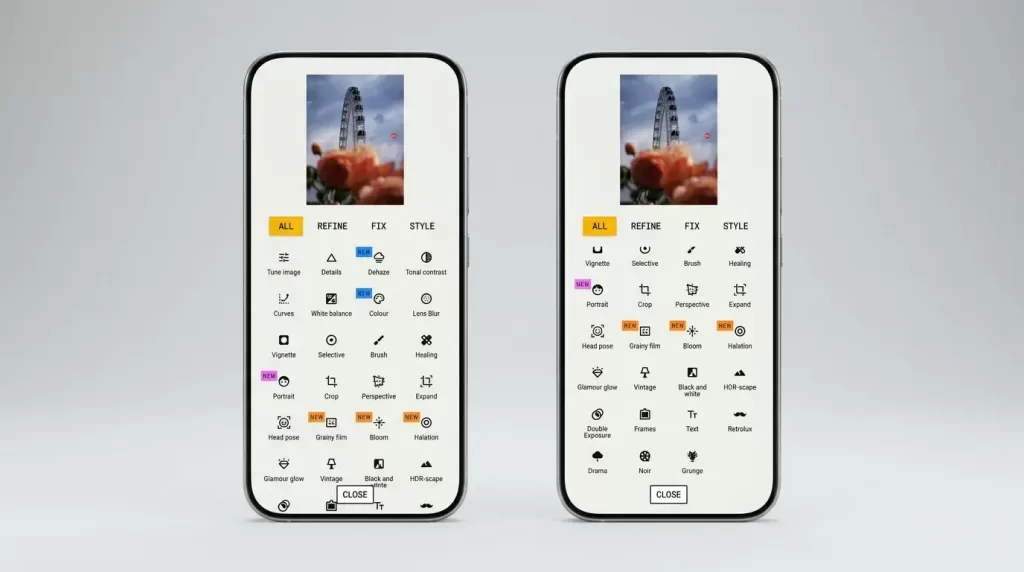
After roughly seven dormant years, Google pushed Snapseed 4.0 to Android in May 2026, catching the Android build up to (and slightly beyond) the iOS 3.0 update from 2024 (9to5Google). The new homepage shows a grid of recent edits, batch editing finally landed, and the new Snapseed Camera offers retro film-style capture inspired by classic stocks.
What makes Snapseed special
- 29 powerful tools including Healing, Selective, Curves, and Double Exposure
- Granular gesture-based sliders — Snapseed’s signature feel
- RAW (DNG) support with non-destructive Stacks
- Smart Masking and Head Pose newly refined in 4.0
- Batch editing finally arrived on Android
Honest drawbacks
- No cloud sync — edits stay on the device
- AI tools remain rule-based rather than generative
- File-saving behavior writes edits beside originals, which still confuses longtime users
- High-ISO noise reduction lags behind Lightroom
Best for: Anyone who refuses to pay a subscription but still wants pro-grade results. Snapseed remains the strongest argument that free software can match paid suites.
Selling on Amazon or Shopify? Our pro background removal service delivers pixel-clean cutouts at scale — perfect when AI tools miss those tricky hair edges.
3. Photomator — Best Photo Editor for Apple Users
A genuine Lightroom alternative — if you live in Apple’s world
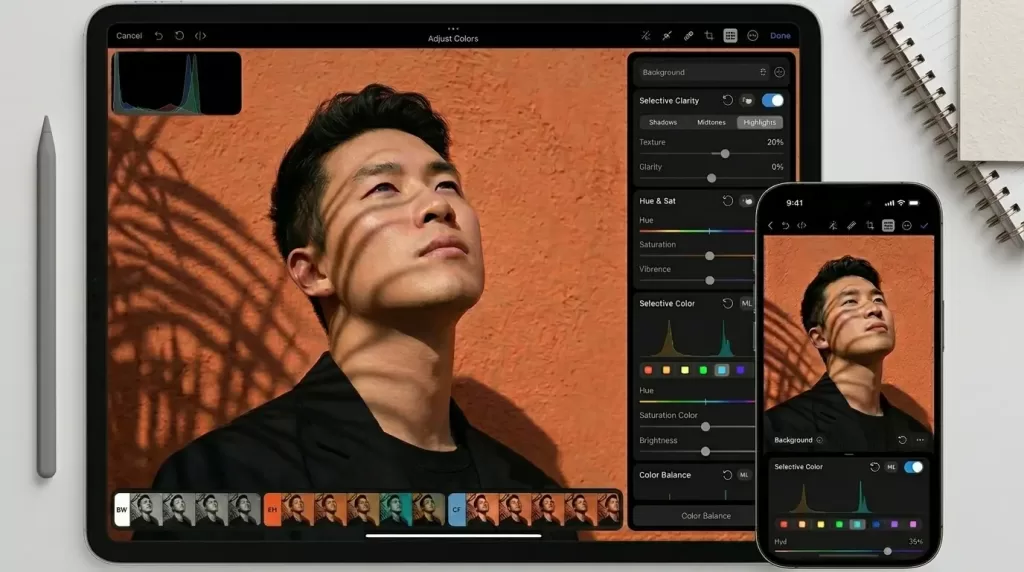
Built by the Pixelmator team (now part of Apple), Photomator runs on iPhone, iPad, Mac, and Vision Pro with a single license. It opens RAW files in HDR, applies machine-learning Enhance with one tap, and offers an excellent collection of presets and LUTs (Pixelmator).
Why Photomator earns the iOS crown
- Deep native integration with the Apple Photos library — no awkward import
- ML-powered Super Resolution, denoise, and Enhance models that actually work
- Color-grading wheels, curves, and selective adjustments that rival desktop apps
- Lifetime license option ($119.99) for users tired of subscriptions
- Universal app: edit on iPhone, finish on Mac, present on Vision Pro
Where it falls short
- Apple ecosystem only — Android users miss out
- Library management isn’t as deep as Lightroom for huge catalogs
- Cloud sync depends on iCloud, which forces some users into bigger storage plans
If you own an iPhone and a Mac, Photomator is the editor I’d recommend first in 2026.
4. VSCO — Best for Film Looks and Aesthetic Mood
Color science that still defines a generation
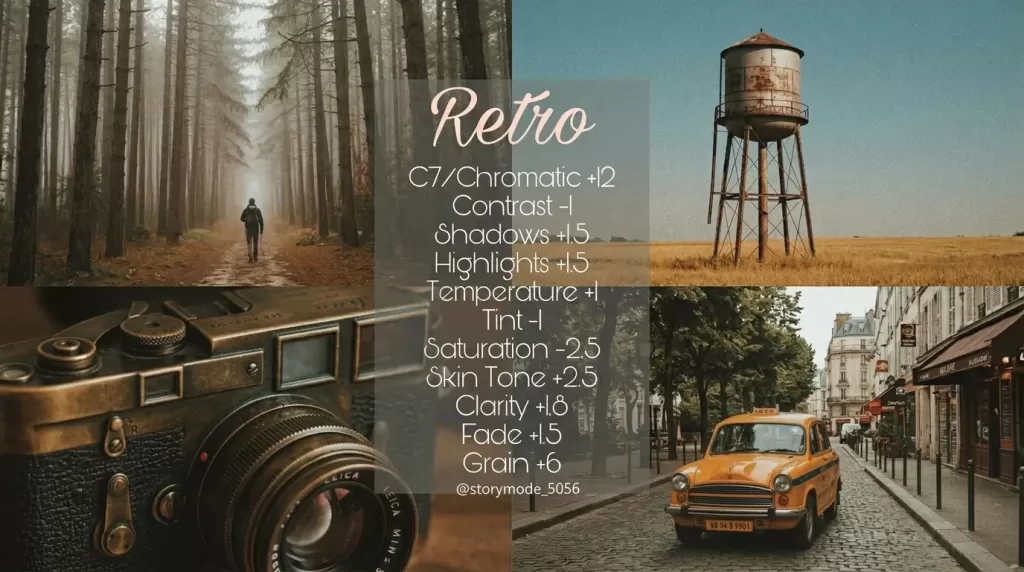
VSCO isn’t trying to be Lightroom — it’s trying to be Kodak Portra in your pocket, and largely succeeds. The 2026 lineup includes the relaunched VSCO Film presets for Lightroom (Pro members only) plus the in-app film simulations that built the brand. PCMag still lists VSCO among its top picks for mood-driven editing.
Where VSCO excels
- Authentic film emulation based on Kodak, Fuji, and Agfa stocks
- Subtle, professional color grading unlike many over-saturated apps
- No likes or comments in the community — a refreshing escape
- Photo + video parity so your Reels match your stills visually
Where it doesn’t fit
- Free tier feels skeletal — Plus ($29.99/yr) or Pro ($59.99/yr) unlocks the real value
- Heavy lifting like masking and AI removal lags behind Lightroom and Photomator
- Subscription fatigue is real, especially for casual users
Best for: Photographers who care more about mood and consistency than pixel-level precision.
5. Picsart — Best for AI Creativity and Social Content
A creative playground powered by 20+ generative models
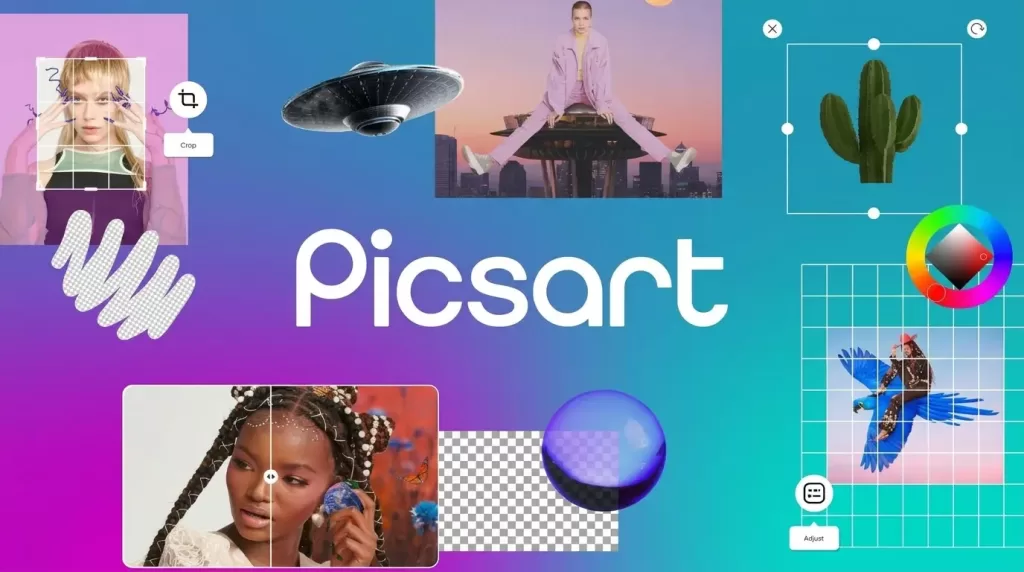
Picsart turned itself into an AI-native creative studio in January 2026, launching the AI Providers Hub that lets users tap into more than 20 generative image models through one interface, plus refined Smart Crop, Selective Blur, and Remove tools (Picsart Blog). In March 2026 the company expanded it further into an AI Playground covering 90+ models from 24 providers.
Strengths
- Generative AI fill, background swap, and avatar creation
- Strong typography, sticker library, and template engine
- Background remover, object cleanup, and outfit changer in one app
- AI image-to-video and animation features bundled in
Honest drawbacks
- Free tier nags constantly for a Gold subscription
- Some “templates” are gateways to paid assets
- Heavy AI features burn through monthly generation credits fast
- Privacy-conscious users should review what gets uploaded to Picsart’s cloud
Best for: Creators producing thumbnails, social campaigns, or e-commerce hero images.
Need products to look catalog-ready on multiple backgrounds? Our multi-clipping path service isolates every element so you can color-correct independently.
6. Photoroom — Best for Product Photography and E-Commerce
AI-first background removal that finally works on hair
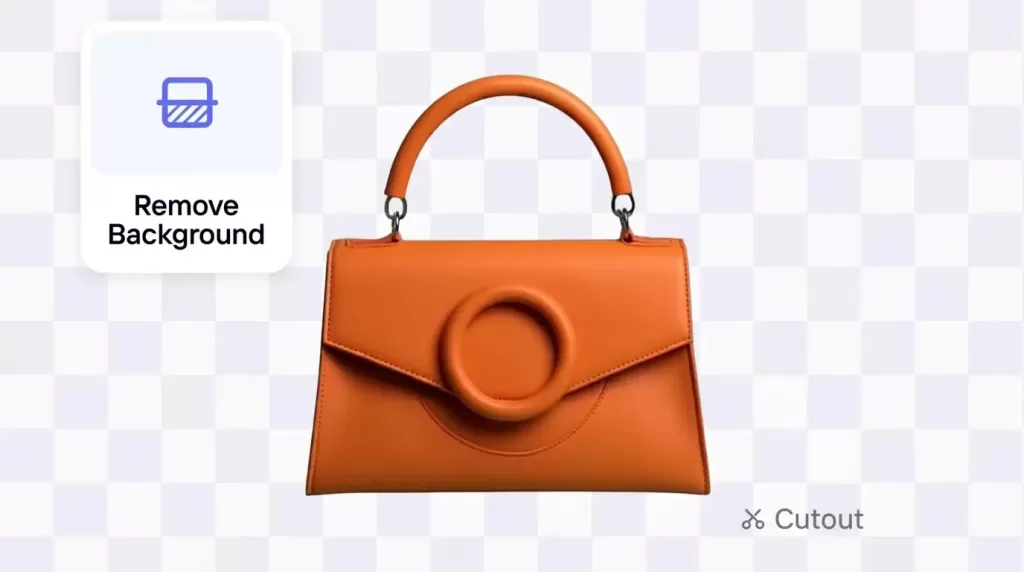
Photoroom is now trusted by over 300 million users, and that lead is earned — its AI actually understands what a subject is. A single tap removes the background, swaps in a clean studio scene, and applies consistent lighting, perfect for Etsy, Shopify, Amazon, and eBay sellers (Photoroom). The 2026 release added batch processing, AI Shadows, and product-specific templates.
Why it wins for online sellers
- AI background remover with edge-perfect cutouts (especially hair and fur)
- Brand kit for color-consistent batch edits
- Instant background generation via text prompts
- Marketplace templates sized for Shopify, Amazon, Instagram, and TikTok
- AI Shadows and Reflections that ground products realistically
Where it falls short
- Subscription required for most useful features beyond a few free exports
- Free quota has tightened through 2026 — power sellers will outgrow it fast
- Best results still need a clean, well-lit shot to start with
Selling apparel online? Pair these apps with our ghost mannequin service for sharp, model-free product shots that boost conversions.
7. Darkroom — Best for Curve-Lovers and Photo+Video Color Matching
Power tools without the subscription lock-in
Darkroom flies under the radar but offers one of the cleanest, most thoughtful interfaces in 2026. The Darkroom 7 release (December 2025) rebuilt the engine from the ground up, added the new Bloom and Halation tools, and upgraded both photo and video workflows (PetaPixel). It supports RAW, ProRAW, and even video using the same color tools — so your Reels match your stills exactly.
Why pros love it
- Beautiful curve editor with channel-by-channel control
- Frame portrait masking for selective subject edits
- Color and B&W flag systems for fast culling
- Edits RAW from 600+ cameras plus the new Bloom and Halation finishing tools
- One-time lifetime purchase available — no subscription required
Best for: Photographers who want pro control without paying Adobe monthly.
8. Adobe Photoshop Express — Best for Quick AI Fixes
Photoshop’s lighter, faster sibling
Photoshop Express is the right call when you need fast retouching rather than deep editing. Auto Object Selection, AI denoise, face contouring, and generative fill all arrive in a streamlined interface that won’t overwhelm casual users.
Use cases
- Quick portrait skin smoothing for selfies
- One-tap blemish removal
- AI generative fill for small distractions
- Social-ready exports with preset crop sizes
- Quick collage and meme building
Best for: Casual users who want Photoshop muscle without the full Photoshop learning curve.
9. Google Photos — Best for Cloud Sync and Casual Edits
The Magic Editor advantage
Google Photos remains the most painless way to store, search, and lightly edit photos across iOS, Android, and the web. PCMag highlights its facial recognition, AI cleanup tools, and ad-free interface as reasons it ranks among the strongest cross-platform options.
What Google Photos brings to 2026
- Magic Editor for generative fill, repositioning, and sky changes
- Magic Eraser and Unblur for quick salvage edits
- Cross-platform sync without a subscription (paid tiers handle storage above 15 GB)
- Best-in-class search by face, object, or location
Limitations: Editing depth is shallow compared with Lightroom or Photomator, some Magic Editor features remain Pixel-first, and cloud reliance concerns privacy-focused users.
10. Apple Photos — The Underrated Native Editor
Apple Photos quietly turned into a capable editor. Clean Up uses AI to erase distractions, ProRAW files open natively, plug-in support brings Photomator and Darkroom adjustments inside the app, and Visual Look Up identifies plants, landmarks, and pets.
Why it deserves more credit
- Zero install footprint — it’s already on every iPhone
- Capable auto-enhance, white balance, and selective adjustments
- Clean Up handles small distractions almost as well as Lightroom
- Tight integration with iCloud Photos library
The ceiling is lower than Lightroom or Photomator, but the floor is high enough that most casual edits never need another app.
11. Luminar Neo Mobile — Best One-Tap Cinematic AI
Luminar Neo earned its desktop reputation on templated sky swaps, atmospheric haze, and AI relighting. The mobile version condenses those into thumb-driven controls that can transform a flat afternoon shot into something cinematic in seconds. It’s not the cleanest workflow for serious archival work, but for travel snapshots and social posts that need to pop, Luminar punches above its weight.
Honorable Mentions Worth Installing in 2026
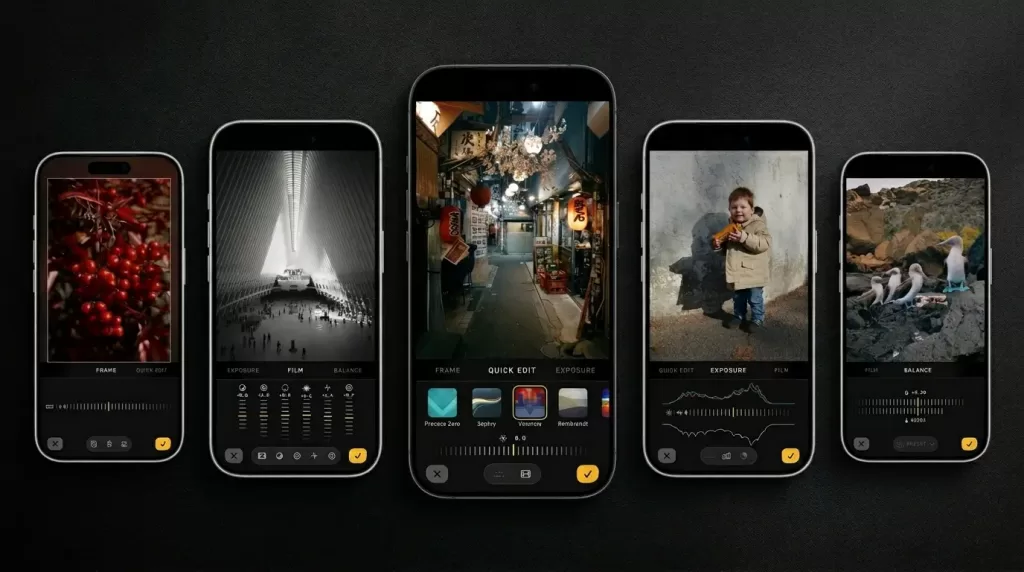
Not every app needs a full review, but these still deserve a spot on your home screen:
- Halide Mark III — Not strictly an editor, but its new RAW pipeline and non-iPhone RAW editing tools make it a creative powerhouse (PetaPixel)
- TouchRetouch — Surgical removal of wires, blemishes, and tourists
- Afterlight — Beautiful textures, light leaks, and dust overlays
- Pixlr — Browser + mobile editor with generative AI on the free tier
- SKRWT — Architectural perspective correction
- 1998 Cam — Playful film-camera simulation with date stamps
- Colorize — AI restoration of black-and-white photos
These don’t replace your daily editor — each fills a niche the big apps haven’t fully nailed.
Best Photo Editing App by Use Case
The right tool depends on what you actually shoot. Here’s a fast decision shortcut:
- Travel & landscape photographers: Lightroom Mobile + Snapseed
- Portrait and people photographers: Lightroom + Photomator
- E-commerce sellers: Photoroom + Picsart (+ professional retouching for hero shots)
- Instagram aesthetic creators: VSCO + Darkroom
- Casual users / family snaps: Google Photos + Snapseed
- Real estate listings: Snapseed + Lightroom (HDR Merge)
- TikTok and Reels creators: Picsart + Darkroom
- Cinematic skies and atmosphere: Luminar Neo Mobile
I usually run two apps in tandem: one heavy editor (Lightroom or Photomator) for global tones and masking, plus one specialized tool (Photoroom or TouchRetouch) for cleanup tasks. The combination delivers desktop-quality work without ever opening a laptop.
Got a 500-image shoot? Outsource the heavy lifting to our clipping path specialists and free up your week for shooting, not retouching.
Free vs Paid Photo Editing Apps: What’s Actually Worth Paying For?
The free tier has never been more generous than in 2026, but a paid app earns its keep when you need any of these:
- Unlimited cloud sync across devices (Lightroom, Photomator)
- Generative AI credits for object removal, sky replacement, and outfit swaps
- Watermark-free exports at original resolution
- Batch processing for large shoots
- Priority customer support for bugs and lost files
For most enthusiasts, the sweet spot is one paid app + Snapseed. The paid app handles serious work; Snapseed picks up everything else for free.
Subscription fatigue is real — and it’s reshaping the market. Photomator’s $119.99 lifetime option, Snapseed’s stubborn free-forever stance, and a growing list of indie editors are pushing back against monthly fees. Expect more apps to follow with one-time purchases or genuinely generous free tiers through late 2026 and into 2027.
Photo Editing Apps for iPhone vs Android in 2026
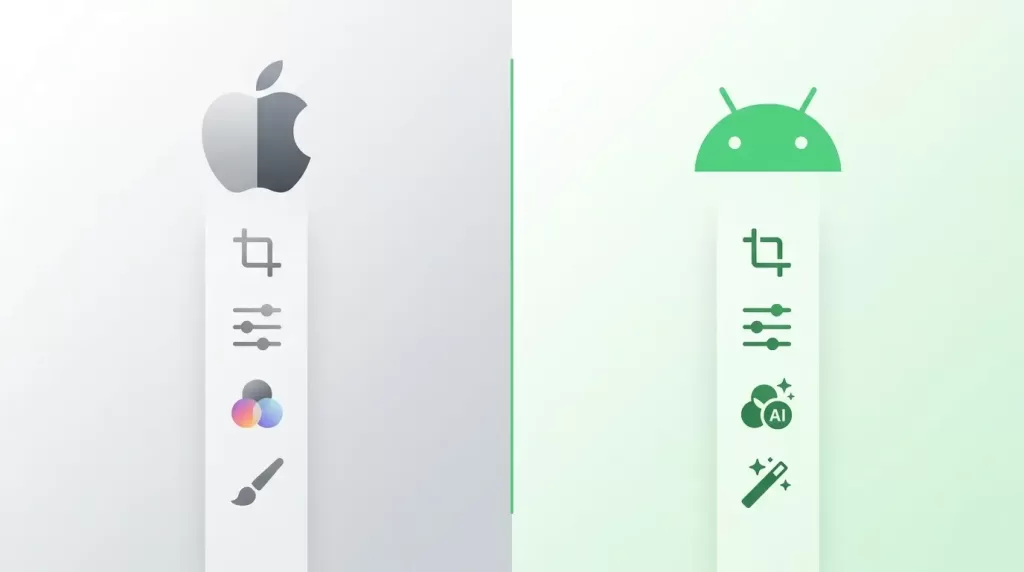
Both platforms have matured, but real differences remain:
iPhone strengths
- ProRAW workflow is smoother across most apps
- Photomator and Darkroom feel native and ultra-responsive
- iCloud sync removes the need for third-party storage
- Halide Mark III’s RAW pipeline is iOS-exclusive
Android strengths
- Snapseed 4.0 is now fully optimized for the Pixel 9 and Galaxy S25
- Google Photos’ Magic Editor is unmatched on Pixel hardware
- Subscription pricing through Play Store is often cheaper
- Side-loading and broader file-system access for power users
How to Get Pro-Level Results With Any Photo Editing App
Even the best app needs a thoughtful workflow. Here’s a simple sequence that works across nearly all 2026 editors:
- Start with RAW or HEIF for maximum editing latitude
- Fix exposure and white balance before any creative work
- Apply selective masking rather than global filters
- Use AI sparingly — generative fill is powerful but obvious when overused
- Sharpen last, and only at the export resolution you actually need
- Save edit recipes/presets for batch consistency across a shoot
Bonus pro tips from the test bench
- Calibrate your phone screen. Drop brightness to 60% and disable warm color shift before final exports. A 30-second sanity check saves embarrassing posts.
- Lean on presets, then customize. VSCO and Lightroom presets exist to start you 80% of the way home — never apply them blindly.
- Back up before you edit. Cloud sync is a feature, not a backup. Keep a second copy — iCloud + Google Photos, or a dedicated photo storage service — before any destructive operation.
- Outsource the tedious parts. Background removal, ghost-mannequin compositing, and skin retouching at scale are time sinks better handled by trained editors.
Common Photo Editing Mistakes to Avoid
Most “bad” edits come from a handful of repeat offenders. Avoid these:
- Over-smoothing skin — pores are not the enemy
- Crushing shadows to pure black loses depth and detail
- Stacking too many filters until the original image disappears
- Ignoring color balance between subject and background
- Saturating skies past natural until they look HDR-fried
- Skipping export resolution checks that ruin print quality
- Trusting the AI on important shots — always preview at 100% zoom and check edges, hands, and faces
- Forgetting trial periods — they auto-renew; set a calendar reminder before any trial ends
A subtle hand always reads as more “professional.” When in doubt, dial back your edits by 20%.
Adding Realistic Shadows: The Detail That Sells Photos
One overlooked finishing touch — especially in product photography — is natural shadow rendering. AI auto-cutouts often deliver floating, shadowless subjects that look artificial. Real shadows ground a product on the page and signal authenticity to buyers, lifting conversion rates on marketplaces like Amazon and Shopify.
Make your product photos look physically grounded with our natural shadow creation service — drop shadows, reflection shadows, and natural shadows done by hand.
When to Hire a Professional Instead of Editing Yourself
Mobile apps cover roughly 80% of everyday editing. The remaining 20% — high-volume e-commerce catalogs, fashion lookbooks, jewelry shots with tricky reflections, wedding portraits, and editorial composites — usually pays for itself when handed to a specialist team.
Common tasks where professional retouching beats even the best AI:
- Skin retouching that keeps pores and texture intact
- Multi-clipping paths for product images with several adjustable parts
- Realistic drop shadows and reflections for marketplaces
- Ghost-mannequin work for apparel brands
- Jewelry and glass masking where AI tools introduce halos
If you’re processing hundreds of images a week, the math almost always favors outsourcing the production-line work and reserving your own hours for the high-judgment edits only you can do.
What’s Next: Photo Editing Apps Beyond 2026
Trends to watch in late 2026 and into 2027:
- On-device generative AI that doesn’t require cloud uploads (a real privacy win)
- Voice-driven editing — “make the sky more dramatic” as a real command
- 3D relighting of 2D photos using depth maps from LiDAR and dual-pixel sensors
- AI culling that learns your personal style and pre-rates shots
- Smart-glasses integration for in-the-field tagging and culling
- One-time-purchase comebacks as users push back on subscription stacking
Apps that ignore on-device AI will struggle. Privacy-conscious users — especially in the EU — increasingly refuse to upload personal photos to cloud-processed editors.
Frequently Asked Questions (FAQ)
1. What is the best photo editing app in 2026 overall?
Adobe Lightroom Mobile remains the best overall pick because of its RAW handling, AI masking, cross-device sync, and the late-2025 update that added Assisted Culling, Dust Removal, and faster Generative Remove. For casual users who want zero cost, Snapseed 4.0 wins outright.
2. Which photo editing app is best for iPhone in 2026?
Photomator narrowly edges out Lightroom for Apple users thanks to native Apple Photos integration, ML-powered Super Resolution, and a one-time $119.99 lifetime license. iPhone owners already paying for Creative Cloud should stay with Lightroom.
3. Is Snapseed still good in 2026?
Yes — and it just got dramatically better. Google pushed Snapseed 4.0 to Android in May 2026 with a new homepage, batch editing, the Snapseed Camera, and refreshed Selective and Healing tools. It remains the best free, ad-free editor available on any platform.
4. Which app removes backgrounds best?
Photoroom leads on AI background removal, especially for hair, fur, and translucent edges. Picsart and Canva come close, but Photoroom’s product-specific templates make it the e-commerce favorite. For complex subjects (jewelry, glass, lace), human editing services still outperform pure AI.
5. Are free photo editing apps good enough for professional work?
For most everyday work — social posts, blogs, portfolio updates — yes. Snapseed handles 80% of what working photographers need. Once you require cross-device sync, advanced masking, or batch RAW workflows for large catalogs, paid apps like Lightroom and Photomator earn their keep.
6. Can I edit RAW files on my phone?
Yes. Lightroom Mobile, Photomator, Snapseed, Darkroom, Adobe Photoshop Express, and Apple Photos all handle RAW and DNG files on modern phones. Lightroom and Photomator deliver the highest quality, particularly on high-ISO files where noise reduction matters.
7. Which photo app uses the best AI in 2026?
For photographic realism, Lightroom’s Sensei AI and Photomator’s ML Enhance lead. For creative breadth, Picsart wins with its AI Providers Hub and 90+ accessible models. And, for practical e-commerce AI, Photoroom remains untouchable.
8. How much should I budget for photo editing apps in 2026?
A reasonable enthusiast budget is around $10–$15 per month total: one premium app (Lightroom or Photomator) plus free apps like Snapseed and Google Photos. Pros tend to layer two or three paid apps for $25–$40 monthly.
Final Thoughts: Build a Stack, Not a Single App
The “best photo editing app 2026” isn’t a single answer — it’s a deliberately chosen stack. Lightroom Mobile and Photomator anchor the pro end. Snapseed proves free editing still has a future. VSCO carries the torch for mood-driven creators. Picsart and Photoroom dominate the AI-content and e-commerce niches.
If you take one recommendation away from this guide, let it be this: install Snapseed first, then add a paid app based on what you actually shoot. Most people overpay for tools they never open.
The right stack saves hours every week. The wrong one drains time, money, and creative energy. Choose deliberately, edit lightly, and remember — software finishes what light started.
For images that demand consistency at scale — product catalogs, fashion lookbooks, real-estate portfolios — even the best apps eventually hit a ceiling. That’s where partnering with a dedicated editing team pays dividends in time, brand polish, and conversion rates.
Ready to make every product photo pop? Try our precision image masking service for flawless cutouts on hair, fur, and translucent objects — no AI guesswork required.