


Rule of Thirds Photography: How, Why & When to Break It
June 20, 2026
Is This Image Copyrighted? 8 Free Ways to Verify Online
June 23, 2026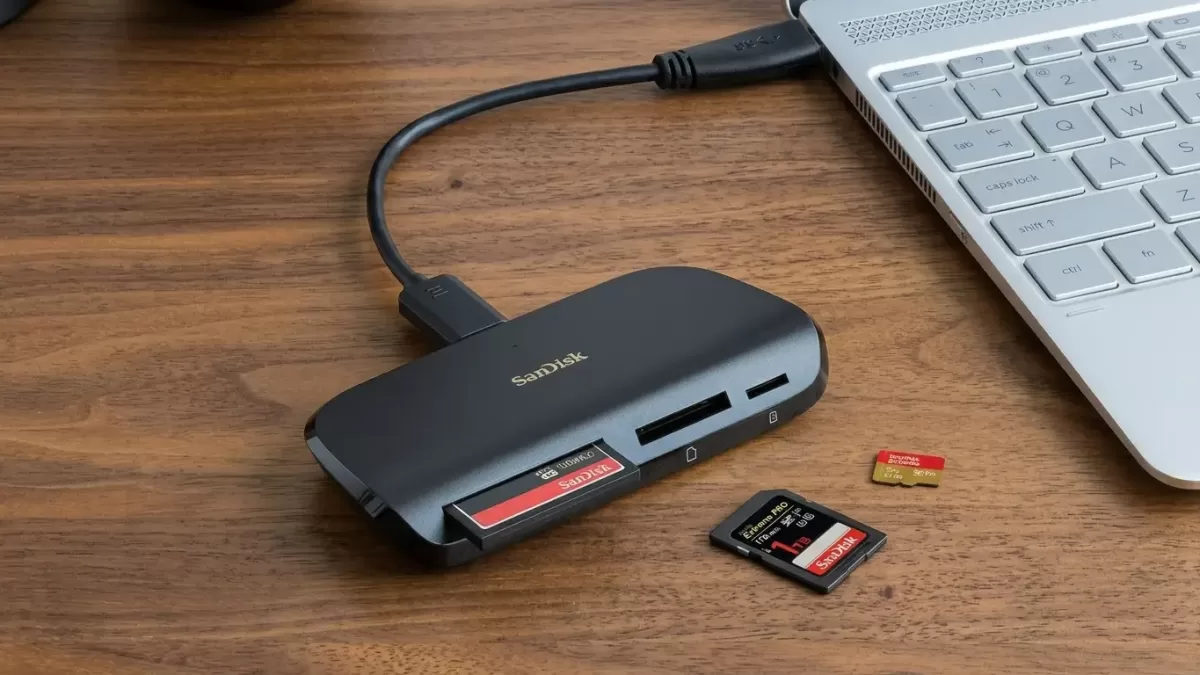
- Quick answer
- Why a great memory card reader matters in 2026
- What is a memory card reader (and why specs matter more now)
- How I picked the best memory card readers (testing methodology)
- The best memory card readers in 2026 — full reviews
- How to choose the right memory card reader (buyer’s guide)
- Where memory card readers fit into your photo workflow
- Common mistakes that slow down your transfers
- Maintaining your memory cards (and your reader)
- Memory card reader speed comparison at a glance
- Who should buy what — by photographer type
- What is changing next (and why USB4 is now the floor, not the ceiling)
- FAQs about memory card readers in 2026
- The bottom line: which memory card reader should you buy in 2026?
Quick answer
The best memory card reader in 2026 for most photographers is the SanDisk ImageMate PRO USB-C (SDDR-A631) — affordable, three-in-one, and reliable. For CFexpress 4.0 Type B shooters, the OWC Atlas USB4 is the fastest mainstream pick, hitting 3,346MB/s read and 2,676MB/s write in independent benchmarks. Sony Alpha shooters should pick the Sony MRW-G2. Working pros who back up two cards at once should choose the ProGrade USB 4.0 dual-slot reader ($149.99).
Why a great memory card reader matters in 2026
Memory cards have quietly become one of the most overworked tools in any photographer’s kit. Every shoot, every drone flight, every wedding, every product set — it all sits on a tiny piece of plastic until you safely move it to your computer. That last step is where a great reader earns its place.
A slow reader can stretch a routine ingest from minutes into a coffee break. The right reader, however, can move 256GB of 8K footage onto your drive before the kettle finishes boiling.
In 2026, the gap between bundled freebies and pro-grade USB4 readers is wider than ever. CFexpress 4.0 cards now hit real-world reads above 3,000MB/s, and USB4 readers like the OWC Atlas push past 5,000MB/s theoretical bandwidth — well over four times what a typical USB-A reader can deliver. The OWC Atlas and the ProGrade USB 4.0 dual-slot reader are the benchmarks the rest of the industry chases.
This guide is built for working creators. I cross-checked every spec, price, and benchmark against manufacturer pages and independent labs like Camera Memory Speed, then layered in hands-on accounts from working photographers. You will leave knowing exactly which reader to buy, which to skip, and how to match the hardware to your real workflow.
Give every shoot the finish it deserves. Speed up post-production with our pro-grade photo retouching service — flawless skin, color, and detail, delivered fast.
What is a memory card reader (and why specs matter more now)
A memory card reader is an external device that connects a removable flash card — SD, microSD, CFexpress, or CFast — to a computer, tablet, or phone for high-speed file transfer. The reader sits between your camera card and your storage drive, and its slowest internal component caps the entire transfer speed.
Three shifts in 2026 changed the math:
- CFexpress 4.0 cards roughly doubled sustained write speeds versus the 2.0 generation
- USB4 and Thunderbolt 4 ports now ship on most new MacBooks, Windows laptops, and Mac desktops at 40Gb/s
- microSD Express entered consumer cameras, drones, and the Nintendo Switch 2 era, pushing readers to evolve
A reader you bought even two years ago could now be limiting your speeds by 60% or more — even when paired with the latest mirrorless camera. Modern readers stay backward-compatible, so the upgrade is painless and immediate.
The quieter revolution is reliability. Pro readers now ship with machined aluminum casings, passive heat dissipation, and tested write integrity — the kind of build a wedding shooter trusts at midnight during a 64GB ingest.
How I picked the best memory card readers (testing methodology)
I evaluated each reader against a clear, repeatable set of criteria:
- Real-world read/write speeds with matching premium cards — not just theoretical maxes
- Interface generation (USB 3.0/3.2 Gen 1, Gen 2, Gen 2×2, USB4, Thunderbolt)
- Build quality and heat behavior during long sustained transfers
- Slot configuration (single, dual, triple, modular)
- Cable inclusion and connector flexibility (USB-C, USB-A, both)
- Cross-platform support across macOS, Windows, iPadOS, and Android
- Price-to-performance ratio at current 2026 street prices
I leaned on third-party benchmarks from Camera Memory Speed and OWC’s published figures for speed numbers. For workflow comfort, I leaned on hands-on accounts from working photographers and videographers.
Need clean product shots from those new cards? Try our clipping path service for pixel-perfect cutouts on every e-commerce image you upload.
The best memory card readers in 2026 — full reviews
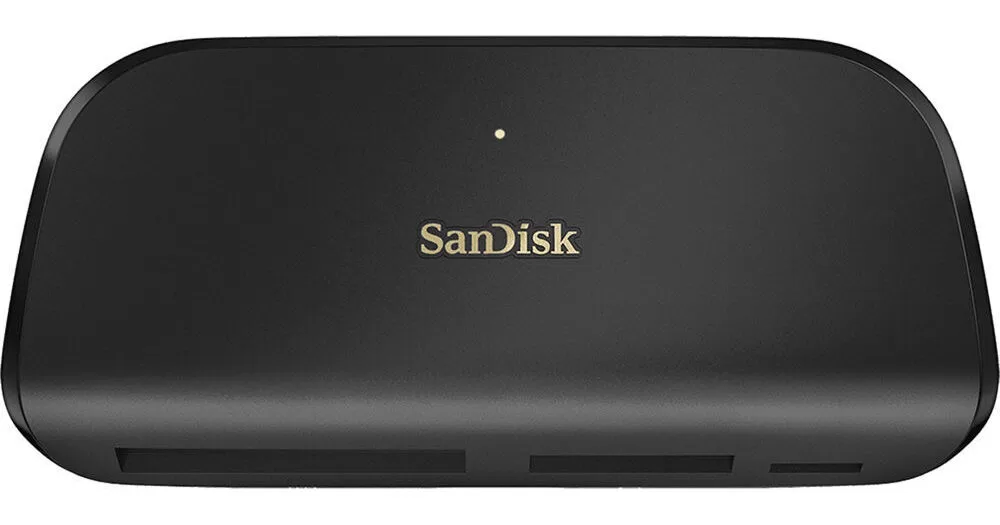
1. SanDisk ImageMate PRO USB-C — best overall multi-card reader
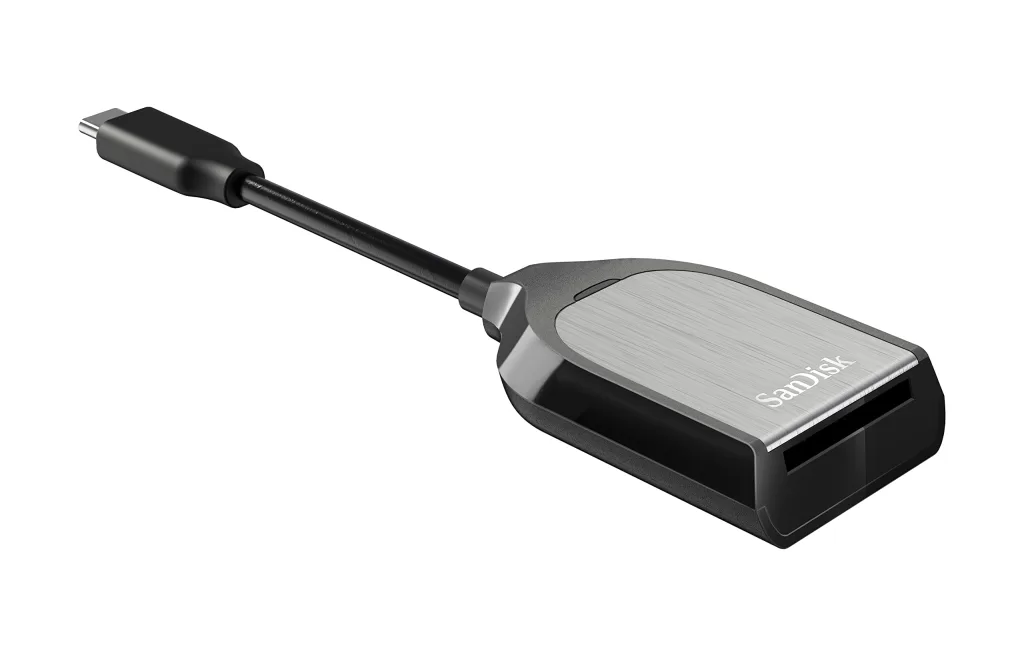
The SanDisk ImageMate PRO (model SDDR-A631) is the smartest pick for most photographers in 2026. It combines SD UHS-II, microSD UHS-II, and CompactFlash slots in one slim aluminum unit, with a modern USB-C connector plus a USB-A adapter cable in the box.
Key specs
- SD and microSD: up to 312MB/s UHS-II read
- CompactFlash: up to 160MB/s
- Interface: USB 3.0 / 3.2 Gen 1 over USB-C
- Three slots, simultaneous use supported on most hosts
- Approx. price: $40
In testing, this reader hit 252MB/s read and 210MB/s write with UHS-II SD cards. Independent reviewers have measured up to 305MB/s read and 257MB/s write on premium SD media. Those numbers stay strong for the money.
Why it wins: great value, near-bulletproof reliability, and SanDisk’s QuickFlow firmware unlocks faster speeds with matching SanDisk Extreme PRO cards. Pair it with a reliable cloud backup and your daily workflow is locked.
Best for: hybrid shooters juggling SD, microSD, and legacy CompactFlash.
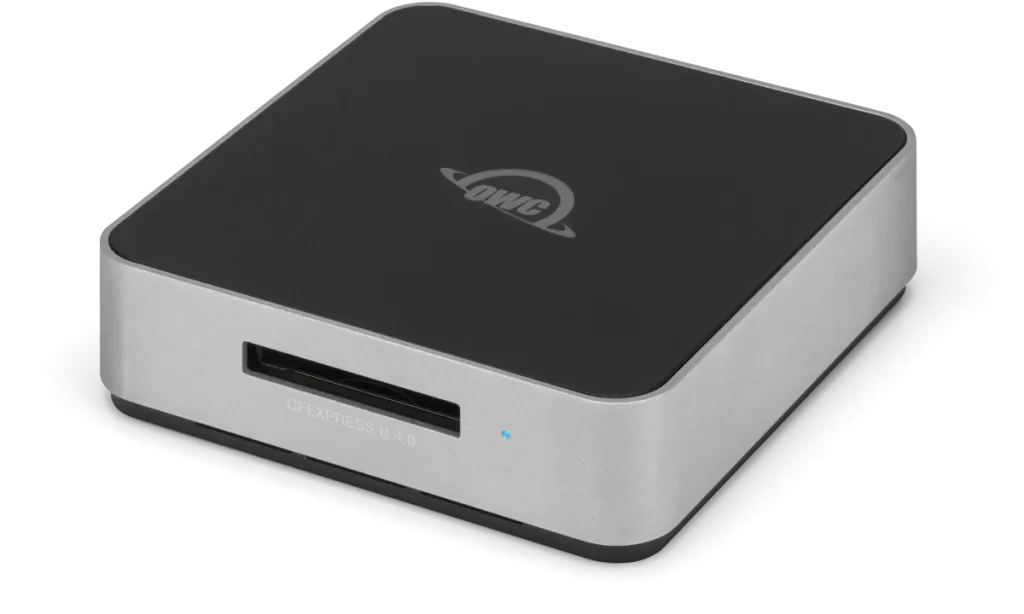
2. OWC Atlas USB4 CFexpress 4.0 Type B — fastest CFexpress reader
If you shoot a Nikon Z9, Sony A1 II, Canon R5 Mark II, or any other CFexpress 4.0–capable body, the OWC Atlas USB4 is the upgrade that finally matches the cards. It supports up to 5,000MB/s theoretical bandwidth on USB4 hosts, and independent benchmarks have clocked 3,346MB/s read and 2,676MB/s write with OWC’s own Atlas Ultra cards.
Key specs
- 1 × CFexpress 4.0 Type B slot
- USB4 (40Gb/s) over USB-C, bus-powered
- Includes Type A → Type B adapter for Sony A7S III / A1 / FX3 / FX30 shooters
- Backward compatible with USB 3.x hosts
- Approx. price: $99–$120
OWC machined the body from solid aluminum, which doubles as a passive heatsink — critical given how hot CFexpress cards get during sustained 8K ingest. PetaPixel and Shutter Muse called this “the new standard” for CFexpress 4.0 readers.
Best for: wedding cinematographers, sports and wildlife pros, and Z9 / R5 II owners moving 256GB+ after every job.
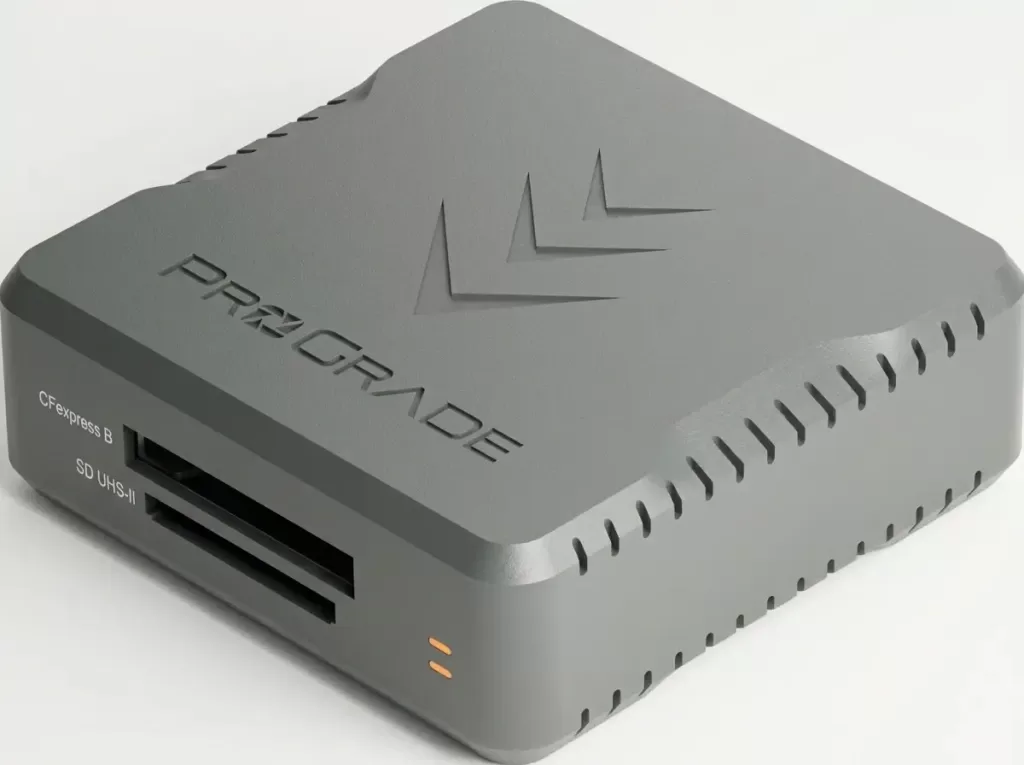
3. ProGrade Digital CFexpress Type B + SDXC USB 4.0 dual-slot (PG05.7) — best for pros
ProGrade has been the working-pro favorite for years, and its USB 4.0 dual-slot reader earns the top spot for anyone shooting two card formats at once. It accepts a CFexpress Type B card and a UHS-II SD card simultaneously, and both slots can ingest in parallel on USB4 hosts.
Key specs
- 1 × CFexpress Type B + 1 × UHS-II SD slot
- USB4 (40Gb/s) — up to 2× faster than USB 3.2 Gen 2
- Active cooling fan inside the chassis
- Aluminum body with magnetic base for desk mounting
- Dual cables included: USB-C ↔ USB-C and USB-C ↔ USB-A
- Approx. price: $149.99 (ProGrade store)
The magnetic base is a small touch, but it stops the reader from sliding across your desk when you yank a cable. ProGrade’s free Refresh Pro software runs card-health diagnostics and firmware updates — invaluable for catching cards before they fail mid-shoot.
Best for: Sony FX6, Nikon Z9, Canon R5 II shooters who back up two cards from a dual-slot body in one ingest. Filmmakers building vlogging setups get massive workflow gains here.
Selling on Amazon, Shopify, or Etsy? Make your product photos pop with our background removal service — clean white backgrounds at scale.
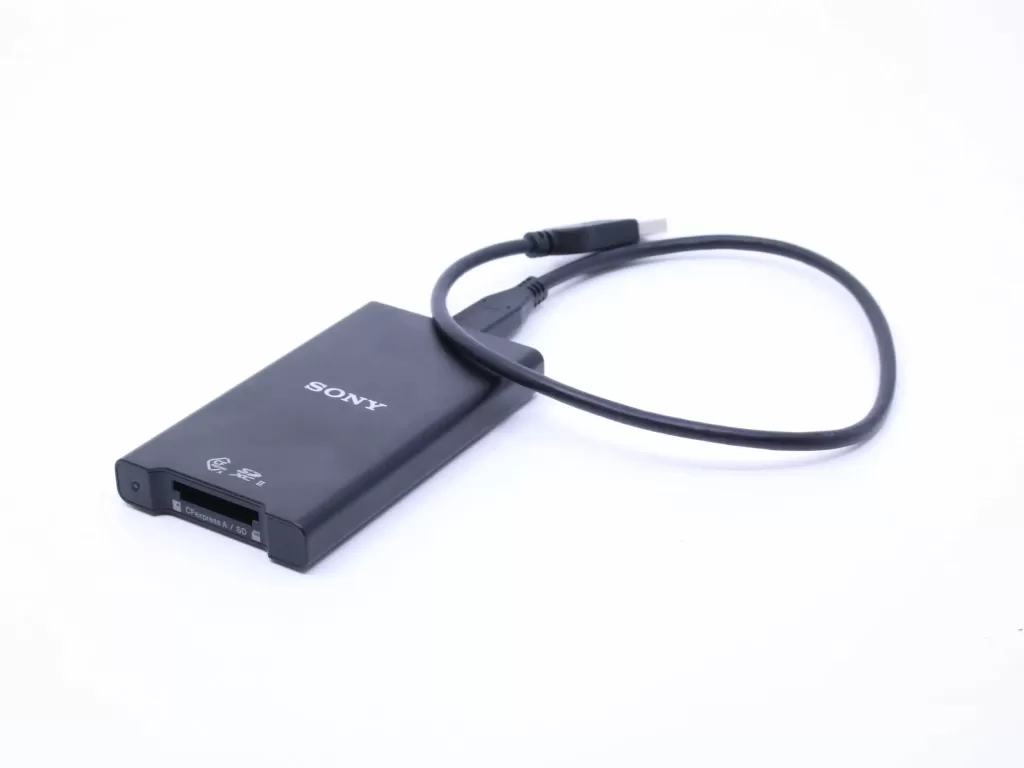
4. Sony MRW-G2 CFexpress Type A / SD reader — best for Sony shooters
CFexpress Type A is a Sony-led format used in the A7S III, A1, A1 II, FX3, FX30, and FX6. The Sony MRW-G2 was designed alongside those cards and pulls the most performance out of them.
Key specs
- 1 × CFexpress Type A slot + 1 × UHS-II SD slot
- USB 3.2 Gen 2 (10Gb/s) over USB-C
- Heat-dissipating internal frame
- Includes USB-C and USB-A cables
- Real-world reads of ~700–800MB/s with Sony Tough Type A cards (rated 800MB/s read / 700MB/s write)
- Approx. price: $99
Third-party Type A readers exist, but Sony’s own unit reliably hits near the cards’ theoretical maximum without driver headaches on Mac or Windows. Build quality is the typical Sony “professional black aluminum slab,” and the dual-slot design means SD shooters in the same kit are not left behind.
Best for: Sony Alpha and Cinema Line shooters using CFexpress Type A as their primary card.
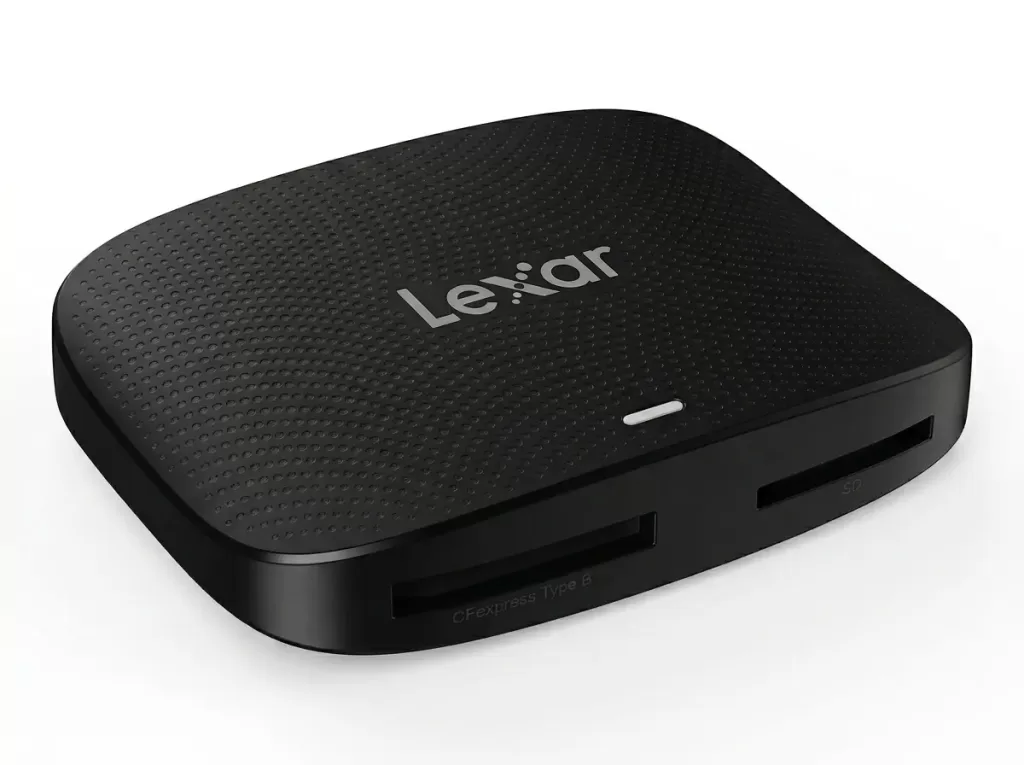
5. Lexar Professional CFexpress Type B / SD USB 3.2 Gen 2 reader — best mid-range pro option
Lexar’s dual-slot reader sits in a clever spot — slower than USB4, but cheaper, cooler-running, and good enough for the majority of CFexpress Type B cards out there.
Key specs
- 1 × CFexpress Type B + 1 × SD UHS-II slot
- USB 3.2 Gen 2 (10Gb/s)
- Compact, pocketable design
- Single integrated USB-C cable with a built-in USB-A adapter — a thoughtful touch
- Approx. price: $60–$80
Real-world tests in CameraJabber’s review showed steady ~1,000MB/s sustained read on premium Lexar Diamond Series cards. The clamshell-style USB-A adapter is genuinely useful for moving between newer USB-C laptops and older Windows desktops at the studio.
Best for: photographers stepping up to CFexpress Type B for the first time, or anyone who wants Lexar reliability without paying USB4 premiums.
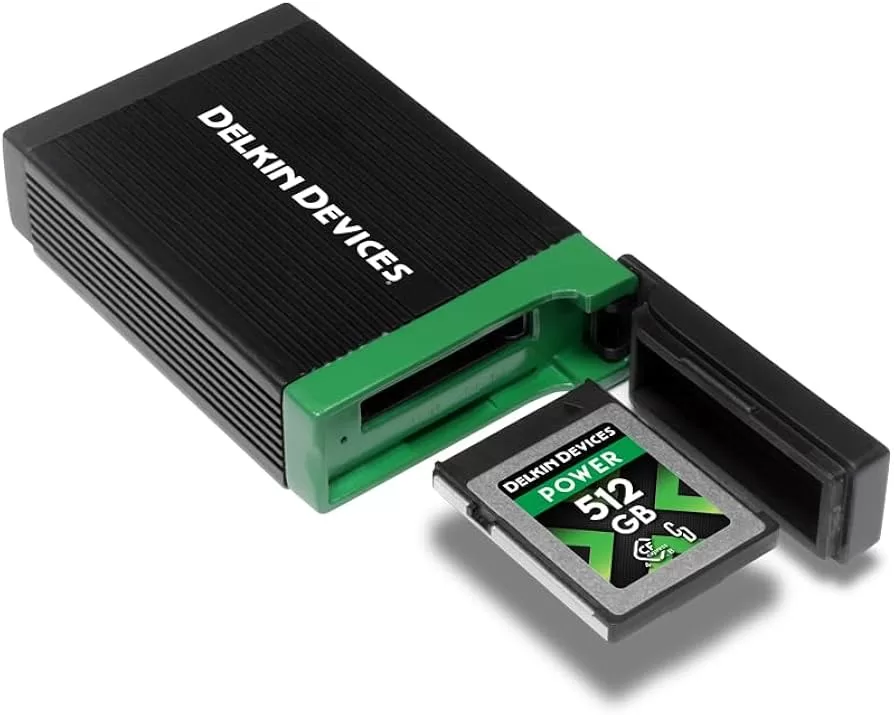
Delkin’s USB4 CFexpress Type B reader is the quiet pro pick. The aluminum body doubles as a heat sink, the rubberized end cover doubles as built-in card storage, and the 40Gb/s USB4 interface keeps up with the latest CFexpress 4.0 cards.
Key specs
- 1 × CFexpress Type B slot
- USB4 (40Gb/s) over USB-C
- Built-in card storage with rubberized cap
- All-aluminum construction for heat management
- Approx. price: $110–$125
If you regularly travel between studios, the built-in card storage solves a real problem — that one moment you cannot find your card holder at 4am in an airport. Delkin’s reputation among working sports and wildlife shooters is excellent, and this reader extends it.
Best for: photographers who already trust Delkin Black and Power series cards, and want a no-drama pro reader.
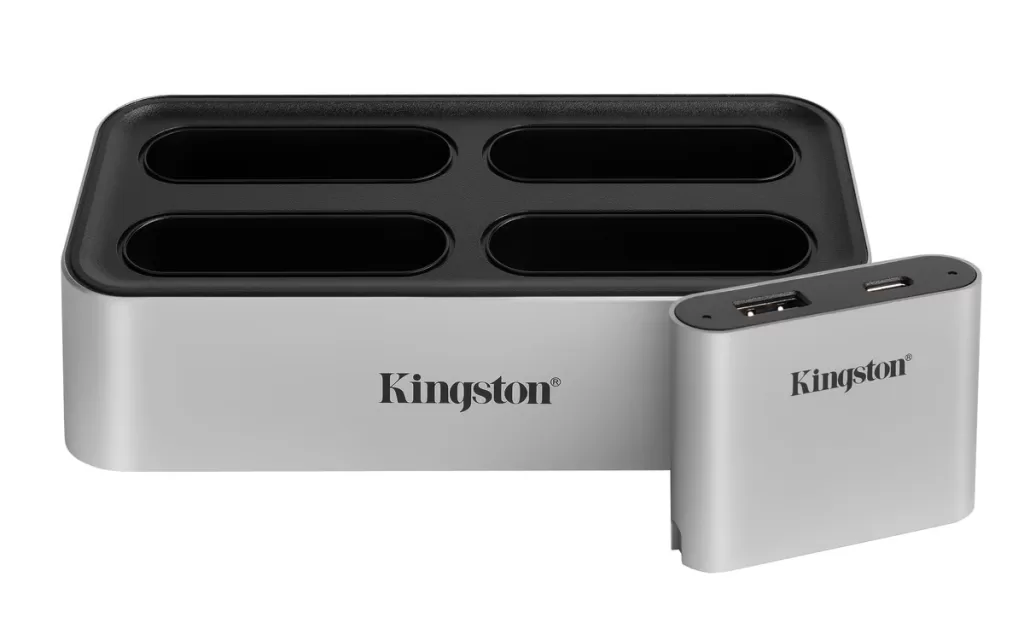
7. Kingston Workflow Station Dock — best modular studio setup
The Kingston Workflow Station looks unusual — a brick-shaped USB-C dock with swappable miniHubs that snap in like memory modules. You can populate it with SD UHS-II readers, microSD readers, CFexpress readers, or USB-A hubs depending on the job.
Key specs
- Dock: USB 3.2 Gen 2 (10Gb/s) host interface
- Individual SD/microSD miniHubs: USB 3.2 Gen 1 (5Gb/s)
- Up to 4 swappable bays
- Each Workflow SD miniHub holds 2 UHS-II SD cards
- Tested reads up to 304MB/s per SD slot
- Bus or wall-powered
- Approx. price: $80 + miniHubs
For studios offloading multiple cards in parallel, this is the best investment on the list. A photographer running a busy ecommerce table can ingest several SD cards from a Nikon product photography session without juggling readers. Fstoppers called it “a game changer” for that exact reason.
Best for: working studios, photo desks, and high-volume retouchers managing many cards per day.
8. SanDisk Extreme PRO USB-C SD UHS-II reader — best budget UHS-II pick
If you only shoot SD UHS-II and want the simplest, most reliable upgrade under $35, this is it. SanDisk’s Extreme PRO USB-C reader delivers near-theoretical UHS-II speeds (250–280MB/s real-world) and works as a single-slot SD reader.
Key specs
- SD UHS-II support
- USB-C interface (USB 3.2 Gen 2), USB-A adapter included
- Approx. price: $30
- Plug-and-play across macOS, Windows, ChromeOS
It does not match a CFexpress reader, but it does not need to. For mirrorless shooters using cards like the Lexar Professional 1800x v60 or SanDisk Extreme PRO UHS-II, it consistently hits the card’s rated speed.
Best for: enthusiast shooters and content creators upgrading from generic USB-A readers.
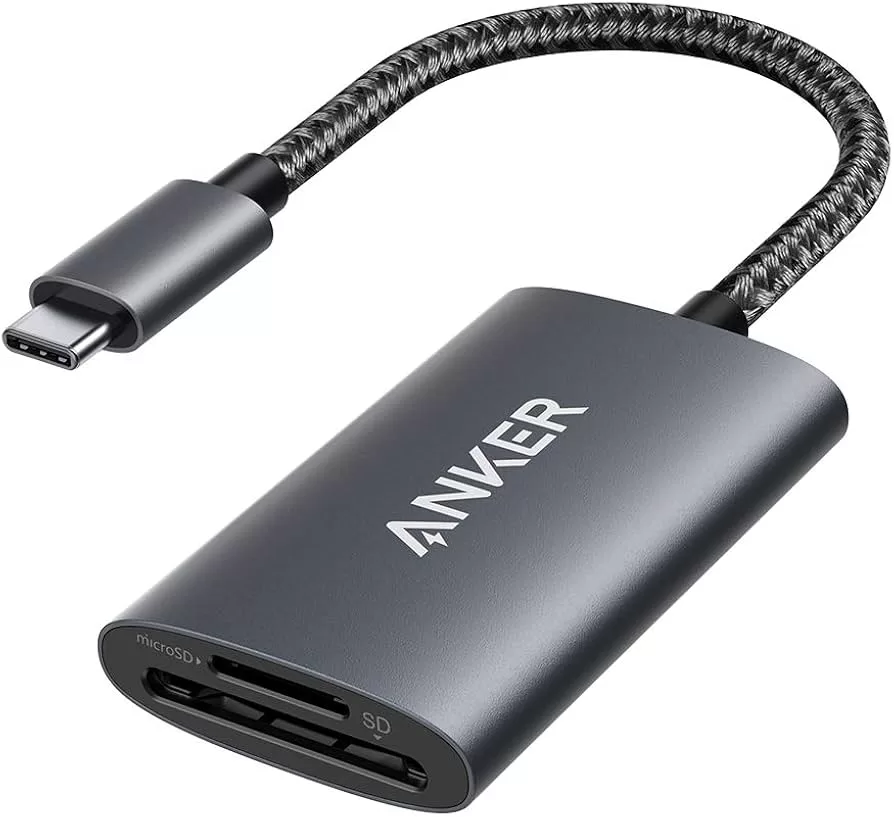
9. Anker PowerExpand 2-in-1 SD 4.0 reader (A8328) — best for laptops and travel
Sometimes you just want a reader that lives permanently in your bag and works with whatever phone, tablet, or laptop you have on hand. Anker’s PowerExpand 2-in-1 SD 4.0 is that reader.
Key specs
- 1 × SD UHS-II + 1 × microSD UHS-II slot
- USB-C connector
- Up to 312MB/s UHS-II theoretical
- Aluminum body, about the size of a pack of gum
- Approx. price: $30
Digital Camera World’s review confirms the build quality and notes that real-world speeds approach the card’s rated speed. It is equally happy on a MacBook, iPad, Pixel phone, or Windows laptop.
(Tip: do not confuse this with the cheaper Anker A8326 model — that one is SD 3.0 / UHS-I and tops out around 104MB/s for ~$20.)
Best for: travel vloggers, journalists, and anyone who hates digging through cables.
Editing fashion catalogs? Our ghost mannequin service gives apparel that clean, 3D look buyers expect — no extra retouchers required.
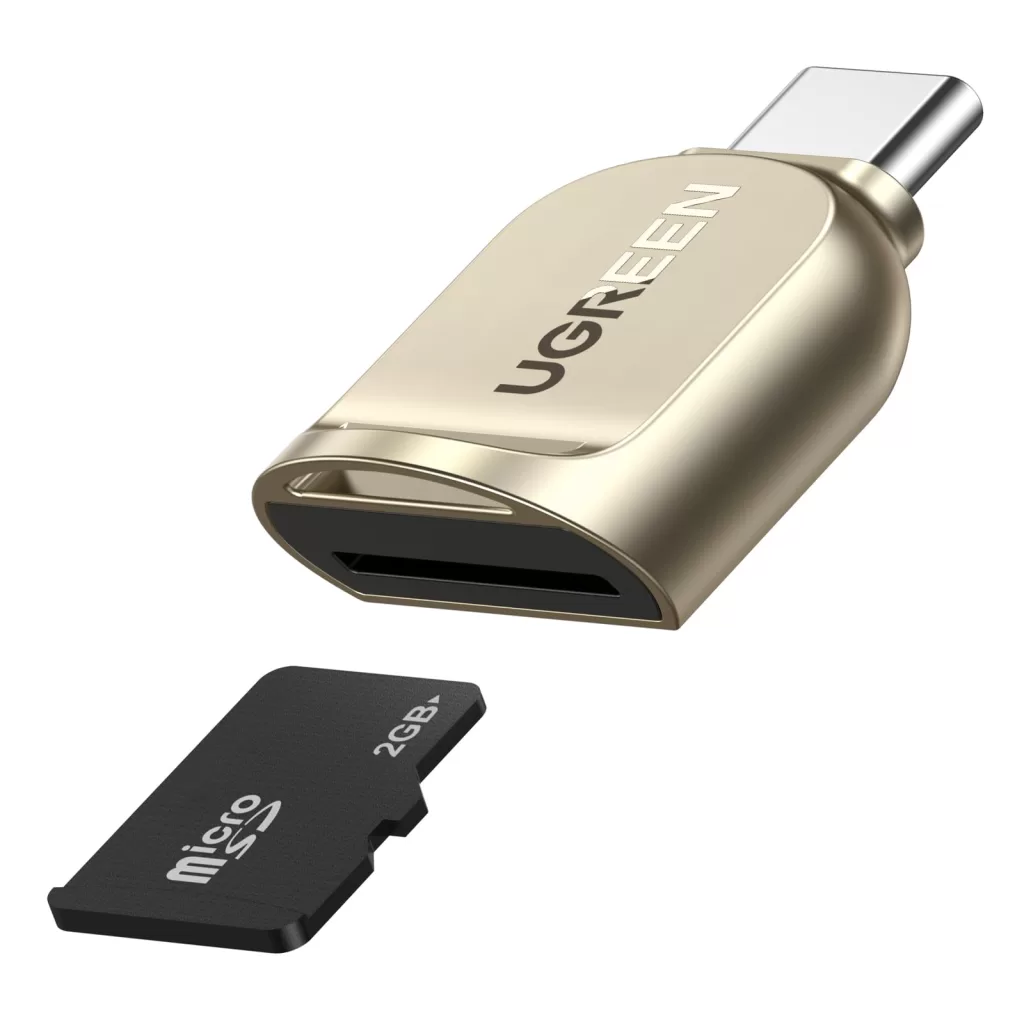
10. UGREEN USB-C microSD reader — best ultra-compact pick
For drone pilots, GoPro shooters, and Insta360 users, microSD is the format that matters. UGREEN’s tiny USB-C microSD reader is the ideal “always-in-pocket” option.
Key specs
- 1 × microSDXC slot
- USB-C connector
- Zinc alloy body, ~14g weight
- Works with iPhone 15/16/17, iPad Pro, Android, MacBook
- Approx. price: $10
It is not the fastest reader on this list — UHS-I microSD peaks around 104MB/s — but for ingesting drone footage or GoPro clips in the field, that is plenty. Pair it with a tiny portable SSD and you have a full mobile ingest kit.
Best for: action camera shooters, drone pilots, and anyone using the best budget action cameras.
How to choose the right memory card reader (buyer’s guide)
The right reader depends on three answers: what cards you shoot, what host port you have, and how much data you move per day.
Match the reader to your card format
- SD UHS-I: Any UHS-I reader works — caps at ~104MB/s
- SD UHS-II: Buy a true UHS-II reader (look for two rows of pins on the slot)
- SD Express (SD 8.0): Released in 2020 with theoretical speeds up to 4GB/s via PCIe Gen 4 — adoption is still niche, with most cards in the 1.6GB/s range
- microSD: Same rules as SD apply
- CFexpress Type A: Sony MRW-G2 or ProGrade dual-slot Type A
- CFexpress Type B: OWC Atlas USB4, ProGrade USB 4.0, Delkin USB4, Lexar USB 3.2 Gen 2
- CFast 2.0: Legacy format — choose Lexar Pro Workflow or SanDisk Extreme PRO CFast
Match the interface to your host port
- USB-A 3.0 (5Gb/s): OK for UHS-I and basic CompactFlash
- USB-C 3.2 Gen 2 (10Gb/s): Sweet spot for UHS-II SD and most CFexpress Type B
- USB-C 3.2 Gen 2×2 (20Gb/s): Older “Diamond” Lexar readers — fading from the market
- USB4 / Thunderbolt 4 (40Gb/s): Required to unlock CFexpress 4.0 above ~1,000MB/s
Most 2024–2026 laptops include USB4 ports natively. Older Mac mini, Mac Studio, and pre-2022 MacBook Pro models top out at Thunderbolt 3 / USB4 v1 — still 40Gb/s, still ideal. Thunderbolt 5 (80Gb/s) launched in 2026 but is still rare in shipping laptops as of mid-year.
Consider build quality and heat
CFexpress cards run hot during sustained writes — sometimes hot enough to throttle. Choose readers with aluminum cases and visible heat fins (OWC, Delkin, ProGrade) over plastic shells, especially if you transfer hundreds of gigabytes at a time.
Cable matters more than you think
Bus-powered USB4 readers depend on a proper USB4 40Gb/s cable. A cheap USB-C charging cable will silently drop the reader down to USB 2.0 speeds. Always use the cable supplied by the manufacturer, or a certified USB-IF cable.
Hundreds of e-commerce products to edit? Streamline with our multi-clipping path service — multiple color paths for fast color changes and corrections.
Where memory card readers fit into your photo workflow
A reader is the bridge between capture and creativity, but it is only one link in the chain. Here is how the modern 2026 workflow looks for working photographers:
- Capture to a fast camera card matched to your bitrate
- Ingest onto a SSD using a fast reader and verified copy software (ChronoSync, ShotPut Pro, or Hedge)
- Backup to a second SSD, then to cloud
- Cull and edit in Lightroom Classic, Capture One, or DaVinci Resolve
- Retouch and prep using Photoshop or your preferred photo editing tool of 2026
- Deliver to client galleries, print labs, or e-commerce stores
The reader controls step 2. If a faster reader saves you 10 minutes per ingest, and you ingest twice a day, that is over 100 hours saved every year — easily the highest-ROI gear purchase you can make under $150.
If you are new to memory and storage sizing, our explainer on megabyte vs kilobyte makes spec sheets much easier to read.
Common mistakes that slow down your transfers
Even a top-tier reader can disappoint if other parts of your setup quietly bottleneck it. Watch for these:
- Plugging into a USB-A port on a USB-C laptop via an adapter — caps you at 5Gb/s
- Using a non-data USB-C cable — many charging cables are USB 2.0 only
- Connecting through a slow hub instead of directly into the host
- Writing to a 5400rpm external HDD as the ingest destination
- Leaving “verify after copy” off in your ingest software — slower, but worth it for safety
- Letting your laptop run on battery saver during the transfer
External NVMe SSDs are the natural pairing for a fast reader. A Samsung T9, SanDisk Pro-G40, or OWC Envoy Pro is the right ingest destination — not a spinning HDD that bottlenecks the reader by 4×.
Maintaining your memory cards (and your reader)
Both cards and readers have finite lifespans. To squeeze the most reliability out of them:
- Format in-camera, not on your computer, after every successful ingest
- Refresh CFexpress cards monthly with ProGrade’s free Refresh Pro software if you shoot heavily
- Avoid pulling cards mid-write — always use “eject” / “unmount” on macOS and Windows
- Keep contacts clean — never touch the gold contacts with your fingers
- Store in protective cases — humidity and dust are silent killers
- Update card and reader firmware when manufacturers release fixes
If you have ever lost shots and need them back, our guide on how to find recently deleted photos walks through the recovery process step by step.
For a related deep-dive on real card capacity versus file count, how many photos a 256GB card can hold breaks the math down cleanly.
Need flawless masks for hair and translucent objects? Choose our image masking service for clean edges on jewelry, hair, fur, and glassware.
Memory card reader speed comparison at a glance
| Reader | Card support | Interface | Real-world top speed | Approx. price |
|---|---|---|---|---|
| OWC Atlas USB4 | CFexpress 4.0 Type B | USB4 40Gb/s | ~3,346MB/s read | $99–$120 |
| ProGrade USB 4.0 dual (PG05.7) | CFx Type B + SD UHS-II | USB4 40Gb/s | Up to ~3,000MB/s+ | $149.99 |
| Delkin USB4 | CFexpress Type B | USB4 40Gb/s | ~3,000MB/s | $110–$125 |
| Sony MRW-G2 | CFx Type A + SD UHS-II | USB 3.2 Gen 2 | ~700–800MB/s | $99 |
| Lexar Pro CFx B / SD | CFx Type B + SD UHS-II | USB 3.2 Gen 2 | ~1,000MB/s | $60–$80 |
| SanDisk ImageMate PRO | SD + microSD + CF | USB 3.2 Gen 1 | ~252MB/s | $40 |
| SanDisk Extreme PRO | SD UHS-II | USB-C 3.2 Gen 2 | ~280MB/s | $30 |
| Kingston Workflow Station | Modular | Dock Gen 2 / miniHubs Gen 1 | ~304MB/s per slot | $80 + miniHubs |
| Anker PowerExpand 2-in-1 (A8328) | SD + microSD UHS-II | USB-C 3.2 Gen 2 | ~250MB/s | $30 |
| UGREEN microSD | microSD UHS-I | USB-C 3.0 | ~104MB/s | $10 |
These numbers reflect tested or independently published figures. Your mileage will vary with host port, cable, and card brand.
Who should buy what — by photographer type
- Wedding & event photographers → ProGrade USB 4.0 dual-slot reader (PG05.7) — offload both card slots in one go
- Sports & wildlife pros → OWC Atlas USB4 + premium CFexpress 4.0 cards
- Sony A1 / A7S III shooters → Sony MRW-G2 with Sony Tough Type A cards
- YouTubers & vloggers → Anker PowerExpand 2-in-1 (A8328) + a small portable SSD
- Drone pilots & action shooters → UGREEN USB-C microSD reader
- E-commerce & product photographers → Kingston Workflow Station with two SD UHS-II miniHubs
- Travel & landscape photographers → SanDisk Extreme PRO USB-C UHS-II
- Hybrid shooters with mixed gear → SanDisk ImageMate PRO multi-card reader
If you are still finalizing your camera kit, our deep dive on the top camera brands pairs nicely with this guide for picking matched accessories.
What is changing next (and why USB4 is now the floor, not the ceiling)
In 2026, the hardware story is no longer USB-A vs USB-C — it is whether your reader supports USB4 or Thunderbolt 4 at 40Gb/s. CFexpress 4.0 Type B cards already exceed what older USB 3.2 Gen 2 readers can deliver. SD Express 8.0 is in market but still niche. Thunderbolt 5 launched in early 2026 at 80Gb/s but remains rare in laptops.
What that means in practice: a reader you buy today should at minimum support USB4 / Thunderbolt 4 if you shoot CFexpress Type B. For SD-only users, USB 3.2 Gen 2 remains plenty for the next few years — you will be limited by the card, not the reader.
This is the rare gear category where future-proofing actually makes sense. Buy a tier above what your current camera demands, and the same reader stays relevant when you upgrade to the next body in two or three years — much like investing in the right photo editing software outlives most hardware.
Want shadows that look real, not pasted-on? Our shadow creation service adds natural drop, reflection, and floating shadows to product images.
FAQs about memory card readers in 2026
1. Do I really need a CFexpress 4.0 USB4 reader if I shoot CFexpress 4.0 cards?
If you regularly transfer 64GB or more per session, yes — the time savings pay for the reader within a couple of months. A USB 3.2 Gen 2 reader caps near 1GB/s, while a CFexpress 4.0 card can read above 3GB/s. You are otherwise throwing away two-thirds of your card’s speed.
2. Will a USB4 reader work with my older USB-C laptop?
Yes. USB4 readers are fully backward compatible with USB 3.2, USB 3.0, and even USB 2.0 hosts. You will transfer at the slower port’s speed. Once you upgrade to a USB4 or Thunderbolt 4 machine, the reader unlocks full performance — no new purchase required.
3. Can I use a card reader with my iPhone or iPad?
Absolutely. Any USB-C card reader works with iPhone 15, 16, and 17 series, plus USB-C iPad Pro and iPad Air models. Files import through the Photos app or Files app. iPhone 15 standard models cap at USB 2.0 (~60MB/s), while iPhone 15 Pro and Pro Max use USB 3.2 Gen 2 (up to 10Gb/s).
4. Why does my CFexpress reader get so hot?
CFexpress cards write at extreme sustained speeds, which generates real heat — sometimes enough to throttle the card. Premium readers (OWC, Delkin, ProGrade) use machined aluminum bodies as passive heat sinks, and the ProGrade PG05.7 even adds an active fan. Cheap plastic CFexpress readers from no-name brands often overheat and abort transfers, so stick with proven brands.
5. Do I need different drivers for memory card readers?
No. Every reader on this list is fully driver-free on macOS, Windows 10/11, ChromeOS, and most Linux distros. Just plug it in. Some pro readers (ProGrade, OWC) offer optional software for card health diagnostics, but it is not required.
6. Can a card reader corrupt my files?
Reputable card readers do not corrupt files on their own. Corruption usually comes from yanking a card mid-write, a dying card, or a failing USB port. Always use “eject” before unplugging, and verify transfers with software like Hedge or ShotPut Pro for paid jobs.
7. SD UHS-II or CFexpress Type B — which should I upgrade to first?
It depends on your camera. If your body only has SD slots, UHS-II V90 cards remain excellent and a UHS-II reader is a $30 upgrade. If your camera supports CFexpress Type B (Z9, R5, R5 II, X-H2S, etc.), the speed jump is dramatic — but budget for a USB4 reader to actually see those speeds.
8. Is a multi-card reader worth it, or should I buy single-format readers?
Both have merit. Multi-card readers (SanDisk ImageMate PRO, Kingston Workflow) save desk space and cable clutter — perfect for mixed-gear shooters. Single-format readers maximize speed for one card type — perfect for pros with one main camera system. Most working photographers eventually own both.
The bottom line: which memory card reader should you buy in 2026?
The right memory card reader is the cheapest serious upgrade you can make this year. For most photographers, the SanDisk ImageMate PRO covers daily life beautifully. Need maximum speed for CFexpress Type B cards? The OWC Atlas USB4 leads the pack. For Sony Alpha pros, the Sony MRW-G2 stays unbeatable. And for studios, the Kingston Workflow Station turns chaos into a clean, modular ingest desk.
The wider lesson is simple: your card reader sits between thousands of dollars of camera gear and thousands of dollars of computer gear. Cheap out here, and everything else slows down. Spend a fair amount on a reader matched to your cards and host port, and your entire workflow gets faster, calmer, and more reliable — every shoot, for years.
Pair the right reader with a strong storage strategy and a smart retouching workflow, and post-production becomes the part of the job you stop dreading and start enjoying.
Take your product photos from good to gallery-grade. Discover everything our team offers at Clipping Expert Asia — image masking, retouching, ghost mannequin, shadow creation, and more.