


Outsource Bulk Image Editing Services for E‑Commerce
June 2, 2026
How Many Pictures Fit on an 8GB Memory Card? Pro Guide
June 3, 2026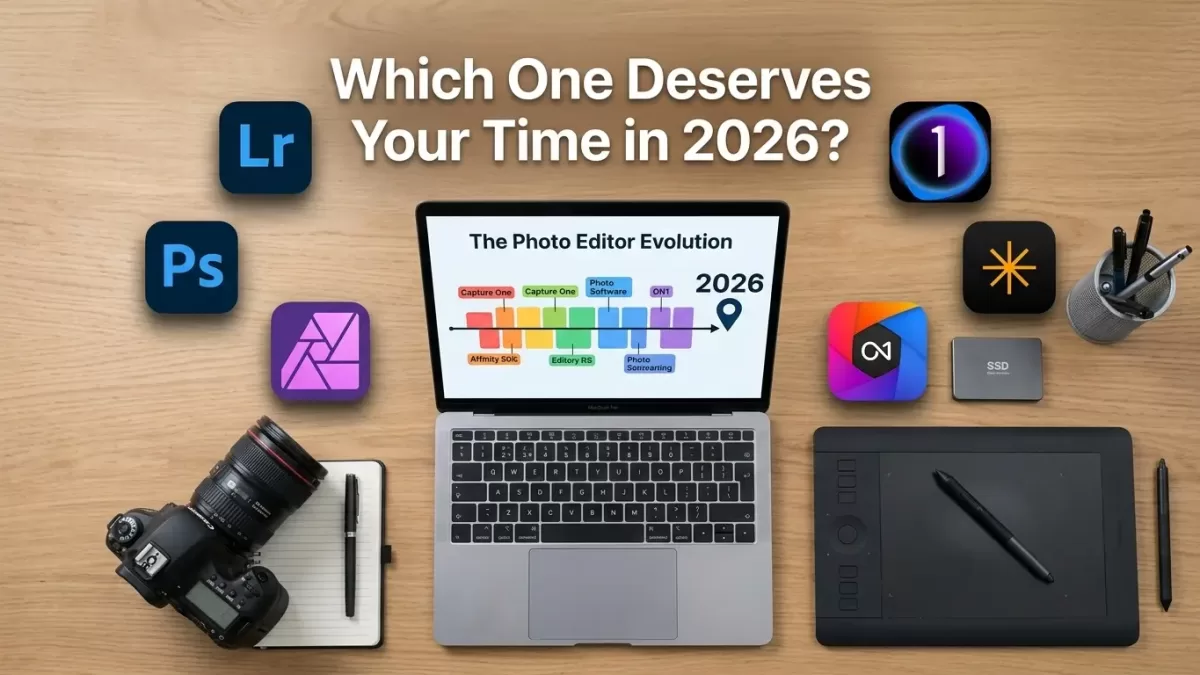
- Introduction: Why 2026 Is a Turning Point for Photo Editing
- What Makes a Photo Editor “Best” in 2026? — Our Criteria
- Quick Comparison Table: Top Photo Editing Software 2026
- 1. Adobe Lightroom Classic — Best Overall Workflow for Photographers
- 2. Adobe Photoshop — Best for Compositing, Retouching & AI Generative Edits
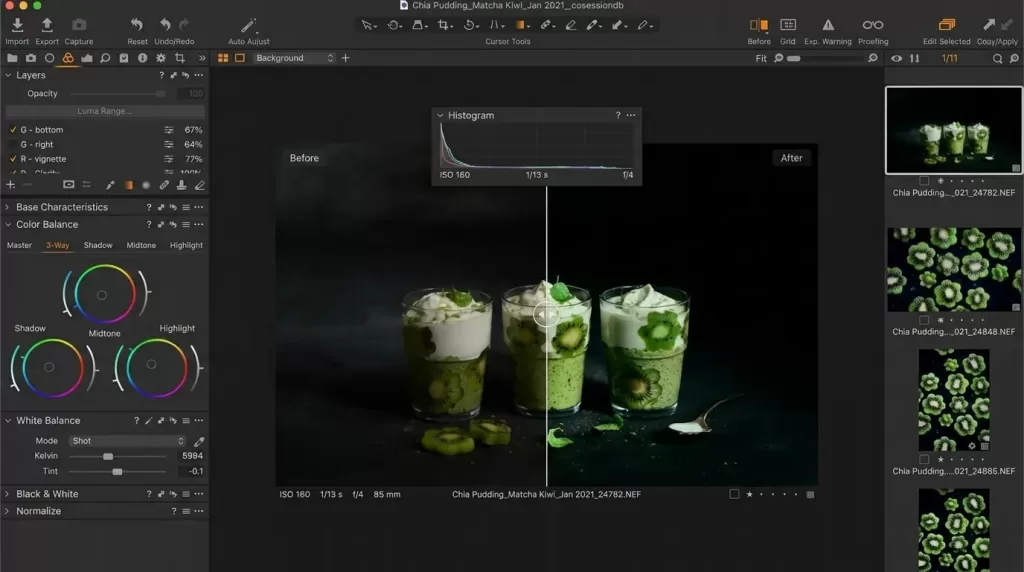
- 3. Capture One Pro — Best Color & Tethering for Studio Pros
- 4. Affinity Photo 2 — Best Free Professional Photo Editor
- 5. ON1 Photo RAW 2026 — Best Subscription-Free All-in-One Editor
- 6. Luminar Neo — Best AI-First Editor for Creative Looks
- 7. DxO PhotoLab 9 — Best RAW Engine & Noise Reduction
- 8. GIMP — Best 100% Free Open-Source Photoshop Alternative
- 9. Darktable & RawTherapee — Best Free RAW Editors
- 10. Mobile & Online Editors — Snapseed, Lightroom Mobile, VSCO, Photopea
- How to Choose the Best Photo Editing Software for You in 2026
- E-Commerce Photographers: Software Alone Is Not Enough
- What’s Next: 2026 Photo Editing Trends to Watch
- Pros & Cons Snapshot: At-a-Glance
- Frequently Asked Questions (FAQ)
- Final Verdict: Pick the Tool That Matches Your Workflow
Introduction: Why 2026 Is a Turning Point for Photo Editing
Photo editing in 2026 looks nothing like it did three years ago. Generative AI now handles selections, sky replacements, denoise, upscaling, and even full retouching in seconds. Subscription fatigue has pushed many photographers toward one-time-purchase tools like Affinity Photo, ON1 Photo RAW, and DxO PhotoLab. Meanwhile, mobile editors keep closing the gap with desktop suites.
So which photo editor actually deserves your time and money this year? I tested the leading options on real-world files — RAW landscapes, e-commerce product shots, wedding portraits, and quick social posts — to build this honest, hands-on guide.
You’ll see who each tool fits best, what it costs in 2026, and where its AI shines (or stumbles). I cover paid pro suites, subscription-free editors, free open-source picks, AI-first apps, and mobile editors — so you can choose with confidence.
Editing 100s of product photos and need clean, consistent cutouts? Try our professional clipping path service — hand-drawn precision, fast turnaround, no AI guesswork.
What Makes a Photo Editor “Best” in 2026? — Our Criteria
Before naming winners, let’s define what a great 2026 photo editor really delivers. I judged every tool on the same six pillars:
- RAW processing quality — color accuracy, highlight recovery, lens corrections, and noise reduction on modern sensors.
- AI capabilities — generative fill, masking, denoise, upscaling, and sky/background replacement that actually look natural.
- Workflow speed — culling, batch edits, presets, catalog performance, and GPU acceleration.
- Pricing model — subscription vs. perpetual licence, and total cost of ownership over three years.
- Learning curve — how quickly a beginner can get usable results.
- Output flexibility — export options, color spaces, print profiles, and integration with other tools.
Keep these in mind as you read — your priority order should drive your choice.
Quick Comparison Table: Top Photo Editing Software 2026
| Software | Best For | Pricing Model (2026) | AI Tools | Skill Level |
|---|---|---|---|---|
| Adobe Lightroom Classic | All-round workflow | Subscription (~$9.99/mo) | Strong | Beginner → Pro |
| Adobe Photoshop | Compositing & retouching | Subscription (~$22.99/mo) | Best-in-class | Intermediate → Pro |
| Capture One Pro | Tethering & color | Subscription or perpetual | Moderate | Intermediate → Pro |
| Affinity Photo 2 | Pixel editing on a budget | Free (as of 2025–26 relaunch) | Light | Beginner → Pro |
| ON1 Photo RAW 2026 | No-subscription RAW + AI | Perpetual (~$99) | Strong | Beginner → Pro |
| Luminar Neo | AI-first creative edits | Perpetual (~$119) | Heavy AI | Beginner → Intermediate |
| DxO PhotoLab 9 | RAW + noise reduction | Perpetual (~$229) | DeepPRIME XD2s | Intermediate → Pro |
| GIMP | Free pixel editor | Free | Plugin-based | Intermediate |
| Darktable | Free RAW workflow | Free | Light | Intermediate |
| Snapseed / Lightroom Mobile | Mobile editing | Free / Freemium | Light–Moderate | Beginner |
1. Adobe Lightroom Classic — Best Overall Workflow for Photographers
Why Lightroom Classic still leads in 2026
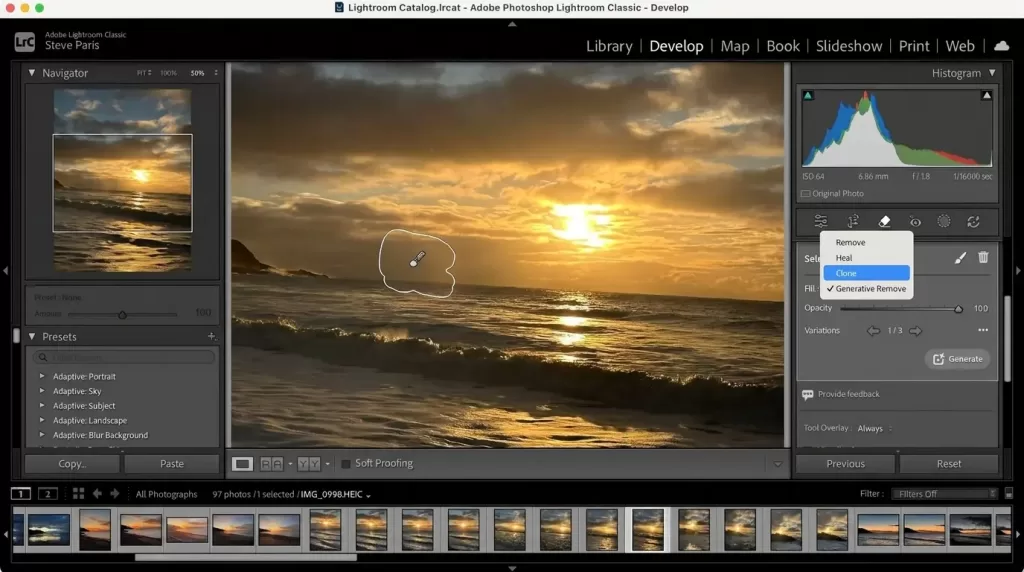
Lightroom Classic remains the workhorse for most working photographers because nothing else combines a serious DAM (digital asset manager), non-destructive RAW edits, and a polished mobile sync as smoothly. The 2026 release (Lightroom 15) adds smarter Denoise, refined Generative Remove, and faster GPU previews on Apple Silicon and modern NVIDIA cards.
Strengths
- Mature catalog and culling tools handle 100,000+ image libraries without choking.
- Adaptive Presets and AI Masking (Sky, Subject, Background, Objects) cut routine edits in half.
- Cloud sync to Lightroom Mobile keeps edits consistent across phone, tablet, and desktop.
Weaknesses
- Subscription-only — there is no perpetual licence anymore.
- Layer-based compositing still requires a trip to Photoshop.
Pricing (2026): Photography Plan from $9.99/month (Lightroom + Lightroom Classic + Photoshop + 20 GB).
Helpful resource: see Adobe’s official What’s new in Photoshop and Lightroom page for the latest update notes.
2. Adobe Photoshop — Best for Compositing, Retouching & AI Generative Edits
Photoshop in 2026 (version 27, released at Adobe MAX) is the most AI-loaded version ever. Generative Fill now writes its own prompts via “AI Assistant,” Generative Upscale pushes images to 8 MP with realistic detail, and the new Harmonize tool blends pasted subjects into a scene’s color and light automatically.
Use Photoshop when you need to:
- Composite multiple images into one (sky swaps, product comps, fantasy art).
- Perform precise frequency-separation retouching for skin or fabric.
- Generate, expand, or replace parts of an image with prompt-based AI.
- Edit type, design layouts, or prepare web/print graphics with layers.
Watch-outs
- Credit-based generative system means heavy AI users may hit limits.
- The interface stays dense — beginners need a few weeks to find their footing.
Pricing (2026): Single-app from $22.99/month, or bundled in the Photography Plan above.
Tired of fighting hair and fur edges in Photoshop? Let our experts handle the hard cutouts with our image masking service — pixel-perfect masks delivered overnight.
3. Capture One Pro — Best Color & Tethering for Studio Pros
Why studio and fashion photographers pick Capture One
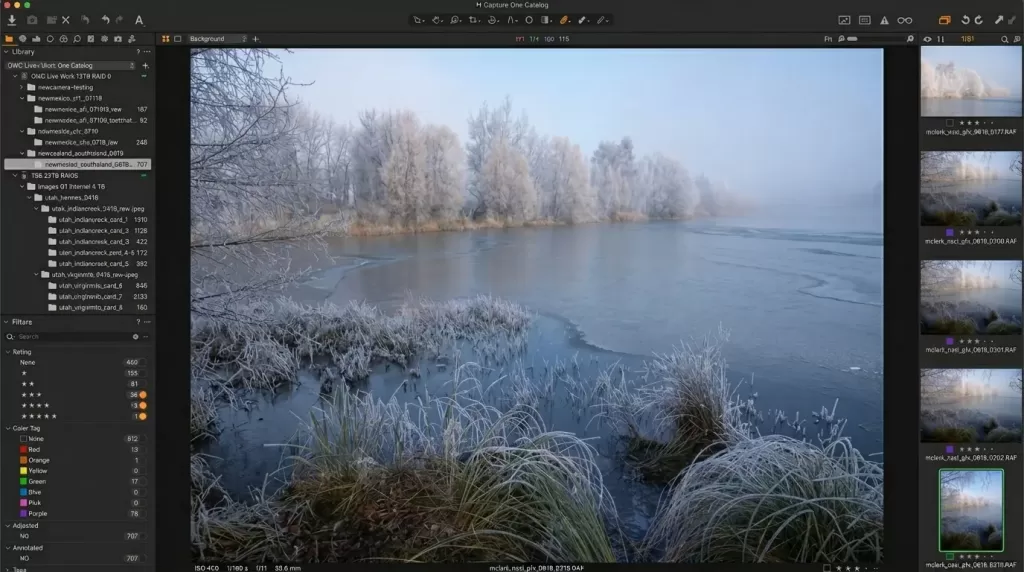
Capture One Pro keeps its reputation as the king of RAW color. Its layer system, advanced color editor, and rock-solid tethering for Sony, Fujifilm, Nikon, and Phase One cameras remain unmatched in 2026. Many reviewers note crisper detail and more nuanced tonal control than Lightroom’s Adobe Camera Raw engine.
Highlights
- Industry-leading tethered capture with live overlays for studio shoots.
- Granular Color Balance and Advanced Color Editor for cinematic looks.
- Sessions or Catalogs — flexible for one-off shoots or huge archives.
Trade-offs
- Less mature AI masking compared to Lightroom and ON1.
- Heavier on system resources; some users report instability on the newest builds.
Pricing (2026): Subscription from ~$15/month, or perpetual licence around $299.
4. Affinity Photo 2 — Best Free Professional Photo Editor
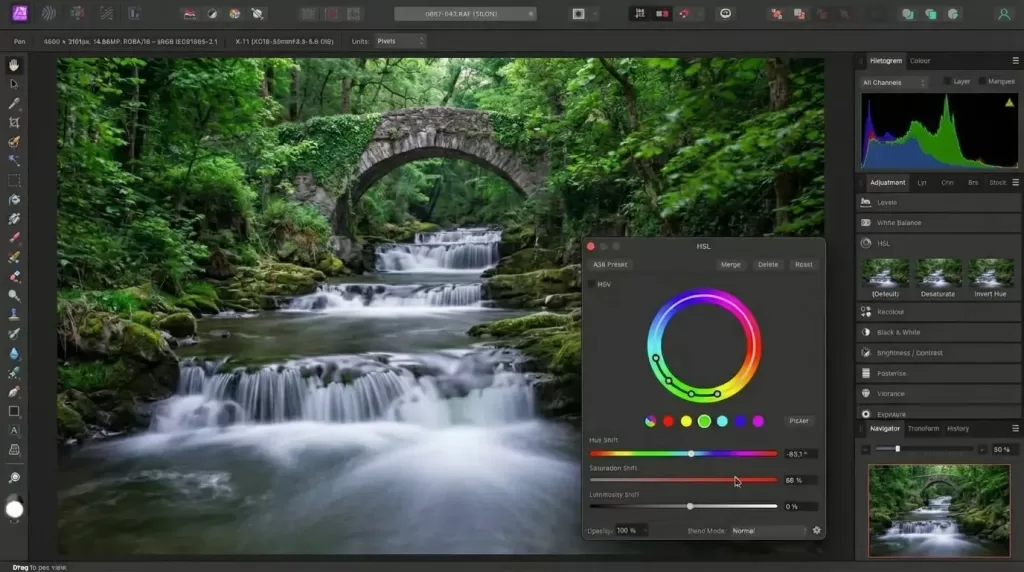
Serif’s 2025 decision to make the Affinity suite completely free for everyone is arguably the biggest news in editing software this decade. In 2026, Affinity Photo 2 still delivers a near-Photoshop feature set without a single dollar required.
What you get for free
- Full non-destructive RAW develop persona.
- Advanced retouching: frequency separation, dodge/burn, inpainting, full liquify suite.
- Compound masks, live mesh warp, batch processing, and macros.
- Native files compatible with Affinity Designer and Publisher for full design pipelines.
Where it falls short
- No built-in DAM/catalog — you still need a separate organizer or use folders.
- AI masking and generative fill lag behind Adobe and ON1.
Pricing (2026): Free (after Canva’s acquisition of Serif).
5. ON1 Photo RAW 2026 — Best Subscription-Free All-in-One Editor
ON1 Photo RAW 2026 pitches itself as a complete Lightroom + Photoshop replacement without a subscription. The 2026 release adds Brilliance AI for auto tone, AI Match to copy looks between images, and meaningful speed gains on Apple Silicon.
Best features
- Combined browse, develop, effects, layers, and resize in one app.
- Strong AI masking (Subject, Sky, Background) and NoNoise AI built-in.
- Huge library of presets and “Looks” for fast styling.
Things to know
- The interface can feel dense at first.
- Some independent reviewers point out occasional slowness with massive libraries.
Pricing (2026): Perpetual licence from ~$99.99, optional yearly upgrade plan.
For long-term photo storage to pair with ON1’s catalog, check this honest roundup of the best cloud storage for photos — it covers privacy, speed, and price across the top services.
6. Luminar Neo — Best AI-First Editor for Creative Looks
Why Luminar Neo wins on speed and creativity
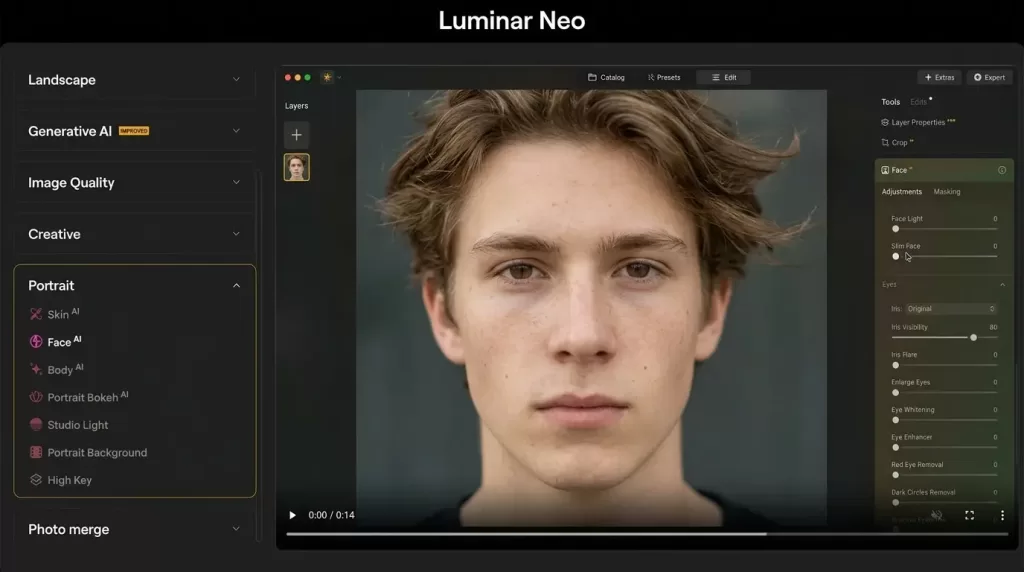
Skylum’s Luminar Neo turns advanced edits into one-click moments. Sky AI swaps skies with believable reflections and color spill. Relight AI rebalances foreground and background exposure. Generative Erase removes tourists, wires, or trash in seconds. The 2026 updates add Light Depth, an AI Assistant, and improved restoration tools.
Why I recommend it
- Beautiful, modern interface that beginners learn in an afternoon.
- Excellent for landscape, travel, and portrait photographers who want fast wow-factor edits.
- Works standalone or as a plugin for Lightroom and Photoshop.
Limitations
- Some new AI features sit behind extension packs or annual passes.
- Not the right tool for high-volume professional culling or tethered capture.
Pricing (2026): Perpetual desktop licence from $99–$119, cross-device licence around $159, Pro bundle near $179.
Selling apparel online? Show clean, professional product shots with our ghost mannequin service — bring garments to life without a model.
7. DxO PhotoLab 9 — Best RAW Engine & Noise Reduction
DxO PhotoLab is the quiet champion of pure image quality. Its DeepPRIME XD2s noise reduction routinely outperforms every competitor on high-ISO RAW files, and its optical-correction modules use lab-measured camera + lens data instead of generic profiles.
Where PhotoLab shines
- Best-in-class noise reduction for wildlife, sports, and astro shooters.
- ClearView Plus dehaze and Smart Lighting feel natural, never overcooked.
- U Point local adjustments allow precise edits without manual masks.
Where it falls behind
- Lighter on generative AI than Adobe or Luminar.
- No tethering or robust DAM for large studios.
Pricing (2026): Essential ~$139, Elite ~$229, one-time purchase with paid yearly upgrades.
8. GIMP — Best 100% Free Open-Source Photoshop Alternative
GIMP (GNU Image Manipulation Program) hits a major milestone with version 3.0 + ongoing 3.x updates in 2026, finally bringing GTK3, non-destructive editing improvements, and better high-DPI support. It is the go-to free tool for compositing, retouching, and graphic design.
Why people love it
- Truly free and open source — no accounts, no ads, no upsells.
- Huge plugin ecosystem (G’MIC alone adds hundreds of filters).
- Cross-platform: Windows, macOS, Linux.
Why people leave it
- The UI looks dated and feels less polished than commercial tools.
- RAW editing still needs a partner app like darktable or RawTherapee.
9. Darktable & RawTherapee — Best Free RAW Editors
If your priority is free RAW processing rather than pixel editing, look at darktable and RawTherapee. Both offer non-destructive develop modules, color management, and modern features like filmic RGB and color calibration.
- Darktable — closest free clone of Lightroom Classic; great library + darkroom split.
- RawTherapee — incredible demosaicing, ideal for technical and astro photographers.
For a deeper dive into these and other open-source picks, this Photography Life roundup of free open-source photo editors is worth bookmarking.
10. Mobile & Online Editors — Snapseed, Lightroom Mobile, VSCO, Photopea
Smartphone cameras now produce shoot-ready files, so mobile editing matters more than ever in 2026.
- Snapseed (free) — still the best free mobile editor, updated in 2026 with a built-in camera and selective control points.
- Lightroom Mobile (free + premium) — full RAW develop on phone or tablet with cloud sync to desktop.
- VSCO (freemium) — gorgeous film-style presets and a strong creator community.
- Photopea (free, browser) — opens PSDs in a browser — perfect when you cannot install software.
- Canva & Pixlr — fast, AI-driven web editors for social graphics and quick fixes.
Skin, wrinkles, blemishes, or dust spots ruining a hero image? Our professional photo retouching service delivers natural-looking, magazine-ready results.
How to Choose the Best Photo Editing Software for You in 2026
Picking the right editor is less about “best in the world” and more about “best for your workflow.” Use this quick decision framework:
- You are a beginner shooting JPEGs on a phone? Start with Snapseed or Lightroom Mobile — both free, both forgiving.
- You shoot RAW occasionally and want pro results without commitment? Go with Affinity Photo 2 (free) or Luminar Neo (one-time price).
- You’re a wedding, portrait, or event pro needing speed? Stick with Lightroom Classic + Photoshop.
- You run a studio with tethered shoots and color-critical clients? Capture One Pro is worth every dollar.
- You hate subscriptions but still want AI? Choose ON1 Photo RAW 2026 or DxO PhotoLab 9.
- You’re a student, hobbyist, or open-source devotee? Pair GIMP + darktable and pay nothing.
For a wider, independent comparison, you can also check the PCMag round-up of the best photo editing software.
E-Commerce Photographers: Software Alone Is Not Enough
A common mistake among Shopify, Amazon, and Etsy sellers is assuming software will magically deliver perfect product photos. In reality, even the best editor cannot fix:
- Inconsistent backgrounds across a 200-product catalog.
- Subtle color casts that throw off brand consistency.
- Hair, fur, jewelry, or transparent edges that AI masking still bungles.
- Tight launch deadlines with no time for hour-long retouches per image.
This is where outsourcing specific tasks pays off. Combining a powerful editor (like Photoshop or Capture One) with a specialist post-production team gives you the best of both — speed plus precision.
Need a cohesive look across hundreds of product shots? Use our background removal service for clean, marketplace-ready images at scale.
What’s Next: 2026 Photo Editing Trends to Watch
Looking ahead, four trends will define how we edit in late 2026 and beyond:
- Agentic AI editing — tools that propose multi-step edits and execute them after a single confirmation.
- On-device generative models — Apple Silicon and NVIDIA RTX GPUs now run generative fill locally, protecting privacy and avoiding credit costs.
- Cloud-native catalogs — Lightroom (non-Classic) and new cloud editors are quietly eating into desktop-only workflows.
- Specialist micro-tools — Imagen AI, Aftershoot, and Narrative Select handle culling and base edits, then hand polished files to Lightroom or Capture One.
Expect 2027 to be the year “AI assistants” sit inside every major editor by default — but human judgment will still decide which version is the keeper.
Pros & Cons Snapshot: At-a-Glance
Best for AI: Photoshop, Luminar Neo, ON1 Photo RAW
Best free editor: Affinity Photo 2, GIMP, darktable
Best for color: Capture One Pro, DxO PhotoLab
Best for beginners: Lightroom, Luminar Neo, Snapseed
Best for e-commerce: Photoshop + Lightroom + outsourced editing
Best subscription-free: ON1 Photo RAW, DxO PhotoLab, Affinity Photo 2
Frequently Asked Questions (FAQ)
1. What is the best photo editing software in 2026 overall?
For most photographers, the Adobe Photography Plan (Lightroom + Photoshop) still offers the best balance of features, AI tools, and ecosystem support. If you refuse subscriptions, ON1 Photo RAW 2026 or Affinity Photo 2 (now free) are the strongest alternatives.
2. Is there a truly free photo editor that rivals Photoshop?
Yes — Affinity Photo 2 (free as of 2025–26) and GIMP both deliver professional pixel-editing power without a subscription. GIMP needs plugins for full RAW work, while Affinity handles RAW natively.
3. Which photo editor is best for absolute beginners?
Lightroom Mobile and Snapseed are the easiest entry points. On desktop, Luminar Neo offers one-click AI tools that produce great results without learning sliders and curves.
4. Is AI photo editing safe and ethical to use?
Generative AI is safe for personal and most commercial work, but always check each tool’s licensing terms. For journalism, court evidence, or contest entries, disclose AI use — many photo competitions now require it.
5. Should I buy Capture One or stick with Lightroom?
Choose Capture One if you shoot tethered, value color above all else, and edit fewer but more careful images. Choose Lightroom Classic if speed, library management, and mobile sync matter more to you.
6. Do I need a subscription, or can I get a one-time licence?
You can absolutely avoid subscriptions in 2026. Look at Affinity Photo 2 (free), ON1 Photo RAW (~$99), Luminar Neo (~$119), or DxO PhotoLab 9 (~$229) — all offer perpetual licences.
7. What is the best photo editor for product and e-commerce photography?
Photoshop + Lightroom remains the gold standard for retouching, masking, and ghost mannequin work. Pair it with a professional post-production partner for scale and consistency.
8. Will mobile editors ever replace desktop software?
For social, web, and casual print sizes — yes, for many people they already have. For complex compositing, high-volume catalogs, and large-format prints, desktop tools will stay dominant through 2026.
Final Verdict: Pick the Tool That Matches Your Workflow
There is no single “best photo editing software 2026” — there is only the best one for you. Pros chasing speed and ecosystem will stay with Lightroom + Photoshop. Studio shooters will keep loving Capture One. Budget-conscious creators now have an incredible free option in Affinity Photo 2, while subscription-haters can grab ON1 Photo RAW or Luminar Neo outright. Open-source diehards still have GIMP and darktable doing serious work for $0.
Whichever you choose, remember: software handles the pixels, but your eye, your light, and your story decide whether the image moves people. Edit with intent, edit with restraint, and let your post-production partners handle the repetitive heavy lifting so you can stay creative.
Stop wasting weekends on shadows and reflections — let our team craft realistic, brand-ready visuals with professional shadow creation services. Get a free sample today.