

How to Remove a Double Chin and Reshape the Face in Photoshop (Ethical Liquify Guide)
September 2, 2026
11 Types of Graphic Design with Examples and Tools
September 5, 2026
- TL;DR — Which Background Remover Should You Actually Use?
- What Is a Background Removal Tool?
- Who This Guide Helps
- Quick Comparison Table — 12 Background Removal Tools (2026)
- The 6 Best FREE Background Removal Tools in 2026
- The 5 Best PAID Background Removal Tools in 2026
- Where AI Background Removers Still Fail (And What to Do About It)
- Best Background Removal Tool by Use Case
- AI vs Manual Editing — The Honest 2026 Comparison
- When It Makes Sense to Hire a Manual Editing Service
- How to Choose the Right Background Removal Tool
- Common Mistakes to Avoid
- FAQ — People Also Ask
- Final Verdict
TL;DR — Which Background Remover Should You Actually Use?
- Best free all-rounder: Adobe Express — no watermark, no signup wall, handles JPG/PNG/WebP up to 40 MB.
- Best for bulk e-commerce: Photoroom (free tier + Pro from $7.50/mo billed yearly).
- Best for developers / APIs: Photoroom API from $20/month or Clipdrop by Jasper.
- Best for pixel-perfect precision: Adobe Photoshop (Pen Tool) — still unmatched on jewelry, hair, and glass.
- Best for zero cost + no signup: the free web tool at FixPhotoLab free background remover — surprisingly clean on simple products.
- Best when AI keeps failing: a manual, human-drawn service — hair, fur, chains, and transparent glass need eyes, not algorithms.
⚠️ Industry update to know: Remove.bg is moving into Canva. Its standalone site closes on 1 December 2026 — if it lives inside your workflow today, plan a migration now.
What Is a Background Removal Tool?
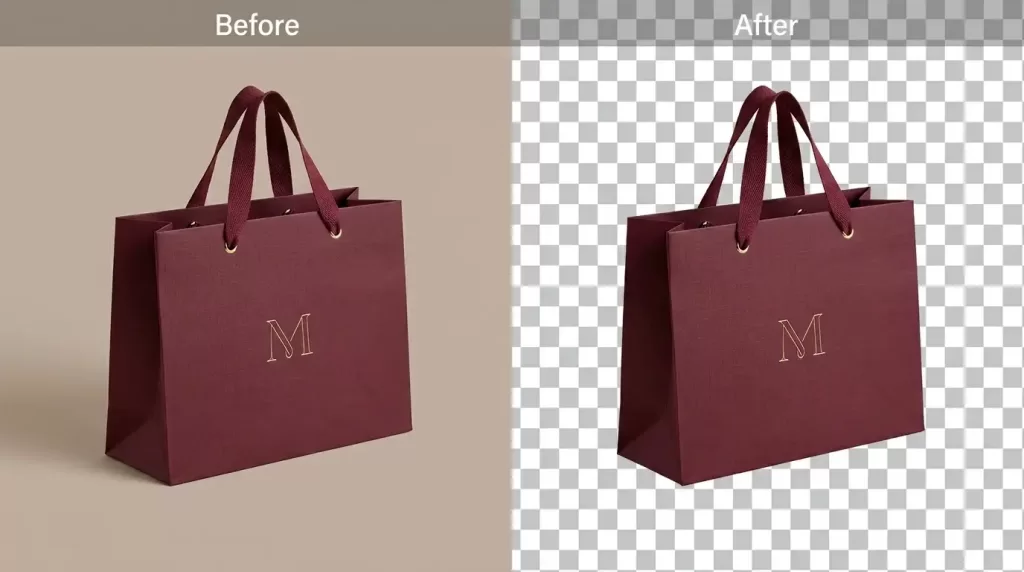
A background removal tool is software that detects the main subject in a photo and separates it from everything behind it, producing either a transparent PNG or a solid-colour replacement. Modern tools use AI-trained segmentation models to do this in seconds. Older, professional tools rely on manual paths and masks drawn by human editors.
Both approaches have a place in 2026. The trick is knowing which one to reach for. That is exactly what this guide sorts out — no fluff, no vendor spin, and every price double-checked against the tool’s live pricing page as of 2026.
If you are new to the topic, our shorter primer on transparent background formats explains the file types you will end up exporting.
Who This Guide Helps
You will get the most from this article if you are:
- An Amazon, Shopify, Etsy, or TikTok Shop seller trying to keep listings clean and compliant.
- A DTC brand or catalog studio processing hundreds of SKUs a week.
- A freelance designer or agency working across social, ads, and print.
- A photographer looking to speed up post-production without losing quality.
- A developer who needs a reliable background removal API for a product.
By the end you will know which of the twelve leading tools fits your workflow, when free is genuinely enough, and where AI still trips up in ways that hurt real revenue.
Quick Comparison Table — 12 Background Removal Tools (2026)
| Tool | Free tier | Paid entry point | Best for | Handles hair/glass? |
|---|---|---|---|---|
| Adobe Express | ✅ Unlimited, no watermark | Bundled in Creative Cloud | Casual users, quick social | ⚠️ Decent, not perfect |
| Photoroom | ✅ 250 watermarked designs | From $7.50/mo (yearly) | E-commerce sellers | ⚠️ Better than average |
| Remove.bg | Preview only (0.25 MP) | From $9/mo (40 credits) | Fast one-offs | ⚠️ Struggles with glass |
| Canva Pro | ❌ (Pro-only feature) | From $13–18/mo | Design + presentation flow | ⚠️ Generic AI |
| Clipdrop (by Jasper) | ✅ 20/day | Paid tier for higher limits | Creative multi-tool suite | ⚠️ Good on hard edges |
| Pixelcut | ✅ Limited | Pro from $8/mo (600 credits) | Mobile-first sellers | ⚠️ Batch friendly |
| Clipping Magic | ❌ | From $3.31/mo (annual) | Semi-manual control | ✅ Editable brush |
| PhotoScissors | ✅ Web app | Desktop $29.99 one-off | Offline users | ⚠️ Basic |
| Fotor | ✅ With watermark | Pro paid tier | Social creators | ⚠️ Generic |
| Erase.bg | ✅ Personal use | Commercial via Pixelbin | HD outputs | ⚠️ Fringing on hair |
| GIMP | ✅ 100% free / open source | Free | Manual control, no cost | ✅ (with skill) |
| Adobe Photoshop | ❌ | From ~$9.99/mo (Photography plan) | Pixel-perfect professionals | ✅ Best in class |
The 6 Best FREE Background Removal Tools in 2026
Free does not always mean “good enough.” Some free tools slap watermarks on outputs. Some cap resolution. And a few are genuinely production-ready — no strings attached.
1. Adobe Express — The Cleanest Free Option
Adobe Express offers a browser-based background remover that is genuinely free, watermark-free, and requires only a free Adobe account. It handles JPEG, PNG, and WebP files up to 40 MB — larger than most free competitors allow.
- Pros: No watermark, no credit limit, respectable edge quality on solid subjects.
- Cons: Slightly conservative on hair; needs a free Adobe account.
- Best for: Solopreneurs, small stores, social creators, marketing teams.
2. FixPhotoLab — No Signup, No Credit Limits
If you want to skip the account creation entirely, the free online background remover at FixPhotoLab is one of the more overlooked options. Drop the image, wait a few seconds, download the PNG — no email required, no daily cap on the free tier, and no watermark on the standard output. It quietly outperforms several bigger names on simple product photos and headshots.
- Pros: Zero friction, no signup, no watermark.
- Cons: No batch upload; interface is minimal.
- Best for: Quick one-offs, first-time users, testing before you commit to a paid tool.
3. Clipdrop — Speed with a Creative Suite Behind It
Clipdrop (owned by Jasper) gives 20 free background removals per 24 hours and packages a broader suite — Cleanup, Uncrop, Relight, Text Remover — into one interface. If you need multiple edit types on the same image, this is the fastest free stop.
- Pros: Multi-tool suite, clean UI, decent hard-edge accuracy.
- Cons: 20/day cap on the free tier; heavier tasks require a paid plan.
- Best for: Designers who need more than just background removal.
4. Photoroom Free Tier — Best Free Path for Sellers
Photoroom’s free plan gives you 250 watermark-free designs. The AI is trained specifically on product photos, which is why fashion and beauty brands lean on it before upgrading.
- Pros: E-commerce-first models, decent free volume, mobile app included.
- Cons: Watermark on some templates; batch is Pro-only.
- Best for: Shopify, Etsy, and Amazon sellers who edit on their phone.
5. GIMP — Free, Open-Source, Zero Compromises on Control
GIMP is the free open-source Photoshop alternative. Out of the box it is fully manual, but community plugins like gimp-rembg add AI-powered removal at no cost. If you want full control without paying Adobe, this is the answer.
If you want a full walkthrough, our tutorial on how to remove background in GIMP covers the workflow step by step.
- Pros: 100% free forever, cross-platform, full manual control.
- Cons: Steeper learning curve; no built-in AI without plugins.
- Best for: Budget-conscious editors and Linux users.
6. PhotoScissors Web — Simple and Effective
The browser version of PhotoScissors handles images up to a reasonable size and gives you two brushes — green to keep, red to remove — to refine the AI’s first guess. Good for teaching non-designers to clean their own images.
Want to test our quality before committing to a large order?
Try our Image Background Removal Services risk-free with a free trial.
The 5 Best PAID Background Removal Tools in 2026
Paid tools earn their price when you cross into volume, API automation, or edge-case accuracy that free tools cannot deliver.
1. Adobe Photoshop — The Pixel-Perfect Standard
Photoshop remains the professional benchmark. Its AI Remove Background button handles most images instantly, and when AI falls short, the Pen Tool, Select and Mask, and Refine Edge deliver truly pixel-perfect cutouts.
- Price: From about $9.99/month via the Adobe Photography plan; ~$22.99/month for Photoshop-only Creative Cloud.
- Pros: Unmatched edge control; huge community; every marketplace standard supported.
- Cons: Steep learning curve; overkill for a single social post.
- Best for: Serious retouchers, e-commerce studios, agencies.
2. Photoroom Pro / Max — The E-commerce Workhorse
Photoroom’s paid tiers scale to unlimited exports, batch processing, and brand kits. Pro runs from $7.50/mo billed yearly ($7.99 monthly), Max from $20.99/mo yearly. The API starts at $20/month for 1,000 images and scales to enterprise tiers.
- Pros: Product-trained AI, fast batch mode, developer API.
- Cons: Fringing on transparent glass; still needs manual QC on hero images.
- Best for: Shopify and Amazon sellers, catalog teams, mobile-first workflows.
3. Remove.bg — Fast, but Winding Down as a Standalone
Remove.bg pioneered one-click AI background removal in 2018. In 2026 its cheapest subscription starts at $9/month for 40 credits (~$0.225 per image), Pro around $0.195, and Volume+ around $0.178. Pay-as-you-go costs $1 per image.
Note: Remove.bg’s standalone site closes 1 December 2026, moving inside Canva. If your workflow depends on the standalone URL or API, plan the switch now.
- Pros: Simple, reliable, well-known API.
- Cons: Weak on transparent glass; ongoing product migration into Canva.
- Best for: Anyone already inside Canva’s ecosystem.
4. Canva Pro — Best If You Already Design in Canva
Canva Pro (from ~$13–18/month, region-dependent) includes unlimited one-click background removal for images and video. Because Canva is where a lot of small brands already live, this saves the copy-paste step.
- Pros: All-in-one design suite, brand kit, video background remover.
- Cons: Free tier does not include background removal; generic AI on complex subjects.
- Best for: Marketers, agencies, and micro-brands running everything inside Canva.
5. Clipping Magic — Semi-Manual Precision
Clipping Magic sits between AI and Photoshop. Its two-brush workflow (green = keep, red = remove) lets you correct AI mistakes without touching the Pen Tool. Plans start at ~$3.31/month (annual), $7.99/month standard, and $19.99/month Pro.
- Pros: Great for stubborn edges; easy corrections.
- Cons: Credit-based; monthly fees add up at volume.
- Best for: Photographers and studios cleaning problem images.
Want to replace messy backgrounds with pure white or custom colors?
Our expert Background Removal Service makes it quick and effortless.
Where AI Background Removers Still Fail (And What to Do About It)
Every 2026 AI tool leaves obvious errors on the same categories of images. Baymard Institute research suggests roughly 25% of e-commerce sites already fall short on image quality — you do not want your cutouts to add to that pile.
Watch for these predictable failure zones:
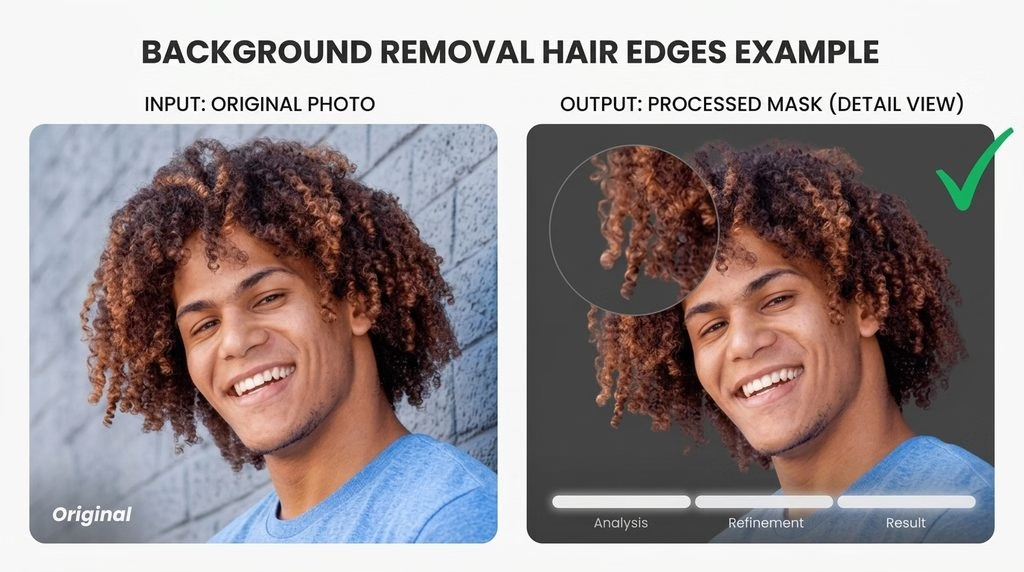
- Hair and fur — AI treats hard/soft transitions as binary, cutting away wispy strands or leaving halo fringe.
- Glass, bottles, and lenses — AI cannot decide what is “background through the object” vs “background behind it.”
- Reflective metal and jewelry — highlights get read as background and disappear.
- Similar colors — a white shirt on a white backdrop confuses the segmentation model.
- Low-contrast edges — soft shadows near the subject often get eaten.
- Complex negative space — think bicycle spokes, chair legs, jewelry chains.
For these categories, hand-drawn work still wins. Our comparison of clipping path vs image masking explains which manual technique to reach for on each edge type.
Struggling with complex hair or fur edges?
Let our experts deliver flawless, natural cutouts with our advanced Image Masking Service
Best Background Removal Tool by Use Case
Not every seller needs the same tool. Match the workflow, not the hype.
For High-Volume E-commerce Catalogs
If you process 100+ product photos a week, prioritize batch mode, an API, and consistent output style. Photoroom Pro, Pixelcut Business, or a manual editing partner are the strongest picks. AI-only pipelines look good on demo images but produce visible fringing when a shopper zooms in.
For a full breakdown of what pro editing includes, see our guide to product photo editing for online stores.
For Portraits, Headshots, and People Photography
Hair is the make-or-break test. Photoshop, Clipping Magic, or a manual masking service all outperform pure AI on flying strands, curly hair, and dark backgrounds. Free AI tools work fine for casual social posts but not for hero-quality portraits.
For Social Media Creators
You need speed, not perfection. Adobe Express, Canva Pro, or Photoroom’s mobile app finish the job in seconds. Watermarks and edge fringing matter less at Instagram compression anyway.
For Developers Building Apps
You want stable APIs, predictable pricing, and low latency. Photoroom API ($20/mo for 1,000 images), Clipdrop, or Remove.bg API are the field leaders. Compare cost per 1,000 requests before committing — pricing varies by 5–10x across providers.
For Ghost Mannequin & Apparel
Apparel needs shape retention plus interior fill after cutout. Pure background removal is only step one — the full workflow is described in our ghost mannequin production guide.
For Bulk Amazon or Shopify Uploads
Marketplace listings need consistent white backgrounds, clean edges, and the exact required dimensions. This is where manual editing services shine — a good partner returns thousands of images sized, sharpened, and marketplace-compliant overnight.
AI vs Manual Editing — The Honest 2026 Comparison
Neither AI-only nor manual-only is the right answer in 2026. The pros use both.
| Factor | AI background removers | Manual editing (Photoshop / services) |
|---|---|---|
| Speed | Seconds per image | Minutes to hours per image |
| Cost per image | Near zero at volume | $0.30 – $5.00 typically |
| Edge quality (hair, glass) | Inconsistent | Pixel-perfect |
| Marketplace compliance | Manual QC still needed | Ships listing-ready |
| Batch scaling | Excellent | Requires a studio partner |
| Best for | Drafts, secondary images, social | Hero images, complex products, revenue-critical listings |
For anyone selling on Amazon, Shopify, or Etsy, the winning workflow in 2026 is hybrid: AI for bulk drafts, human editors for hero shots and problem categories.
When It Makes Sense to Hire a Manual Editing Service
DIY AI works fine until you hit one of these situations:
- You need 100+ marketplace-compliant images in 24 hours.
- Your products include jewelry, glass, hair, fur, or fine chains.
- You need layered PSD files for archival or re-editing.
- You want unlimited revisions on complex composites.
- Consistency across a large catalog matters more than saving $10.
- You need ghost mannequin, shadow creation, or color variants stitched into the same workflow.
Hand-drawn cutouts still start around $0.30 per image at scale, well below the true hourly cost of doing it in-house on Photoshop.
Want to keep your image editing costs low without sacrificing quality?
Enjoy premium, hand-drawn Clipping Path services starting at just 30¢ per image.
How to Choose the Right Background Removal Tool
Six questions cut through the noise:
- What’s my monthly image volume? Under 20 = free tools. 20–500 = paid AI. 500+ = API + manual hybrid.
- How complex are my edges? Hair, glass, fur, or jewelry means manual or Clipping Magic-style semi-manual.
- Do I need marketplace-compliant white backgrounds? Amazon and Walmart specifically want pure white (RGB 255,255,255).
- Am I already inside a design ecosystem? Canva user? Get Canva Pro. Adobe user? Photoshop or Express.
- Do I need an API? Filter to Photoroom, Clipdrop, and Remove.bg.
- How much can this cost me before I lose money? If cheap cutouts cause returns or listing rejections, “free” is actually the most expensive option.
Common Mistakes to Avoid
Even experienced sellers slip on these:
- Uploading low-resolution outputs to Amazon that fail the 1,000 px zoom threshold.
- Trusting AI on hair edges without a manual QC pass.
- Choosing a paid tool without checking credit vs subscription math — some models cost 5x more per image than others.
- Leaving color fringing from the old background — a subtle halo that destroys perceived quality.
- Skipping shadow creation on cutouts so products float unnaturally on white.
- Storing edited files as JPEG when you needed the transparent PNG.
FAQ — People Also Ask
What is the best free background remover in 2026?
Adobe Express is the strongest all-round free tool — no watermark, no signup wall, supports JPEG/PNG/WebP up to 40 MB. For zero-friction one-offs, FixPhotoLab’s free background remover tool works without any account. GIMP is the best free option if you want full manual control.
Which background remover is best for e-commerce and Amazon sellers?
Photoroom is the best pure-AI option because its model is trained on product images. For zoom-safe hero shots on Amazon or Shopify, a manual editing service still wins on hair, glass, jewelry, and complex edges.
Is Remove.bg shutting down?
Not entirely. Remove.bg is being integrated into Canva. The standalone remove.bg website closes on 1 December 2026 at 9:00am CET. Existing API users should confirm the migration timeline with the vendor before it affects live workflows.
How much do professional background removal services cost?
Manual editing services typically charge $0.25–$1.00 per image for basic cutouts, and $1.50–$5.00 for full retouching that includes color correction and shadow creation. Volume discounts of 10–40% usually start at 50+ images per order.
Can AI fully replace Photoshop in 2026?
No — not yet. AI handles 80–90% of routine product photos beautifully, but hair, transparency, reflections, and complex negative space still need manual paths. The winning workflow blends AI speed with a manual QC pass on hero images.
What’s the difference between background removal and a clipping path?
Background removal is the outcome — the subject isolated from its scene. A clipping path is one specific technique used to achieve it, using vector paths drawn in Photoshop. Our post on clipping path covers 20 real-world use cases in depth.
Which file format should I export my cutout as?
Use PNG-24 with alpha channel for transparent backgrounds. Use JPEG on pure white for marketplace listings. Use WebP when your platform supports it — Google’s compression benchmarks show WebP files are 25–34% smaller than JPEG at equal visual quality.
Do free background removers add watermarks?
Adobe Express, GIMP, and FixPhotoLab do not add watermarks on standard output. Fotor’s free tier watermarks results. Remove.bg’s free version delivers only a 0.25 MP preview unless you buy credits. Always check the small print before scaling any workflow around a free tool.
Final Verdict
The best background removal tool in 2026 depends on what you are protecting: your time, your budget, or your revenue.
- If you protect time, use Adobe Express, Photoroom, or FixPhotoLab.
- If you protect budget, use GIMP or the free tiers listed above.
- If you protect revenue — Amazon listings, Shopify hero images, jewelry catalogs, fashion shoots — pair AI drafts with human editors on the hero shots and problem categories.
AI has gotten spectacularly good at 80% of the work. The remaining 20% is where sales are won or lost. Choose accordingly.
Want to boost your online sales with better product photography?
High-quality images increase conversions by up to 40%. Let us help you get there. See our editing services