

E-Commerce Photo Editing 2026: Workflow, Tools & Costs
August 12, 2026
Ghost Mannequin Photography: A Step-by-Step Guide to Creating Realistic 3D Clothing Images
August 14, 2026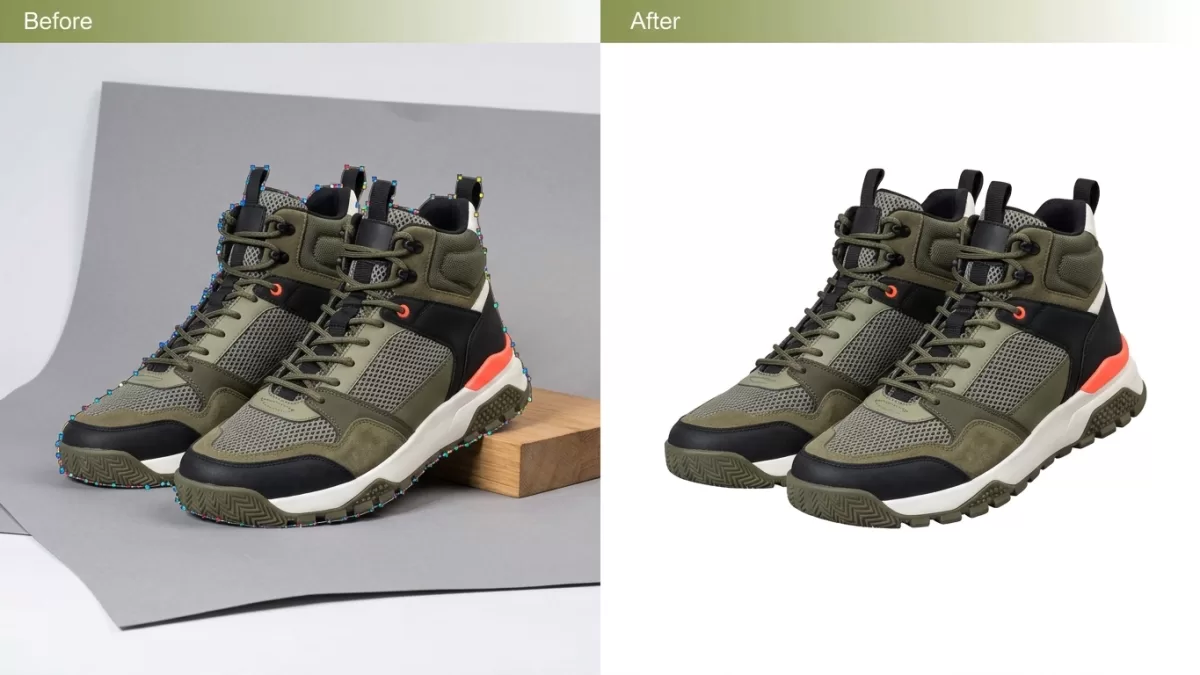
Quick Answer: What Is a Clipping Path?
A clipping path is a hand-drawn, closed vector outline created in image-editing software — typically with the Photoshop Pen Tool — that isolates a two-dimensional subject from its background. Anything inside the path is kept; anything outside is hidden, deleted, or replaced. Because the outline is vector, not pixel-based, the cutout remains razor-sharp at any resolution, from a mobile thumbnail to a life-size billboard.
E-commerce brands, print publishers, and creative agencies rely on clipping paths for one simple reason: nothing else produces edges this precise on hard-edged products. AI tools finish 80% of the work in seconds, but the last 20% — jewelry chains, wire frames, reflective metal, negative space — still needs a skilled human editor.
- TL;DR — Key Takeaways
- Formal Definition, History, and the Math Behind Clipping Paths
- Why Do E-Commerce Sellers Need a Clipping Path?
- How Does a Clipping Path Actually Work?
- Step-by-Step: How to Create a Clipping Path in Photoshop
- The 5 Types of Clipping Path (With Real Product Examples)
- Clipping Path vs Image Masking vs Background Removal
- Manual Clipping Path vs AI Background Removal in 2026
- 20 Real-World Use Cases of Clipping Path
- What Makes a Good Clipping Path? A 7-Point QC Checklist
- Which File Formats Preserve a Clipping Path?
- Clipping Path Pricing in 2026: What You Should Actually Pay
- How to Brief an Outsourced Clipping Path Service
- Which Industries Depend on Clipping Path Services?
- Pros and Cons of Clipping Path
- Alternatives to Clipping Path
- Common Clipping Path Mistakes to Avoid
- Illustrative Case Study: Fixing an Amazon Rejection with Clipping Path
- In-House Clipping Paths vs Outsourced
- FAQ — People Also Ask
- Final Thoughts
📌 Quotable Definition
A clipping path is a closed vector outline, drawn with the Pen Tool in image-editing software, that cuts out a 2D subject from its background. The subject stays; the background disappears. Because the path is vector, the cutout scales infinitely without pixelation.
TL;DR — Key Takeaways
- A clipping path uses a hand-drawn vector outline to remove or replace an image’s background.
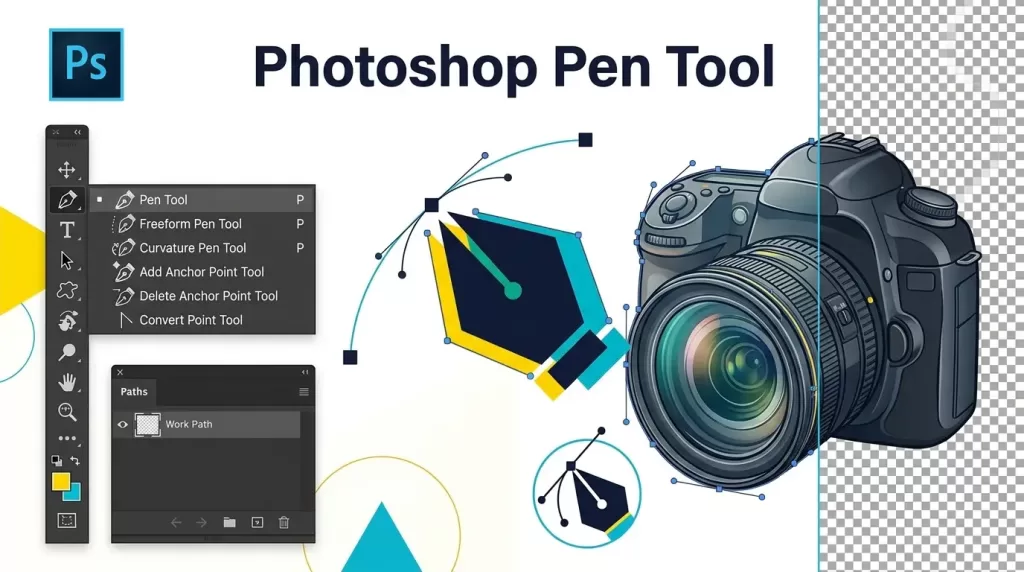
- Editors create clipping paths with the Photoshop Pen Tool (keyboard shortcut: P) working at 300–400% zoom.
- The technique produces resolution-independent, marketplace-compliant edges suitable for Amazon, Shopify, Etsy, Walmart, TikTok Shop, and print catalogs.
- Complexity is graded on five tiers — Basic → Simple → Medium → Complex → Super Complex — priced from $0.25 to $10+ per image in 2026.
- Clipping paths excel on hard-edged products; hair, fur, and translucent items need image masking instead.
- Industry-standard turnaround is 12–24 hours, with 1–6 hour rush options widely available.
Formal Definition, History, and the Math Behind Clipping Paths
Wikipedia defines a clipping path as “a closed vector path, or shape, used to cut out a 2D image in image-editing software.” The industry also calls the same technique deep etch, image cutout, or pen-tool cutout — all three describe the identical process.
The mathematics that makes clipping paths possible predates Photoshop by 28 years. In 1962, French engineer Pierre Bézier, working at Renault, published the parametric curve equations used to design smooth car body panels. Those curves — now universally called Bézier curves — became the foundation of every vector graphics program. A parallel version had actually been developed slightly earlier by Paul de Casteljau at Citroën, but Bézier published first and got the credit.
Photoshop itself started in 1987, when brothers Thomas and John Knoll built a small grayscale display program called Display. Adobe licensed it, and Photoshop 1.0 launched on February 19, 1990, for Macintosh only. The Pen Tool did not appear until Photoshop 2.0 in June 1991, which is the moment clipping paths as we know them entered the professional workflow. Adobe’s Bézier curve tutorial still teaches the same anchor-point-and-handle concept Pierre Bézier described more than 60 years ago.
Why Do E-Commerce Sellers Need a Clipping Path?
Product photos are the entire product experience online — shoppers cannot touch, weigh, or try what they see, so the image itself decides whether they trust the brand. Clipping paths deliver three specific business outcomes that AI cutouts often cannot:
- Marketplace compliance. Amazon suppresses main product images that fail its pure-white RGB 255,255,255 rule; a clipping path is the fastest, safest fix.
- Catalog consistency. A 500-SKU shop looks amateur when backgrounds vary by 1–2 shades of white across the grid; a hand-drawn path fixes every image identically.
- Zoom performance. Vector paths stay crisp when shoppers zoom on product detail pages, while raster cutouts show visible edge artifacts.
Baymard Institute research shows 25% of e-commerce sites still fail on image resolution or zoom quality — a fixable gap that separates polished catalogs from average ones. Industry conversion analyses report that professional editing lifts sales by 20–30% compared with unedited photos, depending on category and price point.
Want to keep your image editing costs low without sacrificing quality?
Enjoy premium, hand-drawn Clipping Path services starting at just 30¢ per image.
How Does a Clipping Path Actually Work?
A clipping path works in three logical stages:
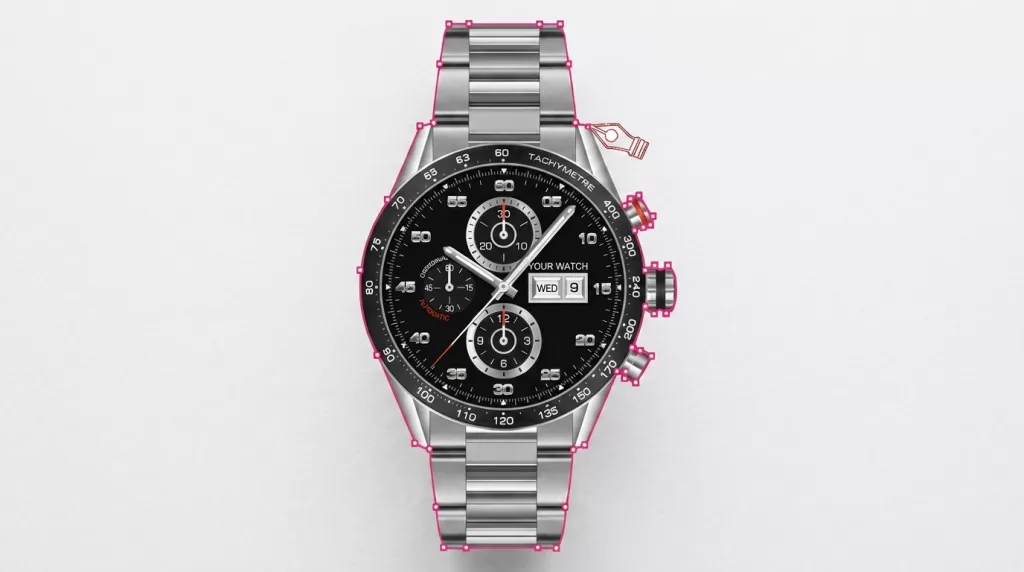
- Outline — the editor traces a closed vector shape around the subject using anchor points and Bézier handles.
- Save — Photoshop stores the path in the Paths panel; it lives inside the file as vector data, not pixels.
- Apply — the path becomes a selection or clipping mask, and the background is hidden, deleted, or replaced.
Two properties make this superior to pixel-based selection:
- Vector precision. Every edge is described mathematically, so no matter how large the image is scaled, the outline stays sharp.
- Editability. Because the path is stored separately from the image, any editor with the PSD file can refine or reuse it later — for shadow work, color variants, or a fresh background swap.
Step-by-Step: How to Create a Clipping Path in Photoshop
Here is the exact professional workflow, condensed into one continuous pass:
- Open the image — File → Open, then double-click the Background layer to unlock it.
- Select the Pen Tool (P) and set the mode to Path in the top options bar.
- Zoom to 300–400% with Ctrl/Cmd + + so the edge fills your screen clearly.
- Place the first anchor point one pixel inside the subject’s edge — that one-pixel bite creates a natural feather that hides jagged pixel artifacts.
- Drag as you click each subsequent anchor to shape a curved Bézier handle. Aim for the fewest anchor points possible, one per major direction change — professional editors often outline a simple product with just 10–20 anchors total.
- Handle sharp corners by clicking without dragging, or Alt-drag the outgoing handle to break the curve.
- Close the path by clicking back on your original anchor point.
- Save the path — double-click “Work Path” in the Paths panel and name it (e.g., “Product_Main”).
- Set it as a clipping path — Paths panel menu → Clipping Path → Flatness 0.2–1 → OK.
- Convert to selection with Ctrl/Cmd + Enter, add a layer mask to hide the background.
- Export — PSD for archival, PNG-24 for transparent web use, JPEG on RGB 255,255,255 for Amazon and Shopify main images.
Adobe’s official Pen Tool documentation reinforces the same rule that matters most: never place more anchor points than the curve genuinely needs.
The 5 Types of Clipping Path (With Real Product Examples)
Complexity determines both the price and the time required. Studios grade every image into one of five tiers:
1. Basic Clipping Path
- Anchor points: ~10–20
- Time per image: 30 seconds – 2 minutes
- Typical price: $0.25 – $0.50
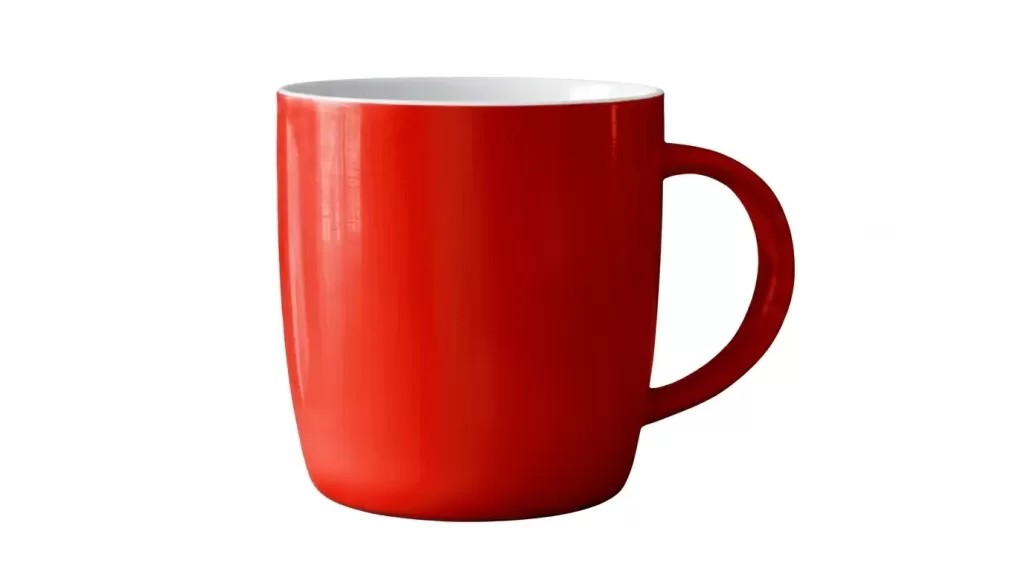
- Best for: Smartphones, ceramic mugs, cardboard boxes, plain books, simple sunglasses
2. Simple Clipping Path
- Anchor points: ~20–50
- Time per image: 2 – 5 minutes
- Typical price: $0.49 – $0.99
- Best for: Wristwatches, sneakers, single-strap handbags, wallets
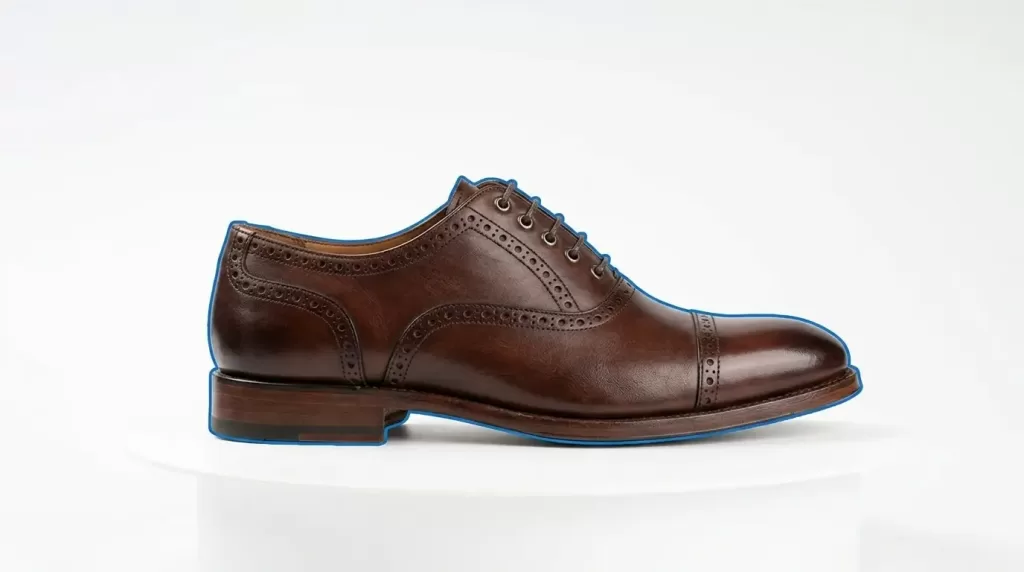
3. Medium Clipping Path
- Anchor points: ~50–150
- Time per image: 5 – 15 minutes
- Typical price: $0.99 – $1.99
- Best for: Eyewear with transparent lens gaps, small jewelry, slatted chairs, kitchen appliances
4. Complex Clipping Path
- Anchor points: ~150–500
- Time per image: 15 – 25 minutes
- Typical price: $2.49 – $4.99
- Best for: Fine jewelry chains, bicycles with spokes, wireframe furniture, perforated garments
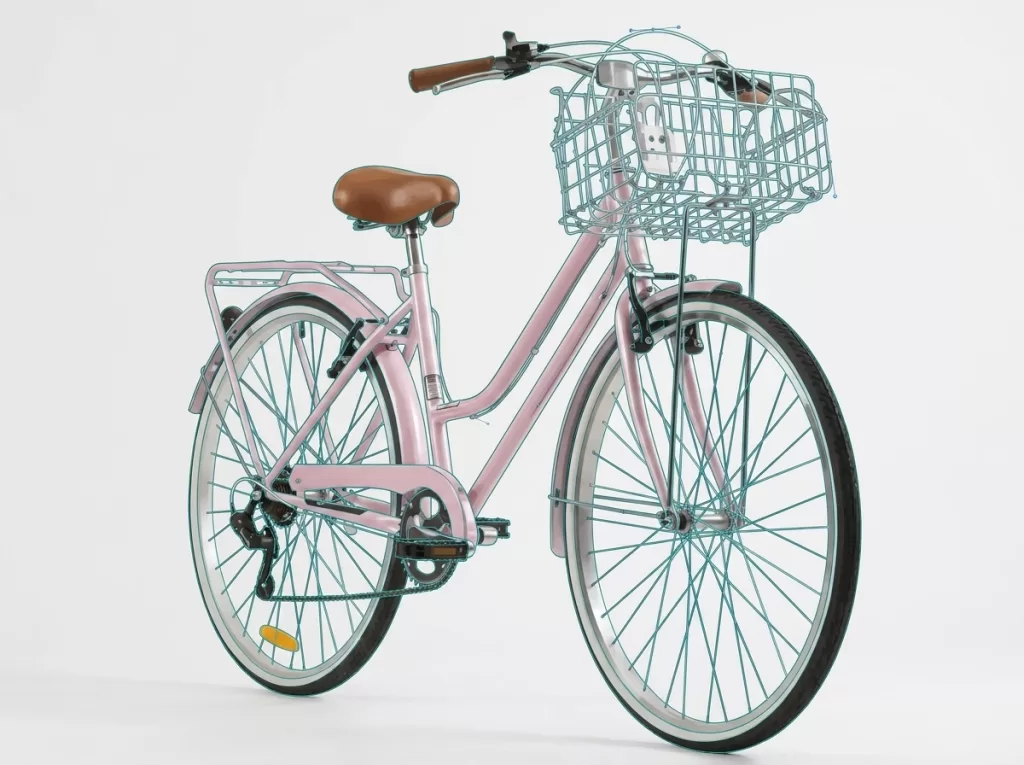
5. Super Complex Clipping Path
- Anchor points: 500+
- Time per image: 25 minutes – 1 hour
- Typical price: $4.99 – $10+
- Best for: Multi-piece jewelry sets, dense wireframe machinery, bridal jewelry, group product shots
Clipping Path vs Image Masking vs Background Removal
These three terms are constantly confused. Here is the clean distinction:
| Technique | What It Does | Best For |
|---|---|---|
| Clipping Path | Hand-drawn vector outline that cuts out the subject | Hard-edged products: shoes, boxes, watches, jewelry, furniture |
| Image Masking | Alpha channels, refine-edge, or channel selections that preserve soft edges | Hair, fur, glass, veils, smoke, feathers, mesh, translucent liquids |
| Background Removal | The end goal itself — achieved by any of the above techniques or AI | Any scenario where the background needs to disappear or change |
Simple rule: clipping paths give razor-sharp edges, masking gives realistic soft edges, and background removal is the umbrella outcome. Many complex products need both a clipping path and masking working together. Our internal guide on background removal walks through how the two techniques combine on real product shots.
Manual Clipping Path vs AI Background Removal in 2026
AI tools like Photoroom, Remove.bg, Canva, and Adobe Firefly have transformed high-volume editing. But manual paths still win on precision. The honest comparison:
| Factor | Manual Clipping Path | AI Background Removal |
|---|---|---|
| Edge accuracy | Pixel-perfect, resolution-independent | 80–95% on simple subjects; drops on complex |
| Speed | 30 seconds – 60 minutes per image | 1 – 5 seconds per image |
| Cost | $0.25 – $10+ per image | Free to $0.10 per image at scale |
| Consistency | Identical across 10,000 SKUs | Varies with subject complexity |
| Amazon compliance | 100% safe on white backgrounds | Frequent edge fringing, color bleed |
| Best use | Hero shots, jewelry, glass, complex products | Drafts, secondary images, high-volume simple products |
The winning 2026 workflow blends both — AI handles bulk drafts, humans polish hero shots. Our AI background remover explainer covers precisely where automation still fails.
Struggling with complex hair or fur edges?
Let our experts deliver flawless, natural cutouts with our advanced Image Masking Service
20 Real-World Use Cases of Clipping Path
Clipping paths appear in more places than most sellers realize. Here are twenty specific scenarios where they deliver measurable value:
- Amazon main images requiring pure white RGB 255,255,255 backgrounds
- Shopify product pages needing identical framing across every SKU
- Etsy handmade listings requiring 2,000+ pixel resolution
- Walmart Marketplace listings that must have seamless white backdrops
- Fashion lookbooks where garments float on gradient scenes
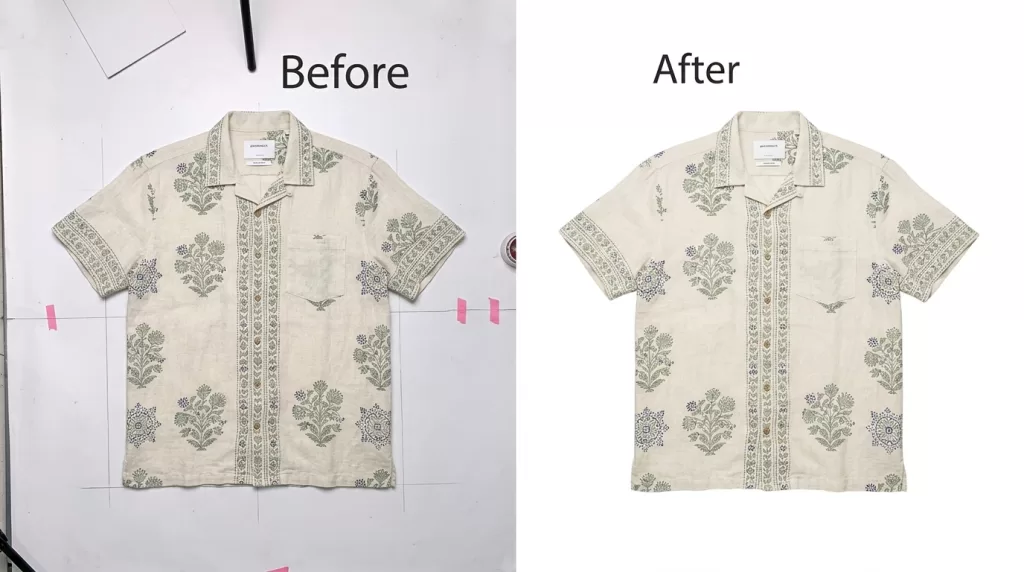
- Ghost mannequin composites needing clean inside and outside cutouts
- Multi-color product variants generated from one master shoot
- Sneaker cutouts where lace holes require internal paths
- Watch photography with dial, bezel, and strap isolated separately
- Diamond ring editing where the shank and stone need separate paths
- Eyewear catalogs where visible lens transparency matters
- Furniture e-commerce where one chair must appear across ten backgrounds
- Automotive parts photographed at wide angles, then straightened and cropped
- Kitchen appliance packaging for retail box mock-ups
- Cosmetics bottles where label and pump need separate paths
- Toys and games with intricate plastic edges
- Sports equipment — helmets, gloves, rackets, balls
- Real estate hero shots where furniture is composited into staged rooms
- Ad campaigns placing the same product on multiple hero backgrounds
- Print catalogs requiring CMYK-safe, resolution-independent cutouts
What Makes a Good Clipping Path? A 7-Point QC Checklist
Not every clipping path is created equal. Here is the exact quality-control checklist professional studios use to judge their own work:
- Smooth, natural curves. Look for edges that follow the product’s true silhouette; jagged or wobbly outlines fail this check instantly.
- No visible halo. A cheap cutout leaves a 1–3 pixel colored fringe when placed on white; a good path stays absolutely clean.
- Consistent edge quality across the whole subject. The outline around a shoe toe should be as clean as the outline around the heel.
- Proper anchor point economy. Too many anchors on a curve create wobble; too few make corners look chopped. Bézier handles do the shaping.
- Correctly handled negative space. For products with holes (chairs, handbag handles, jewelry loops), inner paths must be defined and combined correctly.
- Sub-pixel accuracy on visible edges. Cutting on the edge creates jaggies; cutting one pixel inside creates a natural feather.
- Saved path in the PSD file. A truly professional deliverable includes an editable saved path, not just a flattened JPEG.
If a delivered image fails any two of these seven, ask for revisions. Reputable studios include unlimited revisions in their pricing.
Which File Formats Preserve a Clipping Path?
The file format determines whether the vector outline survives export. Choose based on where the image is going:
- PSD (Photoshop) — the master format; preserves layers, alpha channels, and saved paths. Best for archival and future revisions.
- TIFF — retains clipping paths and works cleanly in InDesign, QuarkXPress, and print workflows.
- EPS — legacy print-safe format; reliable for Illustrator and InDesign layouts.
- PNG-24 — supports transparency but converts the vector path into a permanent alpha channel.
- JPEG — flattens everything; fine for final web export on white background, but no transparency and no editable path.
- PDF — retains paths when exported from Photoshop with “Preserve Editing Capabilities” checked.
Most e-commerce sellers deliver a JPEG on pure white for main marketplace images and a PNG-24 with transparency for lifestyle composites, keeping the layered PSD for internal revisions. Our post on transparent backgrounds explains alpha channels and PNG behavior in more depth.
Clipping Path Pricing in 2026: What You Should Actually Pay
Verified 2026 rates across reputable studios cluster into these bands:
| Complexity Tier | Price per Image | Realistic Turnaround |
|---|---|---|
| Basic | $0.25 – $0.50 | 6 – 24 hours |
| Simple | $0.49 – $0.99 | 12 – 24 hours |
| Medium | $0.99 – $1.99 | 24 hours |
| Complex | $2.49 – $4.99 | 24 – 48 hours |
| Super Complex | $4.99 – $10+ | 48 – 72 hours |
Volume discounts kick in at fixed thresholds industry-wide:
- 50+ images: 10% off
- 100+ images: 20% off
- 500+ images: 30% off
- 1,000+ images: 40% off
A 1,000-image apparel catalog with mostly Simple-tier work runs roughly $400–$800 outsourced compared with $3,000–$5,000 in-house — a genuine five-figure yearly saving on a modest catalog.
How to Brief an Outsourced Clipping Path Service
A weak brief is the single biggest reason outsourced editing feels “not quite right.” Fix the brief and quality problems disappear. Include:
- Reference images — two or three finished edits that represent your ideal quality bar.
- Style rules — background hex (usually #FFFFFF), cropping ratio, negative-space margin, shadow style.
- File naming convention — for example,
SKU12345_main.jpgandSKU12345_alt1.jpg. - Export specs — dimensions, format, color profile, and maximum file size for each destination.
- Do-not-touch list — features that must remain 100% unchanged, such as labels, logos, gemstone facets, or certification marks.
- NDA and IP terms — a signed non-disclosure agreement plus written confirmation that your studio retains full IP ownership of the delivered files.
- Turnaround SLA — the exact number of hours from delivery to first draft, and the revision policy.
Well-briefed studios return work you can ship without checking. One-line briefs return one-line-quality output — every time.
Do automated tools fail on your multi-part products?
Rely on 100% hand-drawn precision with our Multiple Clipping Path Service
Which Industries Depend on Clipping Path Services?
Nearly every visual industry uses clipping paths at some scale:
- E-commerce retail — Amazon, Shopify, Etsy, eBay, Walmart, TikTok Shop
- Fashion and apparel — flat-lay and on-model editing
- Jewelry and watches — where accuracy is measured in single pixels
- Footwear — sneakers, dress shoes, boots
- Automotive dealers — inventory and detail shots
- Real estate — furniture composites and staged photography
- Advertising and creative agencies — campaign banners and social ads
- Print and publishing — magazines, catalogs, lookbooks
- Food and beverage packaging — bottles, jars, boxes
- Beauty and cosmetics — labels, pumps, bottle silhouettes
Amazon sellers in particular cannot skip the technique — the Amazon Seller Central image guide explicitly requires main product images on a pure white RGB 255,255,255 background with the product filling 85% or more of the frame.
Pros and Cons of Clipping Path
Every technique has honest trade-offs:
Pros:
- Pixel-perfect, resolution-independent edges that pass every marketplace rule
- Reusable across shadow work, color changes, and composites
- Better than AI on hard-edged, reflective, and complex-silhouette products
- Non-destructive — the original image is untouched
- Editable — the saved path can be refined months later
Cons:
- Slower than AI for bulk simple products
- Cost rises steeply for complex silhouettes
- Not the right tool for hair, fur, glass, or smoke (image masking wins there)
- Requires skilled editors; DIY paths from beginners often look worse than AI output
Alternatives to Clipping Path
If your product does not fit a clipping-path use case, consider these:
- Image masking — for hair, fur, glass, veils, smoke, or any translucent product
- AI background removal — for high-volume, low-complexity SKUs where speed matters more than precision
- Layer masking — for non-destructive Photoshop editing
- Refine Edge / Select and Mask — for products with slight softness
- Magic Wand and Quick Selection — for high-contrast subjects with clean edges
- Hybrid AI + manual quality control — the most common professional workflow in 2026
Our guide to GIMP background removal also covers the free-software route for freelancers on smaller budgets.
Common Clipping Path Mistakes to Avoid
Even experienced editors slip on these details. Watch out for:
- Placing anchors on the edge instead of one pixel inside — creates halos when the cutout lands on white
- Using too many anchor points on smooth curves — Bézier handles handle curves better than dense straight segments
- Forgetting to close the path — Photoshop cannot convert an open path to a clipping mask
- Skipping Refine Edge on subjects with slight softness — leaves the outline too surgical to look natural
- Exporting to JPEG without saving the PSD first — permanently loses the editable path
- Compressing hero images below 200 KB — introduces visible edge banding on zoom
- Failing to combine inner and outer paths on products with negative space (chairs, handbag handles)
Illustrative Case Study: Fixing an Amazon Rejection with Clipping Path
Consider a real-world scenario: a footwear brand uploads 200 SKUs to Amazon on lifestyle-styled backgrounds. Amazon suppresses roughly 80% of the listings for failing the pure-white main-image rule. Here is how the fix typically unfolds:
- Day 1 — Editors create Simple-tier clipping paths on every SKU at roughly $0.79 per image, totaling around $158.
- Day 2 — Files are re-exported as JPEGs on RGB 255,255,255 backgrounds.
- Day 3 — All 200 listings are reuploaded; every one now passes compliance and returns to search.
- Result — Sales resume within 48 hours; the total editing cost is less than one lost day’s revenue.
This is the highest-ROI use of clipping paths in e-commerce: not just prettier photos, but active protection of listing visibility.
In-House Clipping Paths vs Outsourced
In-house wins when:
- You edit fewer than 30 images per month
- Your team already owns Photoshop and knows the Pen Tool
- You need minute-to-minute creative control
Outsourcing wins when:
- You edit 100+ images per month
- Turnaround under 24 hours matters
- You need consistent quality across thousands of SKUs
- Your team’s hourly rate exceeds the outsourced per-image cost
Most professional catalogs settle on a hybrid model — hero images edited in-house, bulk clipping paths outsourced to specialist studios in Bangladesh, India, or the Philippines under an NDA that preserves full client IP ownership. Our internal look at the Photoshop tools toolbar and ghost mannequin workflow both help teams decide which tasks stay in-house versus which get outsourced.
FAQ — People Also Ask
What is a clipping path in simple terms?
A clipping path is a hand-drawn vector outline that isolates a subject in an image. Everything inside the path stays visible; everything outside is hidden or removed. Editors draw it with the Photoshop Pen Tool, and the result is a razor-sharp, scalable cutout that stays crisp at any resolution.
What is the difference between a clipping path and a clipping mask?
A clipping path uses a vector outline drawn with the Pen Tool. A clipping mask in Photoshop uses one layer to control the visibility of the layer above it. Both hide areas of an image, but the clipping path is vector-based and permanent, while a clipping mask is layer-based and non-destructive.
How long does a clipping path take?
It depends on complexity. Basic paths take 30 seconds to 2 minutes; Super Complex jewelry or machinery cutouts can take 25–60 minutes per image. Professional studios deliver most orders in 12–24 hours, with 1–6 hour rush options available for a small premium.
Is a clipping path the same as deep etching?
Yes. “Deep etch,” “clipping path,” and “pen-tool cutout” describe the same manual vector-outline technique. “Deep etch” is the older print-industry term still common in the UK and Australia; both mean identical results.
Can AI replace a manual clipping path in 2026?
Not entirely. AI handles simple, high-contrast subjects in seconds and scales well for high-volume simple products. On hair, glass, reflective metal, jewelry chains, and any complex silhouette, manual clipping paths still deliver noticeably cleaner edges. The best 2026 workflow blends both — AI for bulk drafts, humans for hero polish and quality control.
How much should I pay for clipping path services in 2026?
Rates run from $0.25 for basic paths to $10+ for super-complex work. Most catalogs land between $0.50 and $2.00 per image once volume discounts activate at 50+ images. Discounts of up to 40% are standard on 1,000+ image projects.
Which file format should I request from my editor?
Ask for a layered PSD for archival, a PNG-24 for transparent web use, and a JPEG on pure white for Amazon and Shopify main images. Print projects also need a TIFF or EPS with the clipping path preserved and a CMYK color profile if the file is going to press.
Do clipping paths work in Illustrator and InDesign?
Yes. When exported as TIFF or EPS with the clipping path saved, both Illustrator and InDesign read the path and use it to crop the image inside layouts. The workflow is identical for print catalogs, brochures, and lookbooks.
Final Thoughts
A clipping path is one of the smallest technical decisions in e-commerce editing and one of the largest business ones. It sits between a rejected Amazon listing and a compliant one, between a 2% conversion rate and a 3% one, and between a catalog that looks amateur and one that looks like a real brand.
The math behind the technique — Bézier’s parametric curves from 1962 — has not changed in six decades. What has changed in 2026 is the workflow around it: AI handles the drafts, human editors handle the polish, and the winning studios blend both without pretending either alone is enough. For hard-edged products, revenue-critical hero shots, and any listing that must pass marketplace compliance, the Pen Tool still owns the last mile.
Need an editing service that offers unlimited revisions?
Experience risk-free, perfect cutouts with our Clipping Path Service