

How to Sharpen an Image: Photoshop, AI & Pro Tips Guide 2026
October 6, 2026
How to Remove Red Eye in Photos: Lightroom, Photoshop & Free Tools
October 8, 2026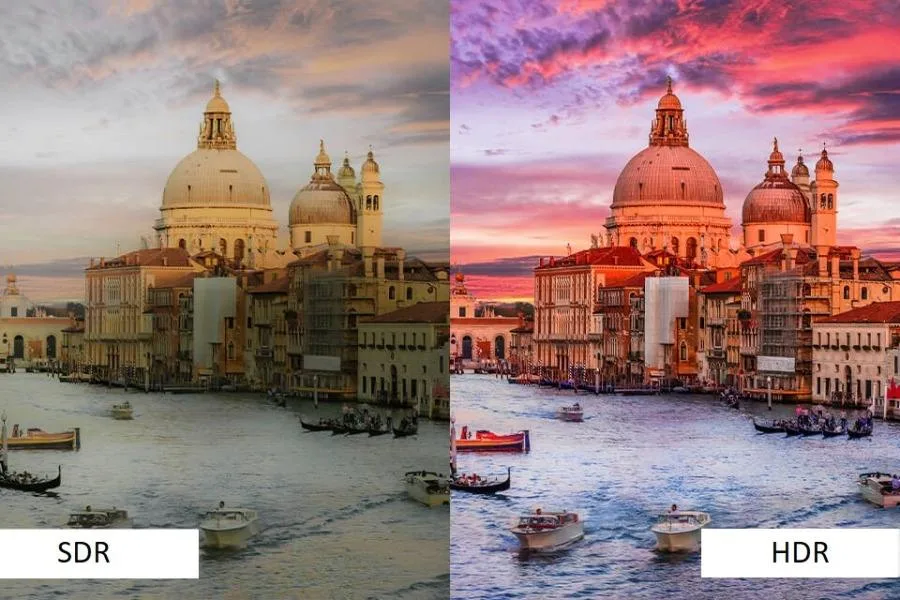
- TL;DR: The Short Answer
- What Is HDR, Exactly?
- HDR vs Wide Color Gamut: They Are Not the Same Thing
- PQ vs HLG: The Two HDR Curves
- HDR Formats Explained: HDR10, HDR10+, Dolby Vision, HLG
- HDR Photography: How It Works (and How to Do It)
- HDR on Your Phone: Smart HDR Is Not the Same Thing
- 5 Common HDR Mistakes (and How to Fix Them)
- When HDR Is Actually Worth It (and When It Is Not)
- How to Get Started With HDR Today
- Frequently Asked Questions
- Final Verdict
TL;DR: The Short Answer
HDR (High Dynamic Range) captures and displays a much wider range of brightness and color than SDR (Standard Dynamic Range). SDR is mastered at around 100 nits of brightness with 8-bit color and the Rec.709/sRGB gamut (typical SDR screens hit 200–300 nits). HDR reaches 1,000–4,000 nits in real content (the PQ encoding ceiling is 10,000 nits) with 10-bit+ color and the wider Rec.2020/DCI-P3 gamut. That means bright highlights — sun, fire, neon — actually glow, shadows keep detail, and colors look deeper. HDR comes in four formats — HDR10 (universal baseline), HDR10+ and Dolby Vision (scene-by-scene dynamic metadata), and HLG (live broadcast, backward-compatible). In photography, HDR means merging multiple bracketed exposures into one image that holds detail in both sky and shadow. The catch: you only see HDR on a bright HDR-capable display, and real HDR looks natural — the overprocessed “HDR look” is bad tone mapping, not HDR itself. RTINGS’ detailed HDR vs SDR breakdown confirms the brightness and bit-depth gaps.
What Is HDR, Exactly?
“Dynamic range” is the ratio between the darkest shadow and the brightest highlight a system can capture or show at the same time. Your eyes handle about 20 stops and adjust instantly as you look around. A camera sensor or a TV screen handles far less — and that gap is the problem HDR solves.
SDR (Standard Dynamic Range) is the old standard, designed for CRT televisions and early monitors that could not get very bright. SDR content is mastered at roughly 100 nits, uses 8-bit color (256 shades per channel), and is limited to the Rec.709 / sRGB color gamut — about 35% of the colors the human eye can see. In an SDR image, a bright sun or neon sign clips to pure white, and deep shadows crush to pure black.
HDR (High Dynamic Range) breaks those limits. HDR content is mastered at 1,000 nits or higher (Dolby Vision and the PQ curve support up to 10,000), uses 10-bit minimum (1,024 shades per channel, so sky gradients look smooth instead of banded), and supports the wider Rec.2020 / DCI-P3 gamut — about 75% of visible colors. Dolby’s own HDR vs SDR article walks through the same numbers.
| Feature | SDR | HDR |
|---|---|---|
| Peak brightness (mastered) | ~100 nits | 1,000–4,000 nits (spec ceiling 10,000) |
| Bit depth | 8-bit (256 levels/channel) | 10-bit+ (1,024+ levels) |
| Color gamut | Rec.709 / sRGB (~35% visible) | Rec.2020 / DCI-P3 (~75% visible) |
| Dynamic range | ~6–8 stops | 10–14 stops |
| Transfer function | Gamma 2.4 | PQ or HLG |
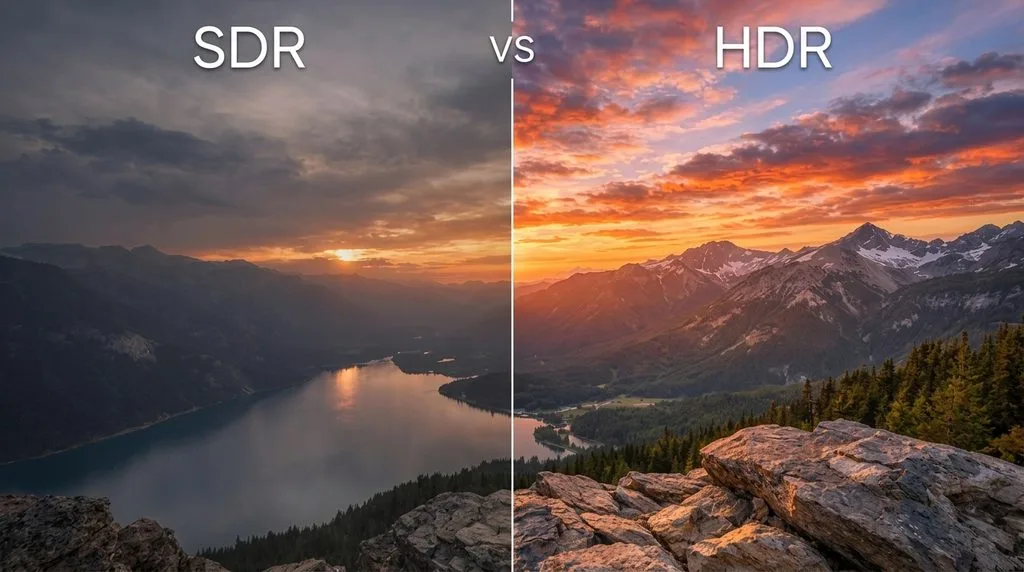
The result is not “more saturated colors” — it is more realistic light. A candle flame actually glows. A sunset keeps detail in the clouds instead of blowing out. A dark suit shows fabric texture instead of turning into a black blob.
HDR vs Wide Color Gamut: They Are Not the Same Thing
People often lump “HDR” and “wide color” together, but they are separate improvements. HDR is about brightness range — how bright a highlight can get while shadows stay detailed. Wide Color Gamut (WCG) is about color range — how many different hues the system can show. HDR content almost always ships with WCG (Rec.2020 or DCI-P3), and a good HDR display supports both, but you can have one without the other. When you shop for a display, check both specs: peak brightness and color gamut coverage (look for 95%+ DCI-P3).
PQ vs HLG: The Two HDR Curves
Every HDR format uses one of two “transfer functions” — the math that maps digital pixel values to actual light output. You do not need to master this, but knowing the difference explains why some HDR looks dim and some looks right.
- PQ (Perceptual Quantizer, SMPTE ST 2084) — used by HDR10, HDR10+, and Dolby Vision. It is absolute: a given pixel value means a specific number of nits, no matter what display plays it. This precision makes it perfect for movies and streaming, where the colorist wants exact control.
- HLG (Hybrid Log-Gamma) — developed by BBC and NHK for live broadcast. It is relative and backward-compatible: the lower half of the signal is plain SDR gamma, so an old SDR TV can still show a reasonable picture. The upper half carries the HDR highlight data. HLG needs no metadata, which is why it dominates live TV.
For movies and gaming, PQ (HDR10/Dolby Vision) is what you want. For live sports and news, HLG is what broadcasters use.
HDR Formats Explained: HDR10, HDR10+, Dolby Vision, HLG
Not all HDR is the same. There are four competing formats, and your TV or monitor may support several. The key difference is metadata — the instructions that tell a display how bright to make each scene.
| Format | Metadata | Bit depth | Max brightness | License | Best for |
|---|---|---|---|---|---|
| HDR10 | Static (one setting for whole movie) | 10-bit | Spec 10,000 nits; content mastered 1,000–4,000 | Royalty-free | Universal baseline — everything supports it |
| HDR10+ | Dynamic (scene-by-scene) | 10-bit | 10,000 nits (PQ) | Royalty-free | Samsung TVs, Amazon Prime Video |
| Dolby Vision | Dynamic (scene-by-scene, frame-by-frame) | Up to 12-bit | 10,000 nits | Licensed (Dolby) | Premium movies, Netflix, Disney+ |
| HLG | None (backward-compatible) | 10-bit | Relative, not defined | Royalty-free | Live TV broadcast (BBC, NHK) |
HDR10 is the floor — every HDR display supports it, and every HDR stream includes it. Dolby Vision is the premium option: it adjusts brightness and color scene by scene (even frame by frame), supports 12-bit color (over 68 billion colors), and requires strict hardware certification, so you know a Dolby Vision TV can actually display it. All Dolby Vision TVs also play HDR10, so you never lose compatibility. HDR10+ is Samsung’s royalty-free answer to Dolby Vision. HLG was built for live broadcast — it has no metadata and even plays acceptably on old SDR TVs.
For most people, the practical advice is simple: make sure your display supports HDR10 (it will), and Dolby Vision if you watch a lot of streaming movies. The format war matters far less than how bright your display actually gets — a 400-nit “HDR” TV will never show you real HDR.
HDR Photography: How It Works (and How to Do It)
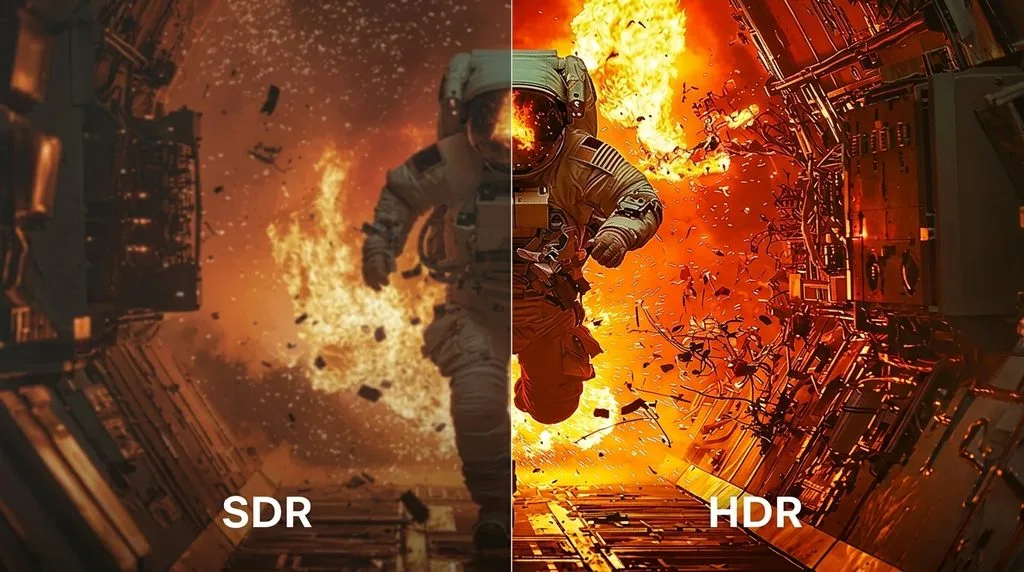
In photography, HDR is a technique, not just a display standard. When a scene has more contrast than your camera can capture in one shot — a bright sky above a dark forest, for example — you take multiple exposures and merge them.
How to shoot and merge an HDR photo:
- Bracket your exposures. Take 3–5 shots: one underexposed (to hold the sky), one correct, one overexposed (to hold the shadows), usually 2 stops apart (-2, 0, +2 EV). Use a tripod if possible.
- Merge in Lightroom. Select the bracketed shots, right-click, and choose Photo Merge > HDR. Enable Auto Align (for handheld shots) and Deghosting (Low or Medium if anything moved — leaves, water, people).
- Tone-map naturally. Lightroom produces a high-dynamic-range DNG. Now edit it like any RAW file — but you have far more headroom in highlights and shadows. The goal is to look like what your eyes saw, not like an “HDR photo.”
Modern full-frame cameras capture 14+ stops of dynamic range in a single RAW file, so for many scenes one shot is enough and bracketing is only for extreme contrast. Adobe’s guide to HDR software covers the merge step in detail, and ViewSonic’s what is HDR explainer connects the photography side to the display side.
If you edit a lot of HDR or wide-gamut work, a solid color grading workflow and the right photo editing software matter — cheap editors that only handle 8-bit sRGB will throw away the extra data you captured.
HDR on Your Phone: Smart HDR Is Not the Same Thing
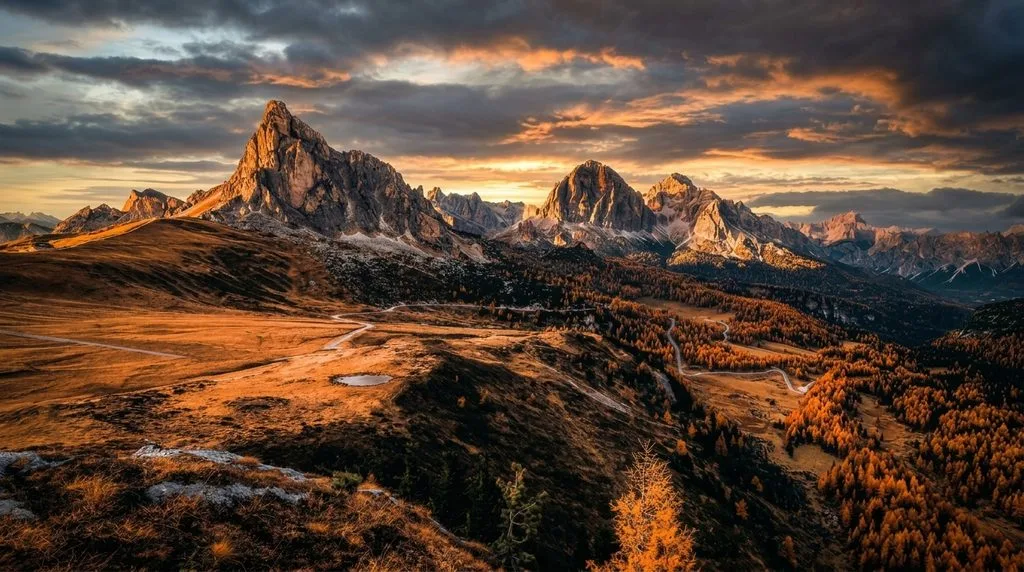
Every modern phone advertises “HDR,” but it usually means computational HDR — the phone snaps several frames at different exposures and merges them in software before you even see the shutter. Apple calls it Smart HDR (powered by Photonic Engine on recent iPhones); Android makers have their own versions. The result is a tone-mapped SDR JPEG that holds detail in highlights and shadows. It is HDR processing, but the file you share is usually SDR — most social media and messaging apps strip HDR metadata anyway. Recent iPhones and flagship Androids can also record Dolby Vision HDR video, which is real HDR and looks stunning on a bright phone screen. So when a friend says “my phone has HDR,” they mean the processing — not a display-standard HDR file.
5 Common HDR Mistakes (and How to Fix Them)
Early HDR photography (circa 2010) became famous for an overprocessed, cartoonish look. That is not HDR — that is bad tone mapping. Here is what goes wrong and how to avoid it.
- Halos around edges — bright rings where dark trees meet bright sky, caused by too much Clarity/Texture or aggressive local tone mapping. Fix: lower Clarity below +20, use local adjustments instead of global.
- Flat, mushy midtones — when you crush highlights and lift shadows too far, all the contrast collapses into the middle and the image looks lifeless. Fix: reintroduce contrast with a gentle S-curve, and do not lift shadows past +50.
- Over-saturation — HDR does not mean neon. Real-world colors are muted. Fix: keep Vibrance moderate, and if anything, desaturate the highlights slightly.
- Noise in shadows — lifting underexposed shadows amplifies sensor noise. Fix: expose to the right (slightly overexpose, then recover highlights) and apply noise reduction to the shadows only.
- Color shifts — aggressive tone mapping can skew white balance. Fix: recheck white balance after tone mapping and use color calibration if needed.
The rule of thumb: if your HDR image looks like an HDR image, you overdid it. Real HDR is invisible — it is just a sunset where you can see the clouds and the foreground.
When HDR Is Actually Worth It (and When It Is Not)
HDR shines when:
- You watch movies or play games on a bright (1,000+ nit) OLED or QLED display.
- You shoot high-contrast scenes (sunsets, backlit portraits, interiors with windows).
- You edit video in 10-bit and deliver to streaming platforms.
- You want specular highlights — sun, fire, neon, reflections — to actually glow.
HDR does not help when:
- Your display is dim (under 500 nits). You will not see the difference.
- You are viewing in a bright room — ambient light washes out HDR’s advantage.
- The content was mastered in SDR (most older movies and TV).
- You are sharing to social media — most platforms compress to SDR anyway.
For video editors delivering to YouTube or streaming, our video editing tips cover the HDR delivery basics, and a good photo editing guide will remind you to keep a master file in the widest gamut and bit depth you have.
How to Get Started With HDR Today
- For photos: Shoot RAW, expose for the highlights (you can lift shadows in post), and bracket only when contrast exceeds your camera’s range. Merge in Lightroom or your editor of choice. Tone-map for naturalism.
- For video: Shoot in 10-bit log if your camera supports it, grade in a wide-gamut workspace, and deliver HDR10 (or Dolby Vision) plus an SDR downconvert.
- For viewing: Buy a display that actually gets bright — 600 nits is the minimum for noticeable HDR, 1,000+ nits is where it shines. OLED and high-end QLED lead here.
- Keep masters wide: Never delete your RAW or 10-bit masters. Even if you deliver SDR today, you can re-export in HDR tomorrow.
Frequently Asked Questions
What is HDR in simple terms?
HDR (High Dynamic Range) captures and shows a much wider range of brightness and color than standard (SDR) images — so bright highlights glow and dark shadows keep detail instead of clipping to white or black.
What is the difference between HDR and SDR?
SDR is mastered around 100 nits brightness with 8-bit color and the Rec.709 gamut. HDR reaches 1,000–4,000 nits (spec ceiling 10,000) with 10-bit+ color and the wider Rec.2020/DCI-P3 gamut. HDR shows more detail in both highlights and shadows.
Is HDR better than 4K?
They are different things. 4K is resolution (how many pixels); HDR is brightness and color range. Most people notice HDR more than 4K on a good display — but you want both.
What is the difference between HDR10 and Dolby Vision?
HDR10 is the free, universal baseline with static metadata. Dolby Vision is a licensed premium format with dynamic (scene-by-scene) metadata, up to 12-bit color, and up to 10,000 nits. All Dolby Vision TVs also play HDR10.
What is the difference between PQ and HLG?
PQ (Perceptual Quantizer) maps pixel values to absolute brightness in nits — used by HDR10, HDR10+, and Dolby Vision for movies. HLG (Hybrid Log-Gamma) is relative and backward-compatible with SDR — used for live broadcast.
Does HDR work on any TV or monitor?
No. You need an HDR-capable display (usually 600+ nits to see a real difference) and HDR content. A dim “HDR-compatible” screen will not show real HDR.
What is HDR photography?
HDR photography merges multiple bracketed exposures (usually -2, 0, +2 stops) into one image that holds detail in both bright skies and dark shadows. Done well it looks natural; done poorly it looks cartoonish.
Is HDR worth it for photos?
For high-contrast scenes (sunsets, backlit portraits, real estate), yes — it saves shots you could not get in one exposure. For everyday snapshots, modern camera dynamic range and phone computational HDR usually make manual bracketing unnecessary.
Final Verdict
HDR is not a gimmick — it is the biggest jump in image quality since HD. It gives you brighter highlights, deeper shadows, smoother gradients, and richer colors, in both photography and video. But it only works end to end: you must shoot or master in HDR, and you must view it on a display bright enough to show it. For photographers, the takeaway is simpler: shoot RAW, expose for highlights, bracket when contrast is extreme, and tone-map for naturalism — never for the “HDR look.” Do that, and your photos will hold detail in places where everyone else’s blows out.