


Twitter Image Sizes 2026: Header, Post, Profile & Ad Dimensions (X)
October 20, 2026
How to Get the Polaroid Look Without an Expensive Camera: The Complete 2026 System
October 21, 2026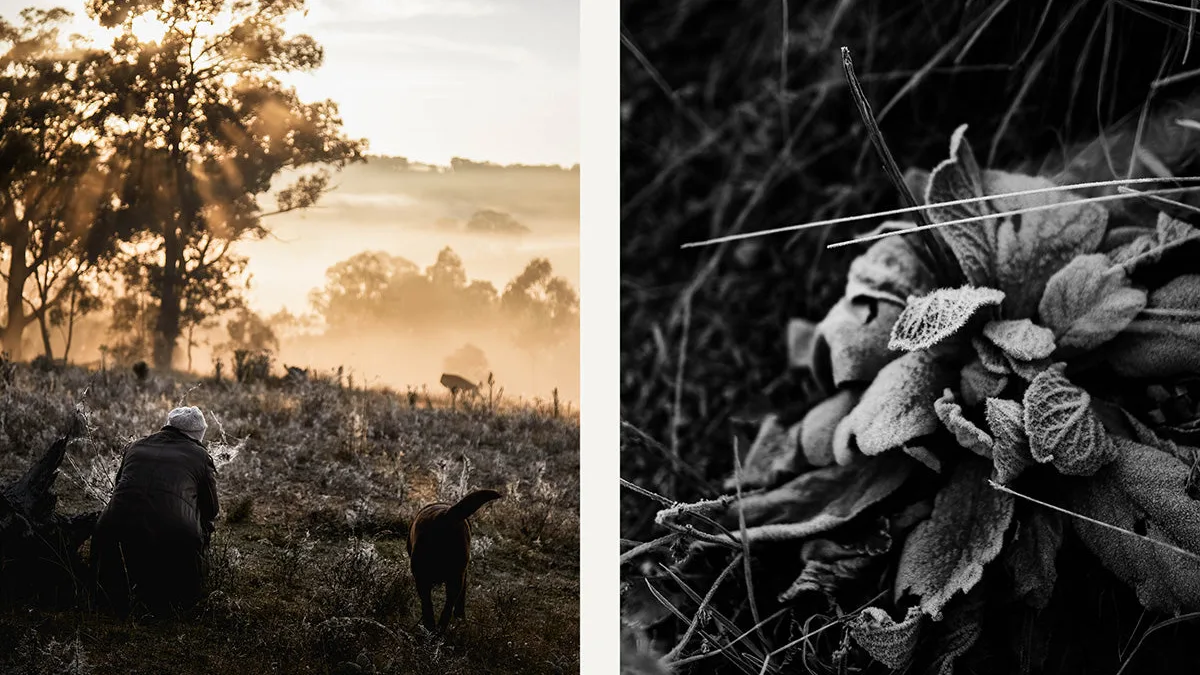
If you take away one thing from this whole guide, take this: every black and white photo is monochrome, but not every monochrome photo is black and white. “Monochrome” means “one color” — any image built from shades of a single hue. Neutral gray (what we call black and white) is the most common one, but sepia brown, cyanotype blue, and duotone inks are all monochrome too. In casual speech people mix the words up, and that’s fine. But the moment you start editing, printing, or chasing a mood, the labels matter — because each tone pulls a different emotion out of the same photo.
This guide is built differently from the others you’ve read. Instead of “what it is + a few tips,” it’s a complete system: a short history so you understand where the tones came from, the vocabulary you actually need, the five families of monochrome, a 7-element self-test you can run on any photo, the Zone System in plain English, camera and film choices, exact conversion recipes you can copy into Lightroom or Photoshop, exact toning numbers, how to get it right in print, practice challenges, and the mistakes that separate amateurs from the real thing. Adobe’s black and white photography guide and their duotone help page cover the tool side; this guide covers the thinking side.
- A 2-Minute History (Because the Tones Tell You Where They Came From)
- The Vocabulary You Actually Need (Stop Guessing)
- The Five Families of Monochrome (and the Mood Each One Sells)
- The 7-Element Self-Test: Will This Photo Actually Work in Black and White?
- The Zone System in Plain English (You Don't Need a Calculator)
- Camera Settings, Filters, and Film Stocks (The Practical Side)
- Conversion Recipes You Can Copy Right Now
- Toning Recipes With Exact Numbers
- From Screen to Print: Where Most People Get It Wrong
- Your 7-Day Monochrome Challenge
- The Six Mistakes That Make Monochrome Look Amateur
- Frequently Asked Questions
- Final Verdict
A 2-Minute History (Because the Tones Tell You Where They Came From)
Here’s something most guides skip: the different monochrome tones aren’t arbitrary fashion choices — they’re fossils of photographic technology. The very first photographs (daguerreotypes, 1830s) were monochrome because color photography didn’t exist yet. Prints were warm-toned by default.
Sepia toning (1850s onward) wasn’t a style — it was a preservation treatment. Bathing a silver print in sepia toner replaced metallic silver with silver sulfide, which doesn’t tarnish, so the print survived. That warm brown is the color of “old photo” because those are the prints that literally lasted.
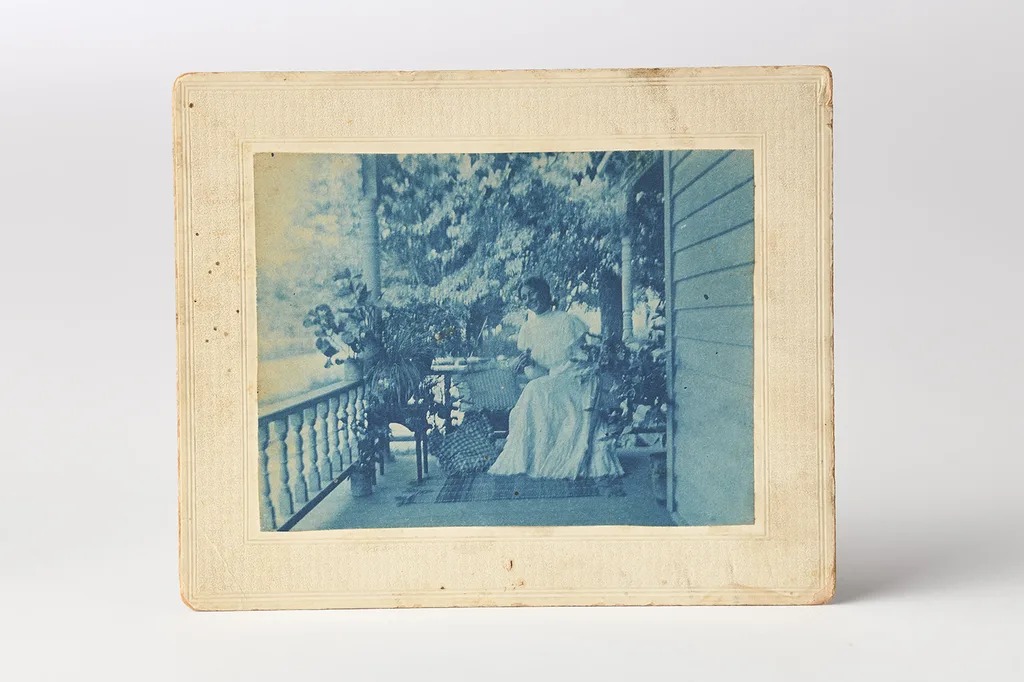
Cyanotype (1840s, Sir John Herschel) used iron salts instead of silver — cheap, simple, and that unmistakable Prussian blue — which is why botanists used it for specimen prints and why it still feels like “blueprint” art.
Silver gelatin black and white (1880s onward) became the professional standard because it gave neutral grays and the widest tonal range. Color film arrived in the 1930s, and suddenly monochrome became a choice — which is exactly where we are today.
If you’re working with those old prints, our how to restore old photos and how to colorize black and white photos guides are the natural next step.

The Vocabulary You Actually Need (Stop Guessing)
| Word | What it actually means |
|---|---|
| Monochrome | Any image made from shades of a single hue. The umbrella term. |
| Black and white | Monochrome using only neutral grays (no hue). The most common type. |
| Grayscale | As a look: same as black and white. As a Photoshop file mode: a destructive mode that deletes color data. |
| Bitonal / line art | Only pure black and pure white, no grays. Scans of text and line art. Not photography. |
| Sepia | Warm brown-toned monochrome. Originally a preservation toner. |
| Cyanotype | Prussian-blue monochrome from an iron-salt printing process. |
| Duotone / tritone | Print made with two (or three) inks — usually black plus a color. |
| Split-tone | One hue in the shadows, a different hue in the highlights. Cinematic look. |
The trap word is “grayscale.” If someone says “make it grayscale,” they probably mean “make it black and white.” But if you go to Image > Mode > Grayscale in Photoshop, you’re throwing away your color data forever. Always use a Black & White adjustment layer instead.
The Five Families of Monochrome (and the Mood Each One Sells)
| Family | Look | Mood | Use it for |
|---|---|---|---|
| True black & white | Neutral gray, black to white | Timeless, honest, dramatic | Street, documentary, portraits, landscapes, fine art |
| Sepia | Warm reddish-brown | Nostalgic, soft, heritage | Family portraits, heritage, vintage vibes |
| Cyanotype / blue | Prussian blue | Dreamy, artistic, alternative | Botanicals, art prints, personal projects |
| Duotone / tritone | Black + one colored ink | Rich, editorial, printed | Posters, editorial design, print projects |
| Split-tone | Cool shadows + warm highlights (or reverse) | Cinematic, moody, contemporary | Weddings, portraits, cinematic series |
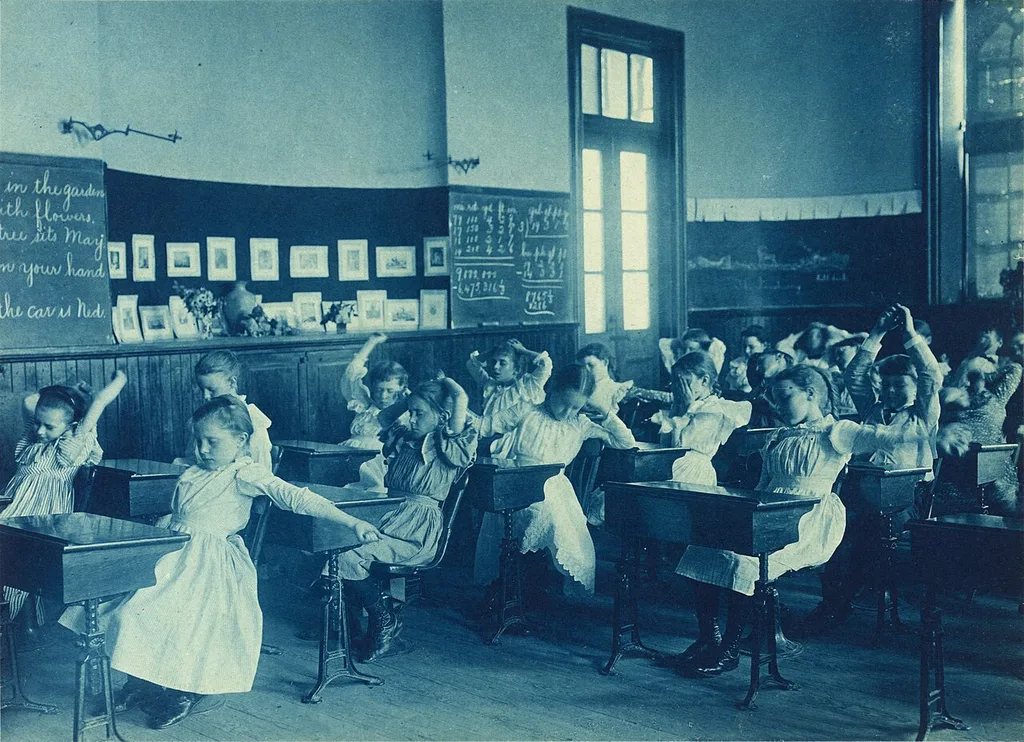
Rule of thumb: if the photo needs to feel like a document (news, documentary, product), go neutral black and white. If it needs to feel like a memory or a piece of art, tone it. And tone lightly — a little goes a long way.
The 7-Element Self-Test: Will This Photo Actually Work in Black and White?
Here’s the test I run on every photo before I convert it. A great black and white image needs at least three of these — if it has fewer, color is probably carrying the photo and the B&W version will fall flat.
- Strong shadows — real blacks with shape, not just murky dark gray.
- Contrast — a real spread from near-black to near-white, not a muddy middle.
- Tonal separation — the subject and background become different grays. (A red apple on green grass fails this — they turn the same gray.)
- Bold shape — a silhouette or strong form that reads instantly.
- Texture — skin, bark, stone, fabric — something you can almost feel.
- Strong composition — because with color gone, composition is all you’ve got. Our composition photography guide drills this.
- Emotion — expression, gesture, or mood that color was distracting from.
If you can tick three or four, convert with confidence. If you can only tick one or two, leave it in color — or reshoot with stronger light.
The Zone System in Plain English (You Don’t Need a Calculator)
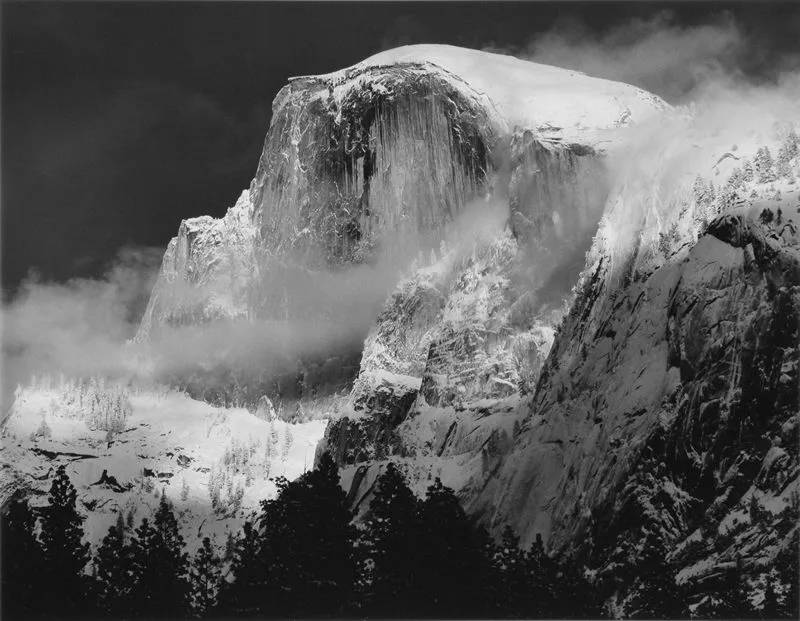
Ansel Adams and Fred Archer built the Zone System in the late 1930s so they could pre-visualize a print before pressing the shutter. It sounds intimidating, but the practical version is simple. Imagine the tonal scale split into 11 zones, from Zone 0 (pure black, no detail) up to Zone X (pure white, no detail). The middle, Zone V, is your middle gray — what your camera meter reads. The two rules you actually need:
- Put your important shadows on Zone III. Meter for the darkest thing that still needs detail, and expose so it lands about two stops below middle gray. That keeps them from going pure black.
- Keep your important highlights at Zone VII or below. Anything above Zone VII clips to white with no recovery. Expose to the right (bright) but don’t blow the highlights — exactly the same advice as digital exposure, because that’s where it came from.
You don’t need to zone-meter every shot. Just internalize the idea: you decide where each tone lands, and you expose for the shadows while protecting the highlights. For portraits, pair it with our portrait retouching techniques — skin tones placed on Zone VI–VII look luminous.
Camera Settings, Filters, and Film Stocks (The Practical Side)
Shoot RAW + monochrome JPEG. Set your camera’s picture profile to Monochrome (Fujifilm’s Acros is gorgeous, Canon and Nikon call theirs Monochrome) so the LCD shows you black and white — this trains your eye to see in tones. But record RAW so you keep full color data for a proper conversion. Never shoot only a monochrome JPEG for a final image.
Filters (digital version): In film, colored filters changed how colors translated to gray. In digital, you do the same thing with the B&W mix sliders:
- Red filter effect: darken blue sky, lighten skin → push Blue down, Red/Orange up.
- Yellow filter effect: milder sky darkening, natural skin → Blue slightly down, Yellow slightly up.
- Green filter effect: lighten foliage → Green up.
If you shoot film (and you should try it — nothing teaches tone like B&W film):
| Film | ISO | Character | Best for |
|---|---|---|---|
| Kodak Tri-X 400 | 400 | Punchy contrast, beautiful grain, pushes to 1600+ | Street, documentary, portraits |
| Ilford HP5 Plus 400 | 400 | Versatile, wide latitude, slightly neutral | General purpose, low light |
| Ilford FP4 Plus 125 | 125 | Fine grain, classic tones | Landscapes, studio, detail work |
| Kodak T-Max 100 / Ilford Delta 100 | 100 | Ultra-fine grain, maximum sharpness | Landscapes, architecture, fine art |
Conversion Recipes You Can Copy Right Now
The lazy way — desaturate or hit “grayscale” — flattens everything. Use one of these instead.
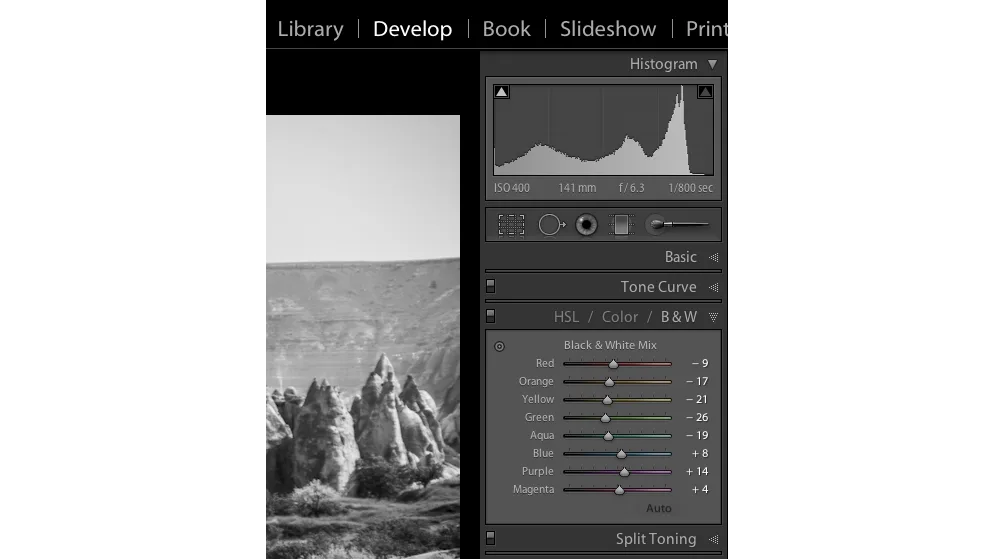
Lightroom (most people’s daily driver): Press V in Develop to convert. In the Black & White Mix panel:
- Landscape: Blue −20 to −40 (darkens sky), Green +10 to +20 (lifts foliage).
- Portrait: Red +10 to +20, Orange +10 to +20 (brightens and smooths skin), Aqua/Blue as needed.
Then add contrast with the Tone Curve (a gentle S-curve) and finish with a touch of Clarity or Dehaze for structure.
Photoshop (maximum control): Add a Channel Mixer adjustment layer, check Monochrome, and set the three sliders so they add to roughly 100% (e.g., Red 40%, Green 40%, Blue 20% for a natural look). For a red-filter dramatic sky: Red 100%, Green 0%, Blue 0%. Follow with a Curves layer for contrast. Our photo editing guide covers the full order of operations, and our best photo editing software roundup covers alternatives if you don’t use Adobe.
Toning Recipes With Exact Numbers
Once the conversion looks right, toning takes two minutes. Copy these starting points.
- Classic sepia (Lightroom): Convert to B&W. Color Grading > Global: Hue ~35, Saturation 10–15. Any more and it looks like a 2010 filter. Adobe’s sepia guide has more.
- Cinematic split-tone: Shadows: Hue ~220 (cool blue), Saturation 8–10. Highlights: Hue ~45 (warm), Saturation 8–10. Balance near 0.
- Cyanotype look: Global Hue ~210, Saturation 15–20, and push contrast hard — real cyanotypes are high-contrast.
- Duotone (print only): In Photoshop, convert to Grayscale, then Image > Mode > Duotone, pick black plus a second ink. Use this when you’re actually printing with two inks; for screen, split-toning is more flexible.
Want your images to look professionally edited, not over-processed?
Achieve natural, high-end perfection with our skilled Photo Retouching Service
From Screen to Print: Where Most People Get It Wrong
A black and white photo that looks great on your phone can look flat and muddy on paper — because screens emit light and prints reflect it. A few rules:
- Soften your proofing. A print needs slightly more contrast and slightly brighter midtones than the screen version. Bump contrast +5–10 and lift shadows a touch before printing.
- If you go darkroom: RC (resin-coated) paper is cheap, fast-drying, and great for learning; fiber-based (FB) paper is archival, has richer blacks, and is what galleries show. Contrast grades run 0 (soft) to 5 (hard); normal scenes print around grade 2–3. Variable-contrast (Multigrade) paper lets you dial the grade with filters.
- Digital prints: use a matte or pearl paper for monochrome — glossy fights the timeless feel. Soft-proof in your editor with the paper profile if you have one.
Your 7-Day Monochrome Challenge
Want to actually get better? Try one exercise a day:
- Day 1: Shoot a whole day with the camera set to monochrome preview (RAW still on).
- Day 2: Find five scenes that pass the 7-element test — shoot only those.
- Day 3: One portrait, converted three ways: neutral B&W, sepia, split-tone. Pick the winner and say why.
- Day 4: One landscape where you deliberately darken the sky with the Blue slider.
- Day 5: One high-contrast (graphic) shot and one low-contrast (moody) shot.
- Day 6: Print one. See how it differs from the screen.
- Day 7: Convert your best shot with Channel Mixer instead of the default — notice the control.
Want to boost your online sales with better product photography?
High-quality images increase conversions by up to 40%. Let us help you get there. See our editing services
The Six Mistakes That Make Monochrome Look Amateur
- Desaturating instead of converting. Flat, muddy, no tonal separation. Use the B&W panel or Channel Mixer.
- Crushing the blacks to pure black. Looks dramatic on a phone, muddy in print. Keep detail in the shadows unless it’s a deliberate graphic look.
- Converting to Grayscale mode destructively. Use an adjustment layer — keep your color data.
- Ignoring tonal separation. If subject and background become the same gray, the subject disappears. Nudge the color sliders apart.
- Overdoing grain or toning. Seasoning, not the meal.
- Converting a photo that only worked because of its color. Run the 7-element test first.
Frequently Asked Questions
Is monochrome the same as black and white?
No. Black and white is one type of monochrome — the neutral-gray type. Monochrome includes any single-hue image: sepia, cyanotype, duotone, split-tone.
What is sepia photography?
A warm brown-toned monochrome. Originally a chemical toning process that made silver prints last longer; now a digital effect associated with nostalgia.
Should I shoot black and white in-camera or convert in post?
Shoot RAW with the monochrome preview turned on — you see B&W on the LCD but keep full color data for a proper conversion later. Never shoot only a monochrome JPEG for a final image.
What’s the best conversion method?
Lightroom’s Black & White panel (press V) for most work. Photoshop’s Channel Mixer (Monochrome checked) for maximum precision. Never just desaturate.
What does a red filter do in black and white?
It darkens blue skies (clouds pop) and lightens skin. In digital, recreate it by lowering the Blue slider and raising Red/Orange in the B&W mix.
What is the Zone System?
Ansel Adams’ framework for placing tones: 11 zones from pure black (Zone 0) to pure white (Zone X). Practical rule: place important shadows on Zone III and protect highlights at Zone VII.
What is grayscale?
As a look, neutral black and white. As a Photoshop file mode, a destructive conversion that deletes color data — use a Black & White adjustment layer instead.
Which black and white film should I try first?
Kodak Tri-X 400 or Ilford HP5 Plus 400 — both forgiving, versatile, and full of character. For fine grain, try Ilford FP4 Plus 125 or Kodak T-Max 100.
Final Verdict
Monochrome is not a filter — it’s a discipline of seeing light, shape, and tone without the crutch of color. Start with the one-sentence definition (B&W is a type of monochrome), pick the tone that matches your mood, run the 7-element test before you shoot, expose for shadows while protecting highlights, and convert with the color sliders instead of desaturating. Do that, and your monochrome work will stop looking like an effect and start looking like a photograph.
Ready to elevate your brand’s visual presence?
Partner with Clipping Expert Asia for fast, secure, and premium image editing starting at just 25¢. Explore all our services