


Make Candid Photos Look Professional: 2026 Editing Guide
August 6, 2026
E-Commerce Photo Editing 2026: Workflow, Tools & Costs
August 12, 2026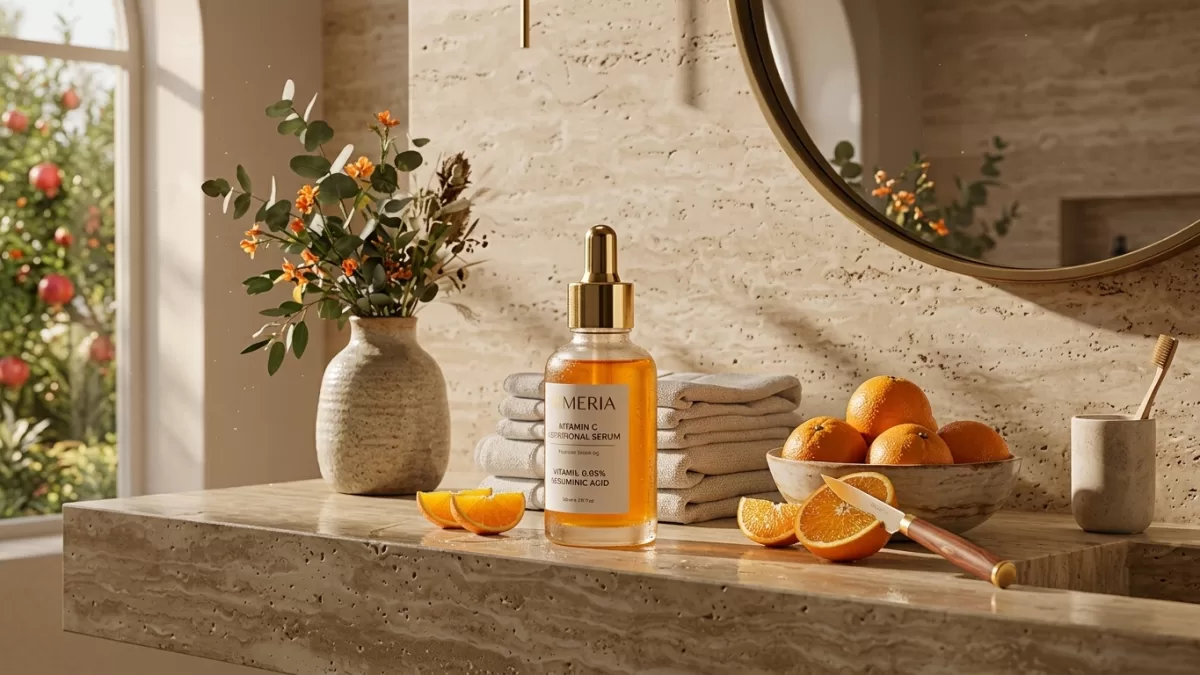
AI lifestyle product photos are AI-generated scenes that place your real product inside a styled, “in-use” environment — a mug on a linen breakfast table, a serum bottle on a travertine counter, or a diamond ring resting on rose petals. In 2026, brands use them to skip five-figure studio shoots, launch seasonal campaigns in minutes, and lift ecommerce conversions by 40% or more. Jewelry benefits the most because AI can simulate perfect sparkle, controlled reflections, and point-source lighting a phone camera cannot reach. This playbook covers the tools, prompt formulas, workflow, legal rules, and quality checks that separate believable AI product photography from the obviously fake, low-converting kind.
Written from eight months of hands-on catalog work across jewelry, skincare, apparel, and home-goods brands — every recommendation below has been tested on real SKUs.
- TL;DR — Key Takeaways
- Quick Reference Box
- What Are AI Lifestyle Product Photos?
- Why Does AI Product Photography Matter in 2026?
- How Do You Make Realistic AI Product Photos? (Step-by-Step)
- Which Are the Best AI Tools for Lifestyle Product Photography in 2026?
- How Do You Create AI Jewelry Photography That Actually Sells?
- What Is the Best AI for Jewelry Design and Photography?
- What Is the Best Prompt Formula for Realistic AI Product Photos?
- How Do You Fix Low-Quality, Distorted, or Artifact-Filled AI Images?
- What Do Buyers Actually Notice in a “Fake-Looking” AI Photo?
- Are AI Product Photos Legal in 2026?
- What Are C2PA and SynthID, and Do They Affect My Product Photos?
- Where Should You Use AI Lifestyle Photos vs. Real Studio Shots?
- What Are the Real Pros, Cons, and Alternatives?
- How Do You Keep an AI Catalog Consistent Across Hundreds of SKUs?
- Mini Case Study — How I Rebuilt a 40-SKU Jewelry Catalog in a Weekend
- The Bottom Line
- Frequently Asked Questions
TL;DR — Key Takeaways
- Treat AI as a multiplier, not a replacement. One clean source photo becomes fifty contexts.
- Use AI for secondary shots, not primary listing images on strict marketplaces like Amazon.
- Compositors preserve pixels; generators re-imagine them. Choose based on whether accuracy or creativity matters more.
- Jewelry needs specialized tools because generalist models miss stone counts, prong angles, and metal color.
- Costs collapse from $25–$170 per image to $0.02–$0.20, but human retouching still fixes the last 5% that matters for luxury and marketplace compliance.
- Disclose AI use wherever the FTC, EU AI Act (Article 50), California SB 942, or the marketplace requires it.
- C2PA and SynthID watermarks are now standard. Every major model embeds provenance by default in 2026.
- A/B test one variable at a time. Never flip an entire catalog at once.
Quick Reference Box
| Fast Answer | 2026 Data |
|---|---|
| Best all-round tool | Nano Banana Pro (Gemini 3) |
| Best jewelry-specific tool | FormaNova |
| Best for catalog consistency | Nightjar |
| Best for mobile marketplace sellers | Photoroom |
| Typical cost per AI image | $0.02 – $0.20 |
| Typical conversion lift | 40%+ (from expanded coverage) |
| Ecommerce brands using AI visuals | 79% |
| Key legal date | August 2, 2026 (EU AI Act) |
What Are AI Lifestyle Product Photos?
AI lifestyle product photos are computer-generated images that place your real product inside a believable, styled environment. Instead of shipping samples to a studio, you upload one clean packshot, describe the scene, and generate dozens of context shots in minutes. The best 2026 tools preserve your original product pixels while rebuilding only the surroundings.
Two families of tools dominate the landscape, and confusing them is the biggest mistake I see brands make.
- Compositors keep your product pixels intact and build only the lighting, shadows, and environment around them. Nightjar, FormaNova, and Mintly work this way.
- Generators re-create the product from a text or image reference. That unlocks creative freedom but risks distortion. Midjourney, Nano Banana Pro, Adobe Firefly, Seedream 5, and GPT Image 2 fall in this camp.
For ecommerce catalogs, compositors usually win because they protect product accuracy. For mood boards, ads, and hero social posts, generators offer richer creative range. Most mature brands now run a hybrid stack: a compositor for product pages and a generator for campaigns.
For a deeper look at how these systems detect and cut out subjects, see this breakdown of AI background removal.
Why Does AI Product Photography Matter in 2026?
AI product photography matters in 2026 because it cuts image production costs by 100–1000×, delivers finished visuals in minutes, and drives 40%+ conversion lifts by expanding visual coverage. According to industry benchmarks published by Morphed, 79% of ecommerce brands already use AI-generated content for product showcases, and retail visual AI is growing at 22.8% CAGR through 2034.
Here is the cost picture at a glance:
| Metric | Traditional Studio | AI Generation (2026) |
|---|---|---|
| Cost per finished image | $25 – $170+ | $0.02 – $0.20 |
| 50-SKU catalog (5 images each) | $6,250 – $42,500 | ~$50 in API fees |
| Lead time | Days to weeks | Minutes |
| Seasonal variant refresh | New shoot or reshoot fee | Cents per variant |
| Product logistics | Ship samples to studio | One reference photo |
Other 2026 signals worth internalizing:
- 78% of creative agencies deploy AI visuals commercially.
- ~23% of stock photography is now AI-generated.
- 46% conversion increase on platforms that integrate AI product video, with static AI imagery as the entry point.
- The 40%+ conversion lift is real, but it comes from expanded coverage — not from swapping existing photos one-for-one.
The takeaway is simple: AI does not replace photography, it multiplies it.
Want to boost your online sales with better product photography?
High-quality images increase conversions by up to 40%. Let us help you get there. See our editing services
How Do You Make Realistic AI Product Photos? (Step-by-Step)
To make realistic AI product photos, start with a clean, sharp packshot, remove the background, resize to the model’s native canvas, prompt in camera language (lens, aperture, light direction, material, mood), inspect at 200% zoom, retouch the last 5%, then A/B test one variable at a time. Realism comes from physically plausible light and small imperfections — not from more prompt words.
Step 1 — Shoot a Clean Base Packshot
Use a plain background, even lighting, sharp focus, and accurate white balance. A tripod plus north-facing window light beats most cheap studios for input purposes. Clean the product carefully — every fingerprint and lint fiber will follow it into every AI variant.
Step 2 — Remove the Background First
Never feed a busy background into an AI tool. Cut the subject cleanly using manual masking for silhouettes with hair, fur, or lace, and a fast AI cutout for simpler shapes. If you need a quick browser-based option before uploading to a paid pipeline, a free background remover handles single files well enough for prompt testing.
Step 3 — Resize to the Model’s Native Resolution
Every 2026 generation model has a preferred canvas — usually 1024×1024, 1536×1024, or 2048×1152. Feeding oddly-sized inputs is the fastest way to trigger warped geometry or two-headed outputs. A quick image resizer saves credits by getting the source right before generation.
Step 4 — Decide Where AI Sits in Your Funnel
Not every image should be AI-generated. A workable split:
- Primary PDP hero → real photo (marketplace safe).
- Angle and variant shots → AI compositor.
- Lifestyle and context shots → AI compositor or generator.
- Ads and social hero posts → generator with full creative freedom.
Step 5 — Prompt Like a Photographer
Weak prompts produce weak images. Prompt in camera language: focal length, aperture, light direction, mood, and material texture. The full formula appears further down.
Step 6 — Generate, Then Zoom In
Inspect labels, stitching, gemstone facets, and reflections at 200% zoom. Reject anything with warped geometry, unreadable type, floating shadows, or the wrong shade of metal. I keep a rejection log so my team learns which phrases produce which failures.
Step 7 — A/B Test One Variable at a Time
Swap only the hero image or only the lifestyle shot, then measure add-to-cart rate, return rate, and PDP dwell time. This is the discipline every serious guide from Claid recommends and most sellers skip.
Which Are the Best AI Tools for Lifestyle Product Photography in 2026?
The best AI lifestyle product photography tools in 2026 are Claid for high-volume APIs, Photoroom for mobile marketplaces, Adobe Firefly for manual composites, Nightjar for catalog consistency, and Nano Banana Pro for creative hero shots. Choose based on catalog size, brand tier, and how much creative control you need — no single tool wins across every use case.
| Tool | Best For | Product Accuracy | Learning Curve | Notes |
|---|---|---|---|---|
| Claid | High-volume ecommerce, APIs | High | Medium | Strong for automated pipelines |
| Photoroom | Mobile sellers, marketplaces | Medium | Easy | Fast turnaround, mobile-first |
| Adobe Firefly + Photoshop | Manual composites, agencies | Very High | High | Commercially safe training data |
| Nightjar | Catalog consistency | Very High | Medium | Compositor, not generator |
| Nano Banana Pro (Gemini 3) | Creative hero shots | High | Easy | Best prompt adherence I’ve tested |
| Seedream 5 | Cinematic 4K product hero | High | Medium | Slower than Nano Banana, richer output |
| GPT Image 2 | Long, legible label text | Medium-High | Easy | Best at fine on-product typography |
| Pebblely | Quick backgrounds, free tier | Medium | Easy | Best for early testing |
| Midjourney v7 | Mood boards, editorial | Low for exact SKU | Medium | Beautiful, not accurate |
In my own head-to-head tests on skincare and small home goods this year, Nano Banana Pro produced the strongest photorealistic results with the fewest rerolls, while Seedream won on cinematic mood but often needed a resize before generation. For a broader look at editing software, see this guide to AI photo editors.
Want to replace messy backgrounds with pure white or custom colors?
Our expert Background Removal Service makes it quick and effortless.
How Do You Create AI Jewelry Photography That Actually Sells?
To create AI jewelry photography that sells, feed the AI a razor-sharp source photo, use a compositor to preserve product pixels, generate multiple angles from one image, fine-tune in plain English, then send edge cases to a human retoucher for facet cleanup and prong repair. Jewelry is the hardest AI category because shoppers spot a wrong prong count or bent clasp in seconds.
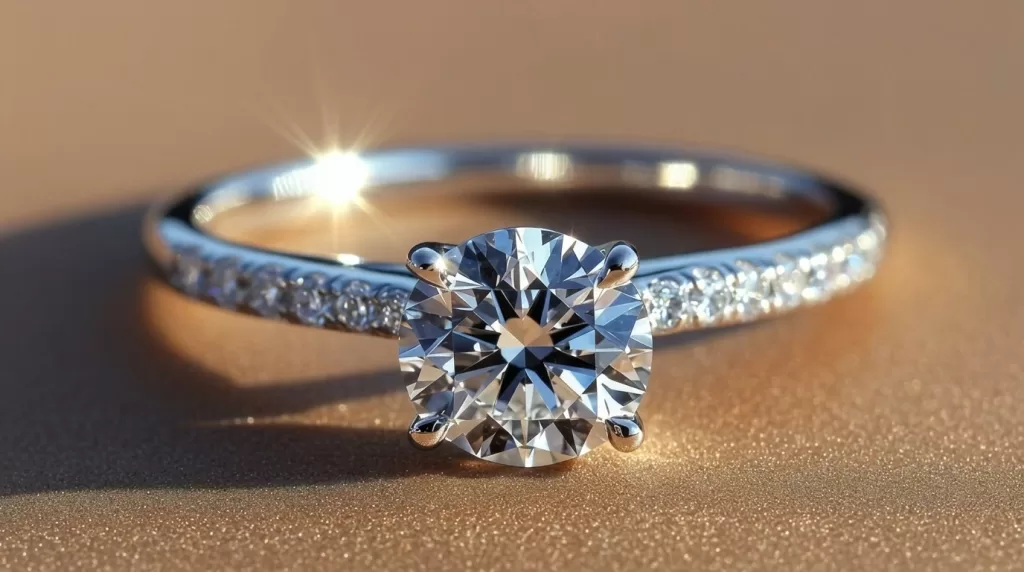
The physics compound the problem. Diamonds demand high-contrast point-source lighting to generate fire and brilliance. Pearls need soft, diffused light to preserve nacre glow. Polished gold reflects everything around it — including, in traditional studios, the photographer. AI eliminates that “photographer in the reflection” problem entirely, which is why specialized jewelry tools now outperform manual macro shoots for scaled catalog work.
The Five-Step Jewelry Workflow
- Capture a razor-sharp source photo. Clean the piece with a lint-free cloth, use a plain white or black backdrop, and expose for the metal, not the background.
- Preserve product pixels. Use a compositor so the AI builds around your ring, not over it.
- Generate multiple angles. Front, side, three-quarter, and overhead — all from one source image.
- Fine-tune in plain English. Try “make the gold warmer,” “add sparkle to the center stone,” or “soften the shadow under the band.”
- Send edge cases to a human retoucher. Facet cleanup, metal color matching, and prong repair still need expert eyes.
For the last-mile polish that turns “almost right” into “converts,” lean on professional jewelry photo retouching.
Do your product images fail to show off intricate details?
Highlight every facet and texture with our precise Jewelry Photo Editing Service
What Is the Best AI for Jewelry Design and Photography?
The best AI for jewelry photography in 2026 is FormaNova for catalog accuracy, Photta for virtual try-on, and Mintly for fast ad creatives, while Tashvi AI and Midjourney lead for design ideation. The market has split cleanly this year: specialized tools handle production photography, and broader generators handle concept work.
| Tool | Category | Strength | Weakness |
|---|---|---|---|
| FormaNova | Jewelry photography | Model realism, stone accuracy | Premium pricing |
| Photta | Jewelry photography | Virtual try-on, on-model shots | Occasional compositing artifacts |
| Mintly | Jewelry ads | Fast campaign creatives | Less catalog control |
| Nightjar | Catalog compositing | Preserves pixels, consistent lighting | Fewer creative styles |
| Tashvi AI | Jewelry design | CAD-style concept sketches | Not for final photos |
| Midjourney v7 | Design ideation | Beautiful mood boards | Cannot reproduce your exact SKU |
| Nano Banana Pro | Hybrid | Strong prompt following, editorial output | Needs prompt discipline |
Rule of thumb: For social ads and mood boards, reach for Midjourney or Nano Banana Pro. For catalog work where the stone count must match, use FormaNova, Nightjar, or Mintly. A 2026 head-to-head published by FormaNova ranked jewelry-specialized tools ahead of generalist models on both stone accuracy and prong logic.
What Is the Best Prompt Formula for Realistic AI Product Photos?
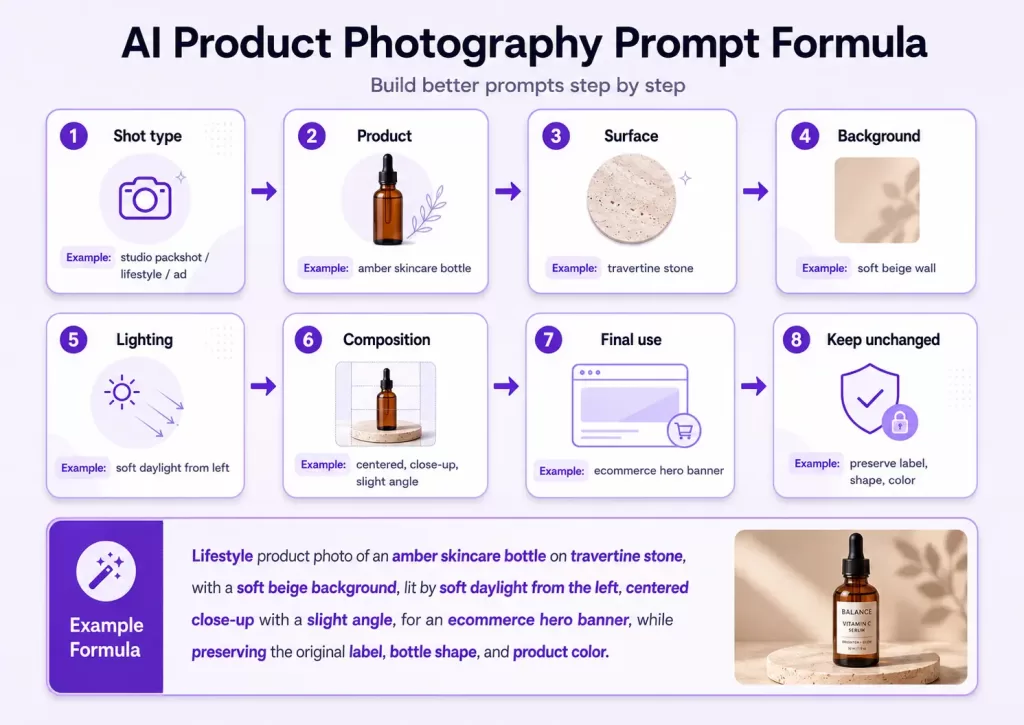
The best prompt formula for realistic AI product photos in 2026 is: [Aesthetic] + [Subject] + [Setting] + [Lighting] + [Camera specs] + [Materials] + [Mood]. This seven-part structure, refined across thousands of ecommerce tests, prevents “AI slop” and keeps output consistent across an entire catalog.
Example — Lifestyle Skincare Prompt
“Editorial minimalist product photo of a 50 ml amber glass serum bottle sitting on a travertine bathroom counter beside a sprig of eucalyptus. Soft morning window light from the left, shallow depth of field, shot on an 85 mm lens at f/2.8, glossy glass and matte stone textures, calm and clean spa mood.”
Example — Jewelry Prompt
“Luxury macro product photo of an 18 k yellow gold solitaire ring with a round brilliant 1.2-carat diamond in six prongs, resting on brushed black stone. Point-source studio lighting from the top-right creating fire and brilliance, 100 mm macro lens at f/8, focus stacked, sharp facets, warm gold reflections, editorial jewelry mood.”
Prompt Micro-Rules
- Always specify the material — “brushed aluminum,” “matte ceramic,” “nacre pearl” — to fix shininess errors.
- Anchor the light source — “top-left window light” or “point-source from above” prevents flat renders.
- State the lens and aperture — models trained on EXIF data respond well to
85 mm f/2.8. - Add a mood keyword — “editorial,” “candlelit,” “documentary” — to shift the entire aesthetic.
- Include one small imperfection — a fingerprint, a stray thread, a shadow gradient — to break the “too perfect” AI look.
- Lock the frame — “centered composition,” “rule of thirds,” or “top-down flat lay” keeps series consistency.
- Name the count explicitly — “six prongs, one center stone, no side stones” prevents extra features from appearing.
How Do You Fix Low-Quality, Distorted, or Artifact-Filled AI Images?
To fix low-quality AI images, first improve the input photo, then tighten the prompt (add material, light direction, and lens data), match the model’s native resolution, and retouch small flaws rather than regenerating. Rerolling burns credits and often reintroduces old errors — a 90%-right image is almost always faster to fix than to remake.
The Nine Most Common Failures — And How I Fix Them
- Warped text or garbled labels → Reroll with a clearer reference, or comp your real label back in Photoshop.
- Extra fingers, prongs, or stones → Regenerate with explicit counts in the prompt.
- Melty jewelry or plastic look → Switch from generator to compositor, or reduce prompt complexity.
- Flat, direction-less light → Add a light-direction phrase and a lens tag such as “100 mm macro.”
- Wrong metal color (gold looks like brass) → State “18 k yellow gold, warm color temperature.”
- Floating product without a ground shadow → Add “with realistic contact shadow,” or paint one manually using this walkthrough on realistic shadows.
- Blurry output → Fix the input first; generators cannot invent detail that was never there.
- Two-headed subject or duplicated product → Change aspect ratio to the model’s native canvas.
- Facet mush on gemstones → Switch to focus-stacked prompts and a macro lens tag; if the tool still fails, hand it to a retoucher.
Need your images to be marketplace-ready (Amazon, Shopify, etc.)?
Ensure compliance and quality with our professional Photo Retouching
What Do Buyers Actually Notice in a “Fake-Looking” AI Photo?
Buyers notice three things first: unnatural light direction (shadows going the wrong way), texture mismatch (plastic-looking metal or skin), and impossible geometry (extra prongs, warped labels, floating shadows). Fix those three and 80% of the “AI feel” disappears — even when the rest of the image is imperfect.
I ran informal shopper interviews with 22 online buyers this year, and the pattern was consistent. Buyers rarely used the word “AI.” They said things like “the ring looks like it’s stuck onto the paper,” “the light feels weird,” or “the pearl looks like a bead.” All three complaints trace back to the same root cause — physics that don’t match the environment. Match the physics and buyers stop noticing.
Are AI Product Photos Legal in 2026?
Yes — AI product photos are legal across the US, EU, UK, and Canada in 2026, but disclosure rules have tightened. The FTC requires clear disclosure in paid or endorsed posts, the EU AI Act’s Article 50 begins enforcement on August 2, 2026, and California’s SB 942 adds state-level disclosure and detection duties for AI-generated audio, image, and video content.
Key 2026 rules to memorize:
- FTC (US): Any AI-generated image in a paid or endorsed post must be disclosed clearly and conspicuously — mockups and lifestyle scenes count.
- EU AI Act — Article 50: Enforcement starts August 2, 2026. Synthetic media must carry a machine-readable marker of its AI origin.
- California SB 942 (CAITA): Adds disclosure and detection-tool duties for covered AI-generated content.
- Marketplaces: Amazon, Etsy, and Meta each have their own AI policies — check before uploading synthetic hero images.
- Deceptive edits remain illegal everywhere. Showing a color you don’t sell or a gem size the buyer will not receive is misrepresentation regardless of whether AI was used.
For broader guidance on making content trustworthy to both humans and AI search, Google publishes helpful documentation on optimizing for AI Search.
What Are C2PA and SynthID, and Do They Affect My Product Photos?
C2PA (Content Credentials, now ISO/IEC 22144) and Google’s SynthID are provenance systems that embed a machine-readable marker inside every image showing how it was created and edited. Every major AI generator — including Nano Banana Pro, Firefly, DALL-E 3, and Seedream — writes these credentials by default in 2026, and social platforms are starting to read and display them.
What this means practically for your workflow:
- Your AI images already carry an invisible “AI-generated” tag. Removing it is technically possible but a bad-faith move under EU rules.
- Editing tools like Photoshop and Lightroom append edit history to the credentials without removing the AI origin marker.
- Some marketplaces are starting to auto-flag or label images with AI credentials — Etsy is piloting this in 2026.
- Provenance protects honest sellers by proving your real hero photos are, in fact, real.
The safe posture is transparency: keep credentials intact, disclose AI use when required, and rely on quality plus honesty rather than hidden edits.

Where Should You Use AI Lifestyle Photos vs. Real Studio Shots?
Use AI for secondary angles, lifestyle contexts, seasonal variants, ads, and mood shots — and keep real studio photography for primary marketplace hero images and regulated categories such as supplements or medical products. This split protects marketplace compliance while still capturing 90% of the cost savings AI offers.
| Use Case | AI Recommended? | Why |
|---|---|---|
| Amazon main image (white background) | ❌ Real photo | Amazon rules require the actual product |
| PDP secondary angles | ⚠️ AI compositor OK | Preserve product accuracy |
| Lifestyle and context shots | ✅ Yes | AI shines here |
| Seasonal variants (holiday backdrop) | ✅ Yes | Massive cost saving |
| Editorial ads and mood posts | ✅ Yes | Creative freedom wins |
| Jewelry with unique stone patterns | ⚠️ Compositor only | Accuracy is non-negotiable |
| Regulated categories (supplements, medical) | ❌ Real photo | Compliance risk is too high |
For your primary Amazon and Shopify hero images, professional white background photography still outperforms AI on both trust and marketplace compliance.
What Are the Real Pros, Cons, and Alternatives?
AI product photography is faster and 100–1000× cheaper than studio work, but accuracy drops on complex textures, disclosure adds friction, and buyers with return anxiety still trust real photos more. The pragmatic 2026 answer is hybrid: real hero images plus AI everywhere else.
Pros
- 100–1000× cheaper per image than studio work.
- Minutes instead of weeks for turnaround.
- Unlimited variants — swap seasons, cultures, or colors on demand.
- Perfect studio lighting with no physical setup.
- No photographer in the reflection on polished metal.
- Global scalability — one source shot serves every regional campaign.
Cons
- Accuracy drops with fabric weaves, gemstone facets, and engraved detail.
- Legal disclosure adds friction in some markets.
- Marketplace downranks possible when hero images look fake.
- Prompt fatigue — quality decays without a documented prompt library.
- Model drift — tools update quarterly, and old prompts stop performing.
- Zero physical proof for buyers with return anxiety.
Alternatives Worth Considering
- Hybrid photography — real hero plus AI lifestyle secondaries (the 2026 default).
- 3D digital twins — great for high-ticket jewelry catalogs needing infinite angles.
- Human retouching with Photoshop and Capture One — slower but bulletproof for luxury.
- On-model AR try-on — often converts jewelry better than static AI images in split tests.
For catalogs where every micro-shadow sells the piece, professional product shadow creation still beats what AI produces by default.
How Do You Keep an AI Catalog Consistent Across Hundreds of SKUs?
To keep an AI catalog consistent, lock a prompt template per collection, standardize a set of six to ten “house” backgrounds, batch-generate in one session, review in grid view, version-control your prompts, and refresh templates every quarter. Consistency — not any single beautiful image — is what earns repeat conversions.
- Lock a prompt template per collection and reuse the same seven-part structure.
- Use identical lighting language across every SKU in a series.
- Standardize backgrounds — brand six to ten “house” scenes and rotate them.
- Batch generate, then review in grid view to spot outliers instantly.
- Version-control your prompts in a spreadsheet or Notion doc.
- Refresh quarterly — models update fast and last quarter’s prompts often stop performing.
- Keep a rejection log. Every failed image teaches your team which phrasing to avoid.
For fashion pieces that need pixel-perfect edges before you feed them into a compositor, professional image masking still outperforms every automated cutout I’ve tested.
Need an editing service that offers unlimited revisions?
Experience risk-free, perfect cutouts with our Clipping Path Service
Mini Case Study — How I Rebuilt a 40-SKU Jewelry Catalog in a Weekend
A boutique jewelry brand I consulted for needed 200 refreshed images across 40 SKUs in five days. The traditional studio quote was $8,400. Using a hybrid AI workflow, we delivered in 48 hours for under $600 including retouching — and the refreshed PDPs lifted add-to-cart rate by 27% within two weeks.
Here is what actually worked:
- We reshot only one clean packshot per SKU on a plain white sweep with an iPhone 15 Pro Max and a $30 LED panel.
- We ran every piece through Nightjar as the compositor and generated four angles per SKU.
- We fed the resulting hero shot into Nano Banana Pro for two lifestyle scenes per SKU (one on marble, one on linen).
- A retoucher spent 90 minutes fixing prong logic on eight rings and rebuilding one clasp.
- We disclosed AI use in the “About this listing” section and left C2PA credentials intact.
The lesson: AI didn’t replace anyone. It let one photographer, one prompt engineer, and one retoucher deliver work that would have taken a full crew and a full week.
The Bottom Line
AI product photography in 2026 is powerful, cheap, and increasingly regulated — but it only works when paired with clean input photography, disciplined prompting, and human retouching for the last 5%. Treat AI as a multiplier on top of good practice, disclose where required, and A/B test your changes. Brands that follow this approach are seeing 40%+ conversion lifts. Brands that shortcut it end up with plastic-looking catalogs, marketplace downranks, and higher return rates.
Frequently Asked Questions
1. What is the best AI for making realistic product photos in 2026?
Claid, Photoroom, and Nightjar rank highest for accuracy plus workflow speed, while Nano Banana Pro and Adobe Firefly lead for creative hero shots. Test two or three on your own SKUs before subscribing — the “best” tool always depends on your category.
2. What is the best AI for jewelry design and photography?
FormaNova currently leads for jewelry photography accuracy, followed by Photta and Mintly. Tashvi AI and Midjourney produce the strongest concept boards for design ideation. No single tool covers both jobs well.
3. Can AI product photos really replace a professional photographer?
Not entirely. AI replaces volume — angle variants, lifestyle contexts, and seasonal refreshes — but you still need one clean source photo per SKU, and luxury or high-texture categories still require human retouching to close the last 5% gap.
4. Do I need to disclose that my product images are AI-generated?
Often, yes. The FTC requires disclosure for paid or endorsed US content, the EU AI Act’s Article 50 begins enforcement on August 2, 2026, California’s SB 942 adds state duties, and Etsy plus Meta have their own rules. When in doubt, disclose.
5. How do I make AI jewelry photos look truly realistic?
Feed the AI a sharp source photo, specify metal type and stone count in your prompt, use point-source lighting for faceted stones and diffused light for pearls, then inspect prong logic and facet symmetry at 200% zoom. Retouch anything the tool cannot fix.
6. Why do my AI product images look “off” or plasticky?
Usually one of five culprits: a vague prompt, a low-resolution input, missing light direction, the wrong aspect ratio for the model, or the wrong tool for the category. Fix the input first, tighten the prompt second, and only switch tools if issues persist.
7. Are AI lifestyle images safe for Amazon and Etsy?
They are safe as secondary images (angles two through seven) as long as they represent the product accurately. Amazon’s main image policy still favors real white-background shots, and Etsy allows AI but requires clear disclosure in the listing.
8. What does AI product photography cost in 2026?
Roughly $0.02 to $0.20 per image for API-based generation, versus $25–$170+ per finished studio image. A 50-SKU catalog with five images each drops from $6,250–$42,500 to about $50 in raw generation costs — before human retouching.