


Top 10 Camera Manufacturers Ranked
February 11, 2026
How to Change the Color of Something in Photoshop
February 16, 2026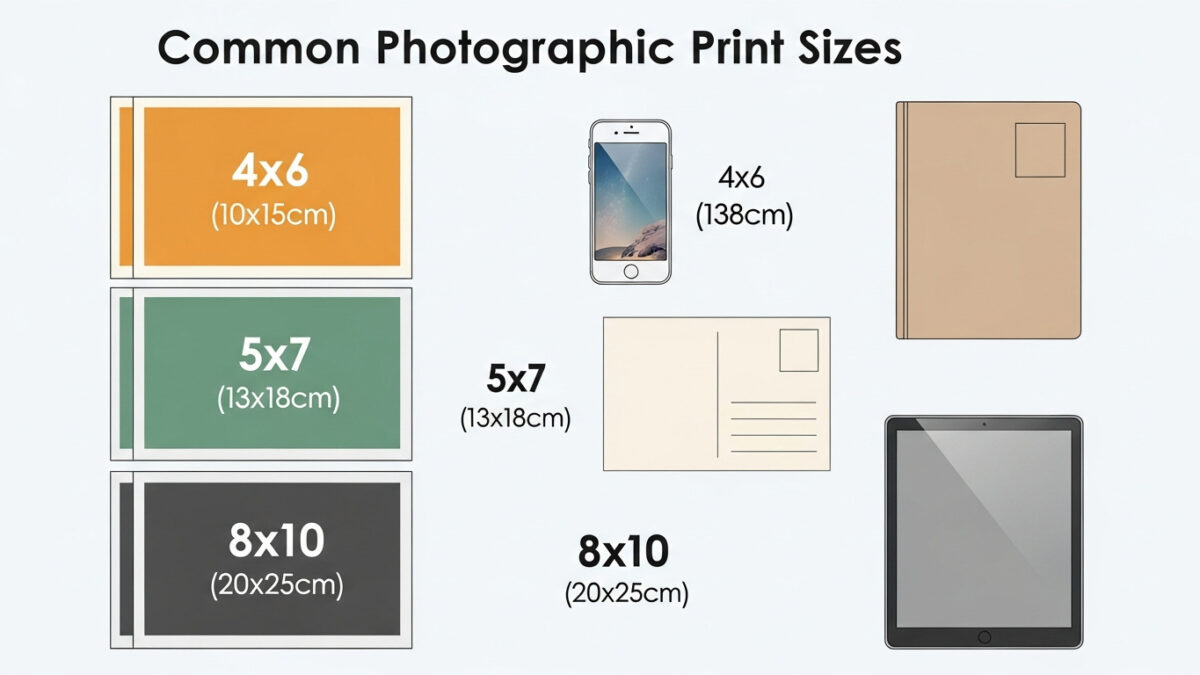
In today’s visual world, photographers, designers, and everyday creators constantly work with images. Whether you print family snapshots or prepare professional graphics for online platforms, understanding standard photo sizes helps you achieve sharp, balanced results. These dimensions influence everything from framing choices to digital display quality.
Professionals often rely on precise sizes and expert photo retouching to avoid distortion or pixelation. This guide explores traditional print formats, modern digital standards, and practical tips to help you make informed decisions.
Standard sizes need standard perfection. Get a free clipping path demo for any print size
- The Evolution of Photo Sizes Through History
- Why Standard Photo Sizes Matter in Printing and Digital Work
- Common Standard Print Photo Sizes and Their Best Applications
- Exploring Square Photo Sizes for Modern Creativity
- Large Format and Panoramic Photo Sizes for Impactful Displays
- Decoding Aspect Ratios: The Foundation of Photo Dimensions
- Resolution Essentials: Ensuring Quality Across Sizes
- How to Choose the Perfect Photo Size for Your Project
- Standard Photo Sizes for Web, Social Media, and Digital Platforms
- Practical Tips for Working With Photo Sizes Effectively
- Frequently Asked Questions (FAQs)
The Evolution of Photo Sizes Through History
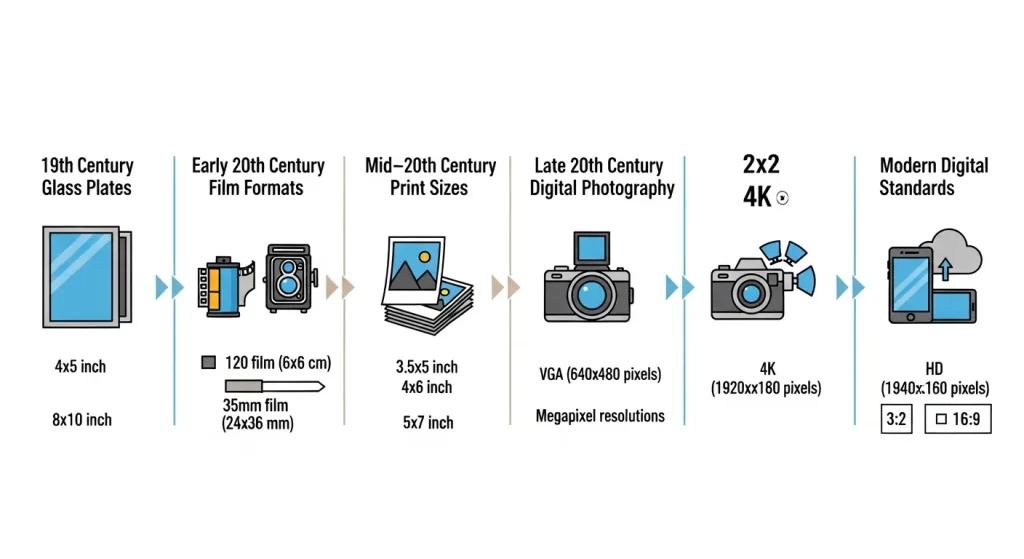
Photography has evolved dramatically since the 19th century. Early inventors used glass plates in sizes like 4×5″ or 8×10″, setting the foundation for later standards.
- 1930s – Leica introduced 35mm film with a 3:2 aspect ratio, revolutionizing portable photography.
- Mid-20th century – Medium-format cameras popularized the square 6×6 cm frame.
- Modern era – ISO 1008 formalized many sizes, blending imperial and metric systems.
Today, digital cameras default to 3:2 or 4:3 ratios, while printing services adapt to various output sizes. Understanding this history helps you appreciate why certain dimensions dominate the market.
Why Standard Photo Sizes Matter in Printing and Digital Work
Standard sizes streamline workflows, ensure device compatibility, and reduce waste. Printers and labs stock these common formats, making production efficient and cost-effective.
- For hobbyists – Guidelines prevent common errors like blurry enlargements.
- In printing – 4×6″ matches most camera outputs seamlessly.
- Digitally – Optimized dimensions load quickly and display correctly on screens.
- For business – E‑commerce sites use standard sizes for consistent branding.
Common Standard Print Photo Sizes and Their Best Applications
Common Standard Print Photo Sizes & Best Applications
| Size (inches) | Size (cm) | Best Use |
|---|---|---|
| 4×6 | 10×15 | Snapshots, wallets, albums |
| 5×7 | 13×18 | Tabletop frames, greeting cards |
| 8×10 | 20×25 | Professional portraits, school photos |
| 11×14 | 28×35 | Wall art, group photos |
| 16×20 | 40×50 | Posters, gallery displays |
| 20×30 | 50×75 | Large decor, statement pieces |
Tip: A small print can get lost in a big room, while an oversized print may overwhelm a desk. Match size to space and audience.
Resizing for multiple formats? Our multi‑clipping path service handles all sizes at once
Exploring Square Photo Sizes for Modern Creativity
Square formats (1:1 ratio) bring symmetry and focus. They originated with medium-format film but thrive on social media.
| Size | Best Use |
|---|---|
| 4×4″ | Mini prints, coasters, crafts |
| 5×5″ | Instagram-inspired prints |
| 8×8″ | Albums, wall grids |
| 12×12″ | Decor, nostalgic vinyl-like prints |
Pro tip: Designers use squares for balanced layouts in brochures and websites. Experiment with cropping to square for a unique, minimalist perspective.
Learn more about image aspect ratios
Large Format and Panoramic Photo Sizes for Impactful Displays
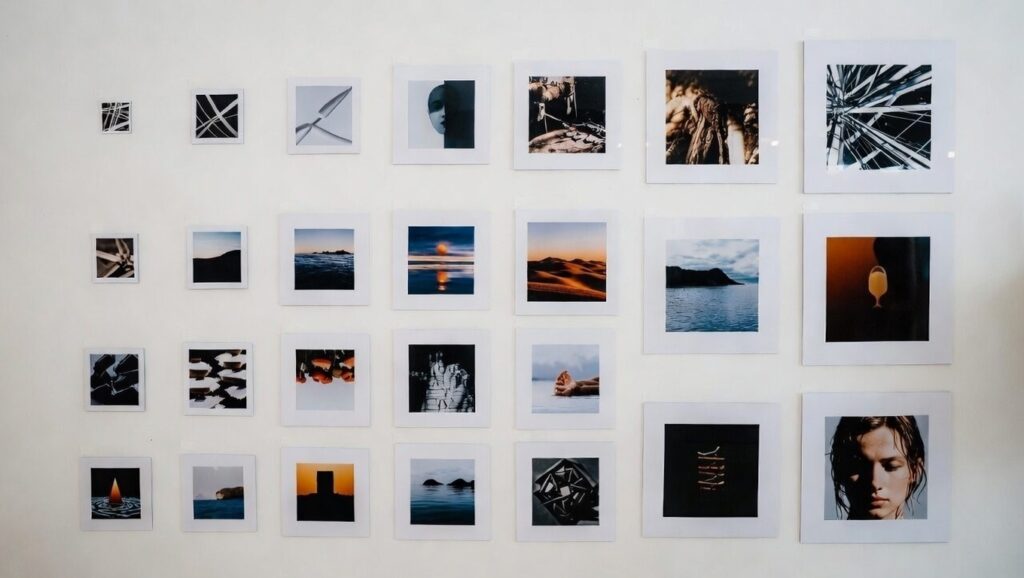
Large formats turn images into immersive experiences. Enlargement amplifies flaws, so careful planning is essential.
Popular Large Sizes
- 24×36″ – Posters and billboards (requires 300+ DPI)
- Panoramic 5×15″ – Slim frames for horizons or cityscapes
- 8×24″ – Hallways and wide scenes
- 12×36″ – Gallery-worthy landscapes
Tip: Measure your wall first. Viewing distance matters – step back to appreciate the scale. Always use high‑resolution files.
Enhance large prints with professional clipping path services
Decoding Aspect Ratios: The Foundation of Photo Dimensions
Aspect ratios define a photo’s shape. Choose wisely to avoid unwanted cropping.
| Ratio | Common Use |
|---|---|
| 3:2 | Most DSLRs, natural landscapes |
| 4:3 | Compact cameras, video screens |
| 16:9 | Widescreens, cinematic video |
| 1:1 | Square, social media |
| 3:1 | Wide panoramas |
For a comprehensive look, explore this photo resolution guide from Adobe.
Resolution Essentials: Ensuring Quality Across Sizes
Resolution measures detail in pixels per inch (PPI) or dots per inch (DPI). Prints need 300 DPI for sharpness, while screens suffice at 72 PPI.
Megapixels count total pixels, higher numbers support larger prints. A 12-megapixel image handles 8×10 comfortably, but 20×30 requires more like 24 megapixels.
Start with high-resolution originals. Downscaling preserves quality, but upscaling blurs edges. Tools like Photoshop upscale intelligently, but limits exist.
Tips for resolution:
- Check file properties before printing.
- Use RAW formats for maximum data.
- Test small proofs for large outputs.
Maintaining resolution avoids common pitfalls, delivering vibrant, clear images.
How to Choose the Perfect Photo Size for Your Project
Ask yourself:
- Where will it display? (Wall, desk, phone screen)
- Who will view it? (Close-up or from a distance)
- What frame sizes are available? (Standard sizes are easier to find)
Try this: Cut paper templates to visualize on your wall. For digital, prioritize load times without sacrificing clarity.
Avoid over‑enlarging low‑res images. Crop thoughtfully to enhance composition.
Standard Photo Sizes for Web, Social Media, and Digital Platforms
Digital sizes are measured in pixels, not inches.
Common Web Sizes
- Full HD banner: 1920×1080
- Blog images: 800–1200 pixels wide
Social Media Cheat Sheet
| Platform | Image Size (pixels) |
|---|---|
| Instagram (square) | 1080×1080 |
| Instagram Story | 1080×1920 |
| Facebook post | 1200×630 |
| Facebook cover | 820×312 |
| Twitter/X post | 1200×675 |
| Twitter/X header | 1500×500 |
| LinkedIn banner | 1584×396 |
◯ Save as JPEG or PNG. Use tools like Canva for quick resizing.
Practical Tips for Working With Photo Sizes Effectively
- ✓ Always shoot in high resolution for flexibility.
- ✓ Organize files by output type (print vs. digital).
- ✓ Use software to batch resize.
- ✓ Calibrate your monitor for accurate previews.
- ✓ Choose matte or gloss paper based on lighting conditions.
Avoid these common mistakes:
- Ignoring ratios → distortion
- Forgetting borders → shrinks effective space
Pro tip: Layer multiple sizes in collages for dynamic displays.
Stop worrying about dimensions. Contact us for a free quote on ghost mannequin (perfect for lookbooks)
Frequently Asked Questions (FAQs)
What is the most common standard photo print size?
4×6 inches – it matches most digital camera outputs and fits albums or frames effortlessly.
How do aspect ratios affect photo printing?
Aspect ratios determine shape. A mismatch causes cropping. Choose ratios like 3:2 for landscapes to maintain composition.
What resolution do I need for large prints?
300 DPI minimum. For a 20×30″ print, start with at least 24 megapixels.
Yes – 1:1 ratios (e.g., 1080×1080) fit Instagram perfectly and promote balanced, eye-catching posts.
How can I convert inches to centimeters for photo sizes?
Multiply inches by 2.54. Example: 8×10″ → about 20×25 cm.
What sizes work best for panoramic photos?
Try 12×36″ for wide landscapes. Ensure your file supports the elongated ratio without quality loss.
Do digital photo sizes differ from print ones?
Yes. Digital uses pixels (e.g., 1920×1080), while print uses inches or cm. Always optimize for the intended medium.
How do I avoid pixelation when enlarging photos?
Use high‑resolution originals and careful upscaling. Test small proofs first.