

Parts of a Camera: A Beginner’s Guide to Camera’s Anatomy
May 4, 2026
How to Become a Commercial Photographer: 2026 Pro Guide
May 5, 2026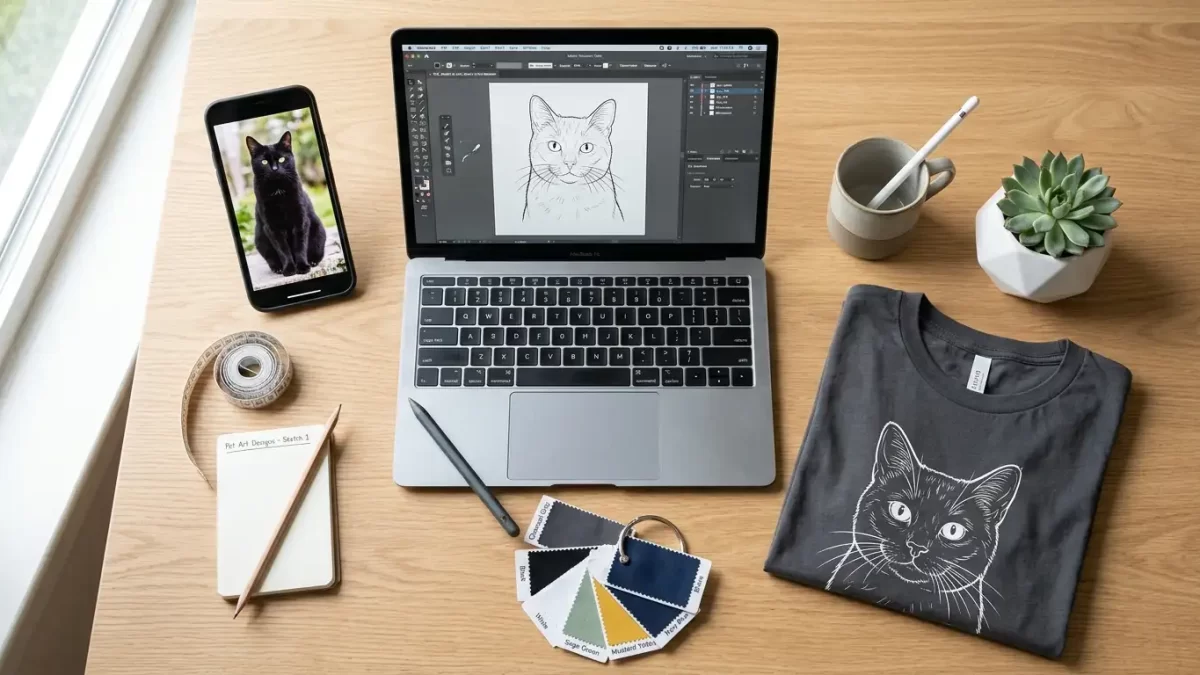
- Wear Your Best Friend on Your Sleeve — Literally
- Why Custom Pet T-Shirts Are More Popular Than Ever
- Step 1: Capture or Choose the Perfect Pet Photo
- Step 2: Edit and Optimize the Image for Apparel Printing
- Step 3: Choose a Design Style That Fits Your Pet’s Personality
- Step 4: Pick the Right Printing Method
- Step 5: Choose the Right T-Shirt Blank
- Step 6: Prepare and Submit Your Final Design File
- Step 7: Order, Inspect, and Care for Your Custom Pet T-Shirt
- Bonus: Creative Ways to Use Your Custom Pet T-Shirt
- Common Mistakes to Avoid
- Working with a Professional Photo Editor: What to Expect
- Frequently Asked Questions
- Final Thoughts: Your Pet Deserves the Best Print Possible
Wear Your Best Friend on Your Sleeve — Literally
There’s something undeniably joyful about wearing your pet’s face on your chest. Maybe it’s the way strangers smile when they spot your golden retriever immortalized in pop-art colors, or the quiet comfort of carrying a memorial portrait of a beloved cat who crossed the rainbow bridge. Custom pet t-shirts have moved far beyond a quirky novelty — they’ve become wearable love letters, conversation starters, and some of the most personal gifts you can give.
But turning a blurry phone snapshot into a crisp, gallery-worthy shirt design isn’t as simple as pressing “upload.” The journey involves smart photography choices, professional photo editing, the right printing technology, and a design style that genuinely reflects your pet’s personality. This guide walks you through every step — from snapping the perfect shot to unboxing your finished tee — so your dog, cat, rabbit, or even your iguana ends up looking absolutely runway-ready.
Ready to transform your pet’s photo into a print-perfect masterpiece? Our professional photo retouching team sharpens fur, brightens eyes, and prepares your image for stunning t-shirt results.
Why Custom Pet T-Shirts Are More Popular Than Ever
The pet humanization trend continues to reshape consumer behavior. According to the American Pet Products Association, Americans spent over $150 billion on their pets in recent years, and personalized merchandise represents one of the fastest-growing segments. People no longer see pets as accessories — they see them as family.
Custom pet shirts tap directly into that emotional bond. Pet parents wear them to:
- Celebrate adoption anniversaries and rescue stories
- Memorialize beloved pets who have passed away
- Surprise friends and family with deeply personal gifts
- Promote pet businesses, groomers, and rescue charities
- Match outfits with their pets for events and photoshoots
- Show off breed pride at meetups, dog parks, and conventions
The numbers tell a story, but the emotion behind them tells an even bigger one. A shirt featuring your pet feels different from a generic graphic tee — it feels like yours.
The Rise of Pet-Themed Apparel as a Gift Economy
Birthdays, Mother’s Day, Father’s Day, and the winter holidays now drive massive demand for personalized pet products. Etsy, Shopify, and print-on-demand platforms have made this category accessible to anyone with a smartphone — but accessibility doesn’t always equal quality. The difference between a forgettable shirt and a treasured keepsake almost always comes down to photo preparation and design execution.
Step 1: Capture or Choose the Perfect Pet Photo
Your shirt design lives or dies by the source image. A muddy, low-light photo will look muddy and low-light on cotton too — printing only magnifies flaws. Before you upload anything, audit your photo against these standards.
What Makes a Photo “Print-Ready”
A great pet photo for apparel printing checks several boxes:
- High resolution — aim for at least 300 DPI at the intended print size (typically 10–14 inches wide)
- Sharp focus on the eyes — fuzzy eyes ruin the emotional impact instantly
- Even, natural lighting — soft daylight beats harsh flash every single time
- Clear separation between pet and background — busy backgrounds complicate cutouts
- Visible facial features — avoid extreme angles that hide the snout or ears
- Original file format — JPG or PNG straight from the camera, not screenshots
Quick Photography Tips for Better Pet Shots
If you’re snapping a fresh photo specifically for the shirt, follow these field-tested rules:
- Shoot at eye level so you connect directly with your pet’s gaze
- Use treats or squeaky toys to grab their attention right above the lens
- Photograph near a window during golden hour for warm, flattering light
- Burst mode is your friend — pets blink and move, so capture 20+ frames
- Avoid wide-angle smartphone lenses that distort snouts and faces
- Skip the flash — it creates demonic red-eye and flattens fur texture
What to Avoid
Some photos simply cannot be rescued, even by the best editors. Watch out for:
- Heavy motion blur that erases facial detail
- Backlighting that turns your pet into a silhouette
- Extreme pixelation from cropping a small portion of a larger image
- Screenshots from social media (these are usually compressed beyond saving)
- Photos where the pet’s face takes up less than 25% of the frame
Got a photo with a messy background or distracting elements? Let our expert clipping path service isolate your pet with hand-drawn precision before printing.
Step 2: Edit and Optimize the Image for Apparel Printing
Even a fantastic photo needs polish before it lands on fabric. Print is unforgiving — it amplifies every shadow, stray hair, and color cast that your eye might miss on a phone screen. This is where professional editing transforms a good photo into a print-perfect asset.
Core Editing Tasks for Pet T-Shirt Designs
Professional editors typically perform these adjustments:
- Background removal — isolate your pet on a transparent or solid backdrop
- Color correction — neutralize yellow, blue, or green color casts
- Exposure balancing — recover shadow detail without blowing out highlights
- Fur enhancement — sharpen individual hairs for that lifelike texture
- Eye brightening — make those soulful eyes truly pop
- Stray object removal — eliminate leashes, food bowls, or distracting hands
- Skin and nose retouching — soften blemishes, scratches, or red patches
DIY Editing vs. Professional Help
Free apps like Snapseed, Canva, and Photoroom can handle basic background removal, but they struggle with the fine details that matter most: wispy fur edges, whiskers, and translucent ear tips. Free tools often leave halo lines or chunky pixel artifacts around fluffy pets — and those flaws print loud and clear.
Adobe’s professional suite remains the industry standard, though many designers explore solid alternatives. If you’re curious about which programs can match Illustrator’s vector capabilities for shirt design work, this guide to the best Adobe Illustrator alternatives breaks down the strongest options for designers on every budget.
When to Hand It Off to Specialists
Outsource your editing if any of these apply:
- Your pet has long, fluffy, or wispy fur (collies, persians, chow chows)
- The original photo contains other pets or people you want removed
- You need a vector-style portrait rather than a photographic print
- You’re producing the shirt for a business or commercial product line
- The photo holds emotional weight (memorial pieces deserve flawless work)
Working with multiple pets in one image? Our multi-clipping path service separates each animal cleanly so you can edit, recolor, or arrange them individually.
Step 3: Choose a Design Style That Fits Your Pet’s Personality
Your printing technology matters, but design style determines the entire vibe of the shirt. The same photo can become eight wildly different products depending on the artistic direction you choose. Pick the style that captures your pet’s spirit, not just their appearance.
Popular Pet Portrait Styles for T-Shirts
Each style serves a different aesthetic and audience:
- Photorealistic — keeps the original photo essentially intact, ideal for sentimental and memorial shirts
- Pop Art (Warhol-inspired) — bold neon panels and high-contrast color blocks for playful energy
- Watercolor — soft, painterly washes that feel artistic and gallery-worthy
- Line Art / Minimalist — single-color outlines that work beautifully on premium soft cotton
- Cartoon / Vector Illustration — clean shapes and exaggerated features for a fun, modern look
- Vintage / Retro — distressed textures, faded palettes, and 70s typography
- Royal Pet Portraits — your pet dressed as a Renaissance king, queen, or military officer
- Pixel Art / 8-Bit — nostalgic gamer-style designs that geek-out beautifully
Matching Style to Pet Personality
Think about your pet beyond looks:
- Goofy, hyperactive dogs shine in cartoon and pop-art styles
- Regal cats and dignified senior pets look stunning in royal portrait treatments
- Memorial pieces lean toward watercolor or photorealistic for emotional weight
- Modern, design-conscious owners often prefer minimalist line art
- Kids’ shirts work best with bold, colorful cartoon illustrations
Adding Text, Names, and Quotes
Typography turns a portrait into a story. Effective text additions include:
- The pet’s name in a bold display font
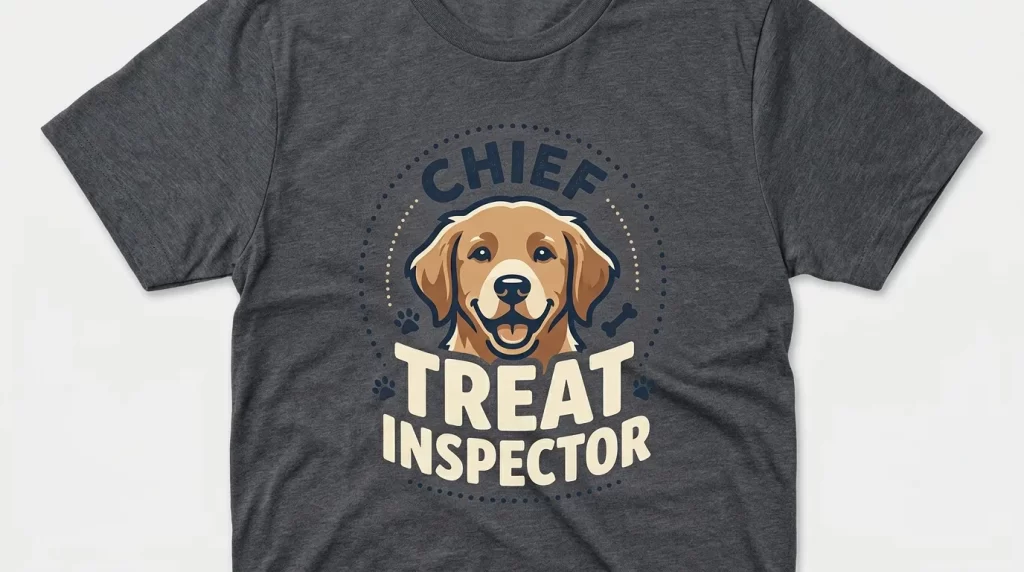
- A nickname or inside joke (“Chief Treat Inspector”)
- Important dates for memorial designs
- Funny quotes (“My therapist has four legs”)
- Breed-specific humor or stereotypes
Keep text legible at distance — small script fonts get muddy on fabric. Pair fancy fonts with simple ones, and never use more than two typefaces in a single design.
Want a polished, magazine-quality finish? Our advanced photo retouching service refines fur details, brightens eyes, and adds depth that screen-printers love.
Step 4: Pick the Right Printing Method
Printing technology dramatically impacts color, durability, and cost. The right choice depends on your fabric, design complexity, and order volume. Here’s an honest comparison of the four methods that dominate pet apparel.
Direct-to-Garment (DTG) Printing
DTG sprays water-based ink directly onto the fabric, much like an inkjet printer hitting paper. According to Printful’s printing guide, DTG handles photo-realistic detail with thousands of color variations — making it ideal for pet portraits.
Best for:
- Photo-realistic pet portraits with subtle gradients
- Small-batch and one-off orders
- 100% cotton or high-cotton blends
- Designs with intricate fur detail
Drawbacks:
- Slightly softer color saturation than sublimation
- Higher per-unit cost on bulk runs
- Works less effectively on synthetic fabrics
Sublimation Printing
Sublimation transfers dye into the fibers using heat, producing prints that feel like part of the fabric itself.
Best for:
- Vibrant, all-over print designs
- Polyester and poly-blend shirts
- Long-lasting prints that won’t crack or peel
- Light-colored garments (sublimation can’t print white)
Drawbacks:
- Doesn’t work on cotton without a special coating
- Limited to lighter shirt colors
- Requires synthetic fabrics, which some pet parents avoid
Direct-to-Film (DTF) Printing
DTF prints your design onto a special film and heat-transfers it to almost any fabric.
Best for:
- Mixed-fabric runs (cotton, polyester, blends)
- Bold, high-contrast designs
- Dark-colored shirts
- Mid-range order quantities
Drawbacks:
- Slightly thicker hand-feel than DTG
- Less photo-realistic on subtle gradients
Screen Printing
The classic method uses ink pushed through a mesh screen. Each color requires a separate screen.
Best for:
- Bulk orders (50+ shirts)
- Bold 1-3 color designs (pop art, line art, cartoon styles)
- Maximum durability — these prints last decades
Drawbacks:
- Not suitable for photo-realistic portraits with many colors
- High setup costs make small runs uneconomical
Quick-Reference Table
| Method | Best Style | Best Fabric | Order Size |
|---|---|---|---|
| DTG | Photorealistic | Cotton | 1–50 |
| Sublimation | All-over print | Polyester | Any |
| DTF | High-contrast | Any fabric | 1–100 |
| Screen Print | Pop art / Line art | Cotton | 50+ |
Step 5: Choose the Right T-Shirt Blank
The print is only half the product. The blank shirt — its weight, fit, and material — determines how the final piece feels and how long it lasts.
Fabric Options Compared
- 100% combed cotton — soft, breathable, ideal for DTG and screen printing
- Cotton-poly blends (50/50 or 60/40) — durable, less prone to shrinking, slightly stretchy
- Tri-blend (cotton, polyester, rayon) — drapes beautifully, premium hand-feel, vintage look
- 100% polyester — required for sublimation, lightweight, dries fast
- Organic cotton — eco-conscious choice, often softer than conventional cotton
- Bamboo blends — silky texture, hypoallergenic, sustainable
Fit and Style Considerations
Different cuts flatter different bodies and aesthetics:
- Classic crewneck — universal, easy gifting choice
- V-neck — softer, more flattering for some body types
- Oversized boxy fit — trendy, perfect for streetwear-leaning designs
- Fitted women’s cut — tapered for a more tailored silhouette
- Long-sleeve and ¾-sleeve — extends seasonal usefulness
- Hoodies and crewneck sweatshirts — pair beautifully with the same artwork
Color Choices That Print Well
White and natural shirts deliver the most vibrant DTG and sublimation results. If you want a darker shirt, factor in a white underbase (which most printers add automatically for DTG on dark fabrics) — this affects the overall hand-feel and print cost.
For shirts where shadows make or break the design, our shadow creation service adds natural drop and reflection shadows that bring your pet portrait to life.
Step 6: Prepare and Submit Your Final Design File
Even the best photo and design idea can collapse at the file-prep stage. Printers receive thousands of submissions weekly, and many fail technical checks. Avoid the heartbreak of a botched print by following these specs.
Technical File Requirements
- Resolution: 300 DPI at full print size (usually 12 × 14 inches)
- Color mode: sRGB for digital prints, CMYK for screen-printed runs
- File format: PNG with transparent background for most modern printers; AI/EPS/SVG for vector work
- Dimensions: match the printer’s print area exactly to avoid cropping
- Background: transparent unless the design intentionally includes one
Common File Mistakes That Ruin Prints
Watch out for these silent killers:
- Saving as low-quality JPEG (introduces compression artifacts)
- Using RGB neon colors that CMYK printers can’t reproduce
- Embedded fonts that aren’t outlined (text reflows or disappears)
- Tiny details under 2mm thick (these vanish on press)
- Designs that bleed off the print area’s edges
Final Pre-Submission Checklist
Before clicking “submit,” confirm:
- The image is exactly 300 DPI at print size
- All text has been converted to outlines or flattened
- The background is transparent (PNG) or the right solid color
- Fur edges look clean — no halos or chunky pixels
- Colors look correct on at least two different screens
- You’ve ordered a single test print before bulk production
Need a perfect cutout around fluffy fur or whiskers? Our advanced image masking service preserves every wisp and stray hair where standard tools fail.
Step 7: Order, Inspect, and Care for Your Custom Pet T-Shirt
You’ve made it through the design marathon — now comes the rewarding part. But a few smart habits at the ordering and care stages will protect your investment for years.
Smart Ordering Habits
- Always order one sample first before committing to a bulk run
- Buy a half-size up if you plan to wash on hot or want a relaxed fit
- Read the printer’s color disclaimer — screens and fabric never match perfectly
- Save the original design file in cloud storage for future reorders
- Take a “day-one” photo of the shirt to track wear over time
Caring for Printed Pet Shirts
Even premium prints fade if you abuse them. Extend the life of your shirt with these habits:
- Turn the shirt inside out before every wash
- Wash in cold water with mild detergent
- Skip the bleach and fabric softener entirely
- Hang dry when possible, or tumble dry on low
- Iron the inside of the shirt only — never directly on the print
- Avoid dry cleaning, which uses solvents that crack inks
According to Consumer Reports’ laundry guidance, cold water washing also reduces energy use by up to 90% — a small win for your wallet and the planet.
Bonus: Creative Ways to Use Your Custom Pet T-Shirt
Once you’ve nailed one design, the possibilities multiply quickly. Many pet parents end up creating entire wardrobes and gift collections from a single great photo.
Gift and Lifestyle Ideas
- Family matching sets — the same pet portrait across mom, dad, kids, and grandparents
- Memorial keepsakes — comforting tribute shirts featuring beloved pets who passed
- Pet birthday parties — bundled merch for guests
- Adoption celebration shirts — commemorate “gotcha day” anniversaries
- Business uniforms — groomers, dog walkers, and rescues building brand identity
- Travel souvenirs — turn vacation pet photos into wearable memories
Expanding Beyond T-Shirts
The same edited photo file can power dozens of products:
- Hoodies and crewneck sweatshirts
- Tote bags and backpacks
- Throw pillows and blankets
- Mugs, water bottles, and tumblers
- Phone cases and laptop sleeves
- Wall art prints and framed canvases
A single hour of professional editing pays off across an entire merch line.
Planning a multi-product launch? Our background removal service delivers clean, transparent cutouts that work flawlessly across t-shirts, mugs, totes, and beyond.
Common Mistakes to Avoid
Even seasoned pet parents stumble on the same handful of issues. Sidestep these and you’ll save money, time, and disappointment.
- Submitting a screenshot instead of the original photo file
- Skipping the test print and ordering 25 shirts of an untested design
- Ignoring the seasons — heavy fabrics in summer go unworn
- Cluttering the design with too much text and too many decorative elements
- Using copyrighted fonts or graphics without proper licensing
- Rushing the editing step with cheap auto-tools that destroy fur edges
- Choosing flashy fabrics that don’t suit the print method
- Trusting on-screen colors blindly — always order a proof when possible
Working with a Professional Photo Editor: What to Expect
Hiring a pro editor sounds intimidating, but the process is usually fast and affordable. Most reputable services offer turnarounds between 6 and 24 hours and charge per image rather than per hour.
The Typical Workflow
- Upload your raw photo through the service’s portal or email
- Specify the end use (t-shirt print, mug, canvas, etc.)
- Receive a proof within hours
- Request revisions as needed (most services offer 2–3 free rounds)
- Download the final file in print-ready format
What a Good Editor Will Ask You
Quality editors collect detailed briefs before starting. Expect questions like:
- What’s the final printed size?
- Which printing method will be used?
- Do you want a transparent background or a custom backdrop?
- Should other pets, people, or objects be removed?
- Are there reference images for the style you want?
If your editor doesn’t ask these questions, that’s a red flag. Detail matters in this craft.
Frequently Asked Questions
1. What resolution does my pet’s photo need to be for a t-shirt print?
Aim for 300 DPI at the final print size, which usually means an image at least 3,000 × 3,000 pixels. Lower resolutions can work for small chest-pocket prints (around 150–200 DPI), but anything full-front needs the 300 DPI standard for crisp fur and whisker detail.
2. Can I use a photo from my phone, or do I need a professional camera?
Modern smartphones (iPhone 12 and newer, Samsung Galaxy S20+, Google Pixel 5+) capture more than enough resolution for excellent t-shirt prints. The bigger factors are lighting, focus, and composition — not the camera brand. Avoid screenshots and heavily-filtered Instagram exports, which lose critical detail.
3. How much does a custom pet t-shirt typically cost?
Single shirts from print-on-demand services usually range between $25 and $55, depending on style, printing method, and shirt quality. Bulk orders bring the per-unit cost down significantly. Professional photo editing adds roughly $3–$15 per image, which is well worth it for a piece you’ll wear for years.
4. Will the print fade after washing?
Quality prints from DTG, DTF, sublimation, or screen printing last 30–50+ wash cycles when cared for properly. Always wash inside out in cold water, skip the dryer or use low heat, and never iron directly on the print. Cheap heat-transfer vinyl prints fade fastest, so pick your printer carefully.
5. Can you make a custom t-shirt for a pet that has passed away?
Absolutely — memorial pet shirts are one of the most meaningful uses of this service. Submit any clear photo (even older or scanned prints), and a professional retoucher can restore detail, brighten faded colors, and prepare the image for a heartfelt tribute design. Many people add the pet’s name and “forever loved” dates.
6. What’s the best printing method for a fluffy or long-haired pet?
Direct-to-Garment (DTG) printing typically delivers the best results for fluffy pets, since it captures subtle gradients in fur that other methods flatten. Pair DTG with professional masking on the original photo so individual hairs stay visible at the edges of the cutout.
7. Can I put more than one pet on the same shirt?
Yes — multi-pet designs are extremely popular for households with multiple animals. Each pet should ideally come from a separate, well-lit photo so an editor can isolate them individually and arrange them into a cohesive composition. A multi-clipping service handles this efficiently.
8. Do I need to worry about copyright or licensing?
If the photo was taken by you (or by someone who gave you permission), you’re in the clear. Be careful with stock photos, professional pet photographer shots without a release, copyrighted character art, and licensed fonts. Free fonts and original photography keep you safely in the green.
Final Thoughts: Your Pet Deserves the Best Print Possible
A custom pet t-shirt isn’t just a piece of cotton — it’s a piece of your story. The dog who watched you through a tough year, the cat who decided your laptop was their throne, the senior pet whose face you can’t bear to forget — they all deserve a tribute that does them justice.
The difference between a shirt you’ll cherish for a decade and one you’ll quietly retire after a few washes comes down to attention at every stage: smart photography, professional editing, the right printing technology, a thoughtful design style, and proper care after delivery. Skip the shortcuts on the editing step especially — that’s where almost every disappointing shirt fails.
Whether you’re memorializing a beloved companion, gifting a fellow pet parent, or just treating yourself to something genuinely personal, take the time to do it right. Your pet has spent their whole life making yours better. A well-made t-shirt is the smallest possible thank-you.
Ready to bring your pet’s portrait to life with crisp edges, vibrant colors, and gallery-quality polish? Visit PhotoFixal for fast, professional photo editing built for print-perfect results.