


Best Photo Retouching Software in 2026
January 24, 2026
How to Add Realistic Shadows in Photoshop: Step-by-Step Guide
January 24, 2026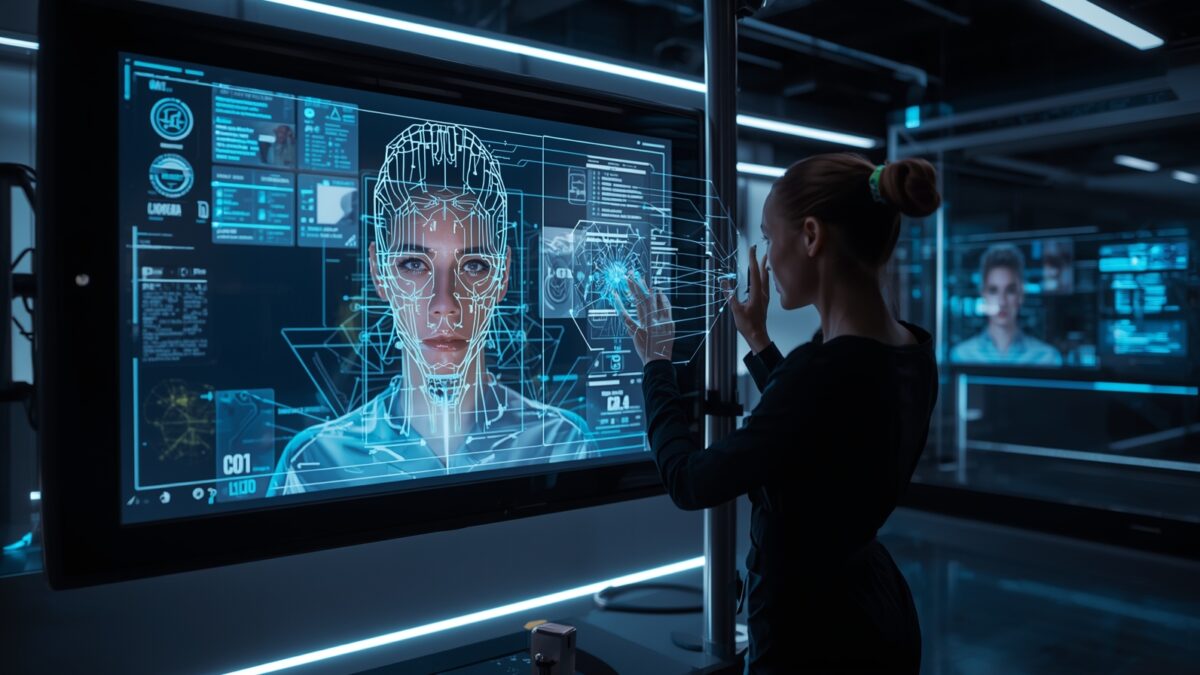
Photographers today face a rapidly evolving landscape where technology reshapes creative processes. Artificial intelligence streamlines tasks that once demanded hours of manual effort, allowing artists to focus on capturing moments rather than perfecting pixels. Professionals integrate these tools to enhance their workflows, producing stunning results that captivate audiences. This shift not only saves time but also opens new possibilities for innovation in visual storytelling.
- Understanding AI Photo Retouching
- How AI Transforms the Photo Retouching Process
- Essential Professional Photography Tips for Using AI Retouching
- Advantages of AI Photo Retouching for Professionals
- Drawbacks and Challenges of AI Photo Retouching
- Top AI Tools for Photo Retouching in 2026
- Case Studies: AI in Action for Professional Photographers
- Future Trends in AI Photo Retouching
- Conclusion
- Frequently Asked Questions
Understanding AI Photo Retouching
Artificial intelligence revolutionizes how photographers approach image enhancement. At its core, AI photo retouching uses machine learning algorithms to analyze and modify pictures automatically. These systems detect elements like skin tones, lighting inconsistencies, and background distractions, then apply corrections with precision. Unlike traditional methods that rely on human input for every adjustment, AI handles repetitive tasks swiftly.
Photographers often start with raw files from their shoots. AI tools scan these images, identifying areas for improvement such as blemish removal or color balancing. For instance, neural networks trained on vast datasets of professional photos learn to mimic expert techniques. This results in natural-looking enhancements that preserve the original essence of the shot. Professionals value this because it maintains authenticity while elevating quality.
The technology draws from computer vision and deep learning principles. Algorithms like convolutional neural networks process pixel data layer by layer, making decisions based on patterns they’ve learned. This approach ensures consistency across batches of images, which proves invaluable for wedding photographers or e-commerce specialists handling high volumes. As adoption grows, more creators experiment with these capabilities to refine their unique styles.
Experts predict that by 2034, the AI product photography market will reach $8.9 billion, growing at a compound annual rate of 15.7%. This surge reflects how integral AI becomes in daily operations. Photographers who embrace it position themselves ahead in a competitive field.
How AI Transforms the Photo Retouching Process
AI integrates seamlessly into editing workflows, automating steps that once bogged down professionals. Tools powered by this technology analyze images in seconds, suggesting edits or applying them directly. For example, they adjust exposure levels intelligently, considering the scene’s context rather than applying blanket changes.
One key transformation involves object recognition. AI identifies subjects like faces or products, then enhances them selectively. It smooths skin without erasing natural textures, a common pitfall in manual retouching. Professionals use this to maintain realism in portraits, ensuring expressions remain genuine.
Batch processing stands out as another game-changer. Photographers upload entire sessions, and AI applies consistent edits across all files. This consistency helps build a signature look, crucial for branding. In product photography, AI removes backgrounds or corrects lighting variances, speeding up catalog creation.
Integration with existing software amplifies these benefits. Many platforms now embed AI features, allowing seamless transitions between manual and automated edits. This hybrid approach empowers photographers to override AI suggestions when needed, blending technology with artistic judgment.
Essential Professional Photography Tips for Using AI Retouching
Professionals leverage AI to elevate their craft, but success hinges on strategic application. Start by selecting tools that align with your style. Experiment with features like auto-enhance to understand their strengths before diving into complex projects.
- Calibrate Your Profile: Train AI on your past edits to create a personalized profile. This ensures the tool matches your aesthetic, saving refinement time.
- Focus on Subtle Enhancements: Avoid over-reliance on automation. Use AI for basics like noise reduction, then manually tweak details for a polished finish.
- Combine with Traditional Techniques: Blend AI with methods like frequency separation. This preserves skin details while removing imperfections efficiently.
- Test on Low-Stakes Images: Practice on non-client work to gauge AI’s output. Adjust settings to prevent unnatural results, building confidence.
- Incorporate Feedback Loops: Review AI-edited images with peers. Their insights help refine your use of the technology for better outcomes.
These tips help photographers harness AI without compromising creativity. For deeper insights into workflow integration, explore this guide on AI retouching for professionals.
Advantages of AI Photo Retouching for Professionals
AI brings numerous benefits that streamline professional photography. It drastically cuts editing time, allowing photographers to handle more clients. Studies show AI reduces post-production by up to 96% in some cases. This efficiency translates to faster deliveries and increased revenue.
Consistency ranks high among pros. AI applies uniform adjustments across images, ensuring a cohesive portfolio. For event photographers, this means entire albums maintain the same high standard without exhaustive manual checks.
Cost savings emerge as another plus. By automating routine tasks, professionals reduce the need for extensive outsourcing. Small studios particularly benefit, keeping more control in-house while managing budgets.
Creativity flourishes when AI handles the mundane. Photographers dedicate energy to composition and storytelling, experimenting with new ideas. AI also enables advanced effects, like intelligent upscaling, that enhance image quality beyond traditional limits.
The market reflects this value, with AI product photography projected to hit $5 billion by 2035, growing at 24.5% annually. These figures underscore how AI empowers professionals to thrive.
Drawbacks and Challenges of AI Photo Retouching
Despite its strengths, AI photo retouching presents hurdles that professionals must navigate. Over-editing risks unnatural results, where images lose authenticity. Algorithms sometimes misinterpret details, smoothing features excessively or altering colors inaccurately.
Ethical concerns arise too. AI can perpetuate biases from training data, affecting representations in diverse portraits. Photographers address this by vetting tools and applying manual corrections.
Dependency forms another con. Relying heavily on AI might erode core skills, leaving professionals vulnerable if technology fails. Balancing automation with hands-on practice mitigates this.
Technical limitations persist. AI struggles with complex scenes or unique artistic visions, requiring human intervention. In low-light or high-motion shots, it may introduce artifacts that demand fixes.
Professionals also face learning curves. Mastering AI tools takes time, and updates can disrupt workflows. For a balanced view, check this analysis of AI photo editing pros and cons.
Top AI Tools for Photo Retouching in 2026
Selecting the right tool maximizes AI’s potential in retouching. Imagen AI excels in batch editing, learning from your style to deliver personalized results. It suits high-volume professionals seeking efficiency.
Luminar Neo stands out for its intuitive interface and powerful features like sky replacement. Photographers appreciate its one-click enhancements that preserve natural looks.
Evoto targets portrait specialists with advanced skin retouching. Its AI detects facial features precisely, offering natural refinements without over-processing.
Aftershoot focuses on culling and initial edits, speeding up the early stages. It integrates well with other software for a seamless pipeline.
Retouch4me provides plugin-based solutions for specific tasks like dodge and burn. This modularity appeals to those customizing their setups.
For comprehensive reviews, refer to this list of best AI image editors in 2026.
Case Studies: AI in Action for Professional Photographers
Real-world applications illustrate AI’s impact. A wedding photographer slashed editing time from days to hours using Imagen AI, delivering galleries faster and booking more events. Clients praised the consistent quality, boosting referrals.
In e-commerce, a product shooter employed Luminar Neo to enhance thousands of images. AI’s background removal and lighting fixes improved sales conversions by 20%, as visuals appeared more appealing.
A portrait artist integrated Evoto for skin work, maintaining natural textures in diverse subjects. This approach reduced revisions and enhanced client satisfaction.
These examples show AI’s practical value, though success depends on thoughtful integration. Photographers adapt tools to their needs, ensuring technology supports rather than dictates creativity.
Future Trends in AI Photo Retouching
Looking ahead, AI evolves toward more intuitive interactions. Real-time editing during shoots could become standard, with cameras suggesting adjustments on the spot.
Ethical AI gains traction, with tools incorporating bias-detection features. This ensures fair representations across demographics.
Integration with augmented reality expands possibilities. Photographers might preview retouches in virtual environments, refining visions before capture.
Sustainability emerges as a focus. AI optimizes energy use in processing, appealing to eco-conscious professionals.
By 2026, 78% of businesses adopt AI, up from 55% in 2023, signaling widespread integration. Photographers who stay informed position themselves for these advancements.
For emerging tools, explore this comparison of AI photo editing software for 2026.
Conclusion
AI photo retouching reshapes professional photography, offering tools that enhance efficiency and creativity. By understanding its mechanics, applying targeted tips, and weighing pros against cons, photographers harness its power effectively. The right balance ensures technology amplifies artistic vision. As trends evolve, staying adaptable keeps professionals at the forefront. Embrace AI thoughtfully to elevate your work and delight clients.
Frequently Asked Questions
- What makes AI photo retouching different from traditional methods?
AI automates analysis and adjustments using algorithms, while traditional methods require manual input for each change. This speeds up processes but demands oversight for artistic control. - Can AI completely replace professional photographers?
No, AI enhances editing but lacks the creative intuition for composition and storytelling that human photographers provide. It serves as a tool, not a substitute. - How do I choose the best AI tool for my photography style?
Evaluate tools based on your needs, like portrait focus or batch processing. Test free trials and read reviews to find one that aligns with your workflow. - Are there privacy concerns with AI retouching tools?
Yes, some tools upload images to cloud servers. Opt for options with local processing or strong data policies to protect client privacy. - Does AI retouching affect image authenticity?
It can if overused, but professionals use it subtly to enhance rather than alter. Always disclose significant changes for transparency. - How much time can AI save in photo editing?
Depending on the tool and project, AI can reduce editing time by 50-96%, allowing more focus on shooting and client interactions. - What skills should photographers learn to use AI effectively?
Familiarize yourself with basic machine learning concepts and software interfaces. Practice integrating AI with manual techniques for optimal results. - Will AI make photo retouching more accessible to beginners?
Absolutely, as user-friendly tools lower the entry barrier. Beginners achieve professional-level edits quickly, though experience refines outcomes.