

Photography Tips 2026: The Modern Beginner-to-Pro Playbook for Sharper, Smarter, More Story-Driven Photos
January 17, 2026
How to Remove Background from Picture Online & Offline: Best Free and Paid Methods in 2026
January 19, 2026
Unlocking the Power of Bitmap Masking in Digital EditingBitmap masking stands out as a core technique in image manipulation that lets editors hide or reveal specific parts of a raster image without permanent changes. Professionals rely on it to blend elements seamlessly, isolate subjects, or apply effects selectively. This method uses alpha channels or layer masks to control transparency, making it ideal for complex compositions in photography and graphic design. You achieve non-destructive edits, preserving the original file while experimenting freely.
Experts turn to bitmap masking when dealing with intricate details like hair, fur, or translucent objects that simpler tools can’t handle well. It differs from vector masking by focusing on pixel-based images, offering pixel-level precision. You start by selecting areas and refining edges for smooth transitions. Tools in popular software enhance this process, allowing creators to build layered visuals that pop.
- What Exactly Is Bitmap Masking and Why It Matters
- Key Tools and Software for Effective Bitmap Masking
- Step-by-Step Guide to Applying Bitmap Masking
- Common Challenges in Bitmap Masking and How to Overcome Them
- Advanced Techniques to Elevate Your Bitmap Masking Skills
- Benefits of Outsourcing Bitmap Masking Services
- Integrating Bitmap Masking with Other Editing Methods
- Real-World Applications of Bitmap Masking
- Tips for Mastering Bitmap Masking Like a Pro
- Choosing the Right Image Masking Service Provider
- Frequently Asked Questions
What Exactly Is Bitmap Masking and Why It Matters
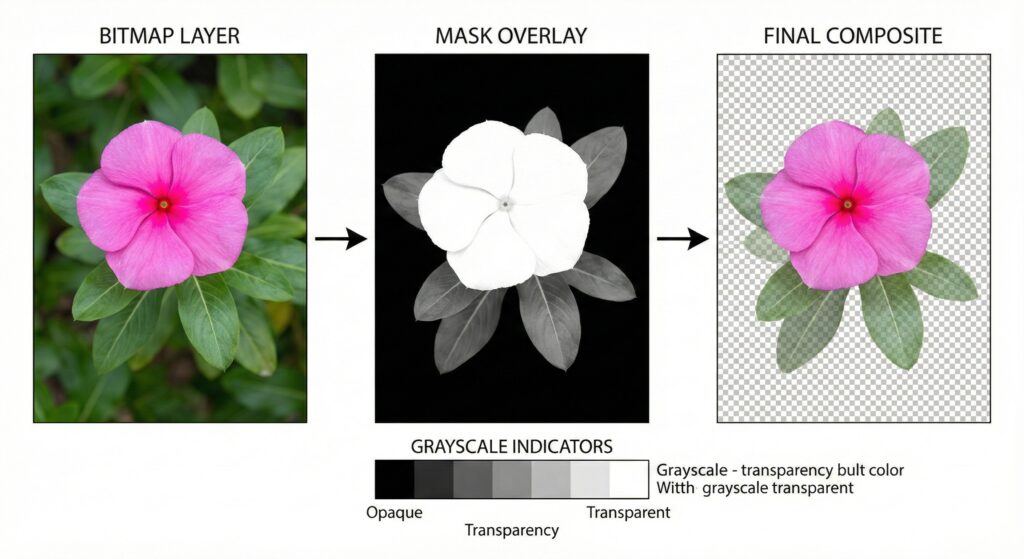
Bitmap masking involves creating a grayscale overlay on an image where black hides pixels, white reveals them, and grays provide partial transparency. Designers use this to composite multiple images or adjust specific regions without altering the whole file. It shines in scenarios like product photography, where you need to remove backgrounds while keeping fine details intact.
You apply bitmap masking through software that supports layers. The process begins with duplicating your layer, then painting on the mask with brushes. This flexibility lets you refine your work iteratively. For instance, a photographer editing a portrait might mask out stray hairs to blend the subject into a new scene naturally.
This technique boosts efficiency in workflows. Teams save time by avoiding destructive cuts, which means they revisit and tweak edits as needed. In creative fields, it opens doors to innovative designs, from surreal art to polished marketing materials.
Key Tools and Software for Effective Bitmap Masking
You find robust support for bitmap masking in leading editing programs. Adobe Photoshop leads the pack with its layer mask features, enabling precise control over every pixel. Users access brushes, gradients, and refinement tools to perfect their masks.
Other options include free alternatives like GIMP, which offers similar masking capabilities through its layer system. These tools let you import bitmap images and start masking right away. Professionals often combine them with tablets for hand-drawn accuracy.
When choosing software, consider your project’s scale. For high-volume tasks, automation plugins speed up the process. You experiment with different brushes to match the image’s texture, ensuring the mask blends without visible seams.
Step-by-Step Guide to Applying Bitmap Masking
Start by opening your bitmap image in the editor. Duplicate the layer to work non-destructively. Select the area you want to mask using tools like the lasso or quick selection for rough outlines.
Next, add a layer mask and invert it if needed to hide the selection. Use a soft brush to paint back details, adjusting opacity for gradual reveals. Zoom in on edges to refine with smaller brushes, erasing imperfections.
Test your mask by toggling visibility. Apply adjustments like color correction only to the masked area. This method ensures your edits stay targeted. For example, in fashion editing, you mask clothing textures to change backgrounds seamlessly.
Refine further with edge detection features. These automatically sharpen boundaries, saving manual effort. Practice on simple images first to build confidence before tackling complex ones.
Common Challenges in Bitmap Masking and How to Overcome Them
You often encounter issues like halo effects around edges, where unwanted glows appear from imprecise masking. Solve this by using the refine edge tool to feather boundaries softly.
Another hurdle involves matching lighting between masked elements and the background. Adjust shadows and highlights on the masked layer to create harmony. Test different blend modes to see what fits best.
For images with similar colors, selection tools might grab extra areas. Counter this by using color range selections first, then manually tweaking the mask. Patience pays off here, as rushing leads to sloppy results.
Professionals recommend working in high resolution to catch details early. Back up your files before major changes, allowing easy reversions. These steps turn potential frustrations into smooth processes.
Advanced Techniques to Elevate Your Bitmap Masking Skills
Take your bitmap masking further by incorporating alpha channels. You store masks separately, reusing them across projects for consistency. This approach streamlines workflows in large-scale productions.
Experiment with clipping masks, where one layer’s shape controls another’s visibility. Designers use this for text effects or patterned overlays on bitmap images. It adds depth without extra files.
Combine masking with filters for creative outcomes. Apply blurs or sharpeners only to masked regions, enhancing focus. In digital art, you layer multiple masks to build intricate scenes, like fantasy landscapes.
Study tutorials from experienced editors to pick up shortcuts. Keyboard commands speed up brushing and switching tools. Over time, these techniques make your edits faster and more professional.
Benefits of Outsourcing Bitmap Masking Services
Busy creators sometimes outsource bitmap masking to specialists who handle bulk tasks efficiently. These services use advanced tools to deliver quick turnarounds, freeing you for core creative work.
You gain access to expert refinements that elevate image quality. For e-commerce, precise masking ensures products look appealing on any background. Providers often include revisions, ensuring satisfaction.
Consider factors like turnaround time and pricing when selecting a service. Reliable ones offer samples to showcase their skills. This option suits those scaling operations without expanding in-house teams.
Integrating Bitmap Masking with Other Editing Methods
Pair bitmap masking with path clipping for hybrid results. While masking handles fuzzy edges, clipping paths excel at hard outlines. You switch between them based on the subject’s complexity.
Use the magic wand tool for background removal as a starting point before refining with masks. This combo accelerates initial selections.
Incorporate adjustment layers above your masks to tweak hues or contrasts selectively. This keeps edits organized and reversible. For web graphics, optimize masked images for faster loading without losing quality.
Blend masking into video editing for frame-by-frame effects. Software like After Effects extends bitmap principles to motion, creating dynamic visuals. These integrations expand your toolkit across media.
Real-World Applications of Bitmap Masking
Photographers apply bitmap masking to composite shots, merging elements from different photos into one cohesive image. It helps in creating dramatic portraits or scenic enhancements.
In advertising, designers mask products to place them in varied settings, testing visuals for campaigns. This flexibility aids in storytelling through images.
Graphic artists use it for illustrations, layering details to build depth. Web developers mask elements for responsive designs, ensuring smooth adaptations across devices.
E-commerce platforms rely on clean masking for product catalogs. It removes distractions, focusing viewer attention on items. Artists in film post-production mask greenscreens for seamless integrations.
Tips for Mastering Bitmap Masking Like a Pro
Practice regularly on diverse images to hone your eye for details. Start with high-contrast subjects to grasp basics, then move to subtler ones.
Customize your brush settings for each task. Soft edges work for organic shapes, while hard ones suit geometric forms. Use undo liberally to experiment without fear.
Layer your masks thoughtfully. Group related elements for easier management. Name layers descriptively to avoid confusion in complex files.
Seek feedback from peers on your masked images. Fresh eyes spot issues you might miss. Join online communities to share techniques and learn new ones.
Keep software updated for the latest masking features. These often include smarter auto-selections that cut down manual work.
Choosing the Right Image Masking Service Provider
When selecting a provider, evaluate their portfolio for quality and variety. Look for those specializing in bitmap masking to ensure expertise.
Check client reviews for reliability and communication. A good provider responds promptly and understands your vision.
Compare pricing structures, but prioritize value over cost. Some offer bulk discounts for ongoing needs.
Ensure they use secure file transfers to protect your assets. Clear contracts outline deliverables and timelines.
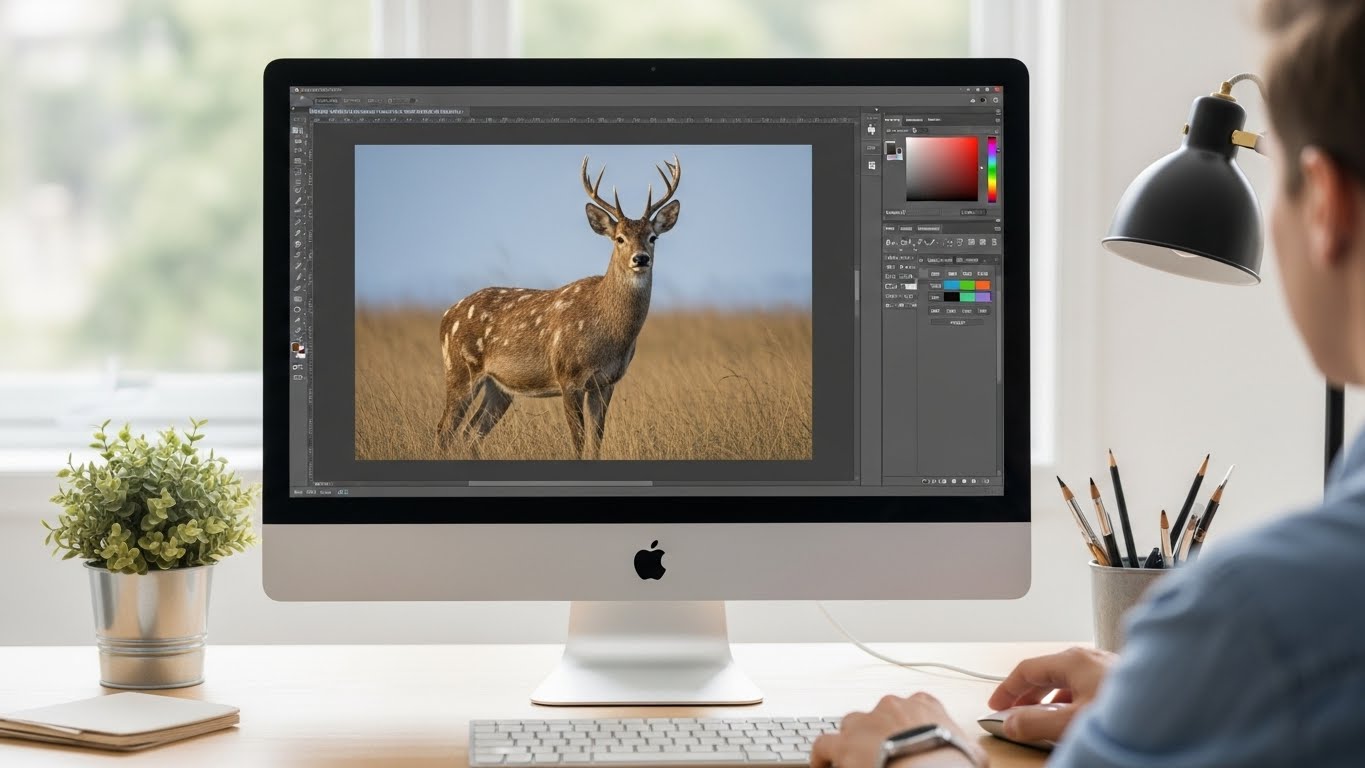
Bitmap masking transforms how you approach image editing, offering endless possibilities for creativity and precision. Embrace it in your projects to achieve results that stand out.
Frequently Asked Questions
What makes bitmap masking different from other masking types?
Bitmap masking focuses on raster images, using pixels for detailed control, unlike vector methods that rely on paths for scalable shapes.
How long does it take to learn bitmap masking effectively?
Beginners grasp basics in a few hours, but mastering refinements takes weeks of practice on varied images.
Can I use bitmap masking for video files?
Yes, extend the technique to video frames in compatible software for effects like object isolation or composites.
What file formats work best with bitmap masking?
PNG supports transparency well, while PSD preserves layers for ongoing edits in masking workflows.
Is bitmap masking reversible?
Absolutely, since it’s non-destructive; you adjust or remove masks anytime without harming the original image.