

How to Print Polaroid-Style Photos
March 12, 2026
How You Remove Clothing Wrinkles in Photoshop
March 18, 2026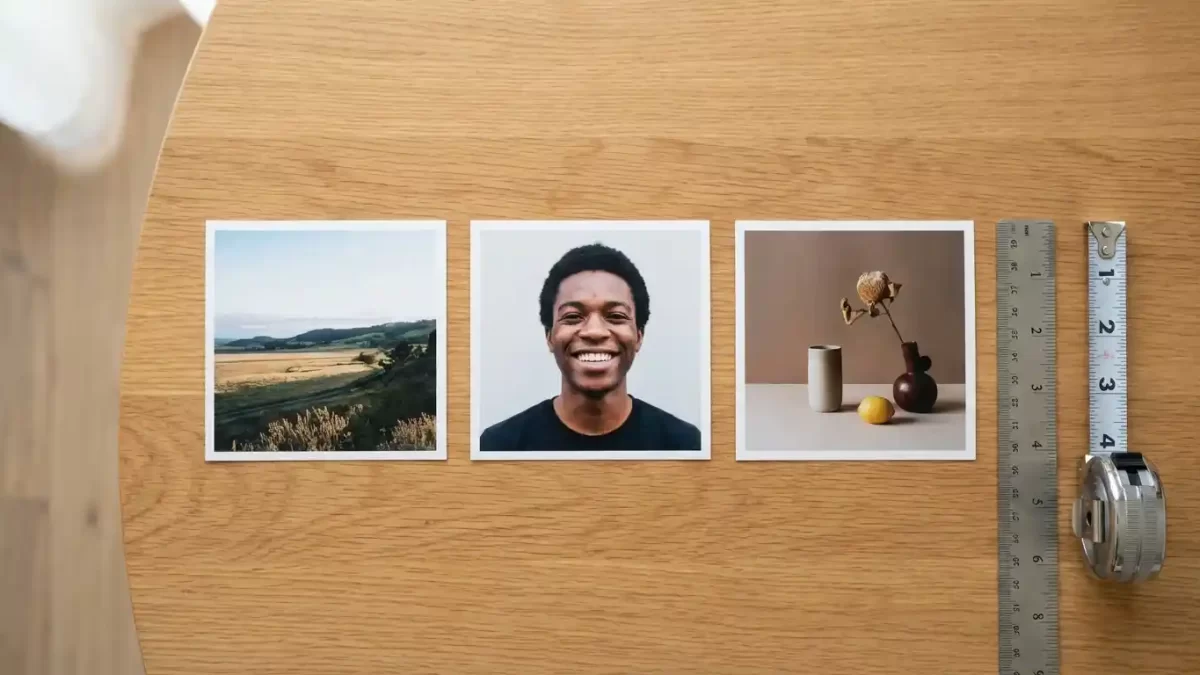
You want clear answers about how big 4×4 pictures are before you print or share them. These square photos measure exactly 4 inches wide × 4 inches tall – that’s 10.16 cm × 10.16 cm or 101.6 mm × 101.6 mm.
Photographers, hobbyists, and everyday users love the 4×4 format because it creates balanced layouts for albums, frames, gallery walls, and social media posts. In this guide, you’ll learn the right pixel counts for sharp prints, smart resizing methods, creative display ideas, and how to avoid common mistakes.
Key takeaway: The 1:1 aspect ratio keeps subjects centered without awkward cropping – perfect for both digital and physical projects.
Square photos need balanced composition. Check our multi‑clipping path service for product variations
- The Precise Dimensions of 4x4 Pictures
- Pixel Counts and Resolution for Sharp 4x4 Pictures
- How 4x4 Pictures Compare to Other Popular Sizes
- Common Uses for 4x4 Pictures in Daily Life
- Official Document Needs and 4x4 Pictures
- Smart Printing Tips for Stunning 4x4 Pictures
- Easy Resizing Steps for Perfect 4x4 Pictures
- Creative Display Ideas Using 4x4 Pictures
- Tools and Apps to Manage Your 4x4 Photo Projects
- Common Mistakes to Avoid When Handling 4x4 Pictures
- Boost Your 4x4 Pictures with Professional Clipping and Editing
- Why 4x4 Pictures Fit So Many Creative Projects
- Frequently Asked Questions (FAQ)
The Precise Dimensions of 4×4 Pictures
4×4 pictures are measured in multiple units to match any project need. The width and height both reach exactly:
| Unit | Measurement |
|---|---|
| Inches | 4 × 4 |
| Centimeters | 10.16 × 10.16 |
| Millimeters | 101.6 × 101.6 |
Real-world comparison: A 4×4 picture matches the face of a standard coaster or the cover of a small notebook. It fits easily in wallets, small frames, or even coat pockets.
Knowing these photo dimensions helps you avoid surprises when framing, printing, or designing. Many hobbyists mark these values in design software before they start editing.
Pixel Counts and Resolution for Sharp 4×4 Pictures
Resolution controls how clear your 4×4 pictures appear in print or on screen. Set your pixel dimensions based on the final output:
| DPI (Dots Per Inch) | Pixel Dimensions | Best For |
|---|---|---|
| 300 DPI | 1200 × 1200 px | Professional prints (sharp under close viewing) |
| 150 DPI | 600 × 600 px | Casual home prints |
| 72 DPI | 288 × 288 px | Screen-only (web, social media) |
Pro tip: For official 4×4 centimeter documents (e.g., certain passport photos), use 600 DPI → 945 × 945 pixels to meet strict quality standards.
Lock the 1:1 aspect ratio during editing to keep the square format consistent across all resolutions.
You set your DPI – we’ll perfect your pixels. See our photo retouching pricing for bulk square photos
How 4×4 Pictures Compare to Other Popular Sizes
Understanding how 4×4 stacks against common print sizes helps you choose the right format:
| Print Size | Shape | Best Use |
|---|---|---|
| 4×4 | Square | Symmetrical layouts, Instagram, collages |
| 4×6 | Rectangle | Landscape shots, standard frames |
| 5×7 | Rectangle | Classic portraits, larger display |
Why choose 4×4?
- No cropping waste – both sides match perfectly
- Ideal for modern gallery walls and cohesive branding
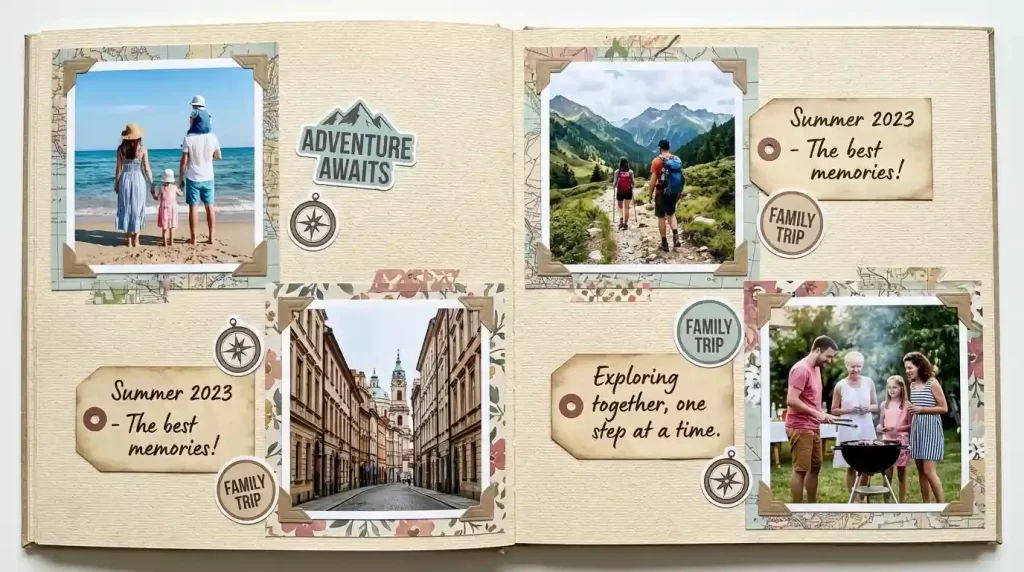
- Simplifies layouts in scrapbooks and digital grids
Common Uses for 4×4 Pictures in Daily Life
4×4 pictures shine in many creative and practical scenarios:
- Scrapbooking – Arrange in neat grids without gaps
- Social media – Crop portraits for polished Instagram profile grids
- Custom magnets – Print and stick to refrigerators
- Coasters – Craft handmade gifts with sealed square photos
- Gallery walls – Frame multiple squares for balanced displays
- Digital collages – Match every image perfectly
- Small business cards & product labels – Compact, professional branding
The versatile square print size lets you experiment freely with DIY projects and personalized gifts.
Official Document Needs and 4×4 Pictures
In certain regions, officials request 4×4 centimeter photos (approx. 1.57 inches square). These require:
- 600 DPI resolution → 945 × 945 pixels
- Plain white background
- Centered face with proper head height (follow local guidelines)
Travel tip: Prepare these passport-style images months ahead. The square format helps scanners read details without distortion.
Refer to detailed passport photo guidelines when preparing official versions.
Smart Printing Tips for Stunning 4×4 Pictures
Selecting the right paper and settings makes a huge difference:
| Paper Type | Effect |
|---|---|
| Glossy | Vibrant colors, pops under light |
| Matte | No glare, elegant in frames |
Printing checklist:
- Use high-resolution files (300 DPI for best results)
- Select borderless printing for clean edges
- Test one print first – check colors and sharpness
- Store prints flat to prevent bending
Many online labs offer quick turnaround for 4×4 pictures. Compare promotions to match your quantity and timeline.
Easy Resizing Steps for Perfect 4×4 Pictures
Follow these simple steps to resize any image to 4×4 without distortion:
- Open editing software (Photoshop, GIMP, or free online tools)
- Set canvas to 4×4 inches (or 1200×1200 px at 300 DPI)
- Lock the aspect ratio (1:1) to keep proportions true
- Center your subject using guides – avoid cutting important details
- Adjust sharpness & brightness for lively results
- Export – JPEG for everyday sharing, PNG for transparent backgrounds
Expert move: Clip backgrounds cleanly before finalizing square photos so the main subject stands out strongly.
Master proportions across all projects with our Photo Aspect Ratios Guide.
Creative Display Ideas Using 4×4 Pictures
Turn printed 4×4 pictures into eye-catching art:
- String gallery – Clip photos onto strings with wooden clothespins
- Magnetic board – Arrange on a fridge or metal panel
- Mini easels – Display on tabletops or desks
- Shelved stacks – Lean square prints neatly without wasted space
- Themed walls – Mix black‑and‑white with color versions for striking contrast
These displays turn ordinary snapshots into conversation starters that guests notice immediately.
Tools and Apps to Manage Your 4×4 Photo Projects
| Tool Type | Examples | Best For |
|---|---|---|
| Online editors | Canva, Pixlr | Quick crop & resize with templates |
| Mobile apps | Snapseed, VSCO | On‑the‑go adjustments and filters |
| Desktop software | Photoshop, GIMP | Batch processing, precise control |
Organize files by resolution, add consistent borders or text overlays to unify sets for albums or gifts.
Common Mistakes to Avoid When Handling 4×4 Pictures
- Low‑resolution files – Always start with enough pixels for your chosen DPI.
- Off‑center subjects – Crop early so faces or key elements aren’t cut.
- Skipping test prints – Test quality on sample paper before bulk orders.
- Unit confusion – Double‑check inches vs. centimeters when ordering internationally.
Proper planning keeps your 4×4 pictures looking sharp and professional.
Boost Your 4×4 Pictures with Professional Clipping and Editing
You can achieve flawless edges and balanced compositions with expert help. Background removal creates clean isolation – perfect for product shots, portraits, or layered collages. You’ll receive files optimized exactly to 1200×1200 pixels at 300 DPI, ready for immediate printing or sharing. Color correction and sharpening bring out hidden details that amateur edits miss.
Our professional photo editing services deliver fast turnaround with precise results tailored to square formats. Focus on creativity while we handle the technical perfection behind the scenes.
Why 4×4 Pictures Fit So Many Creative Projects
The compact 4×4 size travels easily in envelopes or pockets. Square photos adapt quickly to digital platforms and physical frames alike. Creators keep coming back to this format because it delivers balance and clarity every single time.
Whether you’re printing family snapshots, building a gallery wall, or preparing official documents, the right dimensions and careful preparation give results you’ll be proud to share or display.
Frequently Asked Questions (FAQ)
What exact measurements define 4×4 pictures?
4 inches × 4 inches, or 10.16 cm × 10.16 cm, or 101.6 mm × 101.6 mm.
How many pixels do I need for high‑quality 4×4 pictures?
For sharp prints: 1200×1200 px at 300 DPI. For screens: 288×288 px at 72 DPI.
Can I use 4×4 pictures for official documents?
Yes – certain countries accept 4×4 centimeter versions for passports and IDs. Follow specific head‑size and background rules.
What paper works best for printing 4×4 pictures?
Glossy boosts color vibrancy; matte reduces glare. Test both to match your display style.
How do I resize images into 4×4 pictures without distortion?
Lock the 1:1 aspect ratio in your editor, center the subject, then export at the correct resolution.
Do 4×4 pictures suit social media layouts?
Absolutely. The square shape fits Instagram profile grids and collages perfectly – no extra cropping needed.
Where should I print 4×4 pictures for the best value?
Online labs and home printers both work well. Compare current promotions to match your quantity and timeline.
How can professional editing improve my 4×4 pictures?
Experts refine edges, colors, and resolution so prints look polished. You save time and gain consistent quality across large sets for gifts or displays.