


Shopify Image Size Guide 2026: Dimensions, Formats, Tips
August 19, 2026
Best Ghost Mannequin Services 2026: Pricing, Speed & Reviews
August 20, 2026
- TL;DR — Etsy Photo Specs at a Glance
- Key Definitions (For Quick Reference)
- Who This Guide Is For
- Etsy’s Full Image Requirements — 2026
- Aspect Ratio, Orientation, and the Multi-Crop Reality
- How Many Photos and Videos Can Each Listing Have?
- The 7 Essential Photo Types Every Etsy Listing Needs
- The 20-Slot Etsy Listing Blueprint
- Why Thumbnails Decide Whether Anyone Sees Your Product
- Etsy’s Alt Text Field — The Feature Most Sellers Ignore
- Etsy’s AI Image Disclosure Policy (2026)
- How Etsy Ranks Photos — The Algorithm’s Image Signals
- Cross-Platform Comparison — Etsy vs Amazon vs Shopify
- Etsy Photo Best Practices — Beyond the Basic Specs
- The Photo Mistakes That Cost Etsy Sales — And Their Exact Fixes
- A/B Testing Etsy Thumbnails — What Top Shops Actually Do
- Etsy Photo Requirements by Product Category
- Tools That Make Etsy Photo Editing Easier
- Etsy Shop Banner, Icon, and About-Page Image Sizes
- Seasonal Photo Strategy — The Ranking Boost Most Sellers Miss
- FAQ — Etsy Product Photo Requirements
- Final Thoughts
TL;DR — Etsy Photo Specs at a Glance
- File types: JPG, GIF, PNG only. Etsy does not accept HEIC, WebP, SVG, TIFF, or RAW.
- Recommended photo size: width and height of at least 2,000 pixels each — Etsy’s own guidance.
- First (thumbnail) photo minimum: 635 × 635 pixels — Etsy explicitly demotes anything smaller in search.
- File size guidance: keep each image under 1 MB — Etsy warns files above 1 MB may fail to finish uploading.
- Aspect ratio for thumbnail: landscape (4:3) or square (1:1). Portrait risks lost focal points.
- Photos per listing: up to 20 — Etsy expanded from 10 in August 2025.
- Videos per listing: up to 2 videos, each 3–15 seconds, silent, max 100 MB, aspect ratio 2:1 or 1:2, ideal resolution 1,080 px.
- Color profile: sRGB only — Etsy explicitly requires conversion before upload.
- Originality: Etsy requires real photos of the actual product. Stock and mockup exceptions apply only to personalization and production-partner scenarios.
- AI-generated images: allowed with disclosure. Etsy’s January 14, 2026 policy update requires ticking the “I used AI-generative technology” checkbox in the listing form.
Key Definitions (For Quick Reference)
Etsy thumbnail: The first listing photo, cropped by Etsy into square, landscape, and portrait variants depending on device and placement, and shown as the click-target in search results.
Aspect ratio: The proportional relationship between an image’s width and height, expressed as width:height. Etsy recommends 4:3 or 1:1 for the first photo.
sRGB color profile: The web-standard color space every browser and mobile app renders natively. Photos left in Adobe RGB or ProPhoto RGB appear dull on Etsy.
Etsy safe zone: The center 60–70% of your first image, which stays visible in every automatic thumbnail crop (square, landscape, portrait).
Alt text (on Etsy): A 500-character description field attached to each listing photo, used for accessibility, image SEO, and screen-reader compatibility.
Who This Guide Is For
If you sell on Etsy — handmade, vintage, digital, print-on-demand, or personalized — this guide covers every image spec Etsy officially publishes, plus the practical rules that separate top-earning shops from invisible ones. It serves:
- New Etsy sellers launching a first shop and setting up listings correctly the first time.
- Established sellers rebuilding thumbnails to lift click-through rate.
- Print-on-demand and digital-download creators navigating Etsy’s 2026 mockup and AI rules.
- Product photographers shooting for Etsy clients across dozens of niches.
By the end you will know exactly what size to export, what shape to shoot in, how to survive Etsy’s multi-crop thumbnails, how to use the hidden alt-text field for SEO, how to comply with Etsy’s AI disclosure rules, and how to squeeze every ranking signal out of 20 photo slots and two short videos.
Etsy’s Full Image Requirements — 2026
Etsy is more forgiving than Amazon on rules but stricter than Shopify on originality. Here is the exact 2026 specification pulled from Etsy’s own Help Center and its Listing Image Requirements policy.
File Types Etsy Supports
Etsy accepts only three image file types for listings:
- JPG — the default choice for product photos, best compression-to-quality ratio.
- PNG — the right pick when you need a transparent background (digital products, layered mockups, logos).
- GIF — technically accepted, but rarely useful for static product shots.
Etsy does not accept HEIC (iPhone’s default format since iOS 11), WebP, TIFF, RAW, or SVG. If you shoot on an iPhone, open Settings → Camera → Formats → Most Compatible so photos save as JPG. Otherwise, convert HEIC files before uploading using Preview on Mac, the Photos app on Windows 11, or any free online converter.
Recommended Image Dimensions
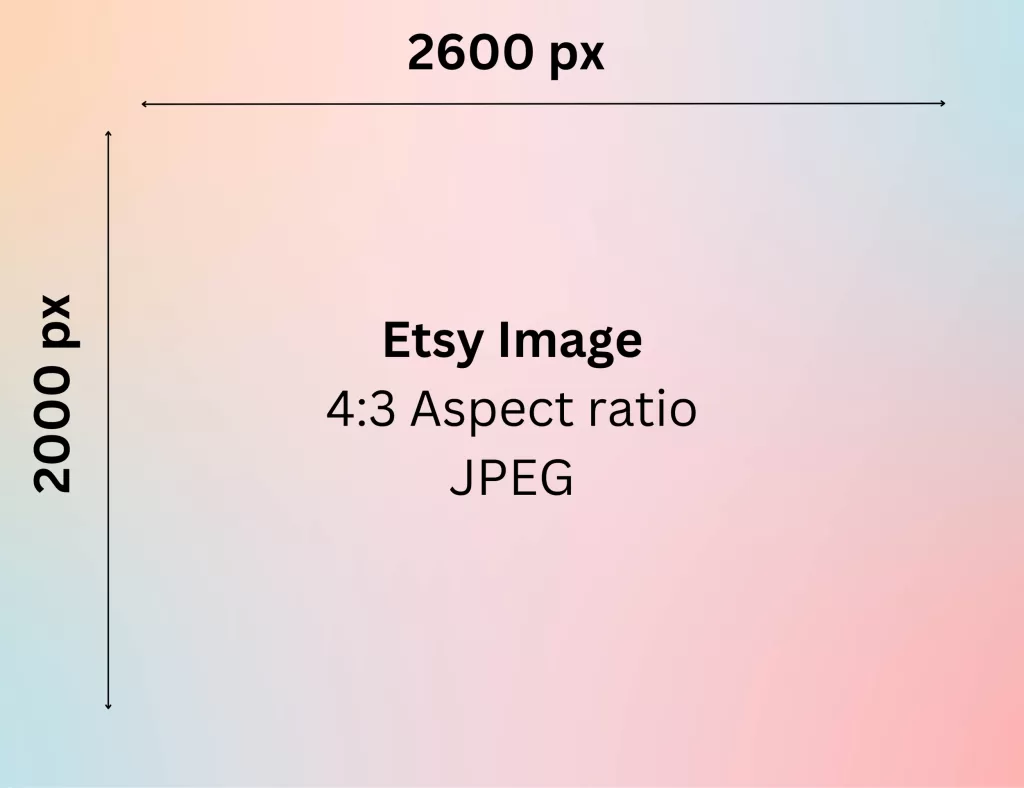
Etsy’s Help Center recommends listing photos with a width AND height of at least 2,000 pixels. Not “at least 2,000 on the shortest side” — both dimensions should exceed 2,000 px individually.
The pragmatic export target most top sellers hit:
- 2,000 × 2,000 px square — safest for cross-platform reuse.
- 3,000 × 3,000 px square — better for detailed zoom on high-density displays.
- 3,000 × 2,250 px landscape (4:3) — the winning ratio for search thumbnails.
Anything below 2,000 px on either dimension will visibly pixelate the moment a shopper triggers Etsy’s zoom feature. Anything above 3,000 px inflates upload time without visible gain.
Resolution note: 72 PPI is the standard web output. Etsy does not enforce a specific PPI — pixel dimensions are what matter, not the metadata field labeled “resolution.”
The First (Thumbnail) Photo Rule
The first listing photo — the one Etsy uses as your search thumbnail — has its own minimum: 635 × 635 pixels. Etsy’s Help Center explicitly warns that thumbnails smaller than this get pushed lower in search. This is the single most common technical mistake among new sellers.
File Size Guidance
Etsy warns that images larger than 1 MB may not finish uploading. This is a soft warning, not a hard rejection, but it results in silent upload failures more often than most sellers realize. A well-optimized 2,000 × 2,000 JPG at quality 80–85 lands between 400 KB and 900 KB — the safe zone.
Compress finished JPGs with a tool like Squoosh, TinyJPG, or JPEGmini before uploading. Never enable “progressive JPEG” for Etsy exports — Etsy’s image pipeline handles the render, and progressive files sometimes upload with visual artifacts.
Color Profile
Etsy officially recommends converting images to sRGB before upload. In Photoshop, use Edit → Convert to Profile → sRGB IEC61966-2.1 before every export. In Lightroom, choose sRGB in the export dialog. Photos left in Adobe RGB or ProPhoto RGB appear noticeably dull on Etsy’s public listings because every browser and mobile app renders sRGB natively.
Need to process hundreds of images with a fast turnaround?
Our scalable Background Removal Service handles bulk orders with ease.
Aspect Ratio, Orientation, and the Multi-Crop Reality
This is where most Etsy photo advice from 2023 goes stale. Etsy no longer displays one thumbnail — it displays several, cropped differently depending on device, context, and search view.
The Three Thumbnail Crops Etsy Uses Simultaneously
Depending on where a shopper sees your listing, Etsy crops the same first photo into three possible shapes:
- 1:1 square — desktop search grids, Etsy Ads, related-listing carousels.
- 4:3 landscape — some category browse pages and Etsy’s newsletter placements.
- 3:4 portrait — increasingly used in the mobile app in 2026.
The consequence: a photo that looks great as a square can be catastrophically cropped in portrait. A gorgeous landscape shot with the product on the left edge disappears in the square crop.
The Safe-Zone Strategy That Solves It
Shoot and edit so the product occupies the center 60–70% of the frame, with breathing room on all four sides. Every automatic crop (square, landscape, portrait) will contain the full product because Etsy crops outward from center.
Practical safe-zone rules:
- Product centered, occupying no more than 70% of the widest dimension.
- 15–20% margin on top, bottom, left, and right.
- Focal detail (face, logo, monogram, gemstone) placed dead-center.
- Preview the mobile crop inside Etsy’s placement tool before publishing.
Etsy’s built-in placement tool (found in Shop Manager → Listings → Photo and video) lets you nudge the crop position before publishing. Use it on every new listing.
How Many Photos and Videos Can Each Listing Have?
The 2026 answer is different from what most Etsy guides published even one year ago still claim.
Photos — Now Up to 20 Slots
Etsy quietly expanded the image cap from 10 to 20 photos per listing in August 2025, and the change now applies to all listings. This is the first major photo capacity increase in years and directly affects listing quality scoring.
- Etsy’s algorithm rewards listing completeness — a fuller listing signals more effort and higher trust.
- The minimum threshold for “full” listing quality remains around 5–6 photos; beyond that, additional photos primarily improve buyer confidence and reduce pre-purchase questions.
- Not every listing needs 20 photos, but categories like vintage, apparel, jewelry, and multi-variant products benefit clearly.
Videos — Now Up to 2 Per Listing
Etsy also allows up to 2 videos per listing, per its official Help Center. Video specs:
- Length: 3 to 15 seconds each.
- File size: 100 MB max per video.
- Formats accepted: MP4, MOV, FLV, AAC, AVI, 3GP, MPEG.
- Aspect ratio: 2:1 or 1:2 (unusual but Etsy-official).
- Resolution: 500 px minimum, 1,080 px ideal.
- Audio: silent on playback. Etsy strips audio automatically.
Skip the intro card. Etsy autoplays video previews inside search results, so the first frame is the pitch. Start on the product, not on a title screen. Best video content: slow rotation, texture close-ups, use-in-context sequences, scale demonstrations.
Want to boost your online sales with better product photography?
High-quality images increase conversions by up to 40%. Let us help you get there. See our editing services
The 7 Essential Photo Types Every Etsy Listing Needs
Etsy’s own Seller Handbook groups product photos into seven types. Fill each slot with intent instead of duplicating the same angle:
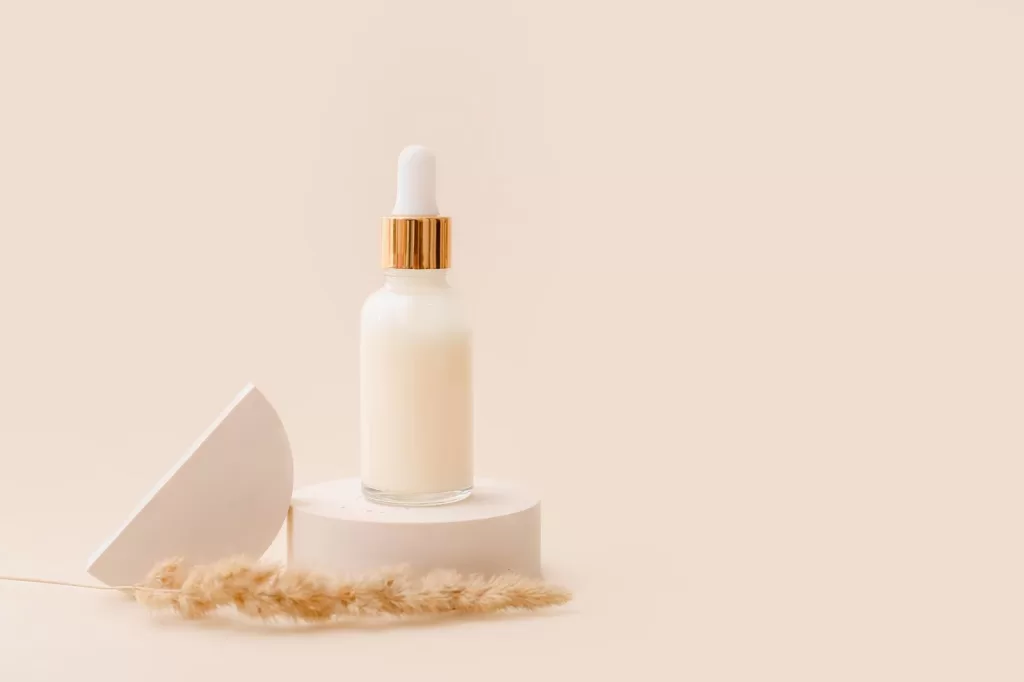
- Studio hero shot — clean, well-lit, single focal point on a neutral or on-brand background. This becomes your thumbnail.
- Lifestyle in-use shot — product being worn, held, or used in a real setting.
- Detail close-up — texture, stitching, engraving, gemstone facets, brushstrokes.
- Scale reference — item next to a hand, coin, or standard object.
- Multiple-angle shot — back, side, or bottom view.
- Grouping or variation shot — every color, size, or configuration on offer.
- Packaging or unboxing shot — how the product arrives.
Cover all seven and your listing answers roughly 90% of pre-purchase buyer questions before they ask. Our full ecommerce editing guide expands on how each shot type is prepared in post-production.
The 20-Slot Etsy Listing Blueprint
With 20 slots now available, most sellers waste the extra 10. Here’s the top-shop blueprint:
- Hero thumbnail — landscape or square, safe zone centered.
- Lifestyle in-use — product in real context.
- Second angle — side or back view.
- Third angle — top or bottom view.
- Detail close-up A — texture / craftsmanship.
- Detail close-up B — clasp / seam / joint / finish.
- Scale reference — with hand, coin, book, or ruler.
- All variations — color, size, or configuration grouped.
- Model or in-context shot — for wearable or décor products.
- Packaging shot — how it arrives at the door.
- Materials shot — raw ingredients or fabric swatches.
- Process or workshop shot — behind-the-scenes of your craft.
- Care instructions infographic — cleaning, washing, storage.
- Size chart or measurement diagram — apparel, prints, furniture.
- Gift-ready shot — wrapped, boxed, ribboned.
- Feature callout infographic — hero benefit points illustrated.
- Comparison shot — versus similar items or size options.
- Style guide — how to wear, use, or display the product.
- Story shot — maker portrait, workshop, materials source.
- Second story shot — customer using the product (with permission).
Add both listing videos in slots 21 and 22 (one product rotation, one lifestyle context). Every high-intent shopper visiting the listing then finds the specific answer they arrived looking for.
Ready to transform your raw photos into professional assets?
Get a custom, no-obligation quote tailored to your specific volume and needs. Explore Clipping Expert Asia
Why Thumbnails Decide Whether Anyone Sees Your Product
The first listing photo does more work than any other image in your shop. Etsy’s search results, category grids, mobile app, and off-site ads all crop this single image before shoppers ever see it. If the crop kills the focal point, the algorithm never gets the click signal, and your listing sinks in rank.
Three thumbnail rules correlated with higher click-through rate across top Etsy shops:
- Fill the frame — but not too much. Product occupies 60–70% of the crop with margin for future re-crops.
- Center the focal point. Etsy crops from the center outward. Edges disappear.
- Contrast the background. Light products on medium backgrounds and dark products on light backgrounds pop in a search grid crowded with hundreds of thumbnails.
Higher click-through feeds directly back into Etsy’s ranking algorithm — Etsy tracks each listing’s click rate as one of its core quality signals. A stronger thumbnail lifts both traffic and organic position in a single move.
Etsy’s Alt Text Field — The Feature Most Sellers Ignore
Etsy provides a dedicated alt-text field for listing photos, yet many sellers leave it unused. Alternative text helps describe product images to shoppers who use screen readers and gives search engines additional context about what each image contains.
How to Add Alt Text to Etsy Photos
- Sign in to Etsy.com and go to Shop Manager.
- Open Listings and select a listing.
- Hover over the photo and look for the pencil/edit icon.
- Click the pencil and locate the Alt text field.
- Write a clear, natural description of what the image shows.
Why Alt Text Matters on Etsy
- Accessibility: Screen readers can read alt text aloud, helping shoppers with visual impairments understand product imagery.
- Image visibility: Descriptive alt text gives search engines useful information about the subject of an image.
- Better image context: Clear descriptions help distinguish between multiple photos of the same product, such as front, back, detail, or lifestyle shots.
Alt Text Writing Rules That Work
- Describe what the image actually shows, rather than simply listing the product name.
- Include a relevant product term naturally when it fits the description.
- Keep the description concise and specific.
- Avoid keyword stuffing or promotional phrases.
- Skip words such as “image of” or “photo of” because the context already indicates that it is an image.
Bad alt text:
“handmade earrings buy now cheap gold jewelry”
Good alt text:
“Handmade brass hoop earrings with dangling freshwater pearl, styled on a linen background.”
The goal is simple: describe the image accurately in a way that is useful to both people and search systems. Good alt text can improve accessibility while giving search engines clearer context about your Etsy product photos.
Etsy’s AI Image Disclosure Policy (2026)
AI-generated images are allowed on Etsy — with strict disclosure rules updated by Etsy on January 14, 2026.
What Etsy Requires
- Disclosure tick-box: every listing form now includes an “I used AI-generative technology” checkbox. Sellers using AI-generated imagery for mockups, backgrounds, or product renders must tick it.
- Real product requirement stays: for standard listings, the first image must still show the real, finished physical product. AI-generated hero shots for non-personalized products remain against policy.
- Personalized items: the first image must show a real customized example, not an AI mockup with placeholder text.
- Production-partner items: original designs printed onto base products (t-shirts, mugs, tote bags) may use AI mockups to illustrate the printed design.
What Gets Removed
Etsy has increased enforcement in 2025–2026 on:
- Listings where AI-generated hero images misrepresent the physical product.
- Sellers who use AI mockups without ticking the disclosure box.
- Listings selling AI prompts or fully AI-generated digital art without disclosure of the AI tools used.
Sellers producing purely digital AI art must both disclose the AI tools they used and provide meaningful human creative direction (custom prompts, curated outputs, post-generation editing). Fully autonomous AI-generation with no human input violates Etsy’s Creativity Standards.
How Etsy Ranks Photos — The Algorithm’s Image Signals
Etsy’s public search-algorithm documentation confirms that image quality feeds directly into two of its core ranking factors:
- Listing Quality Score — how well each listing converts. Sharper, better-styled photos lift click-through and conversion, which then lifts organic position.
- Listing Completeness — filling more of the 20 photo slots and adding videos both send strong “complete listing” signals Etsy rewards.
Indirect ranking signals from images:
- Descriptive filenames — rename
IMG_2043.jpgtohandmade-brass-hoop-earrings-gold.jpgbefore uploading. Clear filenames can give search engines additional context about an image. - Useful alt text — write concise descriptions that explain what each product image shows. This improves accessibility and can help search systems better understand your images.
- Optimized image files — appropriately compressed images can help Etsy pages load faster, particularly for shoppers using mobile connections. Keep image quality high while avoiding unnecessarily large files.
- Consistent branding — use a recognizable visual style across your shop so customers can easily identify your products and brand. Consistent imagery can also create a more polished and trustworthy shopping experience.
For sellers cross-listing on other marketplaces, our Shopify image sizes breakdown covers the same rules for that platform, and our clipping path vs masking guide covers edge techniques for tricky products like jewelry and apparel.
Cross-Platform Comparison — Etsy vs Amazon vs Shopify
Cross-platform sellers routinely trip on the differences. Here’s the verified 2026 side-by-side:
| Requirement | Etsy | Amazon | Shopify |
|---|---|---|---|
| Minimum size | 2,000 × 2,000 px recommended | 500 px min / 1,000+ px for zoom | 800 px min / 2,048 px recommended |
| First / main image | 635 px minimum, landscape or square | Pure white RGB 255,255,255 background | Any consistent style |
| File formats | JPG, PNG, GIF | JPEG, TIFF, PNG, GIF | JPEG, PNG, GIF, WebP, HEIC |
| Photos per listing | Up to 20 | Up to 9 | Unlimited |
| Videos per listing | Up to 2 (3–15 s each, 2:1 or 1:2) | 1 (60 s max) | Unlimited |
| File size cap | Under 1 MB (soft) | 10 MB max | 20 MB max |
| Thumbnail crops | Square, landscape, and portrait | Square (85% product fill) | Flexible |
| Color profile | sRGB | sRGB or CMYK | sRGB |
| Watermarks | Discouraged; disqualifies from off-site ads | Prohibited on main image | Allowed but not recommended |
Shooters who list on Etsy first should export master files at 3,000 × 3,000 px landscape to satisfy every platform’s requirements from a single source.
Etsy Photo Best Practices — Beyond the Basic Specs
Meeting the technical requirements is table stakes. Everything below separates the top 5% of shops from the average.
1. Shoot in Consistent Natural Light
Bright, even, diffused natural light — usually a north-facing window or an overcast morning — remains the most reliable setup for handmade goods. Harsh direct sunlight creates blown highlights and hard shadows. Late-afternoon light adds a warm color cast that misrepresents true colors.
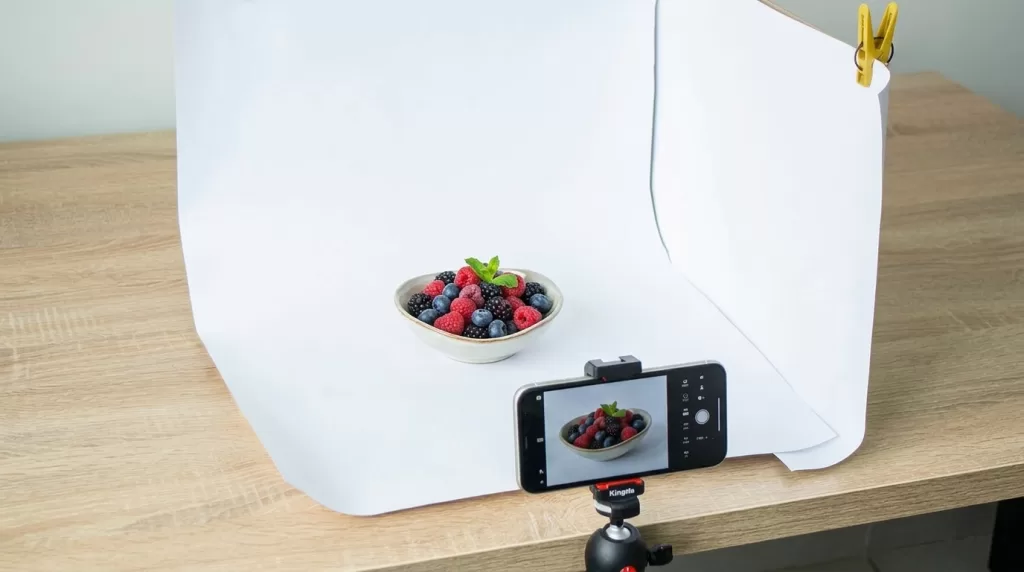
If you cannot count on daylight, a light tent with two continuous LED sources at 5,500 K balanced on either side of the product produces daylight-equivalent results indoors. Cross-catalog lighting consistency remains one of the top predictors of shop-wide conversion.
2. Use the Rule of Thirds
Etsy explicitly recommends the rule of thirds for framing. Divide the frame into a 3×3 grid and place your product on one of the four intersection points. Human eyes land there naturally — the composition feels intentional and premium. Perfect center placement reads as amateur passport photo.
3. Style the Scene, Don’t Just Photograph the Object
Handmade shoppers on Etsy expect story. A soy candle photographed on a linen cloth beside a matchbook and dried flowers converts better than the same candle floating on white — same product, entirely different narrative. Contextual props help buyers imagine the item in their own life.
Styling rules that work across categories:
- Match props to the product’s aesthetic (rustic, minimalist, boho, luxury).
- Keep props smaller and less saturated than the product itself.
- Never let a prop distract from the main item.
- Use natural textures — wood, linen, marble, ceramic — as backdrops.
Our ghost mannequin guide covers apparel-specific styling for sellers who want the 3D worn look without a live model.
4. Show Scale Explicitly
“Is this ring too small?” and “Will this print fit above my sofa?” cause more Etsy returns than any color issue. Include at least one photo per listing showing the item next to a hand, coin, standard book, or measuring tape. For wall art, mock the piece into a real interior scene at true proportion.
5. Edit Lightly and Honestly
Etsy’s official editing guidance is explicit: light touch-ups make good photos great, but heavy filters distort the product and lead to returns. A defensible edit checklist:
- Slight exposure lift if the frame is under-lit.
- White balance correction using a true-white pixel as reference.
- Modest contrast boost with Curves (never the Brightness slider).
- Crop to the rule of thirds.
- Minor dust and blemish cleanup.
- Sharpening at 15–30% — enough to accent texture, not enough to create halos.
Aggressive edits — heavy skin smoothing, oversaturation, background swaps without disclosure — trigger buyer complaints and negative reviews. Our photo editing guide walks through the safe workflow step by step.
Want your images to look professionally edited, not over-processed?
Achieve natural, high-end perfection with our skilled Photo Retouching Service
The Photo Mistakes That Cost Etsy Sales — And Their Exact Fixes
Even experienced sellers make these. Fixing them lifts click-through fast.
| Mistake | Why It Hurts | The Fix |
|---|---|---|
| Uploading portrait-only images as the first photo | Center crop loses focal point in square and landscape thumbnails | Shoot landscape or square; keep product in center 60–70% |
| First image below 635 × 635 px | Etsy explicitly demotes in search | Re-export at 2,000 × 2,000 px minimum |
| Mixing landscape and square inside one listing | Breaks visual rhythm, looks amateur | Pick one shape per listing; match all 20 photos |
| Uploading Adobe RGB files | Colors flatten in browsers | Convert to sRGB before export |
| Heavy filters or background swaps | Trigger buyer complaints when the physical item arrives different | Edit lightly; disclose composites and AI images |
| Big logo watermark | Disqualifies from Etsy Offsite Ads and Google Shopping | Remove watermarks; rely on Etsy’s platform protections |
| Files above 1 MB | Silent upload failures Etsy never warns about visibly | Compress with Squoosh or TinyJPG before upload |
| Reusing the same angle 10+ times | Wastes slots that should show detail, scale, packaging | Follow the 20-slot blueprint above |
| Missing alt text on any image | Wasted SEO signal, lost accessibility | Add descriptive 125-character alt text to every photo |
| No listing video | Missing algorithmic completeness signal | Add at least one 3–15 second silent rotation clip |
A/B Testing Etsy Thumbnails — What Top Shops Actually Do
Top-earning Etsy shops don’t guess at thumbnails. They test them.
The Simple A/B Testing Method
- Pick two thumbnail options for the same listing.
- Publish one for 7–14 days; record impressions, clicks, and conversion in Shop Manager Stats.
- Swap to the second option for the same window at similar seasonality.
- Compare click-through rate (CTR) directly.
- Keep the winner. Iterate on the next listing.
What to Test First
- Background color — pure white vs styled backdrop.
- Composition — centered product vs rule-of-thirds off-center.
- Framing — tight crop vs loose crop with props.
- Angle — flat lay vs 45° angle vs eye-level.
- Lifestyle vs studio — pure product shot vs in-context styled scene.
Small changes drive outsized results. A 0.5% CTR bump on a listing that appears in 10,000 impressions per month equals 50 additional clicks — and Etsy’s algorithm then serves the listing to more shoppers because the click-through signal improved.
Etsy Photo Requirements by Product Category
Different categories reward different image strategies. Adjust the shot list to your niche.
Handmade Jewelry
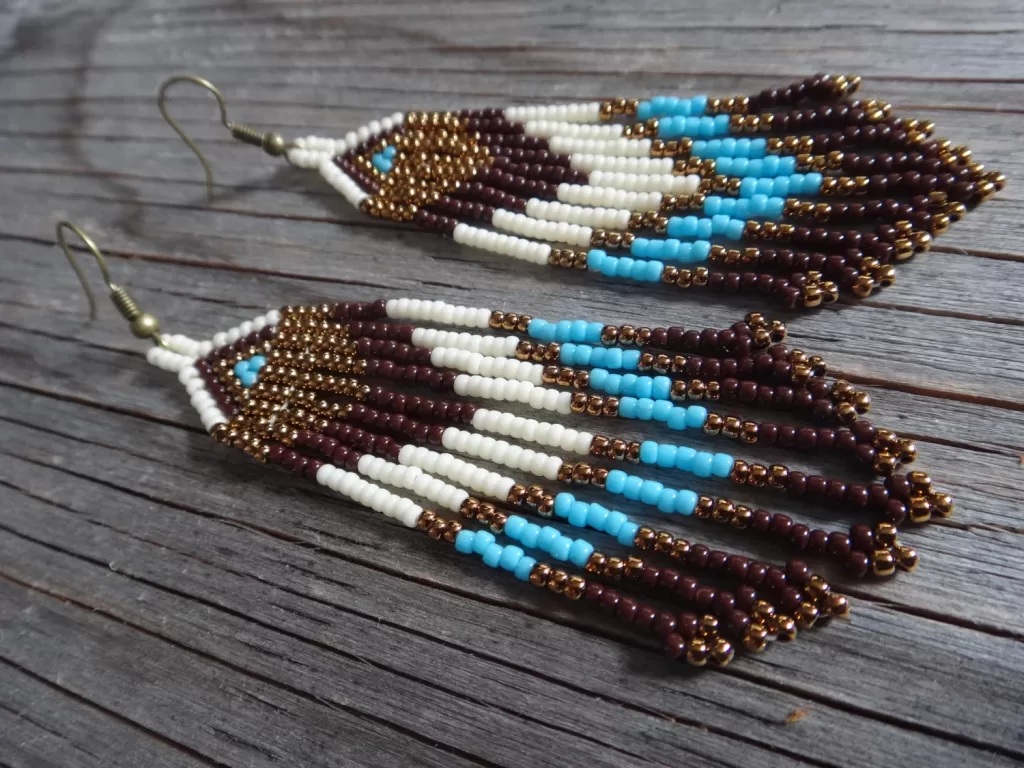
Macro detail and true color drive jewelry conversions. Shoot at close range with a light tent, then include one lifestyle shot showing the piece worn. Use focus stacking if you own a macro lens — it keeps every facet sharp end-to-end.
Do your product images fail to show off intricate details?
Highlight every facet and texture with our precise Jewelry Photo Editing Service
Apparel and Clothing
Shopper questions on apparel are almost always about fit and drape. Combine flat lay, on-model, and ghost mannequin shots. Include at least one size-reference photo. AI-generated model shots are permitted if disclosed via Etsy’s checkbox and if the underlying product is real.
Digital Products and Print-on-Demand
Mockups are allowed for original designs printed by production partners. Show the design at scale on a base product (t-shirt, mug, tote), and include one image showing the file at real size for printable items. For personalized products, the first image must show a real finished example — never a “Your Text Here” placeholder.
Vintage and One-of-a-Kind
Vintage buyers scrutinize condition. Include close-ups of every visible wear point, patina, maker’s mark, and any minor damage. Etsy’s 20-photo cap now lets vintage sellers document a single piece thoroughly — a real advantage over the old 10-photo limit.
Home Décor and Wall Art
Scale is everything. Mock prints into interior scenes at real proportion, and include one shot of the item on a wall with common furniture (sofa, bed) for reference.
Candles, Soaps, and Body Care
Include close-ups of texture, ingredients, and packaging. Buyers can’t smell online, so photograph what’s inside the product — dried herbs, ingredient labels, cross-sections — to build trust.
Tools That Make Etsy Photo Editing Easier
Not every seller needs Photoshop. A working stack for solo shops:
- Lightroom Mobile (free tier) — batch color correction and consistent brand tone across every listing.
- Snapseed (free) — powerful mobile edits for smartphone shooters.
- Canva — mockup templates, infographic slot ideas, brand banner design.
- Photoroom, Remove.bg, or Adobe Express — one-click background removal for hero shots.
- Squoosh (free, from Google) — compress finished JPGs under 1 MB without visible quality loss.
- PicMonkey — Etsy’s officially suggested browser editor.
For sellers with 500+ SKUs, apparel catalogs, or jewelry lines where cross-catalog consistency matters, outsourcing photo editing to a manual studio typically costs $0.25 to $2.00 per image and eliminates the DIY inconsistency problem.
Etsy Shop Banner, Icon, and About-Page Image Sizes
Product photos are only part of the visual system. Shop assets require their own dimensions:
- Big shop banner: 1,600 × 400 px recommended (1,200 × 300 px minimum); 3,360 × 840 px for retina displays.
- Mini shop banner: 1,600 × 213 px recommended (1,200 × 160 px minimum).
- Carousel banner: 1,200 × 300 px per image.
- Shop icon: 500 × 500 px square.
- Featured listing images: Etsy pulls the first listing image, so plan every thumbnail with the shop grid in mind.
Seasonal Photo Strategy — The Ranking Boost Most Sellers Miss
Etsy’s algorithm weights recency as a ranking factor, and seasonal photos are one of the cleanest ways to trigger it. Rebuild your first image around each major shopping season and watch impressions rise.
- November–December — swap in gift-wrapped, ribboned, or holiday-styled hero shots.
- February — Valentine’s-appropriate props (red accents, romantic backgrounds).
- May — Mother’s Day and wedding-season contexts.
- August–September — back-to-school and autumn palettes.
- Off-season — a clean, evergreen hero shot that works year-round.
Updating listing photos also triggers Etsy’s “recently updated” signal, giving the listing a small temporary lift in search.
FAQ — Etsy Product Photo Requirements
What is the ideal image size for Etsy listings in 2026?
Etsy officially recommends listing photos with a width and height of at least 2,000 pixels each. The practical export target is 2,000 × 2,000 to 3,000 × 3,000 pixels, in sRGB JPG, under 1 MB per file.
What is the minimum size for the first Etsy listing photo?
The first listing photo must be at least 635 × 635 pixels. Etsy’s Help Center explicitly demotes anything smaller in search results.
How many photos and videos can an Etsy listing have in 2026?
Etsy now allows up to 20 photos and up to 2 videos per listing. Each video must be 3–15 seconds long, silent on playback, under 100 MB, with a 2:1 or 1:2 aspect ratio.
Which file types does Etsy accept for listing photos?
Etsy accepts JPG, PNG, and GIF only. HEIC (iPhone default), WebP, TIFF, SVG, and RAW are not supported. Convert HEIC to JPG before uploading, or set your iPhone camera to “Most Compatible” mode.
What aspect ratio should the first Etsy photo use?
Landscape (4:3) or square (1:1). Portrait risks losing the focal point when Etsy auto-crops the thumbnail. Design every first image around a center 60–70% safe zone so all three automatic crops (square, landscape, portrait) still show the full product.
Are AI-generated images allowed on Etsy?
Yes, with disclosure. Etsy’s January 14, 2026 policy update requires sellers to tick “I used AI-generative technology” on the listing form. The first image for a standard listing must still show the real, finished physical product — AI hero shots for non-personalized items violate policy.
Should I watermark my Etsy photos?
No. Watermarked images become ineligible for Etsy’s Offsite Ads program and are also blocked by Google Shopping and Meta advertising platforms, cutting off free external traffic. Rely on Etsy’s platform-level image protections instead.
How does alt text affect Etsy photo visibility?
Alt text helps describe Etsy listing images to screen readers and gives search systems additional context about what each photo shows. Etsy provides an alt-text field for listing images, with space for a detailed description. Write concise, natural sentences that accurately describe the image rather than filling the field with keywords. Aim for accessibility, clarity, and useful image context.
Final Thoughts
Etsy is a visual marketplace, and photos are still the single largest lever most sellers have. The technical specs take an afternoon to nail: JPG or PNG under 1 MB, at least 2,000 × 2,000 px, first image 635 px minimum in landscape or square, safe zone centered for multi-crop compatibility, sRGB color profile, 20 photo slots filled, 2 videos at 3–15 seconds each with 2:1 or 1:2 aspect ratio, alt text on every image, and AI disclosure ticked where relevant.
The harder work — consistent lighting, on-brand styling, honest color, disciplined 20-slot planning per listing, seasonal thumbnail refreshes, and A/B testing — separates average shops from top sellers. Fix the specs first, then invest in the storytelling. When both are dialed in, thumbnails start earning clicks, click-through rate climbs, Etsy’s algorithm surfaces your listings more often, and the compounding starts.
Need your images edited faster without sacrificing quality?
Our streamlined process delivers premium results in as little as 6 hours. Explore our fast-turnaround services