

Best Photo Editing Apps 2026: The Ultimate Hands-On Guide for iPhone & Android Creators
June 4, 2026
Best Outdoor Home Security Cameras in 2026: The Complete Buyer’s Guide
June 5, 2026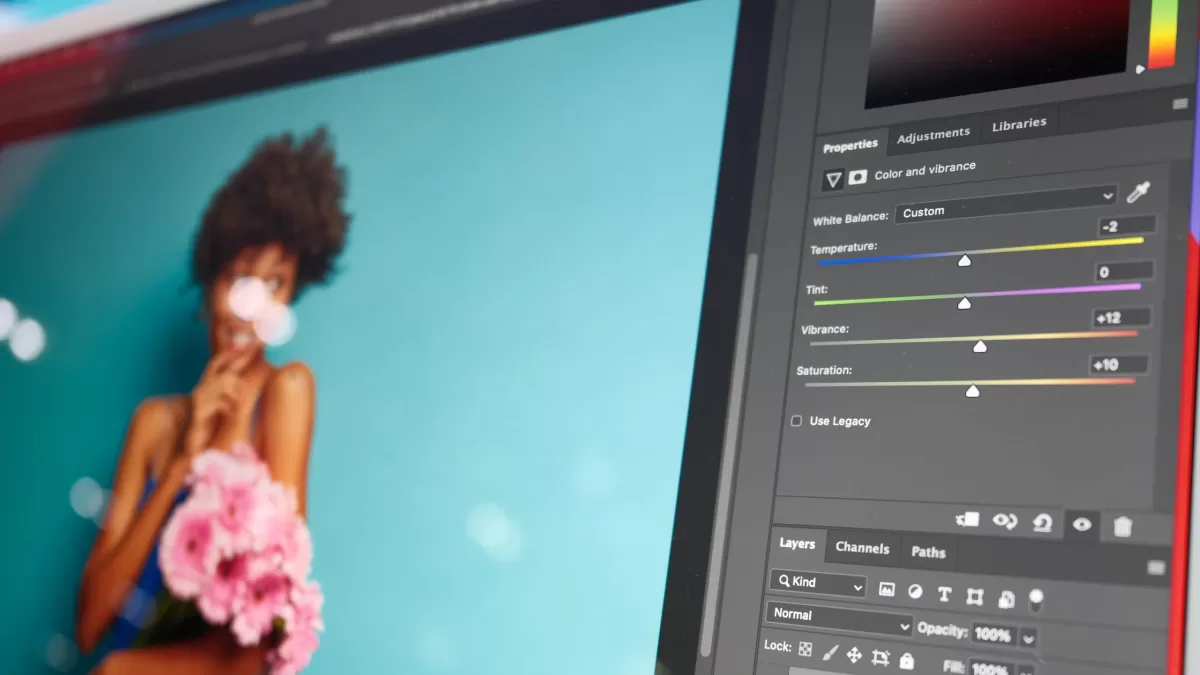
Photo editing changed more in the last 18 months than in the previous decade. Adobe shipped Photoshop 2026 (version 27.0) at Adobe MAX with Harmonize, Generative Upscale, and a built-in Topaz Labs integration (Adobe Blog). Skylum rolled out GenSwap, GenErase, and GenExpand inside Luminar Neo (Skylum). Apple folded Pixelmator Pro into a new Creator Studio subscription with Apple Intelligence baked in (9to5Mac).
For photographers, e-commerce sellers, agencies, and content creators, the question is no longer whether to adopt AI editing—it is which AI photo editor matches your workflow, budget, and output quality. This guide ranks the best AI photo editing tools and software for 2026, compares features and pricing, and explains exactly when AI handles the job alone and when you still need a human retoucher to finish the work.
Need flawless cutouts before AI takes over your edits? Get pixel-perfect results with our professional clipping path service—delivered in 24 hours.
- What Counts as an “AI Photo Editor” in 2026?
- How I Ranked the Best AI Photo Editing Tools for 2026
- The 10 Best AI Photo Editing Tools & Software in 2026
- Quick Comparison: Best AI Photo Editors 2026
- Where AI Photo Editing Still Falls Short
- How to Choose the Right AI Photo Editor in 2026
- E-commerce Workflow: Why AI Alone Isn’t Enough for Online Sellers
- Content Creator Tips for AI-Edited Images
- What’s Coming Next: AI Photo Editing Trends to Watch in 2026 & Beyond
- Final Verdict: Which AI Photo Editor Should You Pick in 2026?
- Frequently Asked Questions (FAQ)
What Counts as an “AI Photo Editor” in 2026?
An AI photo editor uses machine learning models to automate or assist tasks that previously required hours of manual work. The category now splits into three clear buckets:
- Generative editors – add, swap, or remove content with text prompts (Photoshop, Luminar Neo, Canva).
- Restorative editors – denoise, upscale, sharpen, and rescue low-quality images (Topaz Photo AI, ON1).
- Workflow editors – cull, sort, and batch-edit thousands of files with learned style profiles (Aftershoot, Imagen AI).
The strongest tools in 2026 blend at least two buckets. According to Zapier’s testing roundup, the line between “AI feature” and “AI-first product” has effectively disappeared—every serious editor now ships generative tools natively.
How I Ranked the Best AI Photo Editing Tools for 2026
To keep this guide honest, I evaluated each tool against six weighted criteria:
- Output realism – do generated pixels look natural at 100% zoom?
- Speed and batch capacity – how many images per hour on average hardware?
- Pricing model – one-time license, subscription, or per-image credit?
- Workflow fit – RAW support, Lightroom plugin, mobile companion, cloud sync?
- Learning curve – how fast can a beginner produce print-quality output?
- Reliability of generative features – consistency across skin tones, lighting, and product categories.
The final list reflects months of community feedback from photographers on Reddit, YouTube creators, and professional reviewers at PCMag, Shotkit, and Themframes.
The 10 Best AI Photo Editing Tools & Software in 2026
1. Adobe Photoshop 2026 — Best Overall AI Photo Editor
Photoshop 2026 (version 27.0) remains the undisputed industry standard. Adobe’s Firefly Image Model now powers Generative Fill, Generative Expand, and the brand-new Harmonize tool, which automatically matches the lighting and color of pasted objects to the host scene (Adobe Help Center).
Key 2026 features:
- Harmonize – auto-matches lighting and color tone of composited objects.
- Generative Upscale – powered by Topaz Labs models for cropped or low-res files.
- Enhanced Remove Tool – cleans wires, tourists, and signage in one brush stroke.
- Projects feature – cloud-based shared canvases for team collaboration.
- Firefly Image 4 integration for high-fidelity generative output.
Pricing: Creative Cloud Photography Plan starts at $9.99/month and includes Photoshop + Lightroom.
Best for: Designers, retouchers, compositors, and agencies that need pixel-level control.
Drawbacks: Subscription-only, steep learning curve, and a new credit-based system for generative actions. For a lighter entry point, Adobe Express offers a free photo editor with one-click AI edits and social media resizing tools.
2. Luminar Neo — Best One-Time-Purchase AI Editor
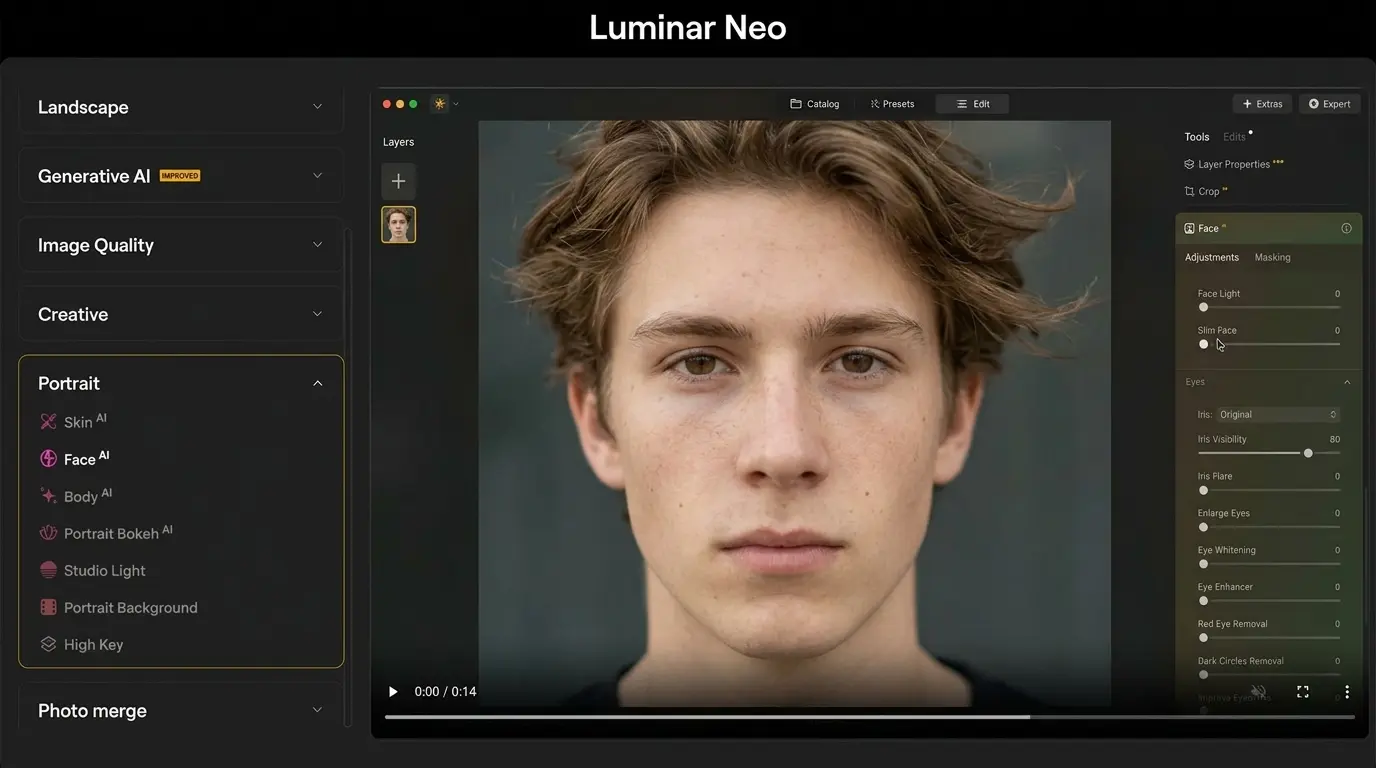
Luminar Neo from Skylum delivers the most generous one-click AI feature set without forcing you into a subscription. The 2026 build adds GenSwap, GenErase, and GenExpand—Skylum’s answer to Adobe’s generative trio (Photofocus).
Standout AI tools:
- Sky AI for one-click sky replacement with realistic reflections.
- Relight AI to rebalance foreground vs. background exposure.
- Face AI & Skin AI for portrait retouching with slider controls.
- Enhance AI for global one-tap correction.
- GenErase/GenSwap/GenExpand for prompt-based edits.
Pricing: Around $119–$179 for a perpetual desktop license, with cross-device upgrades available (Zapier).
Best for: Landscape, travel, and portrait photographers who hate monthly fees.
Drawbacks: Catalog management is weaker than Lightroom, and generative tools are credit-limited.
AI struggles with hair, fur, and transparent objects—our expert image masking service handles the impossible cutouts AI still can’t.
3. Topaz Photo AI 4 — Best for Restoration, Denoise & Upscale
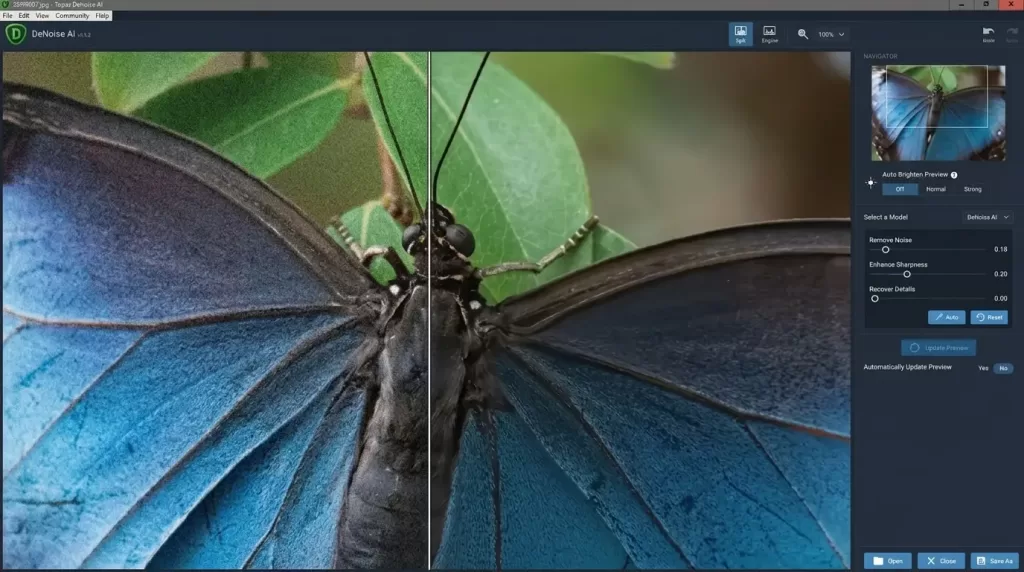
Topaz Photo AI 4 is the dedicated tool every wildlife, astro, and event photographer keeps in their workflow. Its autopilot detects subjects, faces, and noise patterns, then applies the right model automatically (Fabio Nodari).
What it nails:
- Class-leading denoise for high-ISO and astrophotography files.
- Gigapixel-level upscaling now embedded directly inside Photoshop 2026.
- Sharpen recovers motion blur and out-of-focus shots.
- Face Recovery model brings back detail in distant subjects.
Pricing: $199 one-time with a $99 annual renewal for new model updates (Topaz Labs).
Best for: Wildlife, sports, astrophotography, archival restoration.
Drawbacks: Hardware-hungry, slower batch processing, and not a standalone editor.
4. Pixazo AI Image Editor — Best for AI-Powered Image Editing
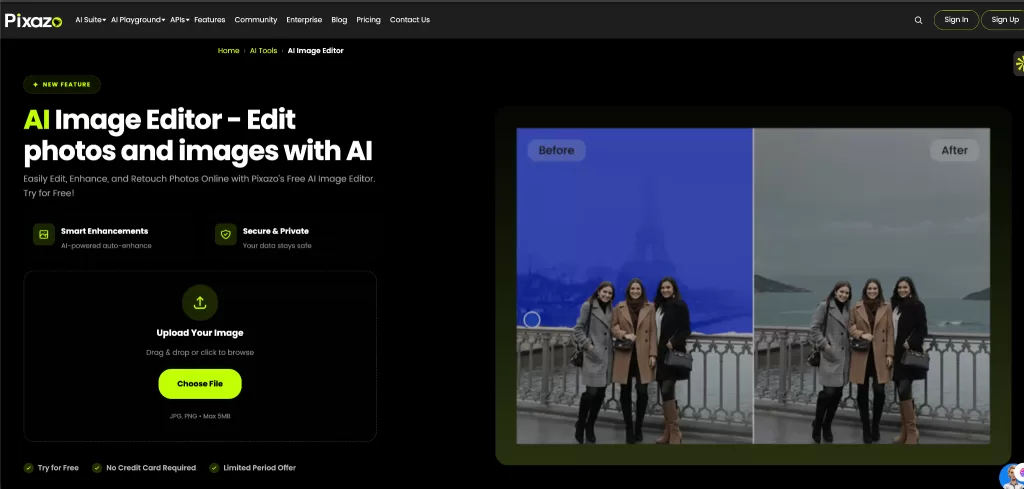
Pixazo AI Image Editor is an AI-powered image editing tool designed to simplify professional photo editing. It lets users enhance and transform images using AI without requiring advanced editing skills, making it useful for marketers, creators, e-commerce businesses, and designers who need polished visuals quickly.
Key features:
- AI Image Editing – Edit and transform images using AI-powered tools.
- Background Removal – Automatically remove backgrounds for cleaner, professional visuals.
- AI Enhancement – Improve image quality and create more refined visuals.
- Object Editing – Modify or remove unwanted elements from images with AI.
- Easy AI Editing – Create professional-looking images without complex editing software.
Pricing: Free to get started, with paid options available for users who need additional AI image editing capabilities.
Best for: Marketers, e-commerce businesses, social media creators, designers, and anyone looking for fast AI-powered image editing.
Drawbacks: It may not provide the same level of pixel-level manual control as advanced professional editors like Photoshop.
DeeVid AI Image Editor — Best for Fast Prompt-Based Editing
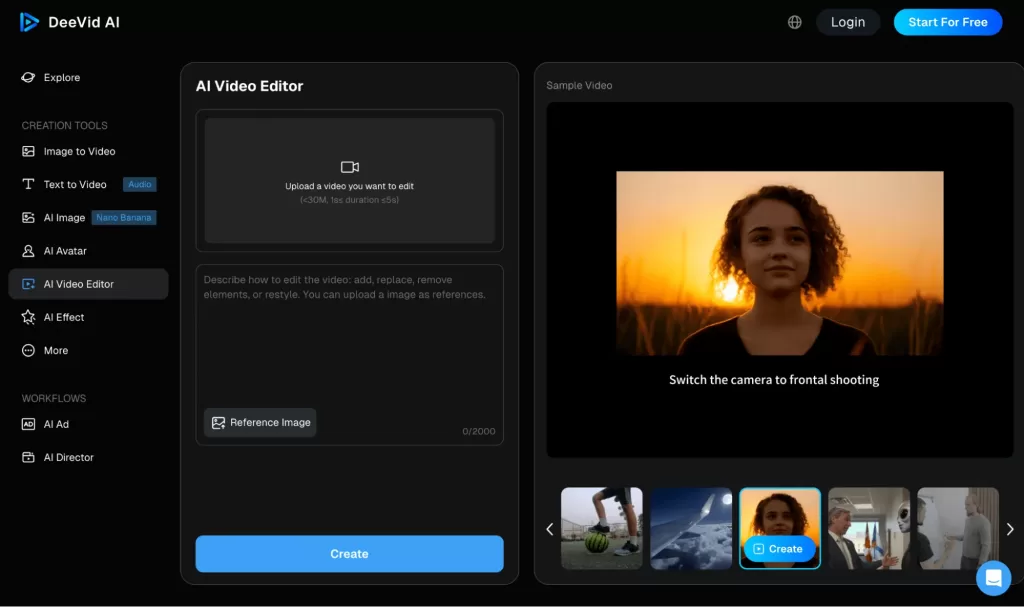
DeeVid AI Image Editor takes a prompt-first approach to photo editing: upload an image, describe the change you want, and let the AI handle the heavy lifting. It can remove or replace objects, swap backgrounds, retouch portraits, adjust colors and exposure, and upscale images without requiring traditional masking or layer work. That makes it a practical option for marketers, social media creators, e-commerce sellers, and beginners who need polished visuals quickly. DeeVid also connects its image editing tools with image generation and image-to-video workflows, which is useful for creators producing multiple types of visual content in one place. The tradeoff is that advanced retouchers may still prefer Photoshop when an edit requires precise, pixel-level manual control.
5. Adobe Lightroom — Best Cloud-Based AI Photo Editor
Lightroom remains the catalog and color-grading workhorse. Its AI Masking, Denoise, Generative Remove, and Adaptive Presets turned what used to be 20-step retouches into single clicks.
Why it still wins:
- AI Masks that detect sky, subject, background, and skin automatically.
- Generative Remove for distractions like power lines and photo bombers.
- Adaptive Presets that adjust per image based on content.
- Seamless sync between desktop, mobile, web, and iPad.
Pricing: Bundled inside the $9.99/month Photography Plan with Photoshop.
Best for: High-volume photographers, weddings, real estate, and anyone who needs cloud sync (PCMag’s best photo editors roundup).
Drawbacks: Subscription locked, weaker for heavy compositing.
6. Imagen AI — Best for Wedding & High-Volume Photographers
Imagen learns your personal editing style from past Lightroom catalogs and replicates it across thousands of new images. Wedding shooters routinely report cutting post-production time by 80%.
Highlights:
- Personal AI Profile trained on at least 3,000 of your past edits.
- Talent profiles from photographers like Ben Sasso and Jasmine Star.
- AI culling that flags duplicates, blinks, and out-of-focus shots.
- Cloud processing—no powerful local hardware required.
Pricing: From $0.04–$0.05 per edited image; new users typically get free trial credits (Imagen AI).
Best for: Wedding, portrait, and event photographers delivering hundreds of images per shoot.
Drawbacks: Struggles in mixed or harsh lighting, RAW-only, and requires training data.
7. Aftershoot — Best AI Culling + Editing Combo
Aftershoot started as a culling tool but now bundles AI Selects, AI Edits, and AI Retouch in one local desktop app (Aftershoot Blog). Your files never leave your computer, which is a privacy win.
What it does well:
- Cull thousands of RAW files in minutes with duplicate, blink, and blur detection.
- Apply your Lightroom presets at scale with AI-tuned tone adjustments.
- New AI Retouch handles skin smoothing and basic portrait cleanup.
Pricing: Tiered plans for unlimited images; annual billing offers the best value.
Best for: Wedding and event photographers who want everything in one local tool.
Drawbacks: No mobile app, needs an existing Lightroom catalog for training.
8. ON1 Photo RAW MAX — Best Versatile Standalone Editor
ON1 Photo RAW MAX is a complete Lightroom + Photoshop alternative with a built-in AI suite that handles RAW processing, layers, masking, effects, and cataloging.
Top features:
- NoNoise AI for clean high-ISO files.
- Resize AI for huge prints without quality loss.
- Portrait AI for skin smoothing with manual override.
- Keyword AI for automatic tagging and search.
- Tack Sharp AI for recovering soft images.
Pricing: Around $99 one-time license, with annual MAX subscriptions for ongoing updates.
Best for: Hobbyists and pros looking to escape the Adobe ecosystem.
Drawbacks: Smaller plugin community, occasional performance hiccups on older hardware.
9. Canva Magic Studio — Best for Marketers & Social Creators
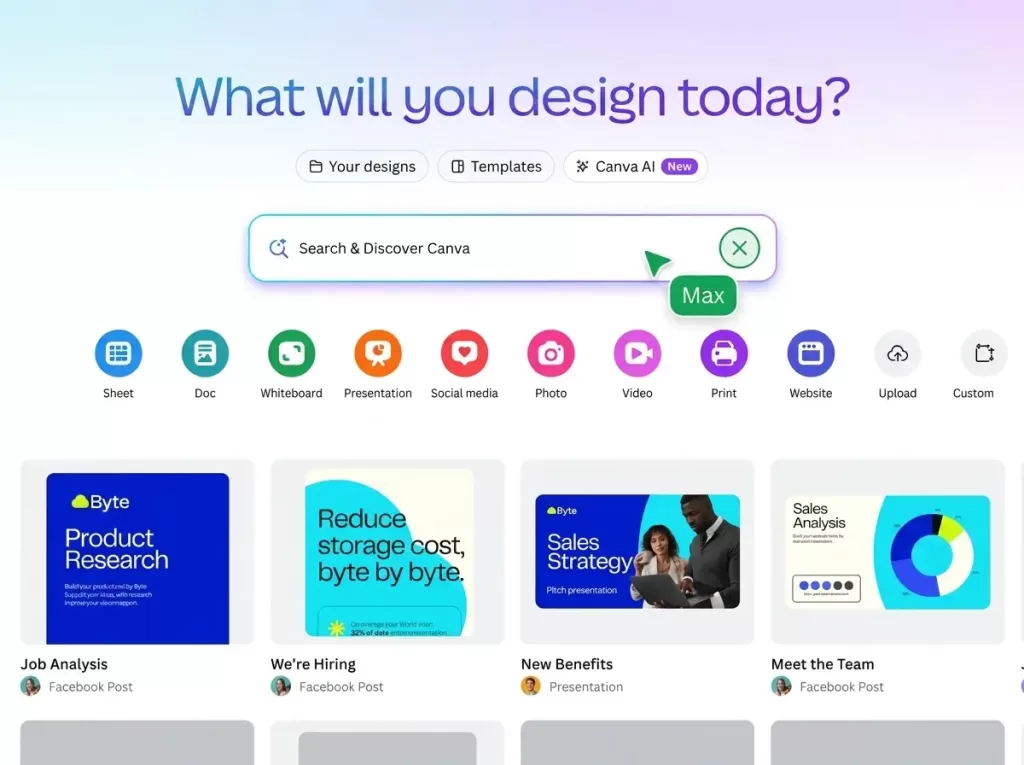
Canva’s Magic Studio turned the design platform into a serious AI photo editor for non-photographers. Magic Edit, Magic Eraser, Magic Expand, and Magic Grab make complex changes a one-click affair (Canva Magic Studio).
Highlights:
- Magic Media for 4K video and image generation.
- Background removal in a single click.
- Brand Hub for consistent visuals across teams.
- Magic Layers turn flat images into editable components.
Pricing: Free tier with limited AI credits; Canva Pro starts at about $14.99/month.
Best for: Social media managers, small brands, course creators, and bloggers.
Drawbacks: Limited control over fine detail, not RAW-friendly.
Selling on Amazon, Shopify, or Etsy? Boost conversions with crisp white backgrounds—try our background removal service today.
10. Pixelmator Pro 3.7 — Best AI Photo Editor for Mac & iPad
Pixelmator Pro 3.7 was Apple’s gateway to bringing Apple Intelligence into pro creative apps. After Apple acquired Pixelmator, the editor became part of the new Apple Creator Studio subscription announced in January 2026 (Wikipedia – Pixelmator Pro).
What’s new:
- Image Playground integration for generative content.
- ML Super Resolution and ML Denoise.
- Apple Pencil support on iPad with new warp and mockup tools.
- Optimized for M-series Apple Silicon performance.
Pricing: Bundled inside Apple Creator Studio at roughly $129/year with Final Cut Pro and Logic Pro.
Best for: Mac and iPad creators who want native Apple performance.
Drawbacks: macOS/iPadOS only, smaller community than Adobe’s.
10.1 Fotor & Picsart — Best Free AI Photo Editors Online
For quick edits without installing software, Fotor and Picsart dominate the free browser-and-mobile category. Both stack 25+ AI features into intuitive interfaces (Picsart).
Useful AI features:
- One-click background removal and replacement.
- AI portrait enhancer, photo restoration, and old photo colorizer.
- Object remover and AI expand for cropped images.
- Templates for social media, ads, and product listings.
Pricing: Free tier with watermarks; Pro starts around $7.99–$8.99/month.
Best for: Casual users, students, marketers, and mobile-first creators.
Drawbacks: Watermarks on free outputs, occasional credit limits, lighter RAW support.
Quick Comparison: Best AI Photo Editors 2026
| Tool | Best For | Pricing Model | Key AI Feature |
|---|---|---|---|
| Photoshop 2026 | Designers, retouchers | $9.99/mo (CC) | Harmonize, Generative Fill |
| Luminar Neo | Hobbyists, landscape pros | One-time $119–$179 | Sky AI, GenSwap |
| Topaz Photo AI 4 | Restoration | $199 one-time + renewals | Denoise, Sharpen, Upscale |
| Lightroom | Workflow + catalog | $9.99/mo (CC) | AI Masking, Generative Remove |
| Imagen AI | Wedding/event volume | $0.04–$0.05 per image | Personal AI Profile |
| Aftershoot | Local culling + editing | Subscription tiers | AI Selects + AI Edits |
| ON1 Photo RAW MAX | All-in-one alternative | ~$99 one-time | NoNoise AI, Resize AI |
| Canva Magic Studio | Marketers | Free / $14.99/mo Pro | Magic Edit, Magic Grab |
| Pixelmator Pro 3.7 | Mac/iPad creators | ~$129/yr bundle | Apple Intelligence |
| Fotor & Picsart | Casual & mobile | Free / from $7.99/mo | Background removal, restore |
Where AI Photo Editing Still Falls Short
AI is fast, but it is not flawless. After testing each tool above, three weaknesses repeat across every product:
- Fine hair and fur masking – AI selections still leave halos on curly hair, sheer fabric, and animal fur.
- Brand-critical product photography – AI background removal cannot match the precision agencies need for Amazon, Shopify, or print catalogs.
- Skin retouching that preserves identity – generative skin smoothing can erase pores, freckles, and texture that make portraits feel real.
This is why most agencies still combine AI editing with human retouching. A trained editor working in Photoshop can deliver pixel-perfect cutouts in seconds where AI fails. If your output goes on a paid ad, packaging, or premium e-commerce listing, a hybrid AI + human workflow protects your brand.
AI smoothing can make portraits look plastic. Keep natural skin detail with our professional photo retouching service.
How to Choose the Right AI Photo Editor in 2026
Use this short decision tree to match your needs:
- You shoot weddings or events: Imagen AI + Aftershoot for culling and base edits, then Lightroom for final color.
- You retouch products, fashion, or composites: Photoshop 2026 + a professional clipping or masking partner.
- You’re a landscape or travel photographer: Luminar Neo for creative edits + Topaz Photo AI for cleanup.
- You manage social or e-commerce content: Canva Magic Studio + Picsart for mobile fixes.
- You’re an Apple-first creator: Pixelmator Pro inside Apple Creator Studio.
Storage planning matters too. RAW files and PSDs swallow drive space fast—this practical breakdown on how many photos a 256GB card holds is a useful reality check before you start a big shoot.
E-commerce Workflow: Why AI Alone Isn’t Enough for Online Sellers
For Shopify, Amazon, eBay, and Etsy sellers, image quality directly drives conversion. AI tools can remove backgrounds quickly, but they often miss critical details:
- Ghost mannequin effects for apparel listings need precise neckline and sleeve work.
- Reflective products (jewelry, glassware, electronics) confuse AI masks.
- Multi-color variant images demand consistent shadow and lighting across hundreds of SKUs.
- Catalog deadlines require batch turnarounds AI tools cannot guarantee.
Smart e-commerce teams use AI for first-pass cleanup, then outsource final cutouts, shadow work, and ghost mannequin edits to a dedicated production studio.
Selling apparel online? Our ghost mannequin service gives garments that hollow, 3D look shoppers trust.
Content Creator Tips for AI-Edited Images
If you publish edited photos online, follow these proven optimization habits:
- Compress final exports with tools like Squoosh or TinyPNG before upload.
- Write descriptive alt text with the primary keyword for accessibility and search.
- Use WebP or AVIF formats to improve Core Web Vitals.
- Add EXIF data sparingly—strip GPS for privacy but keep camera credit when relevant.
- Maintain consistent image dimensions across product pages for cleaner page experience scores.
These small steps stack with the editing time AI saves you, multiplying the ROI of every shoot.
What’s Coming Next: AI Photo Editing Trends to Watch in 2026 & Beyond
A few trends are reshaping the next 12 months of photo editing:
- Credit-based pricing is replacing flat subscriptions for generative actions (Photoshop, Canva, Luminar).
- On-device AI via Apple Silicon, NPUs, and Snapdragon X chips will move generative work off the cloud.
- Provenance tagging (C2PA content credentials) will become standard for AI-edited press, news, and stock images.
- Multimodal prompts combining sketch + text + reference image are landing in major editors.
- Hybrid AI + human services will dominate professional e-commerce as brands demand both speed and finish quality.
Final Verdict: Which AI Photo Editor Should You Pick in 2026?
If I had to pick three tools to cover almost every photographer’s needs, I’d choose Photoshop 2026 for compositing power, Luminar Neo for one-tap creative magic without a subscription, and Topaz Photo AI 4 for restoration. Add Imagen AI if you shoot events, Canva if you market a brand, and a trusted human retouching partner whenever your output represents your brand.
Got hundreds of product shots needing complex cutouts? Save hours with our multi-clipping path service—precise, fast, and brand-safe.
Frequently Asked Questions (FAQ)
1. What is the best AI photo editor in 2026?
Adobe Photoshop 2026 leads overall thanks to Harmonize, Generative Upscale, and deep Firefly integration. For non-subscription users, Luminar Neo offers the best creative AI feature set (Themframes).
2. Is there a free AI photo editor that actually works?
Yes. Canva Magic Studio, Fotor, Picsart, and Pixlr all offer real AI editing for free, though most apply watermarks or credit limits on advanced features.
3. Can AI replace a professional retoucher?
Not entirely. AI excels at speed and bulk tasks, but it still struggles with fine hair masks, reflective products, and identity-preserving skin retouching. Brands relying on premium imagery typically combine AI with a human editor.
4. Which AI photo editor is best for wedding photographers?
Imagen AI and Aftershoot dominate this category because both learn your style and process thousands of files quickly with consistent results.
5. Is Luminar Neo better than Lightroom?
They serve different needs. Lightroom wins for catalog management, cloud sync, and consistent color grading. Luminar Neo wins for one-click creative AI tools and a one-time purchase option (Skylum comparison).
6. Do AI photo editors work on RAW files?
Most professional AI editors (Photoshop, Lightroom, Luminar Neo, Topaz, Capture One, ON1) fully support RAW. Browser tools like Canva and Fotor mainly handle JPEG, PNG, and WebP.
7. How much do AI photo editing tools cost in 2026?
Expect $9.99/month for Adobe’s Photography Plan, $119–$179 one-time for Luminar Neo, $199 + renewals for Topaz Photo AI, around $0.04–$0.05 per image for Imagen, and free-to-$15/month for Canva and Picsart.
8. What is the best AI photo editor for product photography?
Photoshop 2026 plus a professional retouching partner remains the gold standard. For solo sellers, Luminar Neo or Canva can deliver acceptable results, but high-end brands still combine AI with a human editing service for shadows, ghost mannequins, and complex cutouts.
Want studio-grade depth on every product image? Add realism with our shadow creation service—drop, natural, and reflection shadows done right.