

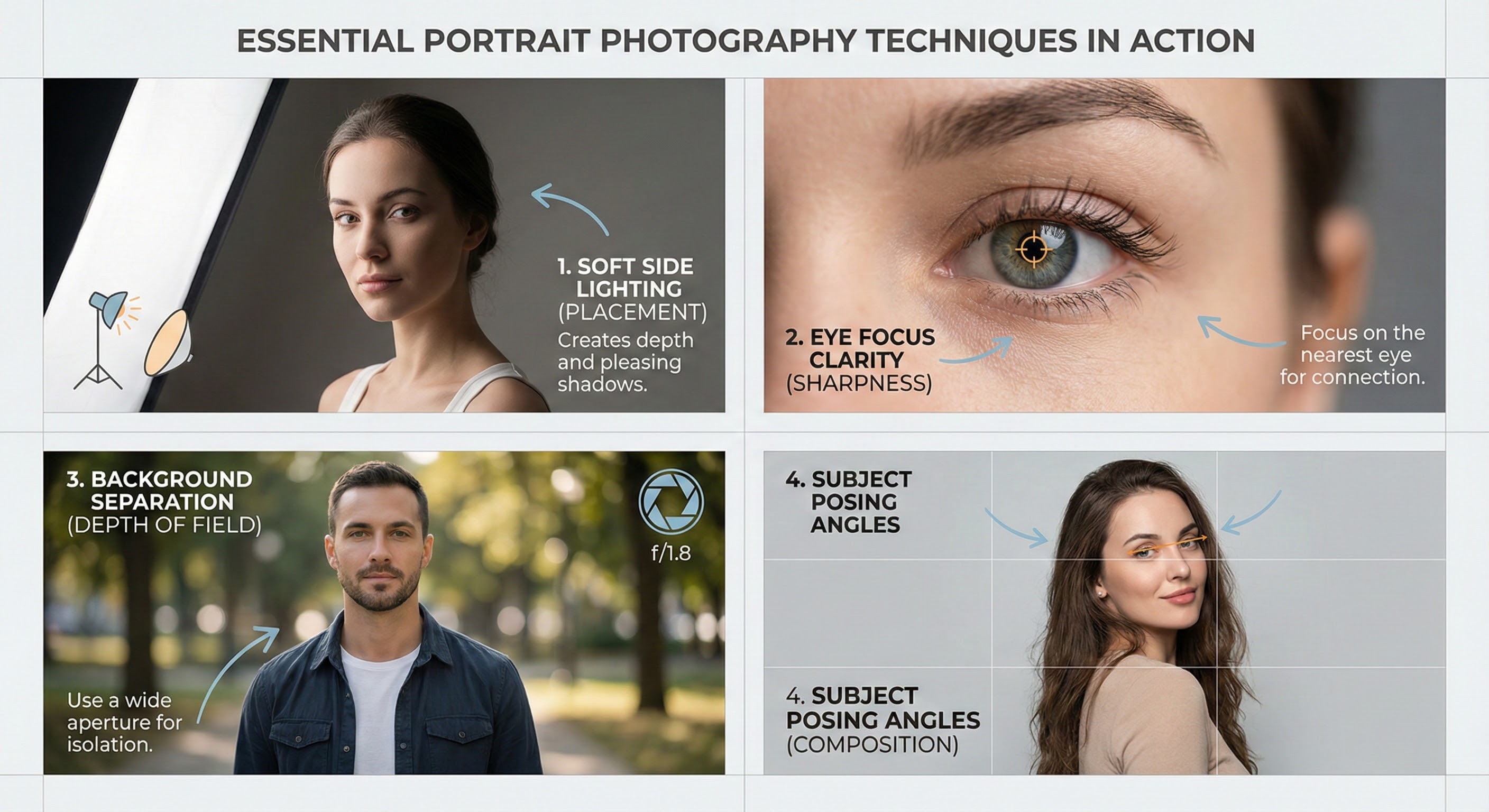
Portrait Photography Tips for Stunning Images
October 20, 2025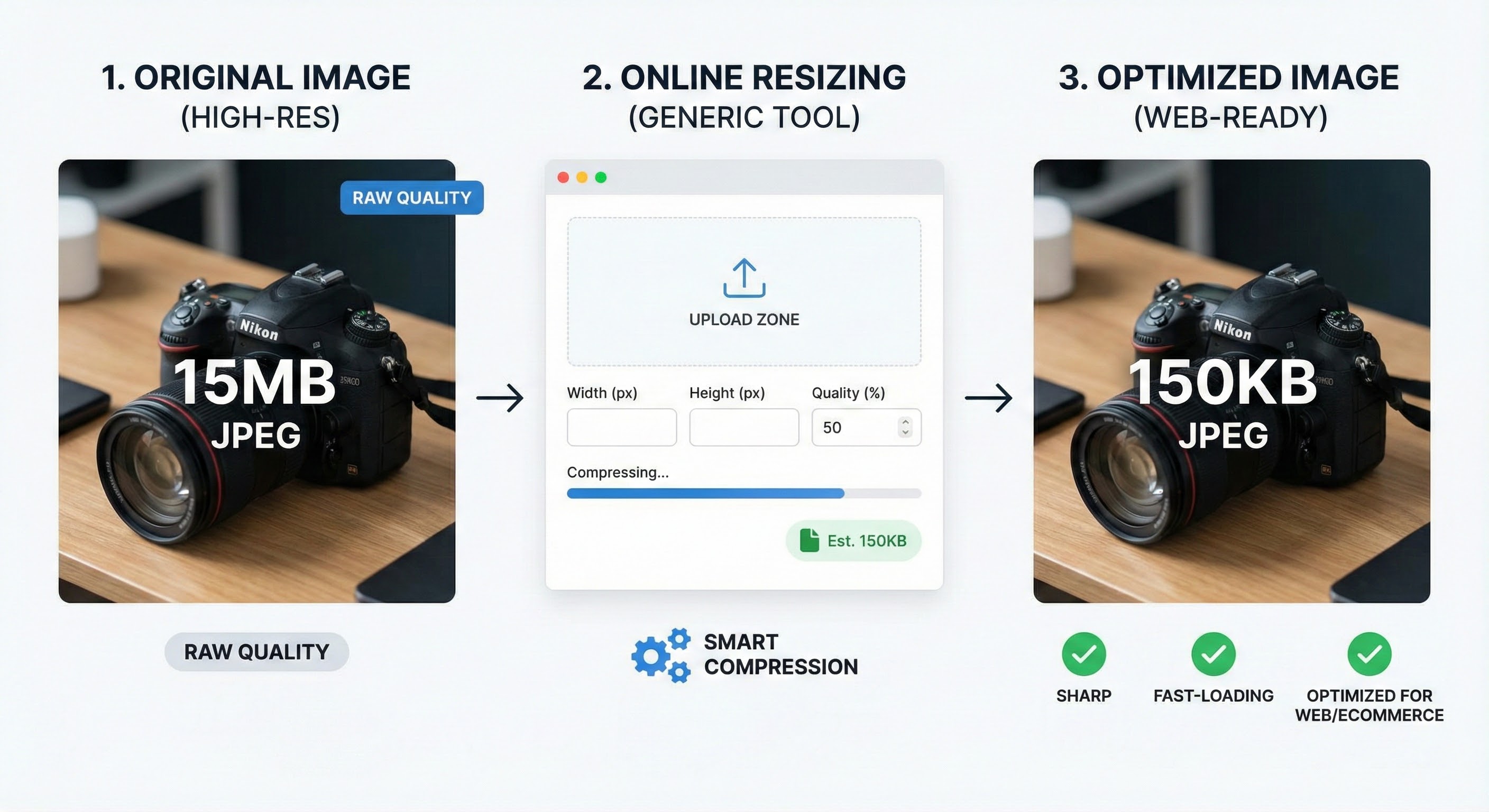
Best Ways to Resize Images Without Losing Quality Online
October 20, 2025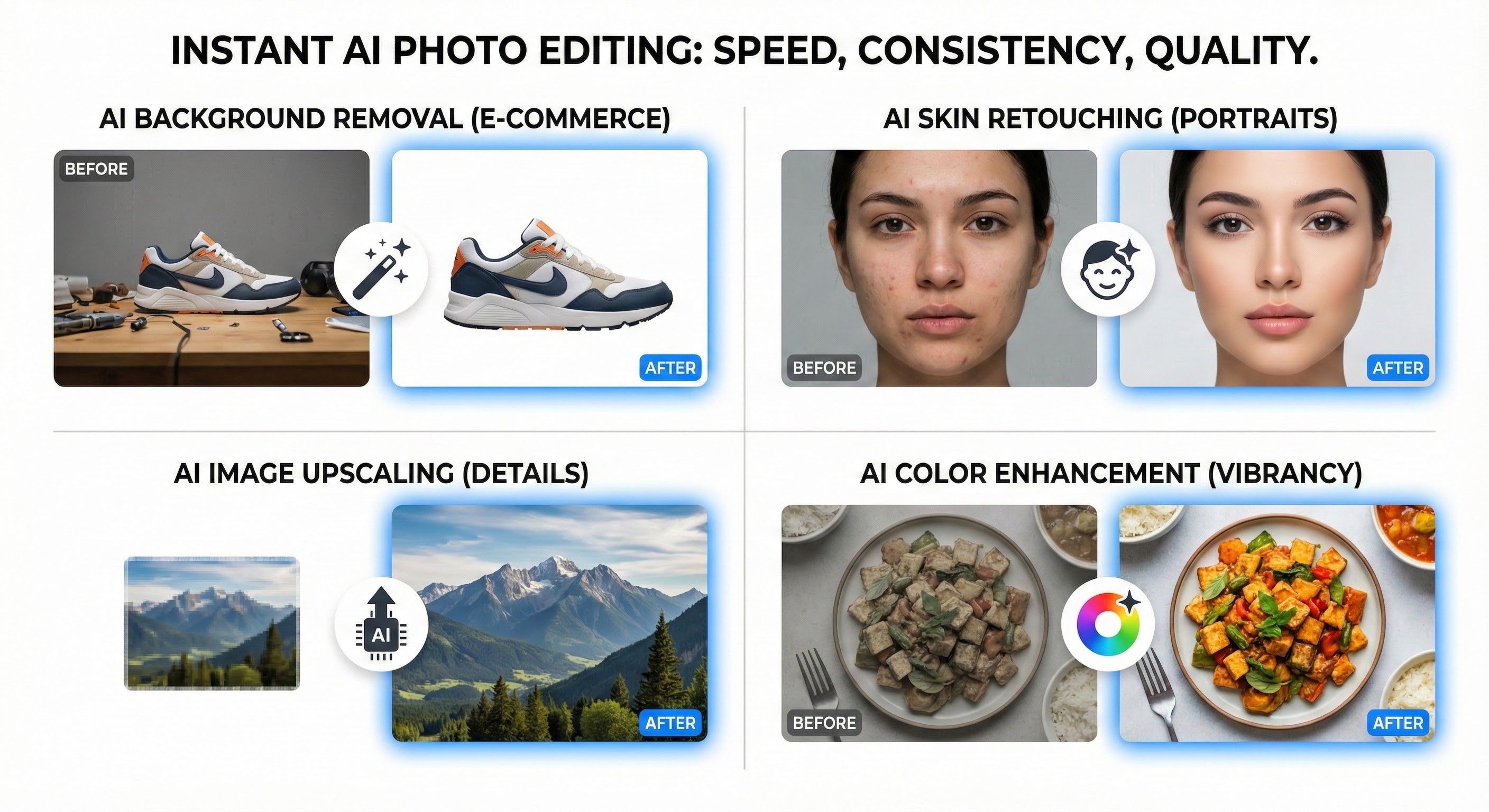
AI Photo Editing Tools to Enhance Image Quality Instantly
Photo editing has always been at the heart of visual storytelling. Whether it’s enhancing portraits, creating product photos for e-commerce, or designing creative social media posts, editing determines how an image connects with its audience. Traditionally, professional photo editing required mastery of tools like Photoshop, Lightroom, or GIMP. But today, Artificial Intelligence (AI) is revolutionizing this space.
AI photo editing tools now promise quick, accurate, and even creative results often in just a few clicks. From automatic background removal to intelligent filters, face retouching, and even AI-generated effects, these tools are transforming industries. But the big question remains: Should you rely entirely on AI for editing, or is manual photo editing still the gold standard?
In this guide, we’ll explore the state of AI in photo editing, its advantages, disadvantages, and smart usage tips. By the end, you’ll know exactly when AI editing is the right choice and when traditional hand editing is better.
The State of AI and Photo Editing
AI photo editing isn’t just a trend; it’s the future of visual content creation. With the rise of machine learning and computer vision, editing software can now “understand” images and make intelligent adjustments.
For example:
- AI Background Removal – Tools like Remove.bg and Canva can instantly cut out subjects with pixel-perfect accuracy.
- AI Skin Retouching – Platforms such as Luminar Neo or PortraitPro smooth skin, remove blemishes, and adjust tones without overdoing it.
- AI Upscaling – Apps like Topaz Gigapixel AI enhance low-resolution photos into high-quality images suitable for print.
- AI Color Grading – AI analyzes scenes to apply cinematic filters and mood-based tones.
According to recent industry reports, AI-driven photo editing tools are expected to dominate e-commerce, advertising, and even personal photography in the next five years. For businesses, it means faster workflows and cost savings. For individuals, it means access to professional-looking results without needing years of editing experience.
Advantages of AI Photo Editing
1. Time Efficiency
One of AI’s biggest strengths is speed. Tasks that traditionally took 30 minutes to an hour like background removal, exposure correction, or batch editing can now be completed in seconds. For photographers managing thousands of images, this is game-changing.
2. Accessibility for Beginners
AI photo editing tools are designed with user-friendliness in mind. A beginner doesn’t need to learn complex layers, brushes, or masks. With just one click, they can get a polished result that would have taken a professional much longer.
3. Consistency in Branding
For e-commerce businesses, consistency is key. AI ensures product images have the same background, lighting, and color correction essential for online catalogs. It helps brands maintain a professional, uniform look across multiple platforms.
4. Cost-Effectiveness
Hiring professional editors can be expensive, especially for startups and small businesses. AI tools offer affordable monthly subscriptions, making high-quality editing accessible to anyone.
5. Advanced Capabilities
AI doesn’t just mimic human editing it enhances it. Features like super-resolution upscaling, smart object detection, and automatic masking go beyond what most beginners can achieve manually. This opens up creative possibilities for content creators, marketers, and photographers.
Disadvantages of AI Photo Editing
1. Lack of Artistic Vision
While AI can replicate technical adjustments, it lacks creativity. Photography is about telling a story, capturing emotions, and applying an artistic touch things that AI cannot fully understand.
2. Risk of Over-Editing
AI often goes too far. Portrait editing may result in skin that looks plastic, while auto-enhancements can oversaturate colors. This creates images that feel artificial.
3. Limited Customization
AI tools are pre-programmed. If you want to create something highly specific or artistic like a surreal photo manipulation AI often can’t deliver. Manual editing remains necessary for unique projects.
4. Privacy Concerns
Most AI tools are cloud-based, meaning you must upload your photos to external servers. For businesses handling sensitive product designs or individuals editing private photos, this raises security and data privacy issues.
5. Dependence on Software
If AI makes a mistake—such as removing the wrong object—you may need manual intervention anyway. Over-reliance on AI could limit your own growth as an editor or creative professional.
When to Use AI Photo Editing
AI isn’t here to replace humansit’s here to assist. The smartest editors know when to use AI and when to step in manually.
Best Uses for AI Editing
- E-commerce Photography: Quick background removal and batch corrections.
- Social Media Content: One-click filters and enhancements for daily posts.
- Event Photography: Speeding up workflow when editing hundreds of images.
- Basic Corrections: Adjusting brightness, exposure, or cropping.
- Rescuing Bad Shots: Fixing blurry or underexposed photos.
When Not to Rely on AI
- High-end fashion or magazine covers.
- Professional portfolios where creativity is key.
- Luxury product photography that requires precision.
- Artistic projects that demand storytelling and originality.
The Best Way to Edit Photos Is by Hand
AI is powerful, but manual editing still reigns supreme for quality. Professional editors bring creativity, emotion, and brand alignment that AI can’t match. For example, a photographer editing a wedding album will consider not just exposure or sharpness, but also the emotional context of each shot.
Hand editing allows for:
- Full Creative Control – Nothing is left to algorithms.
- Customization – Every detail can be fine-tuned.
- Emotional Impact – Human judgment creates photos that feel real and relatable.
The future may not be “AI vs Humans” but rather a hybrid approach: use AI to handle repetitive tasks, then refine images manually for perfection.
AI Photo Editing FAQs
1. Can AI completely replace human photo editors?
No. AI is efficient, but it lacks creative judgment. Humans remain essential for high-quality, artistic work.
2. What are the best AI photo editing tools?
Some of the most popular options include Adobe Photoshop (with AI features), Luminar Neo, Fotor, Canva, and Topaz AI tools.
3. Is AI safe for editing personal photos?
Yes, but always check the platform’s data security policies before uploading sensitive images.
4. Will AI reduce the need for professional photo editors?
It may reduce demand for basic edits, but professionals will always be needed for complex, high-quality work.
5. Can AI improve old or blurry photos?
Yes. AI upscaling and deblurring tools can restore old images or sharpen sports/action shots.
6. Should beginners use AI editing tools?
Absolutely. AI is a great way for beginners to start, while also learning the fundamentals of editing.
Conclusion
AI photo editing is here to stay and it’s evolving rapidly. For businesses, it offers efficiency and cost savings. For individuals, it provides professional-quality results with minimal effort. But like all technology, it has limitations. AI cannot replicate human creativity, emotional judgment, or artistic storytelling.
The smartest approach is to combine AI with manual editing letting technology handle the repetitive tasks, while humans bring the finishing touches that make photos truly shine.
In the end, AI is not a replacement for human editors, but a powerful partner in creating stunning, impactful images.