Logo
Clipping Expert Asia Professional Editing
  • Home
  • Services

    Need Help With Your Project?

    Our expert team is ready to deliver pixel-perfect results within 24 hours.

    Get Free Quote

    Clipping Path

    Precision hand-drawn paths

    Background Removal

    Clean & transparent BG

    Image Masking

    Hair, fur & complex edges

    Ghost Mannequin

    3D hollow body effect

    Photo Retouching

    High-end skin editing

    Beauty Retouching

    Magazine quality finish

    Shadow Creation

    Natural drop shadows

    Color Changes

    Product color variants

    Multi-Clipping Path

    Multiple path selection

    Jewelry Retouch

    Diamonds,golds Etc

  • Pricing
  • About
  • Blog
  • Contact
Get Quote
Menu
Home
Services
Clipping Path Background Removal Image Masking Ghost Mannequin Photo Retouching Beauty Retouching Shadow Creation Color Changes Multi-Clipping Path
Pricing About Us Blog Contact
Get Free Quote

Professional Clipping Path Services

Get pixel-perfect, 100% hand-drawn clipping paths using the Adobe Photoshop pen tool. Precise background removal, transparent PNG cutouts, and multi-clipping paths for e-commerce, catalogs, and print — available 24/7 with delivery in as little as 6 hours. Starting at just 30¢ per image.

100% Hand-Drawn Unlimited Revisions 24/7 Support
Upload Images View Pricing
500K+
Images Edited
10K+
Happy Clients
99.9%
Satisfaction Rate
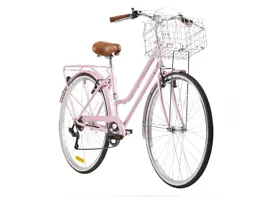
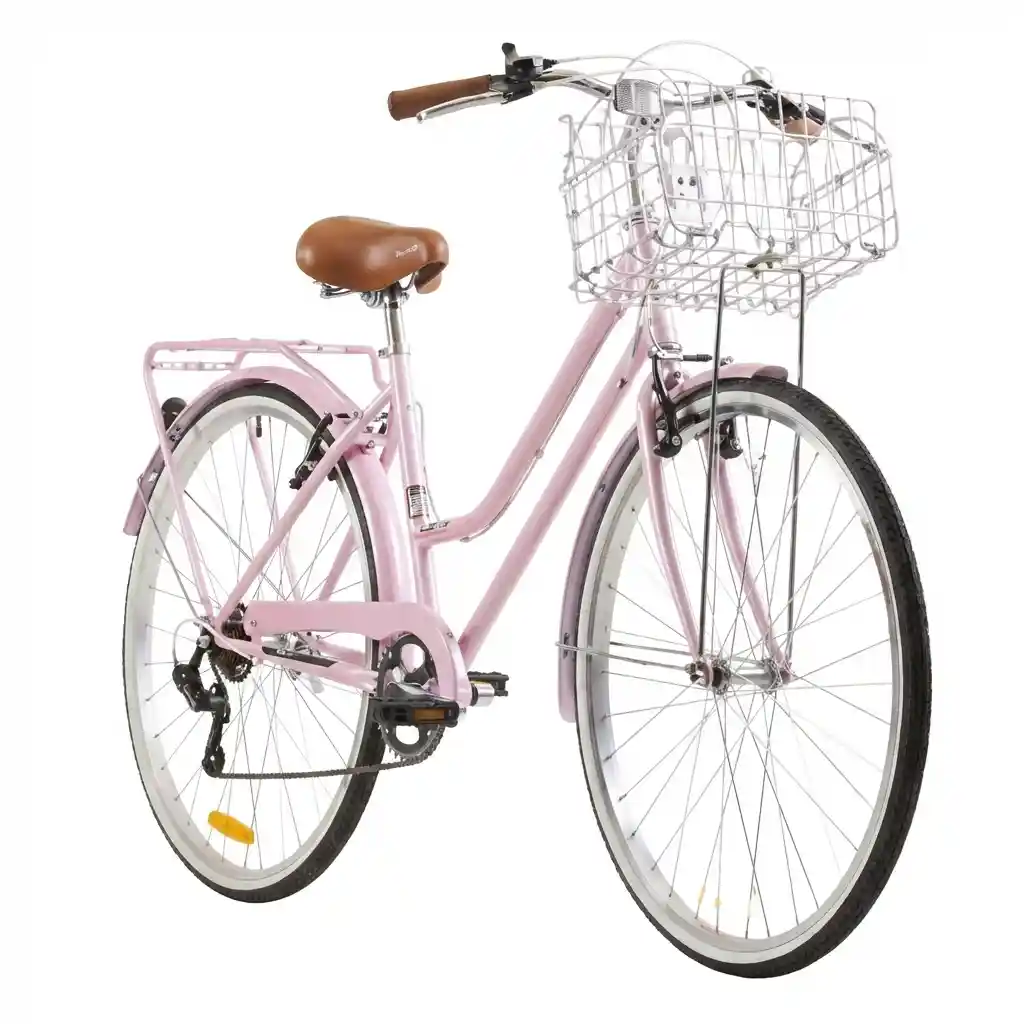
Professional clipping path service — hand-drawn bicycle cutout
Starting at
30¢/image
Secure & Confidential
Fast Turnaround
Unlimited Revisions
24/7 Support
NDA Available

What Is a Clipping Path Service?

A clipping path is a hand-drawn vector outline that isolates a subject from its background so the background can be removed, replaced, or made transparent with pixel-perfect precision.

In technical terms, a clipping path is a closed vector shape drawn manually inside Adobe Photoshop using the Pen Tool. Once created, anything sitting inside that path is preserved, while everything outside the path is cut away, hidden, or exported as a transparent PNG. Because the outline is vector — not raster — it stays razor-sharp when scaled up for billboards or scaled down for mobile product thumbnails, unlike automated AI cutouts that soften, jag, or hallucinate edges on complex shapes.

A professional clipping path service applies this technique at scale: skilled graphic designers hand-place anchor points around every curve, corner, hole, and negative-space element of your product, then deliver the file with the path saved for future editing or with the background already removed. The result is a clean, silhouetted subject that drops perfectly onto a pure white e-commerce background, a transparent layout for a marketing composite, or any solid brand color your catalog demands.

At Clipping Expert Asia, every clipping path is drawn 100% manually — no AI batch cutouts, no magic wand, no automated selection tools. Our production team combines the Photoshop pen tool with strict anchor-point discipline, multi-layer clipping for complex products, and a rigorous three-stage human quality-control pipeline. That's how we deliver marketplace-ready cutouts for over 500,000 images across footwear, jewelry, fashion, electronics, cosmetics, furniture, and every other product category imaginable.

Why Choose Our Clipping Path Services?

We deliver high-quality image editing with fast turnaround times and competitive pricing. Trusted by thousands of e-commerce businesses, photographers, and creative agencies worldwide.

Fast Turnaround

Get edited images back in as little as 6 hours with our express delivery. Standard 24-hour turnaround on every order.

Premium Quality

Hand-drawn paths by expert Photoshop pen-tool designers with 10+ years of professional editing experience.

Secure & Private

Your images are safe with SSL-encrypted uploads, signed NDAs, and automatic file purging 30 days post-delivery.

Affordable Pricing

Starting at just 30¢ per image. No hidden fees, no setup costs, and no surprise charges on your final invoice.

Unlimited Revisions

We're not happy until you're happy. Every order includes unlimited free revisions until every edge is perfect.

Dedicated Team

Your own account manager provides personalized service, style-guide consistency, and dedicated production capacity.

All Formats Accepted

JPEG, PNG, TIFF, PSD, RAW, CR2, NEF, ARW — we handle every major image and camera format.

Bulk Discounts

The more you order, the more you save. Volume tiers unlock 10–30% discounts on large catalog projects.

How Our Clipping Path Service Works

Get your product images professionally cut out in three simple, transparent steps.

1

Upload Your Images

Drag and drop your product photos or send a ZIP via Google Drive, Dropbox, or WeTransfer. We accept every major format — JPEG, PNG, TIFF, PSD, RAW, CR2, and NEF — and handle everything under NDA.

2

We Edit Your Images

Our expert Photoshop designers hand-draw precise clipping paths tailored to your specifications. Every image is manually reviewed, edge-refined, and quality-checked before it ever leaves our studio.

3

Download Results

Receive your professionally cut-out images via encrypted email link or your dedicated client account. Files arrive marketplace-ready — pure white background, transparent PNG, or layered PSD with the path saved.

The Pen-Tool Technique: How We Draw Every Path

Great clipping paths aren't magic — they're the product of disciplined manual work in Photoshop. Here's exactly how our editors approach every image.

01

Photoshop Pen-Tool Paths

Every clipping path outline is drawn by hand with the Adobe Photoshop pen tool, one anchor point at a time. This vector-based approach produces clean, resolution-independent edges that stay perfectly sharp whether the final image runs on a mobile product tile or a giant retail banner. Automated background removers rely on color contrast to guess where an edge lives — and they consistently soften, jag, or completely miss edges that touch similar-toned backgrounds. Manual pen-tool work has zero of that risk.

02

Anchor-Point Precision

Anchor points are placed tightly and intentionally along every curve, corner, and hard edge, so the finished path follows your product's true silhouette. Fewer, well-positioned anchor points mean smoother Bezier curves, no stair-stepping, and no visible polygon edges when the cutout is zoomed. Handles, rims, tight bends on wine bottles, watch bezels, and shoe outsoles all keep their natural geometry — because the human hand knows where an anchor belongs and where it doesn't.

03

Multi-Clipping Layers

Complex products get split into separate clipping paths for individual components — handles, straps, buckles, jewel settings, watch dials, and inner holes. This multi-clipping path technique lets us edit or recolor each part independently and cut out negative space cleanly without touching the rest. It's essential for handbags with metal hardware, bicycles with dozens of spokes, jewelry with pierced designs, and eyewear with transparent lenses.

04

Edge Refinement & QA

Every finished path is reviewed at 400% magnification, where stray anchor points, loose edges, and background fringe become obvious. Our QA team tightens the outline, refines corner sharpness, and confirms the cutout sits cleanly on white, transparent, or colored backgrounds before delivery. Then a second senior editor signs off. Nothing leaves our studio without passing this three-stage human quality-control pipeline.

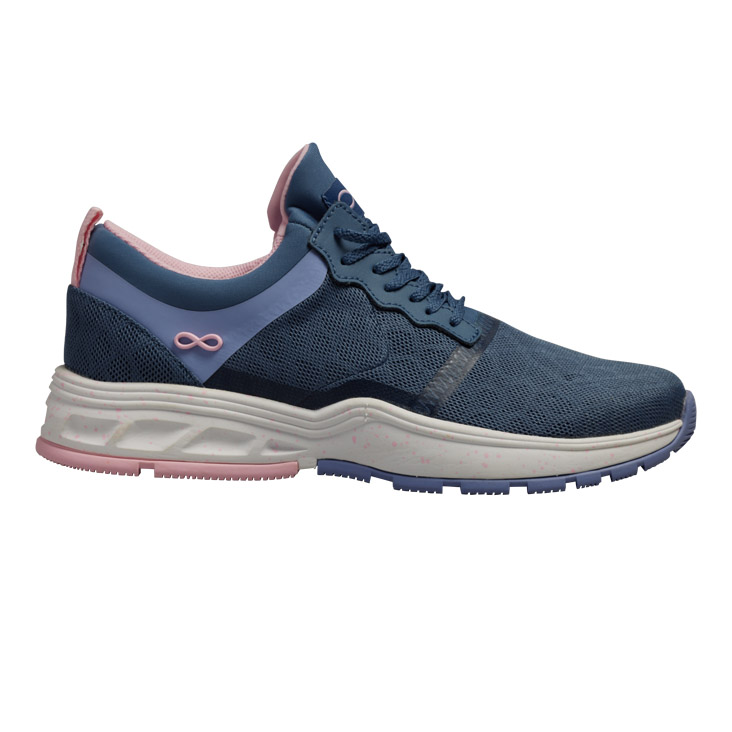
Professional hand-drawn clipping path on athletic shoe

The Art of Precision: Why Hand-Drawn Matters

In the world of high-end product photography, "good enough" quietly destroys conversion rates. Automated background removal tools consistently fail on hair, fur, transparent glass, embedded holes, complex jewelry chains, and any subject whose color blends with the background — precisely the images where a clean cutout matters most.

At Clipping Expert Asia, we don't rely on magic wands, AI selection algorithms, or one-click cutouts. Our designers manually trace every single pixel of every anchor point, using the same disciplined Photoshop pen-tool workflow that top luxury brands and high-volume retailers rely on for their hero product imagery. That's why our finished paths look like they were cut from vector art — because they essentially were.

Hand-drawn clipping paths also give your creative team downstream flexibility: because the path is saved as an editable Photoshop layer, your in-house designers can adjust it, feather it, invert it, or repurpose it across composites long after the file leaves our studio. Automated tools deliver a destructive raster cutout; we deliver a living, editable asset.

  • Natural looking curves with vector quality
  • Preservation of soft edges and cast shadows
  • Accurate cutouts for complex geometries
  • Paths that remain editable by your in-house team
  • Consistent quality across full product catalogs
  • Zero jagged edges, halos, or color contamination

When Do You Need Clipping Path Services?

A clipping path is the professional starting point for almost any advanced product image edit. Here are the most common real-world use cases our clients tackle every day.

Background Removal

Delete a distracting studio backdrop and drop your product onto pure white #FFFFFF for Amazon, Shopify, eBay, or Walmart Marketplace listings.

Background Replacement

Swap studio white for a lifestyle scene, a colored gradient, or a branded backdrop that fits your seasonal campaign or landing-page hero.

Unwanted Object Removal

Cleanly delete price tags, mannequin parts, cables, hangers, wires, and stray props without leaving artifacts, halos, or messy repair patches.

Selective Color Correction

Isolate a single element — a garment, a gemstone, a logo — for surgical color grading without affecting anything else in the frame.

Shape Modification

Adjust proportions, straighten crooked products, or reshape asymmetrical items so every SKU in your catalog looks intentional and premium.

Composite & Layered Design

Build multi-product hero images, seasonal collages, category banners, and social-media creatives from perfectly isolated source assets.

Shadow Preparation

Cleanly isolated subjects are the foundation of natural drop shadows, reflection shadows, and floating shadows that make products feel physical.

Ghost Mannequin Effect

Multi-part clipping paths are the foundation of the invisible-mannequin apparel look that dominates modern fashion e-commerce.

Print & Catalog Prep

Deliver CMYK-ready, cleanly-isolated products for magazine spreads, print catalogs, lookbooks, and offset advertising campaigns.

Our Complete Image Editing Services

Professional Photoshop-based image editing solutions engineered for e-commerce, product photographers, and creative teams.

Clipping Path

Hand-drawn precision paths using the Adobe Photoshop pen tool for clean, accurate, vector-quality product cutouts on any complexity level.

Learn More

Background Removal

Remove any background completely and replace it with white, transparent PNG, or a custom brand backdrop — perfect for e-commerce listings.

Learn More

Image Masking

Advanced masking for hair, fur, feathers, semi-transparent fabric, and soft edges where a hard-edged clipping path alone can't do the job.

Learn More

Ghost Mannequin

Create the professional invisible-mannequin neck-joint effect for apparel and fashion photography that dominates modern online retail.

Learn More

Photo Retouching

Professional dust, dent, and blemish cleanup, along with subtle enhancement that makes product images look their absolute retail-ready best.

Learn More

Color Correction

Perfect color balance, exposure, white balance, and Pantone-accurate adjustments for consistent, brand-compliant catalog imagery.

Learn More

Industries That Rely on Clipping Path Services

From high-volume e-commerce catalogs to boutique advertising agencies, our clipping path service powers image production across every visual industry.

E-commerce Retailers

Amazon, Shopify, eBay, Etsy, Walmart, and DTC brands with thousands of product SKUs to publish.

Product Photographers

Studios delivering polished cutouts to clients without maintaining in-house post-production teams.

Ad & Marketing Agencies

Creative agencies building composites, landing pages, and campaign assets on tight production deadlines.

Print & Publishing

Magazines, catalogs, lookbooks, and CMYK offset print prep with color-managed deliverables.

Fashion & Apparel

Clothing brands, on-model shoots, ghost mannequin conversions, and full seasonal lookbook production.

Jewelry Brands

Fine jewelry with intricate chains, pierced designs, and complex negative-space paths.

Real Estate

Property photography with sky replacements, virtual staging, and clean architectural cutouts.

Automotive Dealers

Vehicle inventory imagery with white-backgrounded or lot-replacement compositing at scale.

How much does clipping path service cost?

Our pricing model is based on image complexity. See the detailed breakdown below.

+

Basic Clipping Path $0.30 / Image

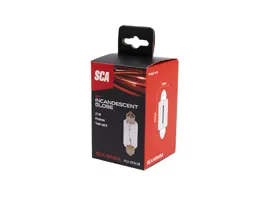
Basic Clipping Path is ideal for simple products with straight lines and smooth curves — smartphones, ceramic cups, product boxes, cosmetic bottles, books, and rectangular packaging. These images contain no embedded holes, no transparency, and no fine detail work. Our designers use the Photoshop pen tool to create clean, single-path outlines, delivering sharp edges and quick turnaround times ideal for high-volume e-commerce product listings on Amazon, Shopify, and eBay. This is the most cost-effective tier for uniform catalog production.

What's Included

  • Basic Shape Clipping
  • Simple Object Background Removal
  • White or Transparent Background
  • Hand-Drawn Photoshop Path
  • Smooth Edges with Clean Cutout
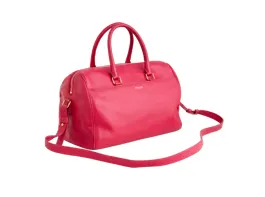
Smartphone basic clipping path example
Smartphone
Ceramic cup basic clipping path example
Ceramic Cup
Product box basic clipping path example
Product Box
Cosmetic bottle basic clipping path example
Cosmetic Bottle

Simple Clipping Path $0.49 / Image

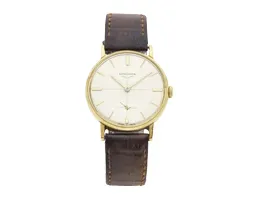
Our Simple Clipping Path service is designed for products that carry slightly more detail than basic geometric shapes. Examples include sneakers with laces and curves, luxury watches with detailed dials, headphones with cushioned earcups, and apparel items with folded fabric. These images involve handling soft edges, minor curves, and mild negative space, but no true embedded transparency. Every path is drawn cleanly with the Photoshop pen tool while maintaining the natural silhouette of the product — perfect for fashion accessories, footwear, and consumer electronics catalogs.

What's Included

  • Curve Handling
  • Soft Edge Refinement
  • Basic Shadow Preservation
  • Apparel & Accessories Focus
Sneaker simple clipping path example
Sneaker
Luxury watch simple clipping path example
Luxury Watch
Headphones simple clipping path example
Headphones
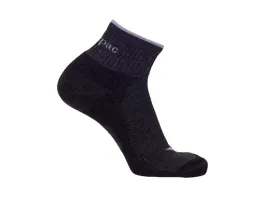
Apparel simple clipping path example
Apparel

Medium Clipping Path $0.99 / Image

The Medium Clipping Path tier handles products with moderate complexity — fine jewelry with small holes, eyewear with transparent glass, bicycles with many spokes, portraits with defined hair edges, and multi-part accessories. These items require multi-clipping path techniques with embedded transparency handling and intricate hole isolation. Our designers meticulously draw separate sub-paths around every small negative-space detail, ensuring the product stands out clearly against any background — pure white, transparent PNG, or a fully replaced backdrop.

What's Included

  • Embedded Transparency
  • Intricate Hole Handling
  • Jewelry & Eyewear Specialization
  • Detail Preservation
Fine jewelry medium clipping path example
Fine Jewelry
Bicycle medium clipping path example
Bicycle
Portrait medium clipping path example
Portrait/Hair
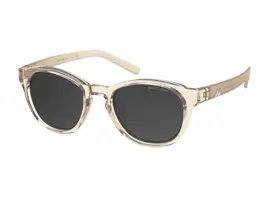
Transparent eyewear medium clipping path example
Transparent Glass

Complex Clipping Path $2.49 / Image

Complex Clipping Path is engineered for products with challenging edges and dense detail — intricate jewelry chains, bicycle gears, dense engraving, detailed portraits with flying hair, and layered accessories. These reference images require significantly more anchor points, longer editing time, and often a hybrid approach where clipping path work is combined with advanced image masking to capture every strand of hair, every chain link, and every negative-space element. This is the go-to tier for luxury brand catalogs, magazine editorials, and premium campaign imagery.

What's Included

  • Complex Edge Handling
  • Chain Link Isolation
  • Hair & Fur Masking
  • High Detail Preservation
Intricate jewelry complex clipping path example
Intricate Jewelry
Complex bicycle clipping path example
Complex Bicycle
Detailed portrait complex clipping path example
Detailed Portrait
Complex eyewear clipping path example
Complex Eyewear

Super Complex Clipping Path $4.99 / Image

Our Super Complex Clipping Path service is reserved for images with extreme detail density — group jewelry sets with overlapping pieces, densely spoked bicycles, portraits with messy flying hair, reflective eyewear with dual transparency, and product still-lifes with dozens of individual elements. These images demand pixel-level precision, combined isolation techniques, and extended production time. Every finest detail — overlapping chains, individual hair strands, reflective glass edges — is perfectly cut out without losing texture, shine, or dimensional depth. This tier is chosen by magazine art directors, luxury advertisers, and billboard campaign producers.

What's Included

  • Pixel-Level Precision
  • Group Product Masking
  • Extreme Detail Recovery
  • Advanced Manual Editing
Group jewelry super complex clipping path example
Group Jewelry
Detailed bicycle super complex clipping path example
Detailed Bicycle
Flying hair super complex clipping path example
Flying Hair
Reflective glass super complex clipping path example
Reflective Glass

Enterprise E-commerce Case Study

A leading online fashion retailer needed consistent, marketplace-compliant cutouts across thousands of SKUs every single week, on a rolling publishing calendar with zero tolerance for missed deadlines. Their in-house team was drowning in reshoots, and their previous vendor was inconsistent on edge quality.

We built a dedicated production pipeline: hand-drawn paths on every image, style-guide-locked batch processing, and a two-person human QA sign-off on every file. New SKUs now go live on schedule, edge quality is uniform across the entire catalog, and their in-house team was freed up to focus on shoot production and creative direction instead of babysitting cutouts.

2,400
Images / Week
24h
Turnaround
99%
First-Pass Rate

Hand-Drawn Clipping Path vs AI Background Removers

Automated tools promise speed but consistently fail on the images that matter most. Here's how professional hand-drawn work compares side by side.

AI / Automated Tools
Clipping Expert Asia
Often leaves jagged, pixelated edges
Smooth, vector-quality Bezier curves
Struggles with hair, fur, and feathers
Precise hair and fur masking on every strand
Fails on transparent glass and reflections
Multi-path handling for transparent surfaces
Misses embedded holes and negative space
Multi-clipping paths for pierced designs
No human quality check on output
Three-stage manual QC on every image
Generic, non-editable raster output
Layered PSD with editable saved path
Limited file format support
All formats — RAW, PSD, TIFF, PNG, JPEG
No revisions included
Unlimited free revisions on every order
Inconsistent output across a catalog
Style-guide-locked consistency across SKUs
Cheap subscriptions, hidden usage caps
Transparent per-image pricing, no caps

File Formats We Accept & Deliver

Send us anything your camera or software produces. Receive files in whatever format your workflow, marketplace, or in-house team needs.

Accepted Input Formats

Our production pipeline is built to handle every serious professional and consumer image format. Send unedited RAW files straight from your camera, layered production PSDs from your studio, or web-ready JPEGs — we handle them all with full color-profile preservation.

JPEG / JPG PNG TIFF / TIF PSD RAW CR2 / CR3 NEF ARW DNG HEIC PDF AI / EPS

Delivery Output Formats

We deliver whatever your workflow demands. The most common outputs are JPG for web listings, transparent PNG for design work, and layered PSD or TIFF for teams that need editable clipping paths saved with the file for future adjustments.

JPG (White BG) PNG (Transparent) PSD (Layered + Path) TIFF (Layered) WebP Amazon-Ready 2000px Shopify Retina Etsy Square CMYK Print

What Our Clipping Path Clients Say

Trusted by thousands of e-commerce brands, photographers, and creative agencies worldwide.

"Clipping Expert Asia has been a game changer for our e-commerce business. The quality is outstanding, turnaround times are incredibly fast, and the hand-drawn paths look exactly like the vector artwork our design team produces internally. We've saved countless hours on image editing."

JD
John Davis
E-commerce Store Owner

"We've tried many outsourcing companies, but Clipping Expert Asia is by far the best. The hand-drawn clipping paths are flawless, they handle hair and complex jewelry chains that automated tools completely butcher, and their customer service is exceptional. Highly recommended!"

SM
Sarah Miller
Photography Studio

"The bulk pricing is fantastic and the quality is remarkably consistent across every SKU in our monthly batch. They handle our entire product catalog with ease, the dedicated account manager makes communication seamless, and the layered PSD delivery format lets our team make future tweaks in-house."

MK
Michael Kim
Marketing Director

Clipping Path Service FAQs

Got questions about clipping path pricing, turnaround, file formats, or security? We've got detailed answers.

What is a clipping path?
A clipping path is a closed vector path — essentially a hand-drawn digital outline — used to cut out a 2D subject in image editing software like Adobe Photoshop. Think of it as a precision digital scissor cut. Anything inside the path is preserved and delivered; anything outside is removed, made transparent, or replaced. Unlike automated background removers, hand-drawn clipping paths produce smooth, scalable, resolution-independent edges that look professional on complex geometries, hair, negative space, and reflective surfaces.
What is the difference between clipping path and deep etching?
Clipping path uses the Photoshop pen tool to create a hard-edged, vector outline around a subject — perfect for products with defined, non-fuzzy edges. Deep etching, sometimes called image masking, is a broader term that includes soft-edge techniques like alpha channels, layer masks, and the background eraser for subjects with hair, fur, feathers, or semi-transparent elements. Most professional projects combine both: a clipping path handles the hard outline while masking handles the soft or transparent portions.
How long does clipping path service take?
Basic and simple clipping paths are typically delivered within 6 hours. Medium complexity images take 12–18 hours, and complex or super complex images take 24–48 hours depending on volume. We also offer rush service for urgent projects — contact our team for same-day delivery options. For enterprise clients with recurring catalog work, we set up dedicated production capacity with locked-in daily throughput.
What image formats do you accept?
We accept every major professional and consumer format including JPEG, JPG, PNG, TIFF, PSD, and RAW files from every camera brand — Canon (CR2, CR3), Nikon (NEF), Sony (ARW), Fuji, and Panasonic. We also handle DNG, HEIC, PDF, AI, and EPS files. Send them individually, as a ZIP file up to 500MB, or share via Google Drive, Dropbox, or WeTransfer for larger catalog batches.
How do you ensure clipping path quality?
Every image is manually edited by our expert Photoshop pen-tool team and passes through a rigorous three-stage quality-control pipeline before delivery. Stage one: the assigned editor self-reviews at 400% zoom. Stage two: a senior editor performs a second-pair-of-eyes check. Stage three: the QA team confirms style-guide compliance and file-format accuracy. We never use automated tools for the final production output — only experienced human editors touch your files.
Are my images secure and confidential?
Absolutely. Your privacy is our top priority. We're happy to sign an NDA (Non-Disclosure Agreement) before any project begins. All uploads and downloads happen over encrypted SSL connections, your images are never sold, shared, or used in our portfolio without explicit written permission, and files are automatically purged from our servers 30 days after project completion. Enterprise clients can request custom retention or immediate-purge policies.
Do you offer unlimited revisions?
Yes — every clipping path order includes unlimited free revisions. If any edge, corner, or cutout detail isn't exactly what you need, simply flag it in your account or reply to the delivery email, and we'll fix it immediately at no extra cost. Your satisfaction is our top priority, and there's no time limit or revision cap on this guarantee within the standard 14-day post-delivery window.
What file formats do you deliver?
We deliver files in any output format your workflow requires. The most common are: JPG on solid white background (Amazon, eBay, Walmart-ready), transparent PNG (for design and composite work), and layered PSD or TIFF with the clipping path saved as an alpha channel for future in-house editing. We can also output WebP, CMYK-converted print files, and platform-specific dimensions like 2000×2000 for Amazon or Shopify retina 2× sizes.
Do you offer bulk discounts on clipping path orders?
Yes — we offer significant volume discounts. Orders of 50+ images receive 10% off, 100+ images receive 20% off, and 500+ images qualify for custom enterprise pricing. We also offer monthly retainer plans for businesses with ongoing catalog work, which include dedicated daily production capacity, priority turnaround, and locked-in pricing regardless of market fluctuations.
What is your daily production capacity?
Our current production capacity is up to 5,000 clipping path images per day across all complexity tiers. For enterprise clients with higher volume needs, we can scale to 10,000+ images per day within 48 hours of onboarding by activating additional production teams. Every image, regardless of volume, still passes through the same three-stage human QA pipeline.
Can I try your clipping path service before ordering?
Absolutely. New clients can send us 2–3 sample images for a completely free trial clipping path. There's no credit card required, no commitment, and no hidden strings — we'll return the sample edits so you can evaluate quality, edge sharpness, and turnaround before you commit to a paid order.
Is clipping path always manual and hand-drawn?
In professional production, yes. A true clipping path is drawn manually with the Photoshop pen tool because that's what produces smooth vector curves and pixel-accurate edges. Automated selection tools damage images severely — they miss embedded holes, jag on complex edges, and destroy fine details like chain links or wire spokes. That's why every single clipping path we produce is 100% hand-drawn by trained human editors.

Ready to Get Started?

Upload your images now and get perfectly edited, marketplace-ready cutouts in as little as 6 hours. Free trial available on your first 2–3 sample images. No credit card required.

Contact Us Get a Quote
Clipping PathClipping PathClipping PathClipping Path
✕
Free Consultation
0

$0.00

    ✕

    Login

    Lost your password?

    C
    Clipping Expert Asia

    Your 24/7 virtual photo editing studio for hand-drawn clipping paths and crisp, clean cutouts you can put on any background.

    Services

    • Clipping Path
    • Background Removal
    • Image Masking
    • Ghost Mannequin
    • Jewelry Retouching

    Services

    • Photo Retouching
    • Beauty Retouching
    • Shadow Creation
    • Color Changes
    • Multi-Clipping Path

    Support

    • About Us
    • Pricing
    • Portfolio
    • Contact

    © 2026 Clipping Expert Asia. All rights reserved.

    Privacy Policy Terms of Service