
Best Free Photoshop Alternatives in 2026
February 14, 2026
How to Change the Color of Something in Photoshop
February 16, 2026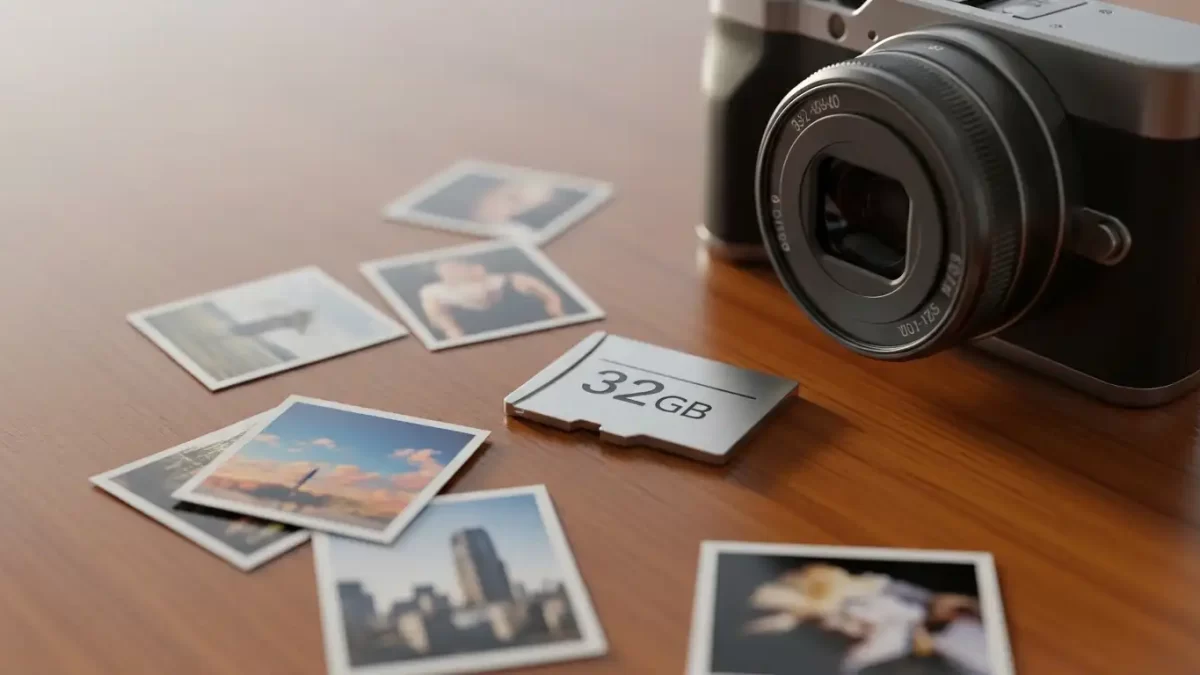
Photographers and everyday users often ask the same question: how much can this little card really hold? A 32GB memory card works great for capturing memories—whether you’re shooting family vacations or professional sessions. It can store thousands of photos. However, the exact number depends on several important factors.
At Clipping Expert Asia, we handle large image files every day and know how valuable it is to get the most out of every gigabyte. In this guide, we explain the key factors that affect photo capacity. We also share clear calculations and practical tips so you can use your card more effectively.
Memory cards have come a long way. They now pack a lot of storage into a tiny size. Most people use a standard 32GB SD card in cameras, smartphones, or drones. It offers plenty of room for digital files.
Still, you don’t get the full 32GB for photos. System formatting and overhead take up space. In practice, you usually have about 29 to 30GB available. That’s why real-world estimates matter when you plan your shoots.
Understanding Memory Card Basics
Memory cards come in different types—mainly SDHC and SDXC. A 32GB card belongs to the SDHC category. It stores data using fast, reliable flash memory.
Manufacturers list capacity in gigabytes. One gigabyte equals 1,024 megabytes. That means a 32GB card holds 32,768 megabytes in theory.
But formatting reduces the usable space by roughly 7–10%. After formatting, you typically end up with about 29,800 megabytes ready for your files.
Why does this happen? The file system (usually FAT32) reserves room for folders, file tables, and error checking. Every photo also includes metadata—date, camera settings, sometimes location—which adds a small amount per image.
Formatting the card directly in your camera helps it work best with that device. However, it can reduce usable space a little more. Always back up important files before you format.
For reliable insights into memory card types and evolution, explore this comprehensive overview from Photography Life experts.
Factors That Influence Photo Count on a 32GB Card
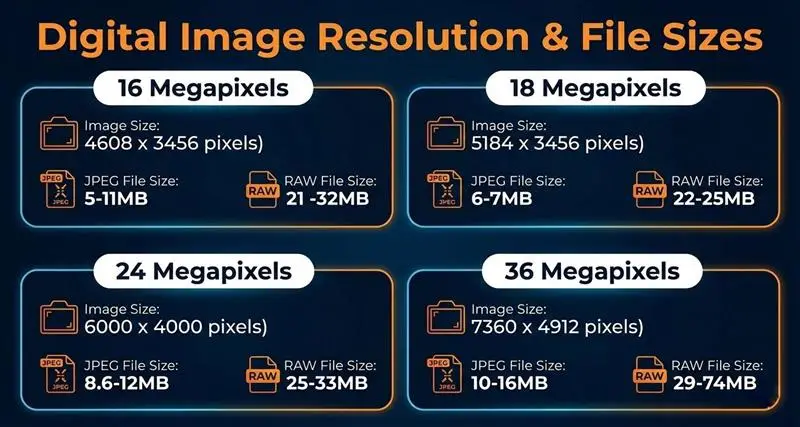
Many things decide how many photos fit on a 32GB card. The biggest factor is image resolution. Higher megapixel counts produce larger files.
For example, a 12-megapixel smartphone photo might average only 3MB. A 48-megapixel shot from a modern camera can easily reach 15MB or more.
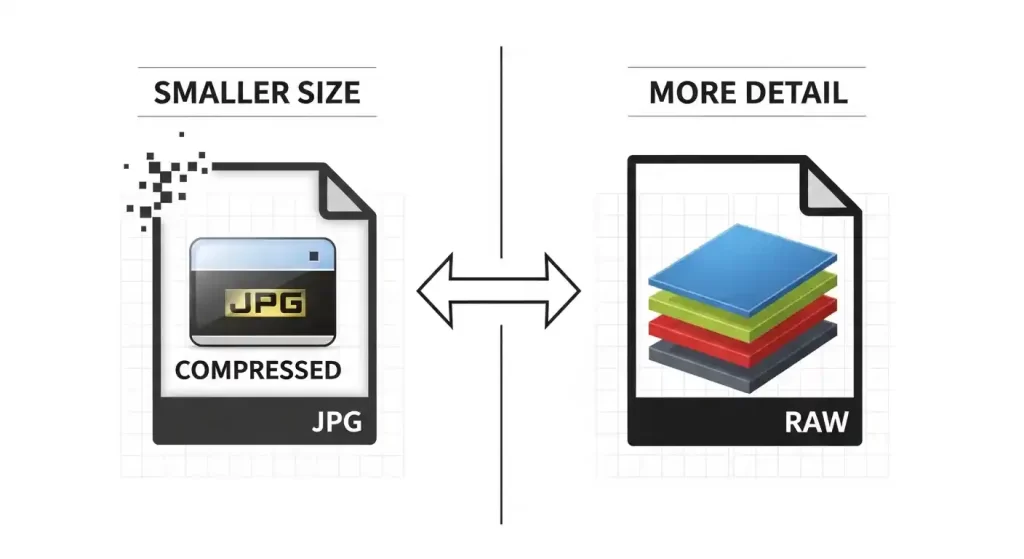
The file format makes a huge difference too. JPEG compresses images and saves space, although it loses a bit of detail. RAW keeps every piece of sensor data—perfect for editing, but much larger.
Even within JPEG, compression settings matter. “Fine” quality preserves more detail and creates bigger files. “Basic” or “normal” compression lets you store many more photos.
Other camera settings play a role. High ISO adds noise, which increases file size after compression. Shooting in burst mode temporarily fills the buffer. Complex scenes (like detailed landscapes) also need more data than simple portraits.
Here are the main factors to keep in mind:
- Resolution — Lower it if you don’t plan large prints (8×10 inches or bigger).
- Format — JPEG gives you up to three times more photos than RAW for casual shooting.
- Compression — Basic JPEG works well for social media and saves a lot of space.
- Additional Data — Videos, apps, or other files steal space. Keep the card dedicated to photos when possible.
Your device type affects results too. Smartphones usually create smaller, efficient files. DSLRs and mirrorless cameras produce larger ones. Drones and action cameras often use heavy compression.
Professionals who edit photos later should always consider these points. Running out of space mid-shoot can be frustrating.
To learn more about how different devices handle storage, check this detailed beginner’s guide to memory cards.
Average File Sizes Across Popular Cameras
Cameras produce very different file sizes. That directly changes how many photos fit on your 32GB card.
Entry-level point-and-shoot cameras usually create JPEGs of 2–4MB at 10–16 megapixels. They work well when you want quantity over maximum quality.
Mid-range mirrorless models (Sony, Fujifilm, etc.) typically make 5–10MB JPEGs at 20–24 megapixels. They strike a nice balance for hobbyists.
High-end DSLRs from Canon or Nikon often generate 8–15MB JPEGs at 30+ megapixels. These deliver excellent prints but fill cards faster.
RAW shooters face bigger files. On a 24-megapixel sensor, expect 20–40MB per RAW image. Some pro cameras, like the Canon EOS R5, can reach 50MB or higher.
Smartphones vary widely. An iPhone 15 might average 3–5MB in HEIC format (similar to JPEG). High-res modes on Android flagships like the Samsung S24 can hit 10MB or more.
Here are typical averages:
- Compact camera (12MP JPEG): 3MB
- Mirrorless (24MP JPEG): 8MB
- DSLR (36MP JPEG): 12MB
- Smartphone (48MP JPEG): 10–15MB
- Professional RAW (24MP): 25–30MB
These numbers come from real tests and manufacturer data. For the most accurate result, check a few files from your own camera.
For in-depth comparisons of camera file sizes, refer to resources from photography experts.
Precise Calculations for 32GB Photo Storage
Let’s do the math for a 32GB card.
Start with theoretical capacity: 32GB × 1,024 = 32,768MB. Subtract about 7% for formatting. That leaves roughly 30,474MB of usable space.
JPEG examples
- 3MB per photo (12MP smartphone): ≈ 10,158 photos
- 8MB per photo (24MP mirrorless): ≈ 3,809 photos
- 12MB per photo (36MP DSLR): ≈ 2,539 photos
RAW examples
- 25MB per photo (24MP): ≈ 1,219 photos
- 40MB per photo (high-res): ≈ 762 photos
These figures assume the card contains only photos. Adding videos reduces the count. A 5-minute HD clip can easily take 500MB—cutting your photo total by 50–200 images depending on size.
Here’s a quick reference table:
| Resolution & Format | Average File Size | Estimated Photos on 32GB |
|---|---|---|
| 12MP JPEG | 3MB | 10,000+ |
| 24MP JPEG | 8MB | 3,800 |
| 36MP JPEG | 12MB | 2,500 |
| 24MP RAW | 25MB | 1,200 |
| 48MP RAW | 50MB | 600 |
Use these numbers as a starting point. For the best accuracy, shoot a short series with your camera, check the average file size, and divide.
Wedding photographers, for instance, might plan for 1,000 RAW shots. A 32GB card usually handles that comfortably with some room left.
JPEG vs. RAW: Choosing the Right Format for Your Needs
JPEG compresses files efficiently. That lets you store many more photos on a 32GB card. It throws away some data, but most people can’t notice the difference for social media or small prints. Cameras also apply automatic improvements, so JPEGs are ready to share right away.
RAW captures everything the sensor sees—no compression. This gives editors huge flexibility to fix exposure, colors, shadows, and more. The tradeoff? Much larger files that fill your card faster.
Editing professionals love RAW because it keeps every detail. JPEG sometimes loses subtle tones that matter in high-end work.
Choose based on your needs:
- Casual shooters save space with JPEG.
- Enthusiasts and pros choose RAW for maximum editing power.
Some cameras offer “compressed RAW” modes. These reduce file size by 20–30% with very little quality loss.
Switching formats changes everything. One card might hold 4,000 JPEGs but only 1,200 RAWs. Try both in your camera menu to see the real difference.
For tips on handling RAW files in editing, visit this expert guide to SD card capacities and formats.
Tips to Maximize Storage on Your 32GB Card
You can make your 32GB card last longer with a few smart habits.
Start by reviewing shots right after you take them. Delete blurry ones or duplicates immediately—most cameras let you do this easily.
When detail isn’t critical, lower the resolution. For web or social media, 12MP works fine instead of 24MP. This can cut file sizes in half.
Use basic or normal JPEG compression when you want to fit more images. Just check the quality to make sure it meets your needs.
Keep the card focused on photos. Don’t load it with apps, music, or other files.
Transfer images regularly to your computer or cloud storage (like Google Drive). This prevents the card from filling up unexpectedly.
Format the card in your camera every few months. It keeps performance smooth. Always use a card reader for faster transfers, and eject it properly to avoid corruption.
Quick checklist:
- Backup routinely — Copy files after every session.
- Monitor usage — Watch the remaining shots display on your camera.
- Choose quality brands — SanDisk, Lexar, and similar offer reliable full capacity.
- Organize folders — Sort by date or event to stay in control.
These simple steps help your card perform at its best—especially if you shoot often.
For additional strategies on card management, consult SanDisk’s official capacity tools and tips.
When Should You Upgrade from a 32GB Card?
A 32GB card handles light use very well. Weekend trips or casual shooting often fit 3,000–10,000 photos without any problem.
But if you shoot RAW or high-resolution images regularly, it fills up fast. Event photographers and pros usually move to 64GB or 128GB cards to avoid swapping during shoots.
Think about your style. People who shoot bursts or record video benefit from larger cards. A single 4K clip can eat 2GB quickly.
Traveling without easy backup access? Bigger cards give you peace of mind.
Upgrades also bring faster speeds. Look for UHS-I or UHS-II ratings for quicker write performance. Today, 128GB cards cost under $20 in many places.
Simple rule: If your 32GB card often runs low, it’s time to upgrade. You’ll miss fewer shots that way.
For specs on larger cards, visit the official SanDisk manufacturer site.
Beyond Photos: Other Uses for a 32GB Card
A 32GB card does much more than store photos.
It can hold about 8 hours of standard-definition video or 1–2 hours of Full HD footage. For 4K video, expect only 30–45 minutes because bitrates are much higher.
Music fans can store around 7,000 MP3 songs at 128kbps quality—enough for a complete travel playlist.
You can also keep documents, PDFs, ebooks, or small games on it. Each might take 100–500MB.
Drones use the card for both video and stills during flights. Gamers load it into devices like the Nintendo Switch for saves and downloads.
The card is very versatile. Just remember to prioritize your main use so files don’t become fragmented.
Conclusion
A 32GB memory card delivers impressive storage for photos. Depending on your settings, it can hold anywhere from 600 RAW files to more than 10,000 JPEGs.
Once you understand resolution, format, and other factors, you can calculate exactly what you need. These insights let you capture more confidently—whether you’re a hobbyist or a working professional.
At Clipping Expert Asia, we value efficient storage because it makes editing workflows smoother. Choose good cards, apply these tips, and you’ll get the best performance every time.
Frequently Asked Questions (FAQs)
- What is the average number of photos a 32GB card holds in JPEG format?
On average, a 32GB card holds 3,000 to 10,000 JPEG photos, depending on resolution. For 24MP images, expect around 3,800. - How does RAW format affect storage on a 32GB card?
RAW files are larger, so a 32GB card typically holds 600 to 1,200 photos. This format suits editing but reduces capacity significantly. - Can I store videos on a 32GB card along with photos?
Yes, but videos take more space. A 32GB card might hold 1 hour of HD video, leaving less room for photos—plan accordingly. - Why is the usable space on my 32GB card less than 32GB?
Formatting and system overhead reduce it to about 29-30GB. Cameras reserve space for metadata and file management. - How do I calculate photo capacity for my specific camera?
Check average file size from your shots, then divide usable MB (around 30,000) by that number for an estimate. - Is a 32GB card enough for professional photography?
It works for short sessions in JPEG, but pros often prefer larger cards for RAW shoots to avoid frequent swaps. - What tips help prevent data loss on a 32GB card?
Backup regularly, format in-camera, and use protective cases. Avoid filling it completely to maintain performance. - How does resolution impact the number of photos on 32GB?
Higher resolution increases file size—12MP might fit 10,000 photos, while 48MP drops to 2,000 in JPEG.