


Best Photo Slideshow App: 10 Tools That Turn Photos Into Stories
May 8, 2026
Best Photo Printing Software in 2026: The Complete Guide for Photographers, Artists & Print Shops
May 13, 2026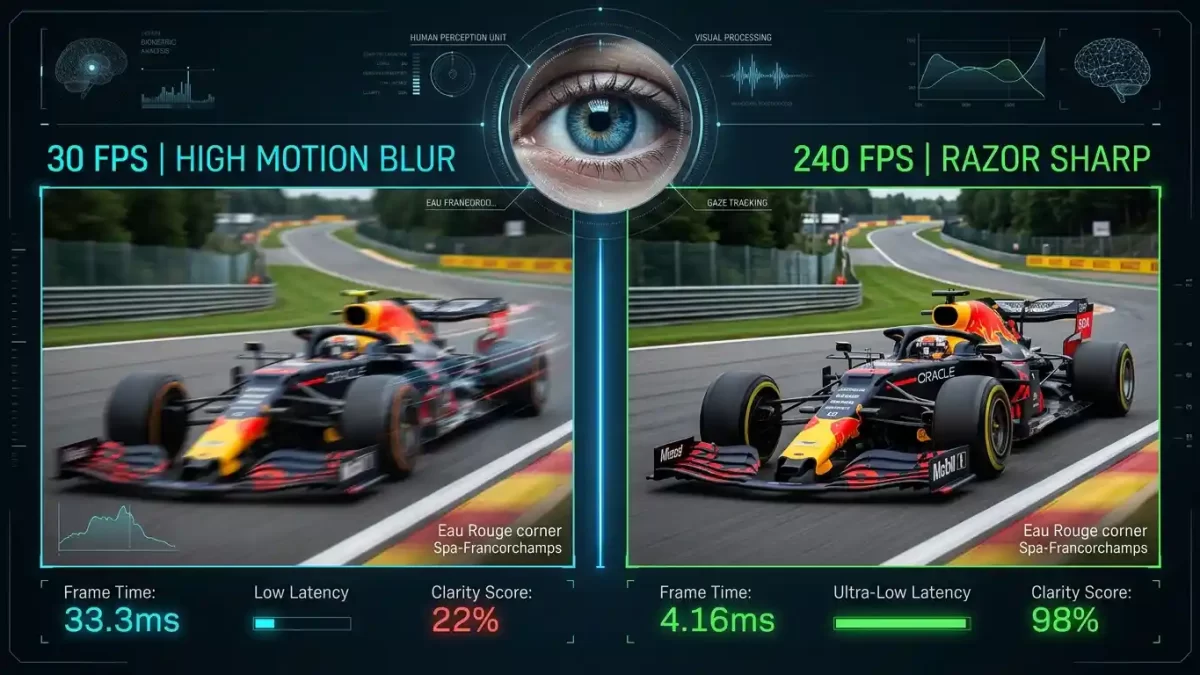
- A Complete, Research-Backed Guide to Human Vision, Frame Rates, and What Your Brain Actually Processes
- The Short Answer: How Many Frames Per Second Can Humans See?
- Why the “Human Eye FPS” Question Is Slightly Misleading
- Common Myths About Human Eye FPS (And Why They’re Wrong)
- What Science Actually Says: Landmark Studies on Human FPS
- Frame Rate vs. Refresh Rate: They’re Not the Same
- How FPS Affects What You Actually See in Daily Life
- Peripheral vs. Central Vision: The Hidden FPS Gap
- How Animals Compare: A Quick FPS Tour of the Animal Kingdom
- Why Gamers Genuinely Notice the Difference Between 60, 120, and 240 FPS
- Does FPS Matter for Photographers and Image Editors?
- The Future: 360Hz, 480Hz, and Beyond
- Practical FPS Recommendations by Use Case
- Why Image Quality Often Beats Raw FPS
- Can You Train Your Eyes to See More FPS?
- How Display Hardware Translates Biology Into Experience
- FPS and Photo Editing Workflows
- Final Verdict: How Many FPS Can the Human Eye See?
- Frequently Asked Questions (FAQ)
A Complete, Research-Backed Guide to Human Vision, Frame Rates, and What Your Brain Actually Processes
The “how many FPS can the human eye see” debate refuses to die. Some folks swear the human eye caps out at 30 FPS. Others insist 60 FPS is the magical ceiling. Meanwhile, gamers spending thousands on 240Hz monitors laugh at both groups. So who’s actually right?
Here’s the honest truth: the question itself is slightly flawed. Your eyes don’t record life like a GoPro. They stream a continuous river of light into your brain, and your visual cortex stitches that input into the seamless reality you experience every waking second. That said, scientists have measured exactly how fast the human visual system can detect motion, flickers, and flashes, and the numbers might genuinely surprise you.
In this guide, you’ll discover what real research from MIT, the U.S. Air Force, and peer-reviewed neuroscience labs actually says about human visual perception. We’ll also unpack why a film looks fine at 24 FPS, why your gaming monitor benefits from 144Hz, and where the practical ceiling of human vision truly sits.
Boost your visual content quality: Crisp images deserve flawless edits. Try our professional photo retouching service to make every frame in your portfolio look studio-perfect.
The Short Answer: How Many Frames Per Second Can Humans See?
Most vision scientists agree on this practical range:
- 30–60 FPS — the comfortable “smooth motion” zone for the average viewer
- 75–150 FPS — easily distinguishable for trained gamers, pilots, and athletes
- 200–500+ Hz — detectable as flicker artifacts under specific lab conditions
- ~1,000 FPS — a theoretical biological ceiling based on neuron refractory periods
So if someone insists “the human eye can’t see past 60 FPS,” they’re repeating a myth that science buried over a decade ago.
Why the “Human Eye FPS” Question Is Slightly Misleading
Your Eyes Don’t Capture Frames — They Stream Photons
A camera shutter clicks open and shut. It captures discrete still images at fixed intervals. Your eye works completely differently. Photons hit your retina constantly, and your photoreceptors fire electrochemical signals through the optic nerve without pausing.
That means human vision behaves like an analog flow rather than a digital framerate. There’s no “shutter” closing between perceptions. You’re experiencing a continuous information stream, not a slideshow.
The Three-Stage Visual Pipeline
Here’s a quick walkthrough of how the magic happens:
- Light enters through your cornea and gets focused by the lens onto the retina
- Photoreceptors (rods and cones) convert photons into electrical signals
- Your visual cortex interprets those signals into the world you perceive
Cones handle sharp central vision and color. Rods dominate peripheral vision and detect motion fast. This split matters enormously when we talk about FPS, because rods react roughly 4–10 times faster than cones to changes in light. Healthline confirms this two-track architecture sits at the heart of how we perceive motion.
Common Myths About Human Eye FPS (And Why They’re Wrong)
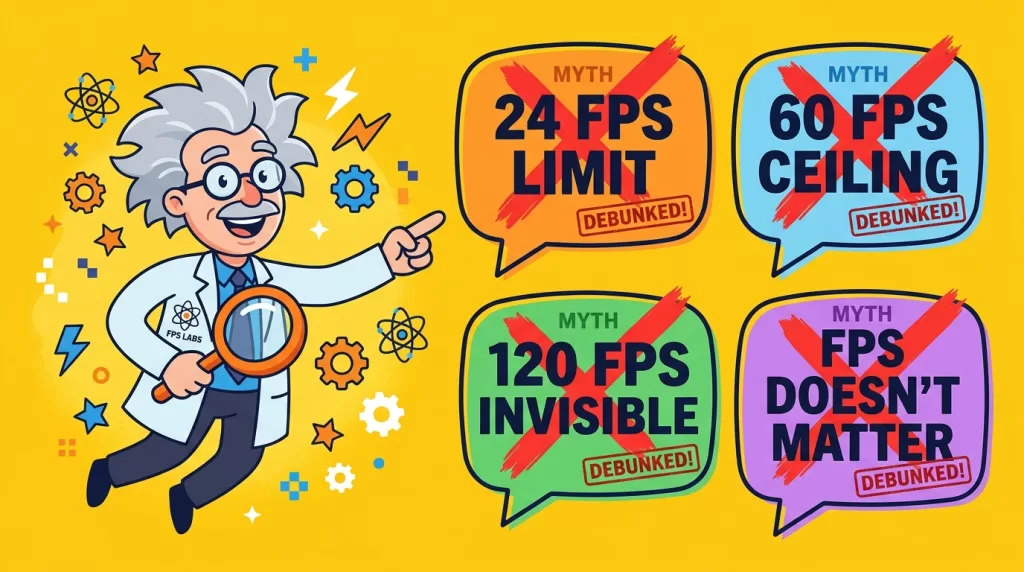
A lot of confident-sounding claims float around the internet. Let’s clear them up:
- Myth #1: “The eye sees only 24 FPS.” False. Films use 24 FPS for artistic reasons, not biological ones. Motion blur fills the gaps.
- Myth #2: “Human vision tops out at 60 FPS.” False. This number comes from old CRT television standards, not from human biology.
- Myth #3: “Anything above 120 FPS is invisible to humans.” Demonstrably false. Trained observers reliably distinguish 144Hz from 240Hz on identical hardware.
- Myth #4: “FPS doesn’t matter for productivity.” False. Higher refresh rates reduce eye strain during long screen sessions.
What Science Actually Says: Landmark Studies on Human FPS
The MIT 13-Millisecond Discovery (2014)
Researchers at the Massachusetts Institute of Technology discovered the brain can identify a complete image flashed for just 13 milliseconds. That converts to roughly 75 FPS of conscious image recognition. Earlier textbooks claimed 100 milliseconds was the limit, so MIT’s finding nearly doubled the accepted speed of conscious visual processing. You can read the original announcement on the MIT News page.
The U.S. Air Force Pilot Test
In a famous experiment, fighter pilots correctly identified aircraft silhouettes flashed onto a screen for 1/220th of a second. That’s under 5 milliseconds. The result demonstrates the human visual system can register meaningful information at rates equivalent to roughly 220 FPS when properly trained.
The 500 Hz Flicker Study
Davis and colleagues published research in Nature Scientific Reports (2015) showing humans perceive flicker artifacts above 500 Hz under specific conditions, particularly when high-frequency spatial edges move across the visual field. You can dig into the original peer-reviewed paper here on Nature.
The Neural Speed Limit
Optic neurons have a refractory period of about 12 milliseconds. That biological cooldown sets a theoretical perceptual ceiling somewhere between 500 and 1,000 events per second. Beyond that, individual signals blur into a continuous stream.
Need pixel-perfect product images for your store? Our hand-drawn clipping path service delivers crisp cutouts that look stunning on any high-refresh display.
Frame Rate vs. Refresh Rate: They’re Not the Same
People mix these up constantly. Here’s the clean distinction:
- FPS (Frames Per Second) — how many unique images your computer, console, or camera produces every second
- Refresh Rate (Hz) — how many times your display updates the picture every second
A game running at 200 FPS on a 60Hz monitor still shows you only 60 frames. The other 140 frames get discarded. To actually experience higher frame rates, your hardware and your display must both support those numbers.
Quick Reference Chart
- 24 FPS / 24Hz — cinematic film standard
- 30 FPS / 60Hz — broadcast TV, casual streaming
- 60 FPS / 60Hz — standard office monitors and budget gaming
- 120 FPS / 120Hz — premium gaming and modern smartphones
- 144–240Hz — competitive gaming territory
- 360–480Hz — esports professionals and bleeding-edge enthusiasts
How FPS Affects What You Actually See in Daily Life
Movies and Cinematic Content (24 FPS)
Hollywood standardized on 24 FPS nearly a century ago. Lower frame rates capture natural motion blur with each shutter exposure, and that blur tricks your brain into perceiving smooth movement. The “cinematic look” depends heavily on this slight motion softness.
When TVs apply “motion smoothing” (sometimes called the Soap Opera Effect), they insert artificial intermediate frames. Many viewers find this jarring because it strips away the directorial intent baked into the original 24 FPS footage.
TV Broadcasts and Streaming (30–60 FPS)
Sports broadcasts often run at 50 or 60 FPS to keep fast action sharp. Documentary content, news, and most YouTube videos sit comfortably between 24 and 60 FPS.
Video Games (60–240+ FPS)
Games render every frame perfectly sharp without motion blur (unless artificially added). That’s why low FPS feels choppy in gaming but acceptable in film. Competitive gamers chase 144Hz and beyond because:
- Higher FPS reduces input lag
- Smoother animations help track moving targets
- Visual responsiveness translates directly to faster reaction times
Virtual Reality (90–120 FPS Minimum)
VR headsets demand at least 90 FPS to prevent motion sickness. Your inner ear and visual system must agree on motion timing, or your stomach will object loudly. This is the one scenario where high FPS is mandatory rather than optional.
Peripheral vs. Central Vision: The Hidden FPS Gap
Here’s a fascinating quirk of human biology: your peripheral vision processes motion much faster than your central vision.
- Central (foveal) vision — relies on cones, peaks around 60 Hz temporal resolution
- Peripheral vision — relies on rods, can detect flicker well above 100 Hz
Ever notice a fluorescent light flickering out of the corner of your eye, only to look directly at it and see steady illumination? That’s your rods catching what your cones missed. Hunters, athletes, and pilots exploit this peripheral sensitivity constantly without realizing it.
Selling apparel online? Make your products pop with our ghost mannequin service and turn flat photos into hollow, body-shaped showcases buyers actually click on.
How Animals Compare: A Quick FPS Tour of the Animal Kingdom
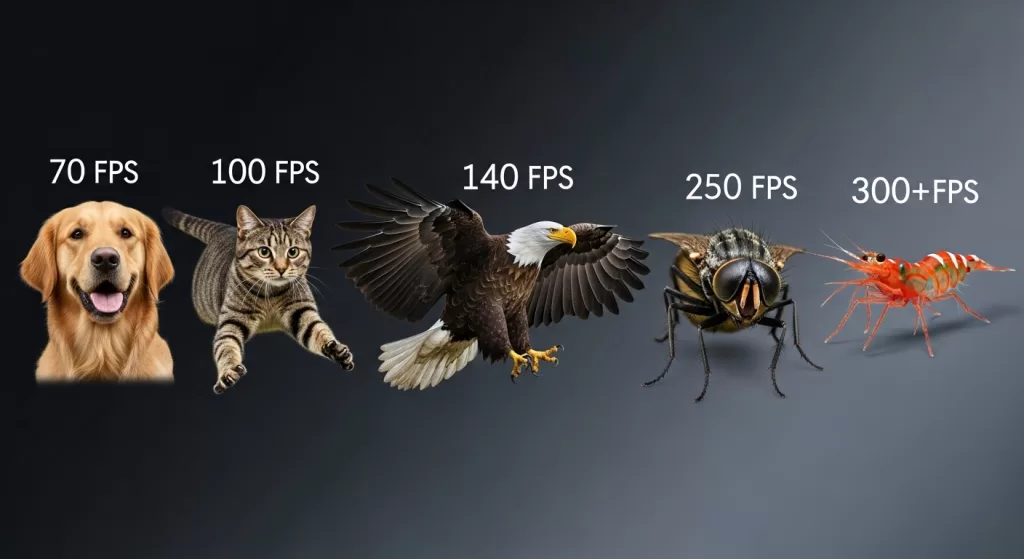
Different species process motion at wildly different rates, depending on what their survival demands:
- Dogs: 70–80 FPS — which is why they sometimes ignore older TVs but engage with modern ones
- Cats: ~100 FPS — built for hunting fast prey
- Chickens: 100–120 FPS — surprisingly good for ground birds
- Birds of prey (eagles, hawks): up to 140 FPS with stunning visual acuity
- Houseflies: 250 FPS — reason your swatter never lands
- Mantis shrimp: 300+ FPS — plus 16 types of color receptors
So next time your dog ignores your favorite show, remember the screen might literally look like a slideshow to him.
Why Gamers Genuinely Notice the Difference Between 60, 120, and 240 FPS
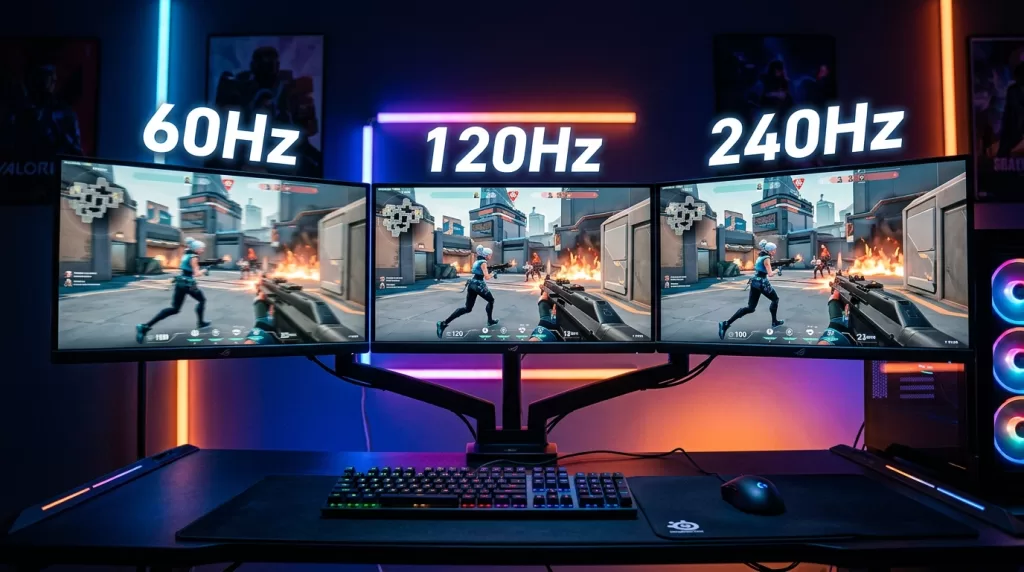
Gamers who switch from 60Hz to 144Hz almost universally report feeling like a veil lifted. Here’s the science behind that gut reaction:
- 60 → 120Hz: dramatic improvement obvious to virtually everyone
- 120 → 240Hz: real but subtle improvement, mostly noticed in fast-paced shooters
- 240 → 360Hz+: detectable mainly by trained competitive players
A peer-reviewed paper in Frontiers in Psychology recommends at least 120 Hz for motion-perception research because lower rates introduce confounding visual artifacts. That’s a strong scientific endorsement of high refresh rates beyond placebo.
If you’re picking a camera or display for content creation, this guide on the best cameras for vlogging helps match frame rate capability to your real-world needs.
Does FPS Matter for Photographers and Image Editors?
Photography lives or dies on individual frames, not motion. But FPS still matters in a few specific contexts:
- Burst mode shooting — sports and wildlife photographers use cameras with 20–40 FPS burst rates to catch peak action
- High-speed video — modern phones record 240 FPS+ for crisp slow-motion playback
- Editing displays — color-accurate monitors at 60Hz typically beat fast 240Hz panels for retouching work
- Client previews — high-refresh displays make scrubbing through video edits noticeably smoother
Image editors typically prioritize color accuracy, dynamic range, and resolution over raw refresh speed. A 60Hz IPS panel with wide gamut coverage handles photo work better than a 240Hz TN panel with washed-out colors.
Working with complex graphics or transparent objects? Our specialized image masking service handles hair, fur, glass, and tricky edges that standard cutout tools simply can’t.
The Future: 360Hz, 480Hz, and Beyond
Display manufacturers haven’t slowed down. The roadmap looks roughly like this:
- 360Hz — already mainstream in competitive esports
- 480Hz OLED — shipping in 2025 flagship gaming monitors
- 540–600Hz panels — in active development
- 1,000Hz prototypes — research labs already demonstrate working units
Will average consumers benefit? Probably not dramatically past 240Hz. But esports professionals, simulator pilots, and motion-tracking researchers continue to pull genuine value from each jump.
Practical FPS Recommendations by Use Case
Different use cases demand different frame rate priorities. Here’s a clean cheat sheet:
- Casual web browsing: 60Hz is fine
- Office work and email: 60–75Hz
- Photo editing: 60Hz with great color
- Video editing: 60–120Hz with HDR support
- Casual gaming: 60–120 FPS
- Competitive FPS gaming: 144–240Hz minimum
- VR experiences: 90 FPS floor, 120 FPS preferred
- Cinema viewing: 24 FPS native, no smoothing
- Sports broadcasts: 60 FPS
- High-motion content creation: 120 FPS capture, downsampled to 24 or 60
Why Image Quality Often Beats Raw FPS
Here’s an unpopular truth: a beautifully composed 30 FPS image will almost always look better than an ugly 240 FPS one. Resolution, color accuracy, contrast, and post-production polish carry more weight than raw frame counts for most viewers.
That’s especially true in:
- E-commerce photography — buyers care about clarity, not motion
- Print materials — frames per second don’t apply at all
- Corporate marketing — emotion comes from composition, not refresh rate
- Social media images — Instagram doesn’t care about your monitor’s Hz
Quality post-production matters more than people realize. A clean background, accurate skin tones, and natural lighting separate amateur shots from professional ones. Tools and services exist specifically to elevate this side of visual content.
Want clean, distraction-free product images? Our fast and affordable background removal service helps your products stand out, no matter what frame rate someone views them at.
Can You Train Your Eyes to See More FPS?
Sort of. You can’t biologically upgrade your retina, but neuroplasticity does play a role.
- Gamers show measurably faster visual processing after extended high-FPS exposure
- Pilots and athletes train pattern recognition that mimics higher temporal resolution
- Action video games improve attention switching speed by up to 30% in studies
So while your photoreceptors stay fixed, your brain learns to extract more meaning from each millisecond. That’s why a competitive Counter-Strike pro genuinely benefits from 240Hz while your grandmother might not notice a difference past 60Hz.
How Display Hardware Translates Biology Into Experience
Even the best human visual system can’t override mediocre hardware. Key specs that interact with your perception include:
- Response time — how fast a pixel changes color (1ms to 5ms ideal)
- Input lag — delay between input and on-screen action
- Variable refresh rate (G-Sync, FreeSync) — eliminates tearing and stuttering
- Backlight strobing — reduces motion blur on LCDs
A 60Hz monitor with great response time can outperform a sloppy 144Hz panel for visual clarity. Tech specs lie sometimes; real-world tests don’t. Reviews from credible outlets like Rtings help separate hype from truth.
FPS and Photo Editing Workflows
Photo editors might not chase 240Hz panels, but smooth interaction still matters. Higher refresh rates make scrubbing through Lightroom catalogs, dragging Photoshop layers, and previewing video edits feel responsive rather than laggy.
For e-commerce sellers handling thousands of product shots, fast hardware combined with professional editing partners speeds up turnaround dramatically. Outsourcing complex cutout work, shadow generation, and retouching to specialists frees you to focus on shooting and selling.
Add depth to flat product shots: Our natural shadow creation service brings dimension and realism that makes images feel alive on any screen.
Final Verdict: How Many FPS Can the Human Eye See?
So, how many FPS can the human eye see in real life? Here’s the honest, science-backed answer:
- The human eye doesn’t see in frames at all
- Smooth motion typically registers between 30 and 60 FPS for most people
- Trained viewers reliably perceive differences up to 150–240 FPS
- Flicker artifacts can be detected above 500 Hz under specific conditions
- The biological ceiling sits somewhere near 1,000 events per second
The “60 FPS limit” is a myth born from outdated technology, not human biology. Your eyes and brain are vastly more capable than that lazy answer suggests.
Ready to make your product images shine across every device and refresh rate? Explore our complete multi-clipping path service to deliver studio-grade visuals that look perfect on any screen.
Frequently Asked Questions (FAQ)
1. Can the human eye really see more than 60 FPS?
Yes. Research from MIT, the U.S. Air Force, and peer-reviewed flicker studies confirm humans perceive motion well beyond 60 FPS. Most people easily distinguish 60Hz from 120Hz on identical hardware.
2. Why do movies look smooth at only 24 FPS?
Films capture natural motion blur with each frame, blending images together into perceived smooth motion. Combined with the cinematic shutter angle, 24 FPS feels intentional and artistic rather than choppy.
3. Is 120Hz really better than 60Hz for everyday use?
Absolutely. Scrolling feels smoother, animations look fluid, and your eyes experience less strain over long sessions. The upgrade is one of the most noticeable changes in display technology.
4. Can humans see 1,000 FPS?
Theoretically, the visual system can detect light flashes at 1ms intervals (1,000 Hz), but the brain can’t consciously register 1,000 distinct images per second. You’d perceive a continuous blur or steady beam instead.
5. Does FPS matter for photo editing?
Refresh rate matters less than color accuracy and resolution for photo work. Most professional photo editors prefer high-quality 60Hz panels with wide color gamut over fast but inaccurate 240Hz screens.
6. Do animals see at higher frame rates than humans?
Some do. Birds of prey perceive around 140 FPS, houseflies process about 250 FPS, and mantis shrimp detect over 300 FPS. However, human visual acuity (sharpness) generally beats most animals.
7. Why do gamers prefer 144Hz or 240Hz monitors?
Higher refresh rates reduce input lag, smooth animations, and improve target tracking in fast-paced games. Competitive players gain measurable reaction-time advantages on faster displays.
8. What’s the difference between flicker fusion and motion perception?
Flicker fusion measures when a flashing light appears steady (around 60Hz for most people). Motion perception measures the ability to track moving objects, which extends well beyond 200 FPS.