

Multiple Clipping Path Services: When They Deliver Real Value
April 1, 2026
Master Watermark Removal in Photoshop with 5 Easy Techniques
April 6, 2026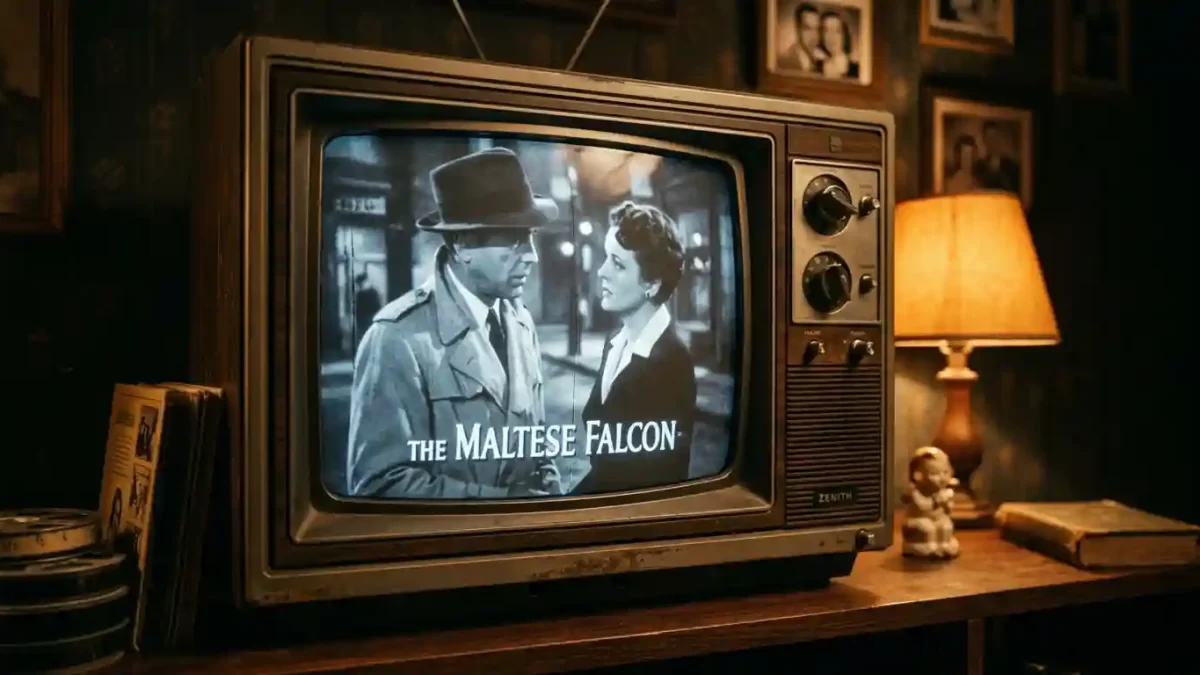
Few visual concepts feel as universally familiar yet widely misunderstood as the 4:3 aspect ratio. Ask someone on the street to describe it, and you will likely hear the words “old TV” or “square screen.” But that description only scratches the surface. The 4:3 aspect ratio holds a fascinating story that spans more than a century, from the earliest silent films to the smartphone in your pocket.
In this guide, I will walk you through everything you need to know about the 4:3 format. We will explore its definition, its rich history, and the surprising reasons why modern creators are falling in love with it all over again. By the end, you will see this classic frame not as a relic of the past, but as a powerful creative tool for the present.
4:3 is great – but every aspect ratio needs flawless retouching. See our photo retouching portfolio
What Exactly is the 4:3 Aspect Ratio?
Let us start with the basics. The term “aspect ratio” describes the proportional relationship between an image’s width and its height. Think of it as the recipe for a rectangle. The 4:3 aspect ratio means that for every 4 units of width, you have 3 units of height. This creates a shape that feels noticeably taller and more balanced than a modern widescreen. Because 4 divided by 3 equals approximately 1.33, you will also see this format referred to as 1.33:1.
To put this into perspective, compare it to the other ratios you see every day:
- 1:1 (Square): Equal width and height, popular on Instagram feeds.
- 4:3 (Fullscreen): Slightly wider than it is tall, the classic television shape.
- 16:9 (Widescreen): Significantly wider than it is tall, the standard for HD TVs and most YouTube videos.
- 9:16 (Vertical): The tall, smartphone-friendly format for TikTok and Instagram Stories.
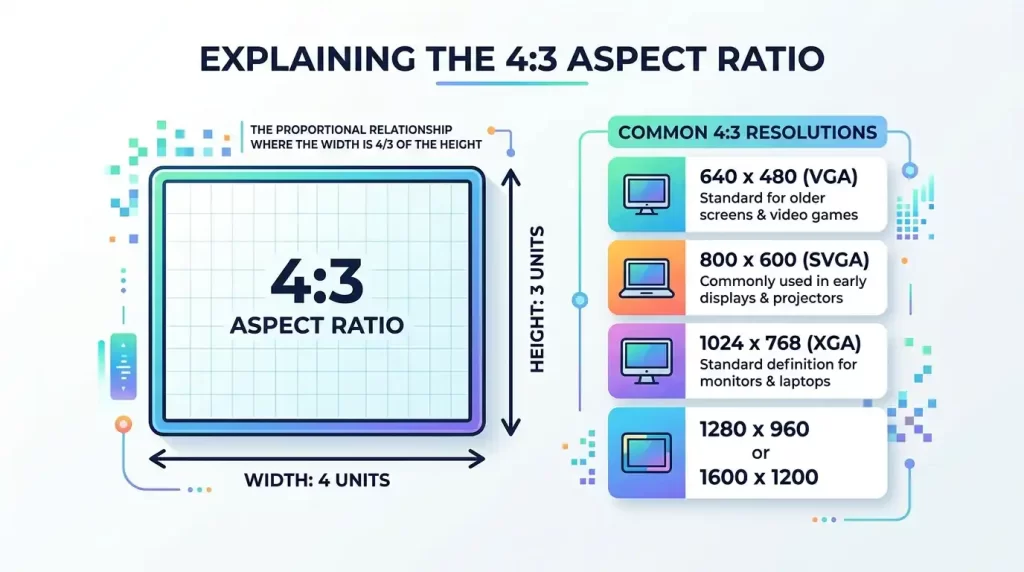
We can see the 4:3 shape in many common screen resolutions. You have probably used some of these without even realizing it:
- 640 x 480 pixels (VGA)
- 800 x 600 pixels (SVGA)
- 1024 x 768 pixels (XGA)
All of these dimensions maintain the same 4:3 proportion. If you ever need to resize an image or video, you can rely on an aspect ratio calculator to maintain these proportions perfectly without any distortion. This tool saves you from the guesswork and ensures your visuals always look their best.
A Journey Through History: From Silent Films to Living Rooms
To truly appreciate the 4:3 aspect ratio, we need to take a quick trip back in time. Our story begins not in a living room, but in a laboratory.
The Birth of a Standard (1889-1932)
In 1889, William Dickson, an employee of Thomas Edison, invented the 4:3 ratio. He used this shape for the Kinetoscope, an early motion picture device. The numbers “4:3” literally described the size of the 35mm film stock they used, which was four inches by three inches. This boxy frame became the default shape for the silent film era. You can see it in classics like “A Trip to the Moon” (1902).
When sound technology arrived in the late 1920s, filmmakers needed extra space on the film reel to add an optical soundtrack. This forced a slight adjustment to the frame. In 1932, the Academy of Motion Picture Arts and Sciences standardized a new ratio of 1.37:1. While technically a tiny bit wider, this “Academy Ratio” is visually almost identical to 4:3. You have seen it in timeless movies like “Casablanca” (1942) and “Citizen Kane” (1941).
The Golden Age of Television
For decades, 4:3 was simply the shape of moving images. When television became a household staple in the 1940s and 50s, manufacturers chose the 4:3 ratio for their screens. This made perfect sense because it meant that the classic films from Hollywood’s golden era could be broadcast on TV without any cropping or distortion. For a whole generation, the 4:3 box was television.
The Shift to Widescreen
However, the film industry soon saw television as a threat. To get people off their couches and back into movie theaters, Hollywood needed to offer an experience you could not get at home. Their solution was to make the screen wider. Studios introduced sweeping panoramic formats like CinemaScope and Cinerama, which had aspect ratios as wide as 2.59:1. These ultra-wide vistas promised a grand, immersive spectacle that a small 4:3 TV could never replicate.
As a result, the 4:3 ratio slowly faded from the big screen. By the 2000s, 16:9 widescreen had become the dominant standard for HDTVs, computer monitors, and online video platforms. The 4:3 ratio was no longer the default; it was now a memory.
4:3 in the Digital Age: A Creative Comeback
For years, many people dismissed the 4:3 aspect ratio as an outdated, obsolete format. But you cannot keep a great tool down for long. In a surprising turn of events, 4:3 is experiencing a major renaissance. Modern creators are rediscovering its unique power, not in spite of its “old” look, but because of it.
Why Filmmakers Love It
In an era dominated by ultra-wide and vertical video, the 4:3 frame stands out. Filmmakers choose it to create a specific feeling or visual language.
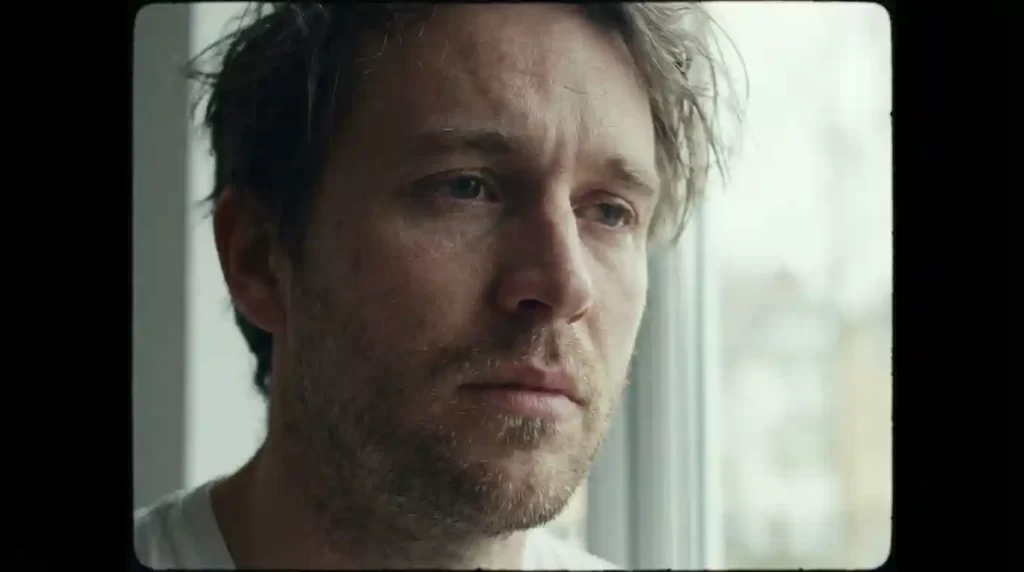
- Focus and Intimacy: A 4:3 frame has less horizontal space. This naturally draws the viewer’s eye to the center of the image, putting a powerful focus on a character’s face and emotions. It creates an intimate, almost claustrophobic feeling that is perfect for intense dramas or character studies.
- Nostalgia and Authenticity: The boxy shape immediately evokes a sense of history. Using 4:3 can instantly give your film a retro, vintage, or archival feel. Directors often use it for flashback sequences or to create a sense of timelessness. A24’s acclaimed film “Eighth Grade” used the 4:3 ratio to perfectly capture the awkward, contained world of its teenage protagonist.
- Vertical Composition: The taller frame gives you more room to play with height. This makes 4:3 an excellent choice for shooting subjects like tall trees, towering buildings, or a person standing in a doorway.
Perfect crop + perfect background = higher conversions. Contact us for a free background removal estimate
Why Photographers Use It
The 4:3 ratio is also incredibly common in the world of still photography.
- Smartphones and Micro Four Thirds: Most smartphone cameras and many compact cameras use a 4:3 sensor as their native aspect ratio. When you take a photo with your phone, you are likely shooting in 4:3 without even knowing it.
- Portraits and Prints: The near-square shape of 4:3 is fantastic for portraits. It provides a pleasing balance, capturing the subject’s face and upper body without leaving too much empty space on the sides. It also fits perfectly onto standard photo print sizes like 8×6 inches or 10.2 x 13.6 cm.
Practical Uses You See Every Day
Beyond the creative world, the 4:3 aspect ratio remains a practical choice for many everyday applications.
- Product Photography: For e-commerce websites, a 4:3 frame often provides the perfect balance to show a product clearly without distracting backgrounds.
- Security Cameras: Many video doorbells and security cameras use a 4:3 aspect ratio. The taller frame allows them to capture a person from head to toe, providing crucial detail that a wider 16:9 frame might miss.
- Presentations: Ever used PowerPoint or Google Slides? The default slide size is often based on a 4:3 proportion, as it mimics a standard whiteboard or printed page.
- Screen Recordings: If you are creating a software tutorial, a 4:3 recording can be more effective than 16:9. It captures the essential application window and toolbars without including a lot of empty, distracting desktop space.
The Great Debate: 4:3 vs. 16:9
This is the question everyone asks: which ratio is better? The honest answer is that neither is universally “better.” They are simply different tools for different jobs. Understanding their strengths will help you make the right choice for your project.
| Feature | 4:3 Aspect Ratio | 16:9 Aspect Ratio |
|---|---|---|
| Shape | Nearly square, boxy, and tall | Wide, rectangular, and cinematic |
| Feel | Intimate, focused, nostalgic, classic | Expansive, immersive, modern, grand |
| Best For | Portraits, product shots, screen recordings, video calls, retro aesthetics | Landscapes, action scenes, group shots, modern movies, gaming |
| Modern Use | Security cameras, tablets (like iPad), smartphones, creative projects | HDTVs, computer monitors, YouTube, streaming services |
| Key Advantage | Uses vertical space efficiently, keeps subjects central | Captures a wider field of view, ideal for horizontal action |
A Detailed Comparison
When you place them side-by-side, the differences become very clear.
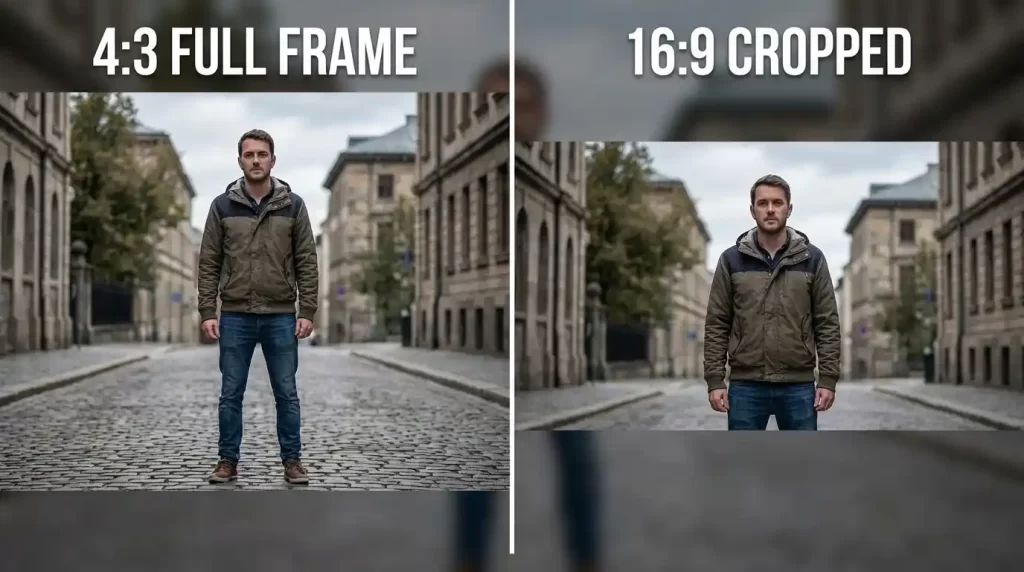
- Field of View: The 16:9 ratio offers a much wider, more cinematic field of view. This makes it perfect for sweeping landscapes, fast-paced action, and creating an immersive experience. However, that width comes at the cost of height. A 16:9 frame will often cut off the top and bottom of a scene, which can be a problem for showing a tall building or a person from head to toe.
- Subject Focus: The 4:3 ratio’s narrower frame forces a tighter composition. There is simply less room on the sides, so your main subject becomes a more dominant and central part of the image. This creates a sense of focus and immediacy that can be lost in a wider shot.
- Screen Compatibility: This is where you have to be practical. Most modern screens, from your laptop to your living room TV, are 16:9. If you upload a 4:3 video to YouTube, viewers will see black bars (pillarboxes) on the left and right sides of the frame. Conversely, if you watch a 16:9 movie on an old 4:3 TV, you would see black bars on the top and bottom (letterboxing). Neither is “wrong,” but it is important to know how your content will appear on different devices.
Making the Switch: How to Shoot and Edit in 4:3
Feeling inspired to try the 4:3 look for yourself? Great news: it is incredibly easy to do, whether you are shooting a video or taking a photo.
For Photos
- In-Camera: Check your camera’s settings menu. Most digital cameras, including DSLRs, mirrorless cameras, and smartphones, allow you to select a photo aspect ratio. Look for an option labeled “4:3” or “Fullscreen.” Shooting in-camera saves you an editing step later.
- In Post-Production: If you forgot to set the ratio before shooting, do not worry. You can easily crop any image to 4:3 using almost any photo editing software, from Adobe Photoshop and Lightroom to free tools like GIMP or even your phone’s built-in editor. Simply use the crop tool and select the 4:3 preset.
For Video
- In-Camera: Many modern cameras also have video aspect ratio settings. However, keep in mind that many cameras will simply record in 16:9 and then add black bars to the sides to create a “fake” 4:3 image. You get the look, but you lose some of the creative benefits of composing in that frame.
- In Post-Production (The Best Way): The best way to get a true 4:3 video is to shoot in a high resolution (like 4K) and then crop your footage to a 4:3 timeline in your video editing software. Programs like Adobe Premiere Pro, Final Cut Pro, DaVinci Resolve, and even mobile apps like CapCut allow you to create a custom sequence with a 4:3 frame size (for example, 1440 x 1080). You can then scale and reposition your 16:9 footage to fit perfectly inside. This gives you total creative control.
Final Thoughts
The 4:3 aspect ratio is far more than just a boxy relic from a bygone era. It is a powerful, versatile, and surprisingly relevant format that offers a unique set of creative advantages. In a world saturated with widescreen and vertical video, choosing 4:3 is a statement. It is a choice for focus, for intimacy, and for a classic aesthetic that feels both nostalgic and fresh.
Whether you are a filmmaker looking to create a specific mood, a photographer aiming for a balanced portrait, or a content creator wanting to stand out from the crowd, do not overlook this classic frame. Experiment with it. Crop a photo to 4:3. Try editing your next video in this taller format. You might be surprised by how much you love the view from within the box.
Stop worrying about aspect ratios – start selling perfect photos. Get a free quote for bulk editing (any ratio, any size)
Frequently Asked Questions (FAQ)
What Does a 4:3 Aspect Ratio Look Like?
A 4:3 image looks like a boxy rectangle. It is noticeably taller and less wide than a modern widescreen image. It is the classic shape of an old-style television set or a traditional photograph.
Is 4:3 the Same as 16:9?
No, they are different. 4:3 is a taller, more square format, while 16:9 is a wider, more rectangular format designed to mimic human peripheral vision.
Why Do Old Movies and TV Shows Look Like a Square?
Old films and TV shows were shot and broadcast in the 4:3 aspect ratio, which was the technical standard for 35mm film and CRT televisions for most of the 20th century.
Is 1920×1080 a 4:3 Resolution?
No, 1920×1080 is a 16:9 resolution. A common 4:3 resolution would be 1440×1080. You can achieve a 4:3 image on a 1920×1080 screen by adding black pillar boxes to the sides of the frame.
When Should I Use the 4:3 Aspect Ratio?
Use 4:3 when you want to create an intimate or nostalgic feeling, when your subject is tall, or when you want to keep the focus tightly on your main subject. It is also a great choice for product photography and screen recordings.
Is the 4:3 Aspect Ratio Making a Comeback?
Yes, many modern filmmakers, photographers, and content creators are rediscovering the unique aesthetic power of the 4:3 format. They use it to stand out from the endless stream of widescreen content and to evoke a specific mood.
What Is the Difference Between 4:3 and 3:2?
The difference is subtle. 3:2 (1.5:1) is the standard ratio for 35mm film and most DSLR cameras. It is slightly wider than 4:3 (1.33:1). A 3:2 image is 1.5 times wider than it is tall, while a 4:3 image is only 1.33 times wider.
Can I Convert a 16:9 Video to 4:3 Without Cropping?
You cannot convert a 16:9 video to 4:3 without either cropping the sides or adding black bars to the top and bottom. There is no magic way to change the fundamental proportions of the footage.